
- Độ tuổi4+
- Danh mụcCông Cụ Nhà Phát Triển
- Nhà phát triểnMichael Frey
- Ngôn ngữTiếng Anh
- Kích thước47,8 MB
Liên kết đến trang App Store chính thức
Download.org không lưu trữ tệp nào của CodeMan - VSCode. Nút này mở trang ứng dụng trên App Store, nơi Michael Frey phát hành ứng dụng. Trang được kiểm tra lần cuối: 21/11/2026.
Ảnh chụp màn hình

Giới thiệu
Nhà phát triển chưa cung cấp nội dung này bằng ngôn ngữ của bạn.
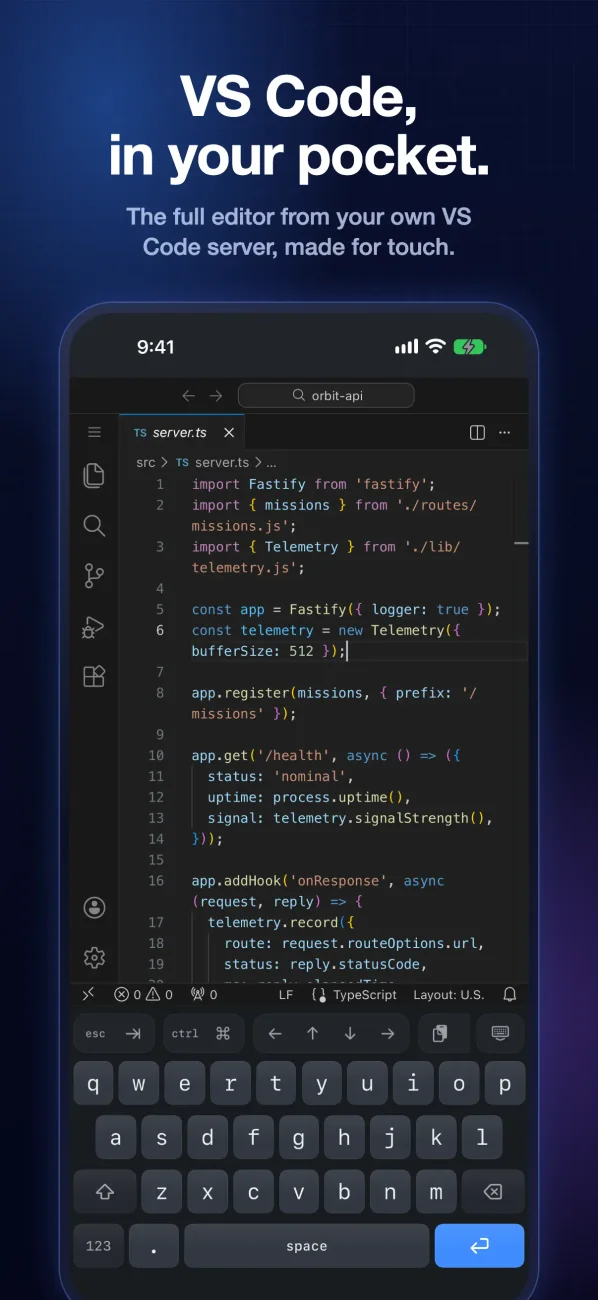
VS Code, in your pocket.
CodeMan brings your VS Code server to iPhone and iPad, with a native shell built for touch, a keyboard made for code, and folders from the Files app or straight from your servers over SSH.
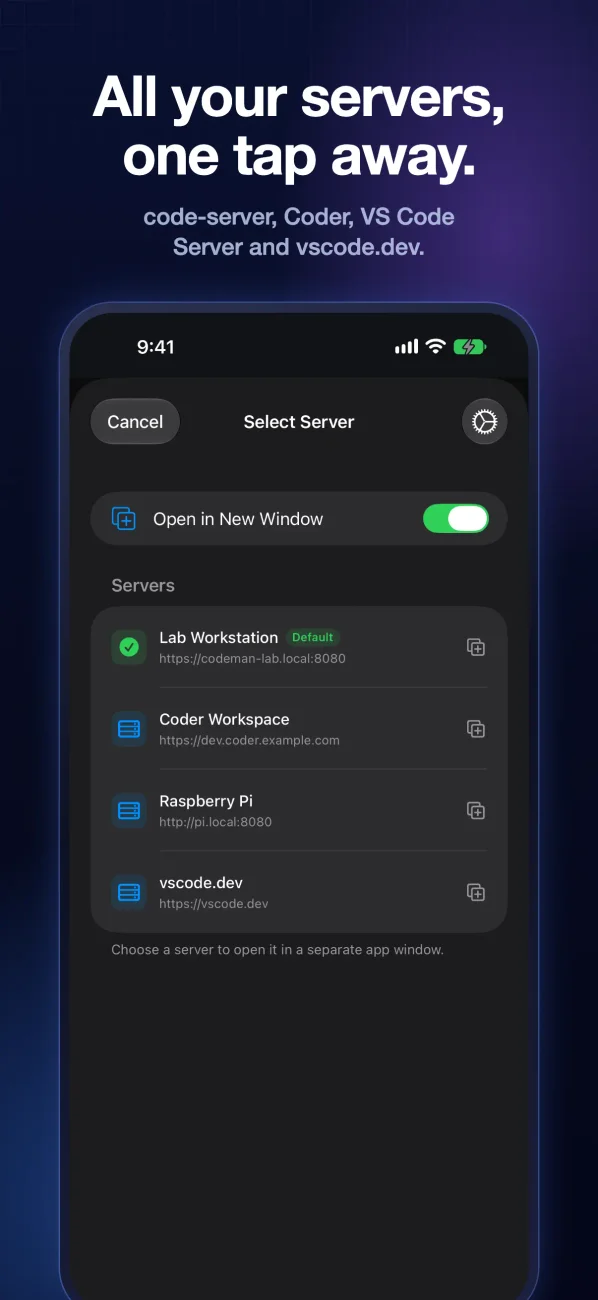
YOUR VS CODE, FULL SCREEN
- Works with code-server, Coder, VS Code Server and vscode.dev
- Chromeless, so the editor gets the whole screen
- Extensions, terminal, Git and settings come from your server
- Self-signed certificates for servers on your network
A KEYBOARD MADE FOR CODE
- Brackets, operators and symbols on their own layer
- Arrow keys, Esc, Tab, Control and Command always one tap away
- Copy, paste, undo and redo in the toolbar
- Full shortcut support with a hardware keyboard
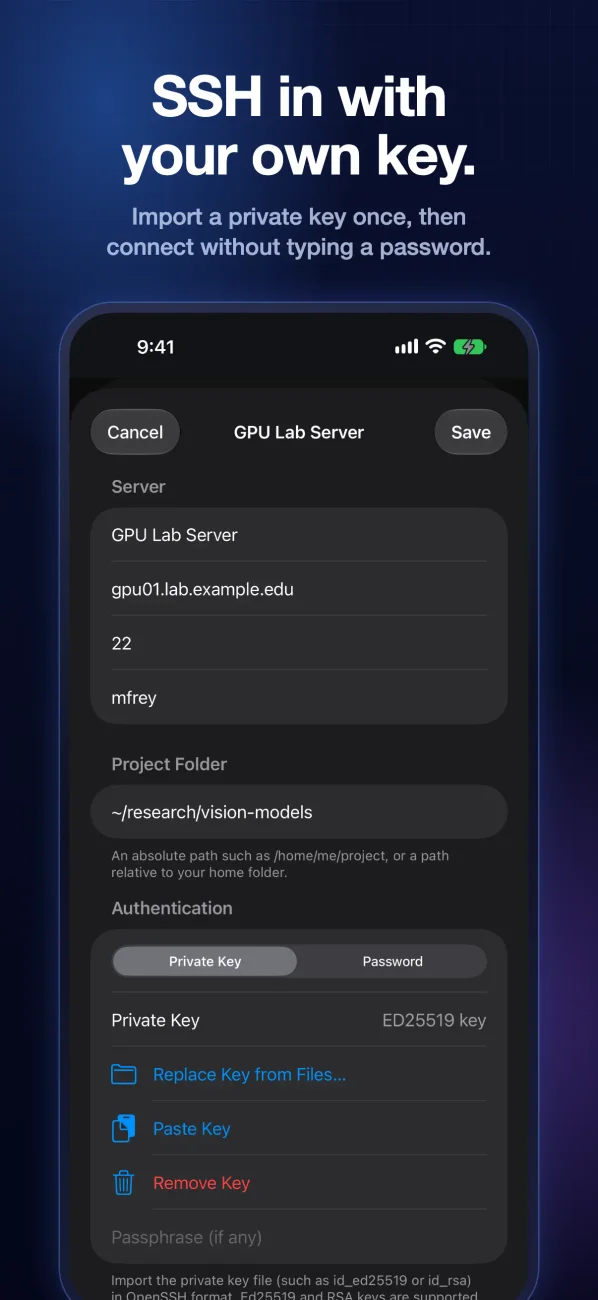
SSH WITH YOUR OWN KEY
- Import a private key from the Files app or paste it
- Save a host with its username, key and project folder
- Open folders on your lab or cloud server over SFTP, with no password to type
- Ed25519 and RSA keys; host keys are checked on every connection
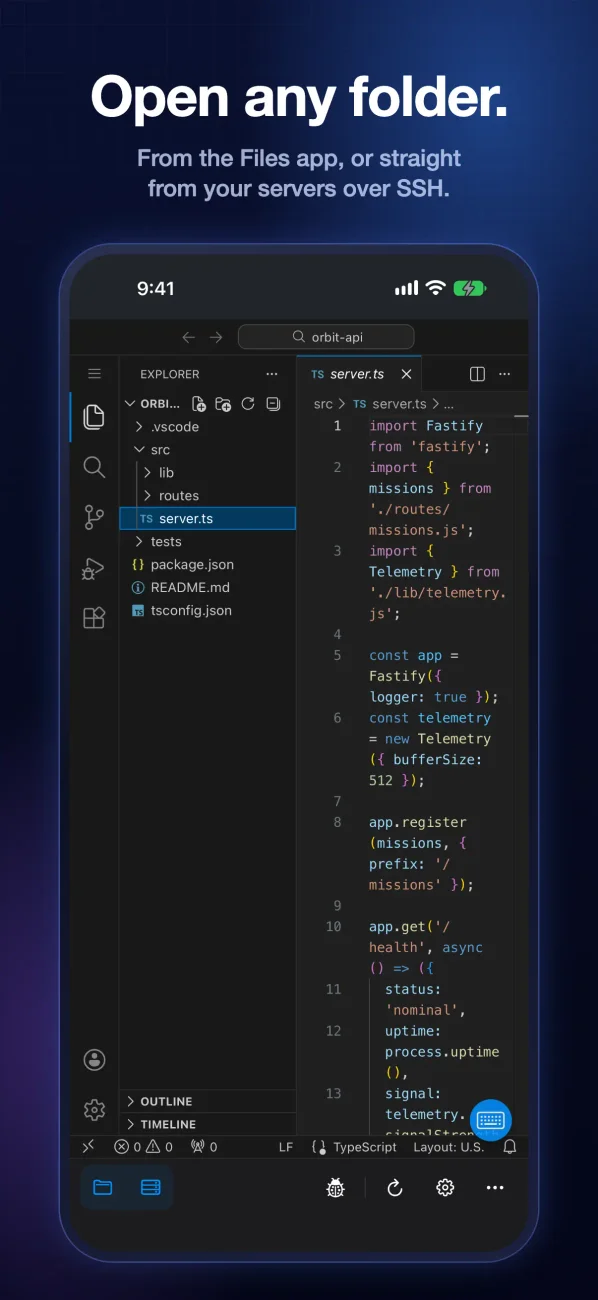
OPEN ANY FOLDER FROM FILES
- Edit folders from your device, iCloud Drive or other Files providers in your VS Code workspace
- Only the files you open are read, so big projects stay fast
MADE FOR EVERY SCREEN
- iPhone: a full-width editor with the code keyboard
- iPhone Duo: tabs that survive folding, the iPad-size keyboard when open, and laptop mode with the editor above the fold
- iPad: tabs, multiple windows, Split View and Stage Manager
- Apple Vision Pro: your editor in a window beside your work
PRIVATE BY DESIGN
- No tracking, analytics or accounts
- Connections go straight from your device to your servers
- Keys and passwords stay in your device's Keychain
- Optional iCloud sync for settings (never for keys or passwords)
REQUIREMENTS
- A VS Code server (code-server, Coder or VS Code Server), or vscode.dev
- Folders from Files and SSH use the free CodeMan iPad Files extension on your server
- SSH needs an OpenSSH-format private key (Ed25519 or RSA) and isn't available on Apple Vision Pro
Có gì mới
Phiên bản 1.8 · 19/11/2026
SSH with your own key
Save a server with your username and private key, imported from the Files app, then open its folders in VS Code. No password to type each time. Manage hosts in Settings > SSH Hosts and open them from the editor's More menu with Open SSH Project.
Faster folders from Files
Folders open right away. CodeMan reads only the files you open, so big projects and cloud folders load quickly. Update the CodeMan iPad Files extension on your server to version 0.2.0.
iPhone Duo
Tabs keep your work when you fold and unfold. When open, the code keyboard goes full size. In laptop mode the editor sits above the fold and the keyboard below it.
Quyền riêng tư của ứng dụng
Những gì Michael Frey khai báo trên App Store về cách ứng dụng này xử lý dữ liệu.
-
Dữ liệu không được thu thập
Nhà phát triển không thu thập bất kỳ dữ liệu nào từ ứng dụng này.
Phương thức đảm bảo quyền riêng tư có thể khác nhau, chẳng hạn như tuỳ theo các tính năng bạn sử dụng hoặc độ tuổi của bạn.
Thông tin
- Người bán
- Michael Frey
- Danh mục
- Công Cụ Nhà Phát Triển
- Phiên bản
- 1.8
- Cập nhật
- 19/11/2026
- Phát hành
- 05/03/2026
- Kích thước
- 47,8 MB
- Yêu cầu
- iOS 18.6 trở lên
- Độ tuổi
- 4+
- Giá
- 149.000đ
- Ngôn ngữ
- Tiếng Anh
- Bản quyền
- © Michael Frey 2026
Có thể bạn cũng thích
-
 Visual Code Editor - vCodeRun Node.js,Python,JS,C & more
-
 Code AppCông Cụ Nhà Phát Triển
-
 WhisperCodeCông Cụ Nhà Phát Triển
-
 Termix Pro: SSH & SFTP ClientCông Cụ Nhà Phát Triển
-
 Visual Claude: Vibe CodeCông Cụ Nhà Phát Triển
-
 Easy SSHCông Cụ Nhà Phát Triển
-
 Prompt 3Công Cụ Nhà Phát Triển
-
 SSH Client - Secure ShellFishCông Cụ Nhà Phát Triển
-
 DetailsProCông Cụ Nhà Phát Triển
-
 Moshi: herdr/tmux on SSH/MOSHCông Cụ Nhà Phát Triển