
- 対象年齢4+
- カテゴリユーティリティ
- 開発元Gogita Kupatadze
- 言語英語ほか9言語
- サイズ6.1 MB
App Storeの公式ページにリンクしています
Download.orgはCrossDropのファイルを一切ホストしていません。ボタンを押すと、Gogita Kupatadzeが公開しているApp Storeのアプリページが開きます。ページの最終確認:2026/11/25。
スクリーンショット


概要
開発元はこのテキストをお使いの言語で提供していません。
CrossDrop sends files directly between nearby devices over your own Wi-Fi — fast, private and free of accounts, clouds and ads.
OPEN, TAP, SEND
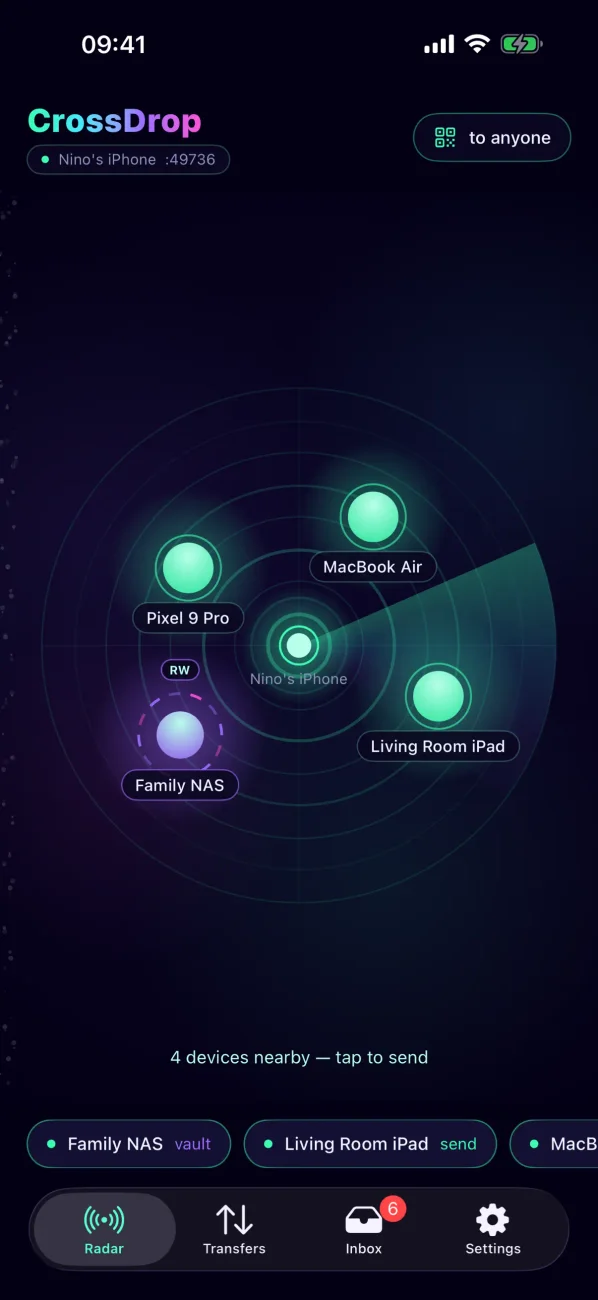
Devices around you appear on a live radar. Tap one, pick photos, videos or any files, and they fly across at Wi-Fi speed. The other side just taps Accept.
BUILT FOR PRIVACY
• Files never touch a server — they go straight from device to device.
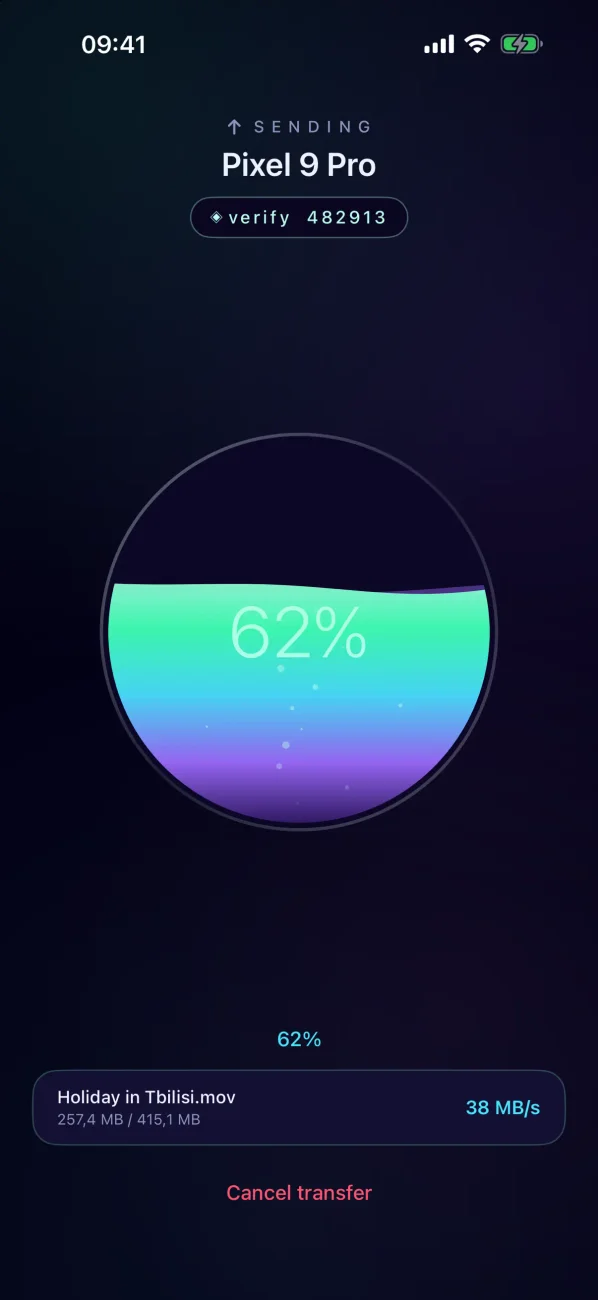
• End-to-end encrypted with X25519 + ChaCha20-Poly1305, with a 6-digit code to verify both sides.
• No account, no sign-in, no analytics, no tracking, no ads.
SMART AND RESUMABLE
• Send the same file again and only the changed parts travel — an identical file transfers zero bytes.
• Dropped connection? The transfer resumes where it stopped.
• Watch it happen in a liquid-glass orb that fills as your files arrive.
SEND TO ANYONE
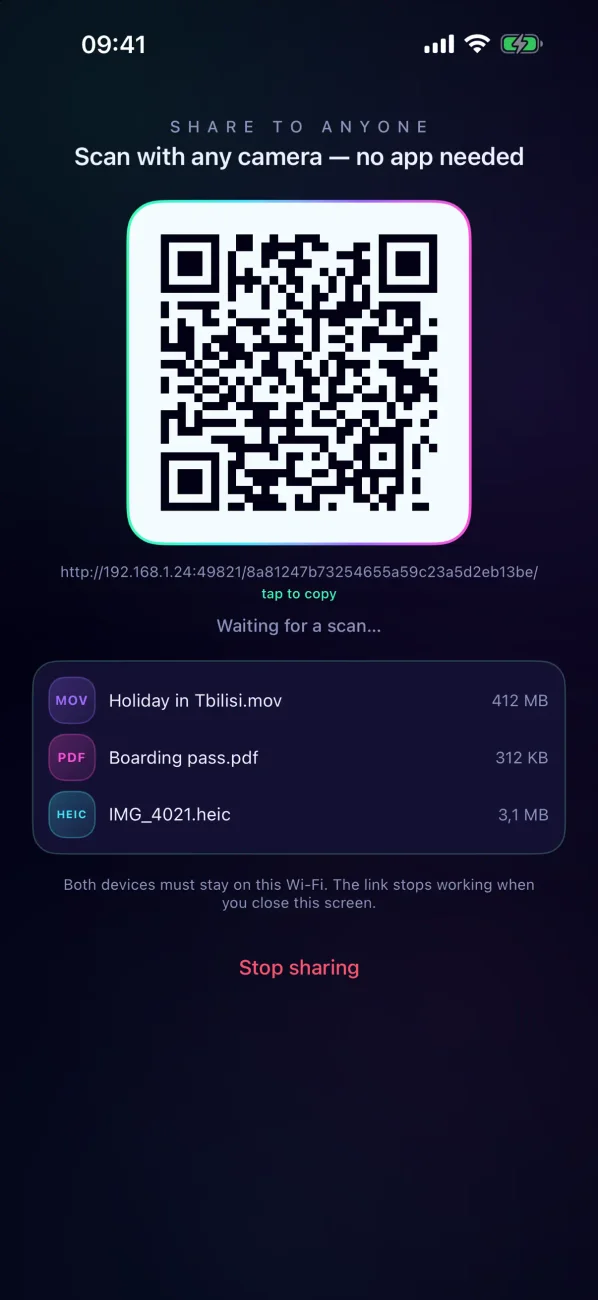
No app on the other side? Start "to anyone": CrossDrop shows a QR code and anyone on the same Wi-Fi can download your files in their browser — multiple files arrive as a single zip.
WIRELESS DRIVE
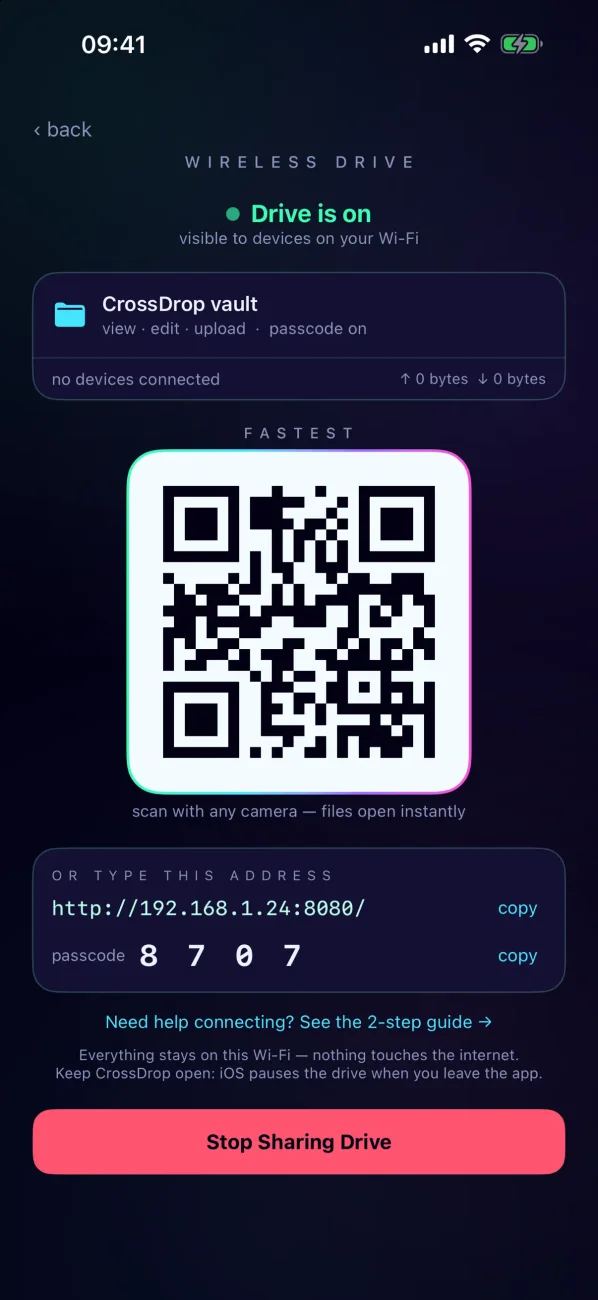
Turn your device into a network drive. Browse and download its files from Finder, Windows Explorer or any web browser, protected by an optional passcode and read-only by default. Mount other CrossDrop drives right inside the app.
WORKS ACROSS YOUR DEVICES
CrossDrop runs on iPhone, iPad, Mac and other platforms, and they all see each other. On Mac, drag files onto the window to send.
TIPS
• Keep CrossDrop open while sending or receiving — iPhone and iPad pause network activity in the background.
• Both devices need to be on the same Wi-Fi network. Allow Local Network access when asked.
• Received files stay in the app's Inbox until you open, export or delete them.
新機能
バージョン 1.6.0 · 2026/11/24
New: My devices. In Settings → My devices, add your own phones and computers: both screens show a code, you agree once, and from then on they send each other files without asking (a switch per device turns that off). Shared clipboard: turn on Share clipboard for a device, on both, then copy on one and paste on the other. On iPhone and iPad CrossDrop never reads your clipboard by itself: when you come back after copying something, tap Paste on the radar to send it, and copies from your other devices arrive while CrossDrop is open. On Mac it works both ways by itself. Also: clearer messages when a transfer fails, and after a few transfers that worked CrossDrop asks once for a rating. No cloud, no account, no ads.
アプリのプライバシー
このアプリのデータの取り扱いについて、Gogita KupatadzeがApp Storeで申告している内容です。
-
データの収集なし
開発元はこのアプリからデータを収集しません。
プライバシーの取り扱いは、ご利用の機能やお客様の年齢などに応じて異なる場合があります。
情報
- 販売元
- Gogita Kupatadze
- カテゴリ
- ユーティリティ
- バージョン
- 1.6.0
- 更新日
- 2026/11/24
- リリース
- 2026/11/1
- サイズ
- 6.1 MB
- 必要条件
- iOS 16.0以降
- 対象年齢
- 4+
- 価格
- 無料
- 言語
- 英語, アラビア語, グルジア語, ヒンディー語, インドネシア語, ペルシア語, ポルトガル語, ロシア語, スペイン語, トルコ語
- 著作権
- © 2026 GranTurismo Group