
CrossDrop
Private file sharing on Wi-Fi
Được thiết kế cho iPhone, iPad, Mac
Miễn phí
- Độ tuổi4+
- Danh mụcTiện Ích
- Nhà phát triểnGogita Kupatadze
- Ngôn ngữTiếng Anh+ 9 ngôn ngữ khác
- Kích thước6,1 MB
Liên kết đến trang App Store chính thức
Download.org không lưu trữ tệp nào của CrossDrop. Nút này mở trang ứng dụng trên App Store, nơi Gogita Kupatadze phát hành ứng dụng. Trang được kiểm tra lần cuối: 25/11/2026.
Ảnh chụp màn hình


Giới thiệu
Nhà phát triển chưa cung cấp nội dung này bằng ngôn ngữ của bạn.
CrossDrop sends files directly between nearby devices over your own Wi-Fi — fast, private and free of accounts, clouds and ads.
OPEN, TAP, SEND
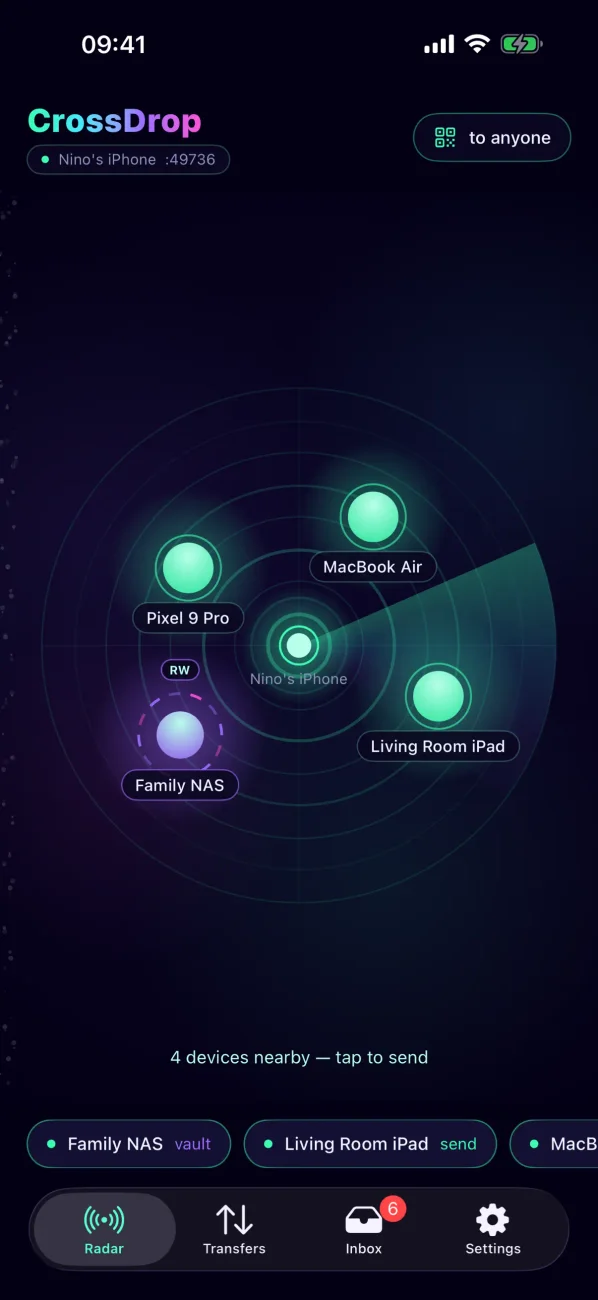
Devices around you appear on a live radar. Tap one, pick photos, videos or any files, and they fly across at Wi-Fi speed. The other side just taps Accept.
BUILT FOR PRIVACY
• Files never touch a server — they go straight from device to device.
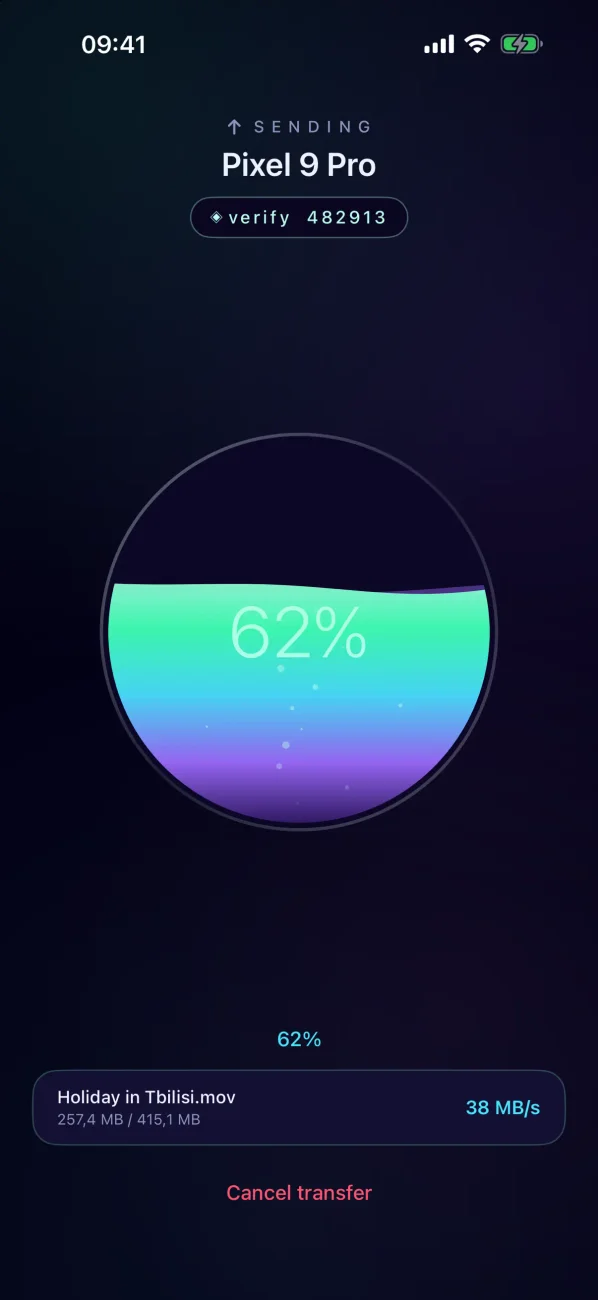
• End-to-end encrypted with X25519 + ChaCha20-Poly1305, with a 6-digit code to verify both sides.
• No account, no sign-in, no analytics, no tracking, no ads.
SMART AND RESUMABLE
• Send the same file again and only the changed parts travel — an identical file transfers zero bytes.
• Dropped connection? The transfer resumes where it stopped.
• Watch it happen in a liquid-glass orb that fills as your files arrive.
SEND TO ANYONE
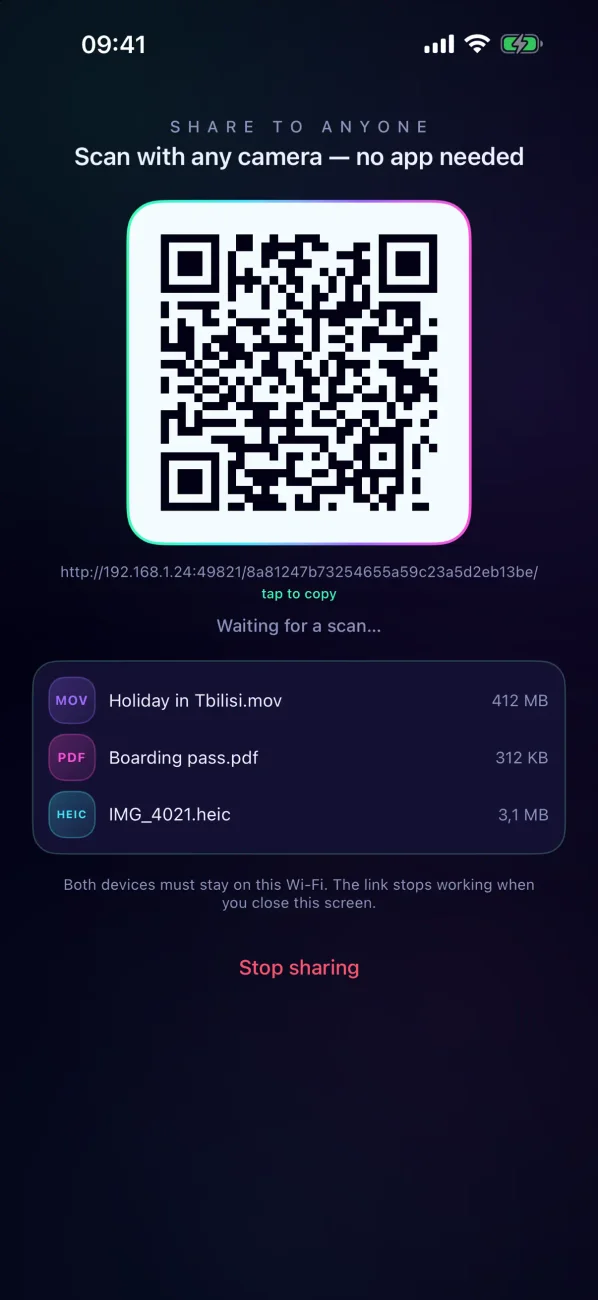
No app on the other side? Start "to anyone": CrossDrop shows a QR code and anyone on the same Wi-Fi can download your files in their browser — multiple files arrive as a single zip.
WIRELESS DRIVE
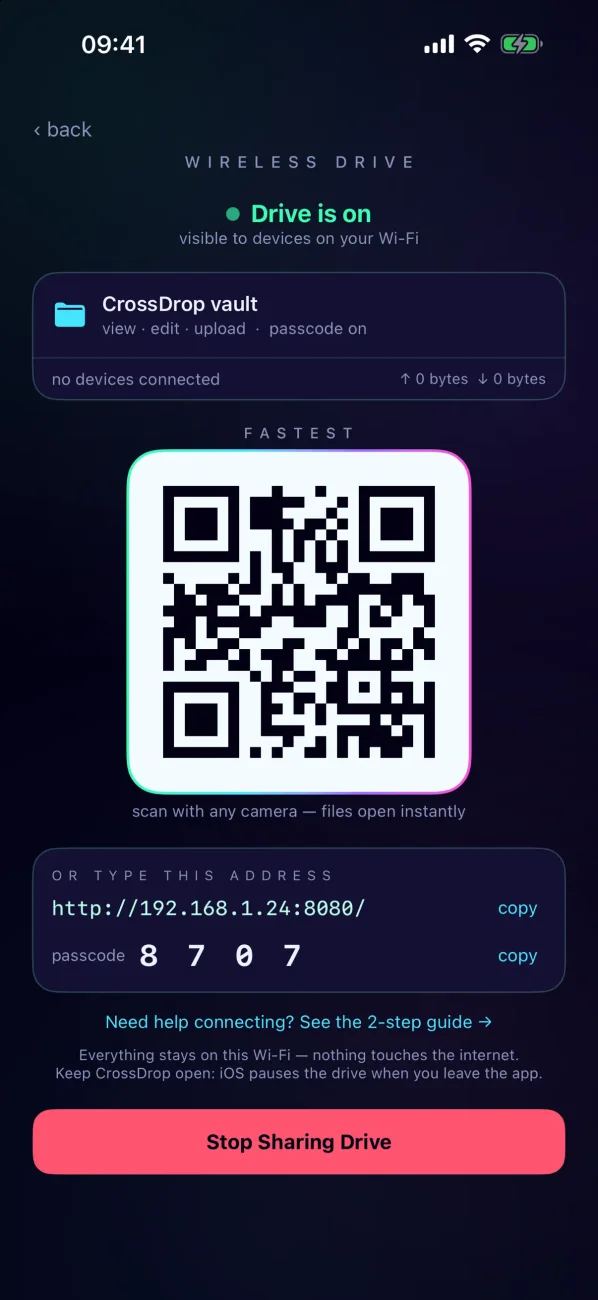
Turn your device into a network drive. Browse and download its files from Finder, Windows Explorer or any web browser, protected by an optional passcode and read-only by default. Mount other CrossDrop drives right inside the app.
WORKS ACROSS YOUR DEVICES
CrossDrop runs on iPhone, iPad, Mac and other platforms, and they all see each other. On Mac, drag files onto the window to send.
TIPS
• Keep CrossDrop open while sending or receiving — iPhone and iPad pause network activity in the background.
• Both devices need to be on the same Wi-Fi network. Allow Local Network access when asked.
• Received files stay in the app's Inbox until you open, export or delete them.
Có gì mới
Phiên bản 1.6.0 · 24/11/2026
New: My devices. In Settings → My devices, add your own phones and computers: both screens show a code, you agree once, and from then on they send each other files without asking (a switch per device turns that off). Shared clipboard: turn on Share clipboard for a device, on both, then copy on one and paste on the other. On iPhone and iPad CrossDrop never reads your clipboard by itself: when you come back after copying something, tap Paste on the radar to send it, and copies from your other devices arrive while CrossDrop is open. On Mac it works both ways by itself. Also: clearer messages when a transfer fails, and after a few transfers that worked CrossDrop asks once for a rating. No cloud, no account, no ads.
Quyền riêng tư của ứng dụng
Những gì Gogita Kupatadze khai báo trên App Store về cách ứng dụng này xử lý dữ liệu.
-
Dữ liệu không được thu thập
Nhà phát triển không thu thập bất kỳ dữ liệu nào từ ứng dụng này.
Phương thức đảm bảo quyền riêng tư có thể khác nhau, chẳng hạn như tuỳ theo các tính năng bạn sử dụng hoặc độ tuổi của bạn.
Thông tin
- Người bán
- Gogita Kupatadze
- Danh mục
- Tiện Ích
- Phiên bản
- 1.6.0
- Cập nhật
- 24/11/2026
- Phát hành
- 01/11/2026
- Kích thước
- 6,1 MB
- Yêu cầu
- iOS 16.0 trở lên
- Độ tuổi
- 4+
- Giá
- Miễn phí
- Ngôn ngữ
- Tiếng Anh, Tiếng Ả Rập, Georgian, Hindi, Tiếng Indonesia, Persian, Tiếng Bồ Đào Nha, Tiếng Nga, Tiếng Tây Ban Nha, Tiếng Thổ Nhĩ Kỳ
- Bản quyền
- © 2026 GranTurismo Group