
CrossDrop
Private file sharing on Wi-Fi
iPhone, iPad, Mac için tasarlandı
Ücretsiz
- Yaş sınırı4+
- KategoriYardımcılar
- GeliştiriciGogita Kupatadze
- Dillerİngilizce+ 9 dil daha
- Boyut6,1 MB
Resmi App Store sayfasına bağlanır
Download.org, CrossDrop için hiçbir dosya barındırmaz. Düğme, uygulamanın App Store üzerindeki sayfasını açar; uygulamayı orada Gogita Kupatadze yayınlar. Sayfanın son kontrolü: 25.11.2026.
Ekran görüntüleri


Hakkında
Geliştirici bu metni dilinizde sunmamış.
CrossDrop sends files directly between nearby devices over your own Wi-Fi — fast, private and free of accounts, clouds and ads.
OPEN, TAP, SEND
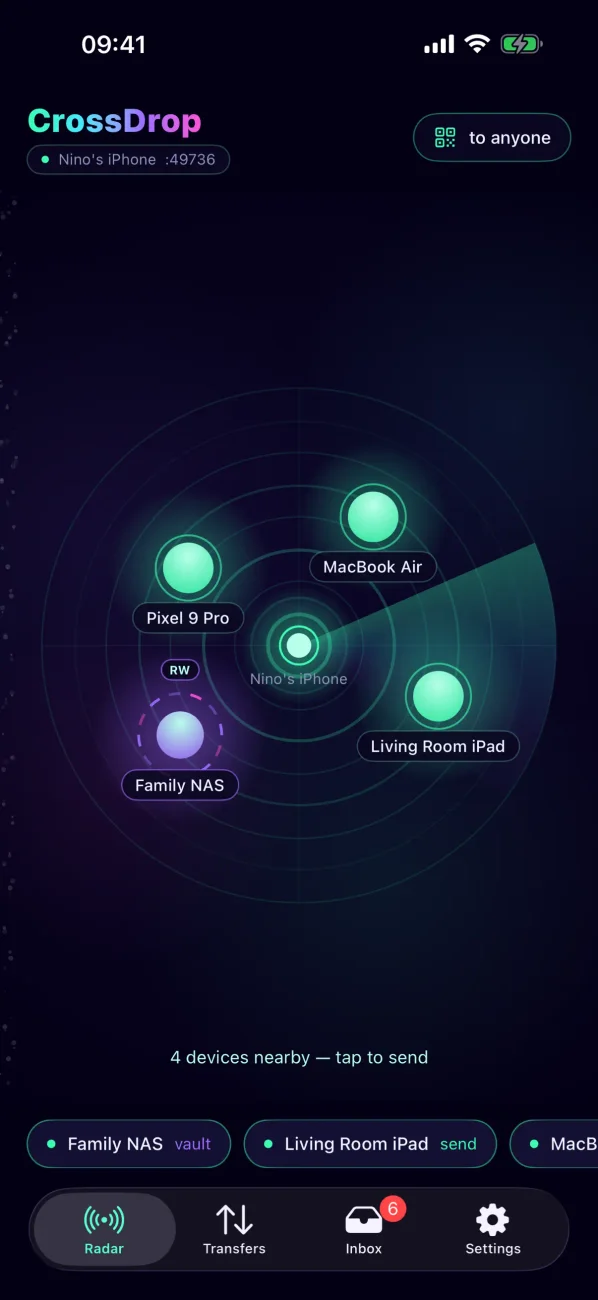
Devices around you appear on a live radar. Tap one, pick photos, videos or any files, and they fly across at Wi-Fi speed. The other side just taps Accept.
BUILT FOR PRIVACY
• Files never touch a server — they go straight from device to device.
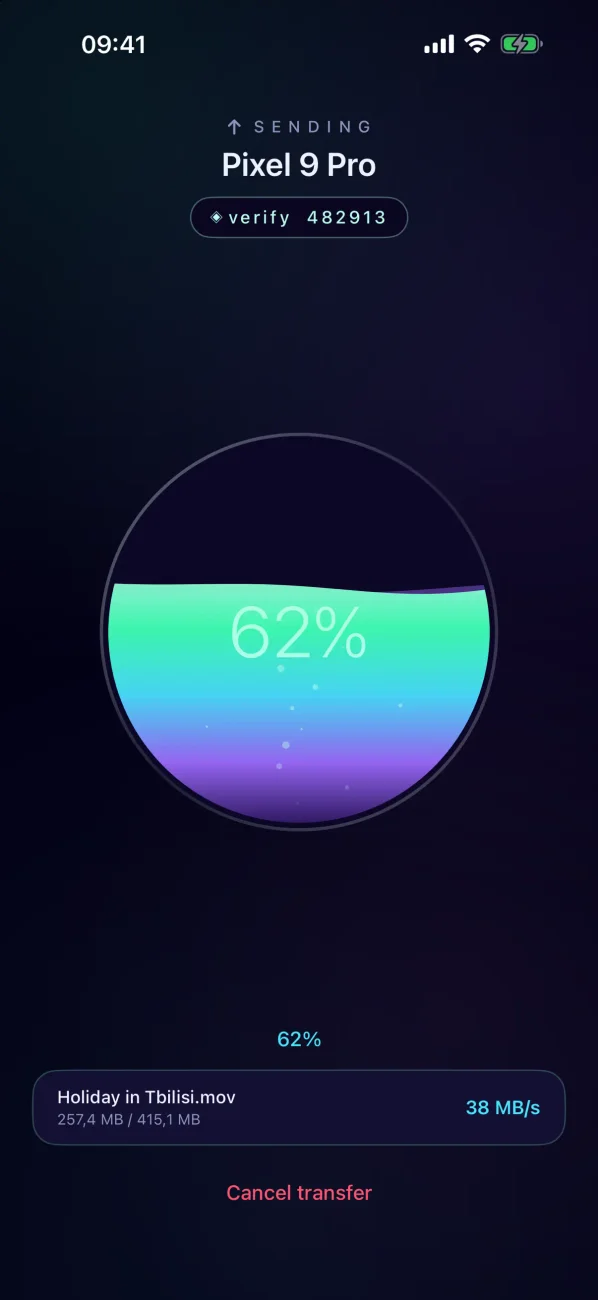
• End-to-end encrypted with X25519 + ChaCha20-Poly1305, with a 6-digit code to verify both sides.
• No account, no sign-in, no analytics, no tracking, no ads.
SMART AND RESUMABLE
• Send the same file again and only the changed parts travel — an identical file transfers zero bytes.
• Dropped connection? The transfer resumes where it stopped.
• Watch it happen in a liquid-glass orb that fills as your files arrive.
SEND TO ANYONE
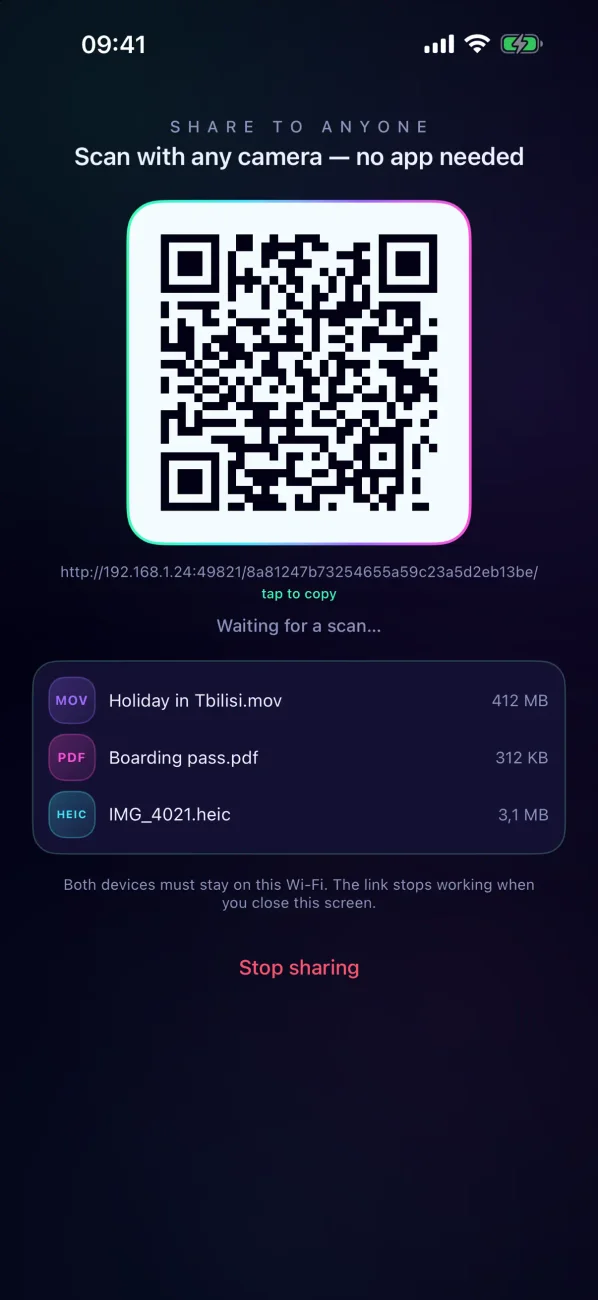
No app on the other side? Start "to anyone": CrossDrop shows a QR code and anyone on the same Wi-Fi can download your files in their browser — multiple files arrive as a single zip.
WIRELESS DRIVE
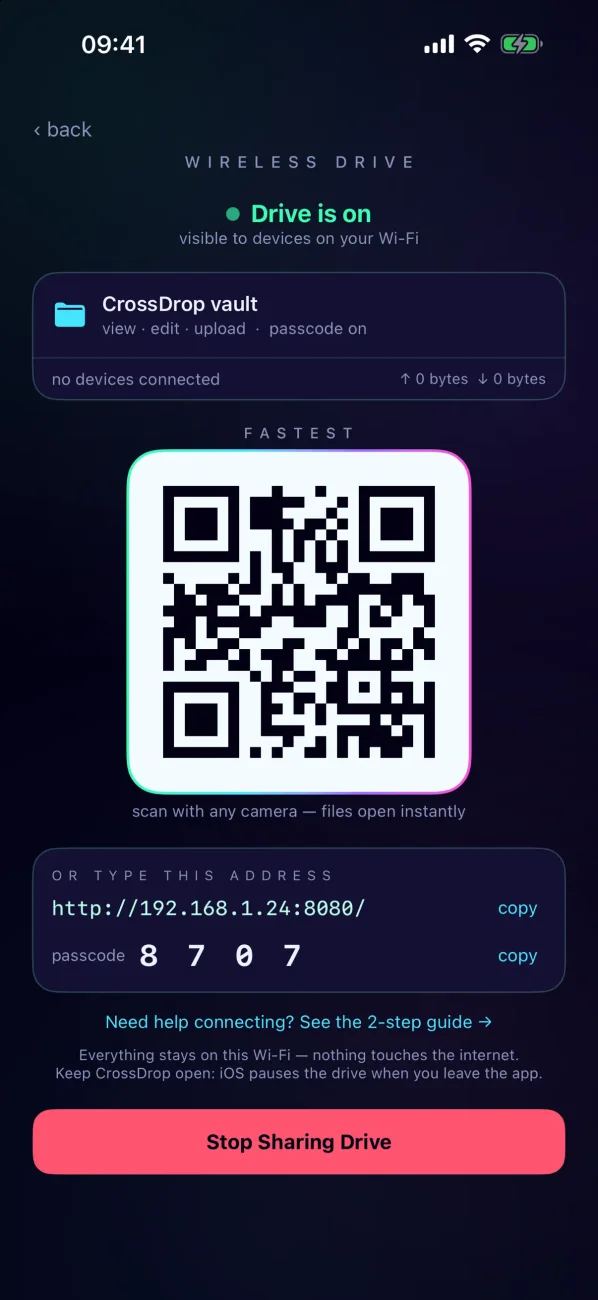
Turn your device into a network drive. Browse and download its files from Finder, Windows Explorer or any web browser, protected by an optional passcode and read-only by default. Mount other CrossDrop drives right inside the app.
WORKS ACROSS YOUR DEVICES
CrossDrop runs on iPhone, iPad, Mac and other platforms, and they all see each other. On Mac, drag files onto the window to send.
TIPS
• Keep CrossDrop open while sending or receiving — iPhone and iPad pause network activity in the background.
• Both devices need to be on the same Wi-Fi network. Allow Local Network access when asked.
• Received files stay in the app's Inbox until you open, export or delete them.
Yenilikler
Sürüm 1.6.0 · 24.11.2026
New: My devices. In Settings → My devices, add your own phones and computers: both screens show a code, you agree once, and from then on they send each other files without asking (a switch per device turns that off). Shared clipboard: turn on Share clipboard for a device, on both, then copy on one and paste on the other. On iPhone and iPad CrossDrop never reads your clipboard by itself: when you come back after copying something, tap Paste on the radar to send it, and copies from your other devices arrive while CrossDrop is open. On Mac it works both ways by itself. Also: clearer messages when a transfer fails, and after a few transfers that worked CrossDrop asks once for a rating. No cloud, no account, no ads.
Uygulama gizliliği
Bu uygulamanın verileri nasıl işlediği hakkında Gogita Kupatadze tarafından App Store üzerinde yapılan beyan.
-
Veri toplanmıyor
Geliştirici bu uygulamadan hiçbir veri toplamıyor.
Gizlilik uygulamaları, örneğin kullandığınız özelliklere veya yaşınıza göre değişiklik gösterebilir.
Bilgiler
- Satıcı
- Gogita Kupatadze
- Kategori
- Yardımcılar
- Sürüm
- 1.6.0
- Güncellendi
- 24.11.2026
- Yayın tarihi
- 01.11.2026
- Boyut
- 6,1 MB
- Gereksinim
- iOS 16.0 veya sonrası
- Yaş sınırı
- 4+
- Fiyat
- Ücretsiz
- Diller
- İngilizce, Arapça, Georgian, Hindi, Endonezce, Persian, Portekizce, Rusça, İspanyolca, Türkçe
- Telif hakkı
- © 2026 GranTurismo Group