- 対象年齢4+
- カテゴリユーティリティ
- 開発元Daniil Nuzhdin
- 言語英語ほか2言語
- サイズ11.0 MB
App Storeの公式ページにリンクしています
Download.orgはDesk Remote: Mouse controlのファイルを一切ホストしていません。ボタンを押すと、Daniil Nuzhdinが公開しているApp Storeのアプリページが開きます。ページの最終確認:2026/11/14。
スクリーンショット
概要
開発元はこのテキストをお使いの言語で提供していません。
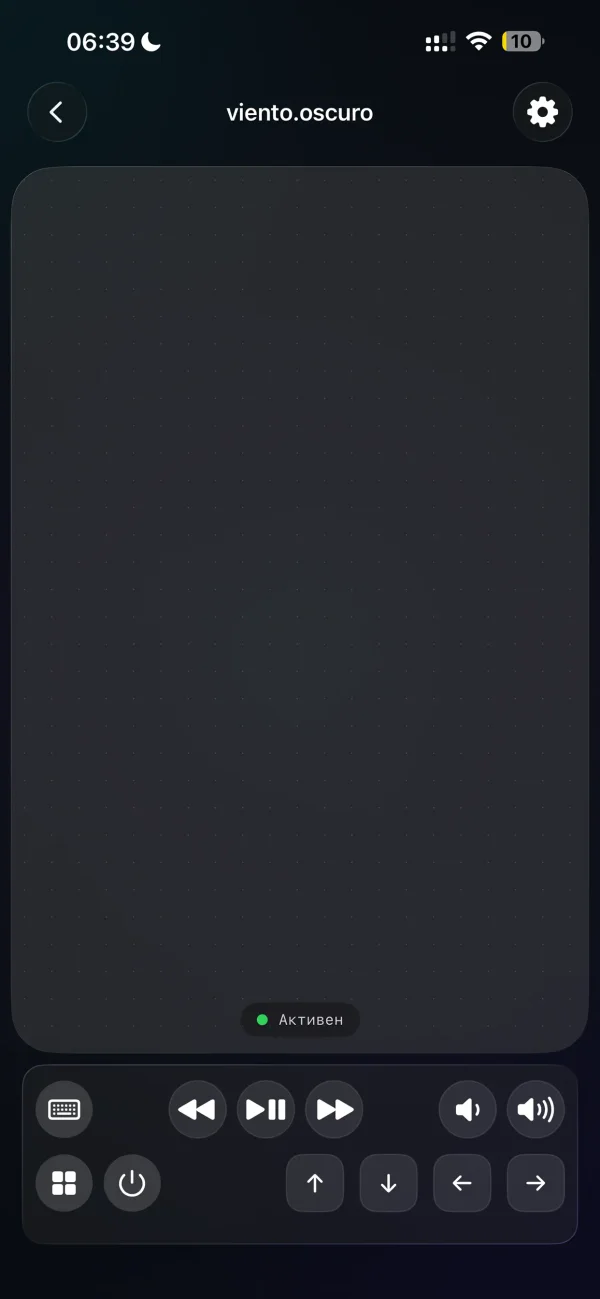
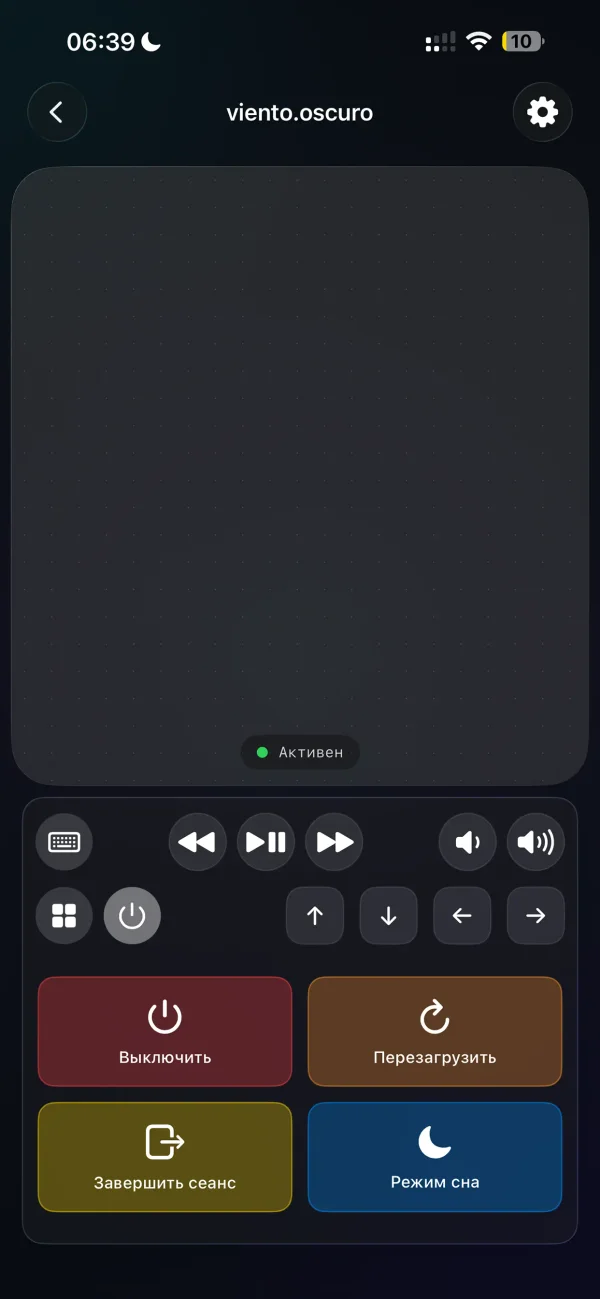
Turn your iPhone into a wireless trackpad and keyboard for your Mac. Move the cursor, type, control media, switch apps, and more — all without getting up.
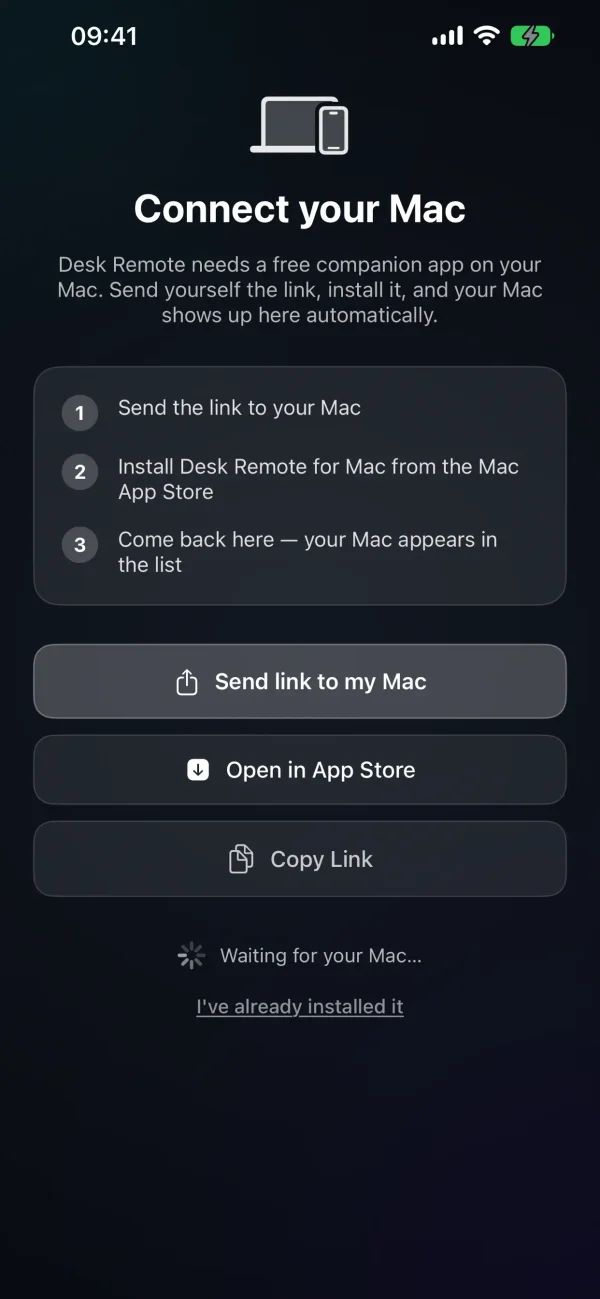
REQUIRES THE FREE MAC APP
Desk Remote comes in two parts. This app runs on your iPhone; the free Desk Remote for Mac companion app runs on your Mac. Open Desk Remote on your iPhone and tap "Send link to my Mac" — the download link goes straight to your computer by AirDrop, Messages or Mail.
Get the Mac app: https://apps.apple.com/app/id6758866900
With both installed, the two find each other over Wi-Fi or Bluetooth with zero configuration. Just open the app, tap your Mac, and start controlling.
TRACKPAD
• Single finger — move the cursor
• Two fingers — scroll
• Tap — left click
• Double tap — double click
• Two-finger tap — right click
• Long press + drag — click and drag
• Pinch — zoom in/out
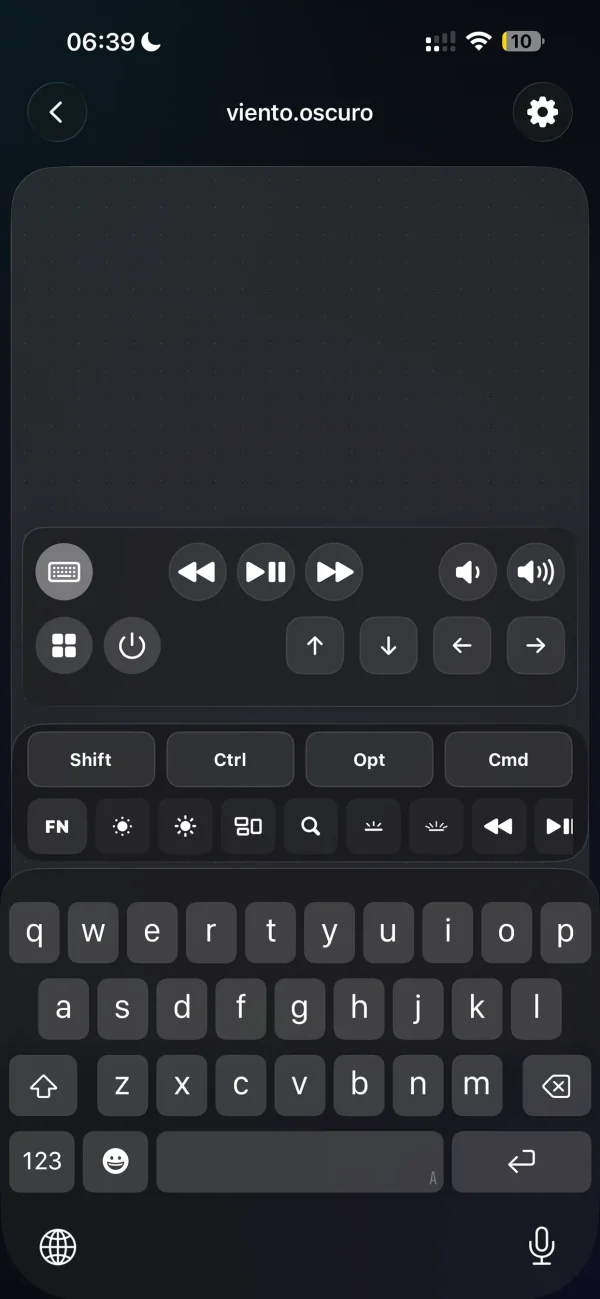
KEYBOARD
• Full text input
• Modifier keys: Cmd, Ctrl, Option
• F1–F12 function keys
• Arrow keys
• Backspace and special keys
MEDIA & SYSTEM CONTROLS
• Play / Pause / Next / Previous
• Volume up & down
• Screen brightness
• Mission Control & Spotlight
APP LAUNCHER
• View all running apps on your Mac
• Switch to any app with one tap
POWER MENU
• Sleep, restart, log out, shut down — remotely
CONNECTIVITY
• Auto-discovery via Wi-Fi (Bonjour) and Bluetooth LE
• Real-time connection status
• Instant reconnection
Free version includes trackpad, scrolling, clicks, and keyboard input. Upgrade to Pro to unlock media controls, volume, brightness, F-keys, arrow keys, app launcher, power menu, and advanced gestures.
Requires the free Desk Remote for Mac app (Mac App Store, macOS 14 or later).
SUBSCRIPTION
Desk Remote Pro is an auto-renewable subscription (monthly or yearly). Payment is charged to your Apple Account. The subscription renews automatically unless canceled at least 24 hours before the end of the current period. You can manage or cancel it in your Apple Account settings.
Terms of Use (EULA): https://www.apple.com/legal/internet-services/itunes/dev/stdeula/
Privacy Policy: https://gelfand.dev/?policy=desk-remote-client
新機能
バージョン 1.5 · 2026/8/1
• New setup screen — send the free Mac app to your computer with one tap, over AirDrop, Messages or Mail
• The empty device list now explains what is missing instead of just spinning
• The Mac companion app is now called Desk Remote for Mac
アプリのプライバシー
このアプリのデータの取り扱いについて、Daniil NuzhdinがApp Storeで申告している内容です。
-
ユーザーのトラッキングに使用されるデータ
他社のアプリやウェブサイトを横断してユーザーをトラッキングする目的で使用される場合があります。
- ID
- 使用状況データ
-
ユーザーに関連付けられたデータ
収集され、ユーザーの識別情報に関連付けられる場合があります。
- ID
- 使用状況データ
-
ユーザーに関連付けられないデータ
収集される場合がありますが、ユーザーの識別情報には関連付けられません。
- ID
- 使用状況データ
- 診断
プライバシーの取り扱いは、ご利用の機能やお客様の年齢などに応じて異なる場合があります。
情報
- 販売元
- Daniil Nuzhdin
- カテゴリ
- ユーティリティ
- バージョン
- 1.5
- 更新日
- 2026/8/1
- リリース
- 2026/2/26
- サイズ
- 11.0 MB
- 必要条件
- iOS 17.0以降
- 対象年齢
- 4+
- 価格
- 無料
- アプリ内課金
- あり
- 言語
- 英語, ロシア語, スペイン語
- 著作権
- © Daniil Nuzhdin
こちらもおすすめ
-
 QuickPad - Touch & Controlワイヤレス マウス・キー・マクロ
-
 PhoneMouse – Wireless Mouseユーティリティ
-
 Laser Mouseユーティリティ
-
 Phone Mouse・Remote・Keyboardユーティリティ
-
 WiMouse: Remote Mouse Keyboardユーティリティ
-
 Mobile Mouse USB Remoteユーティリティ
-
 Mouse Linkユーティリティ
-
 MouseHeroユーティリティ
-
 MultiLink: リモートキーボードタブレットをトラックパッドに
-
 AirBoard ProBluetooth・Wi-Fi キーボード