- 対象年齢4+
- カテゴリユーティリティ
- 開発元Albert Parti
- 言語英語ほか14言語
- サイズ9.4 MB
App Storeの公式ページにリンクしています
Download.orgはDevice System Services - Toolsのファイルを一切ホストしていません。ボタンを押すと、Albert Partiが公開しているApp Storeのアプリページが開きます。ページの最終確認:2026/11/6。
スクリーンショット
概要
開発元はこのテキストをお使いの言語で提供していません。
Device System Service – System Information & Performance Monitoring
Device System Service is a professional iOS application that provides detailed insights into your device’s hardware, network, memory, and storage. The app helps you monitor system performance, optimize resource usage, and ensure smooth operation.
Key Features
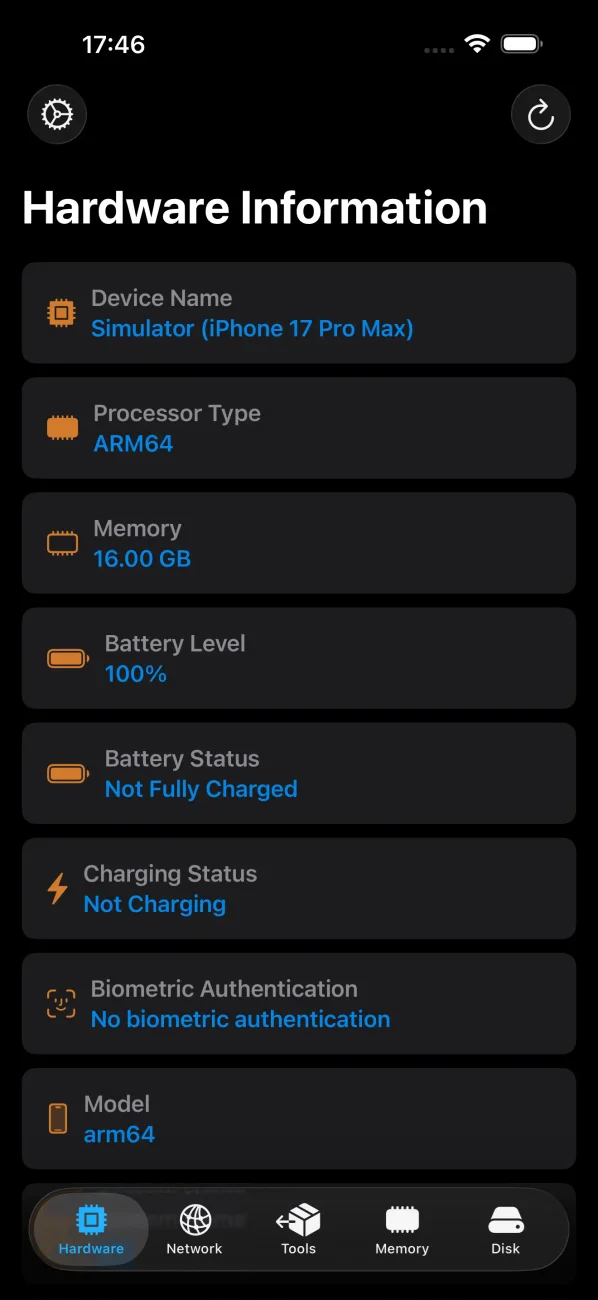
Hardware Information
• Detailed specifications of your device’s model, processor, and GPU
• Battery level and status monitoring
• Biometric authentication support (Face ID, Touch ID)
• Display size, brightness, and other screen-related details
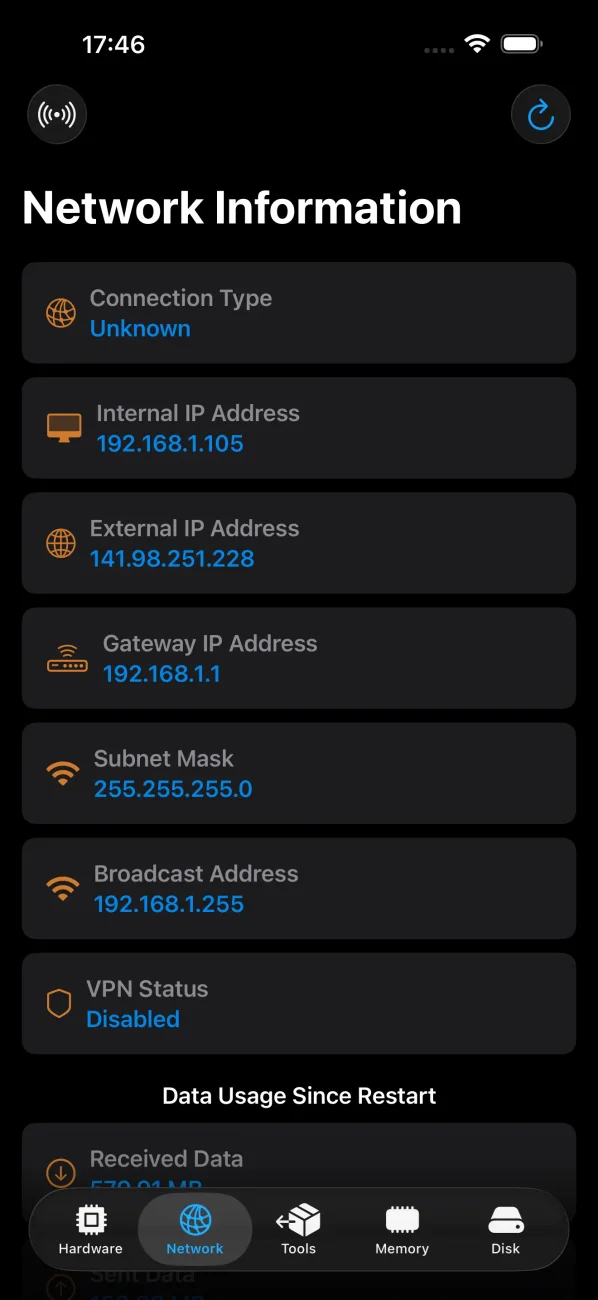
Network Status
• IP address, Wi-Fi, and mobile network information
• Internet connection check and speed data
• Ping hosts or IP addresses to verify connectivity and response time
• Local network insights and diagnostics
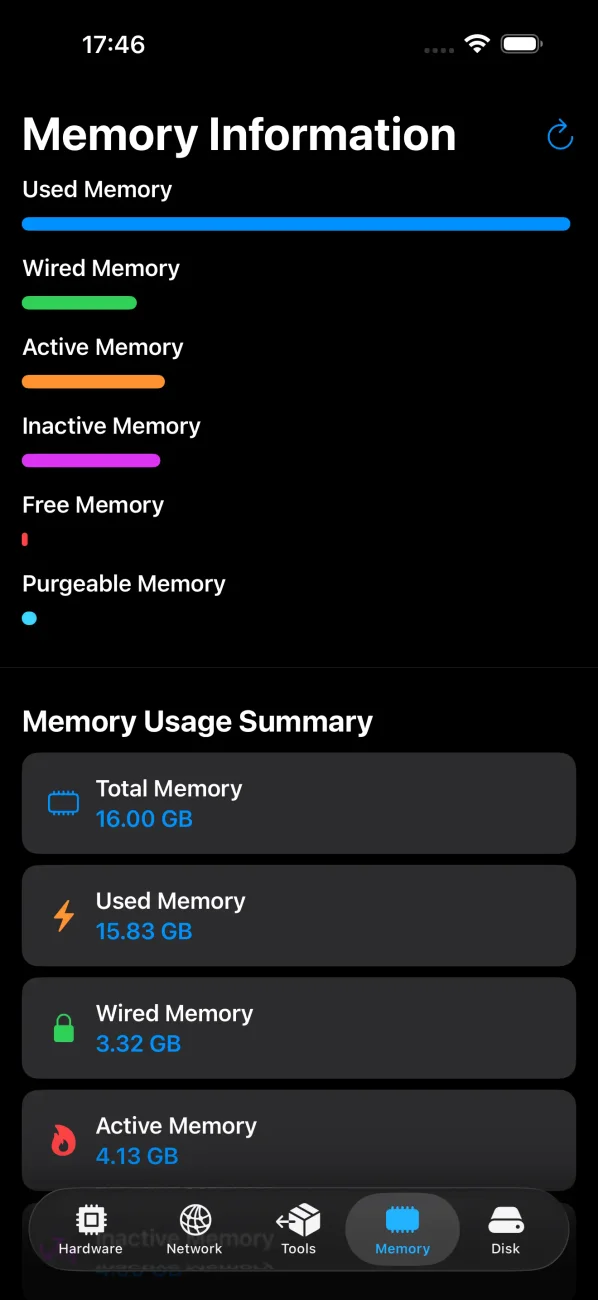
Memory Usage
• Detailed breakdown of memory usage (used, active, inactive, free memory)
• Real-time memory monitoring with interactive charts
• Performance tracking and optimization suggestions
Tools
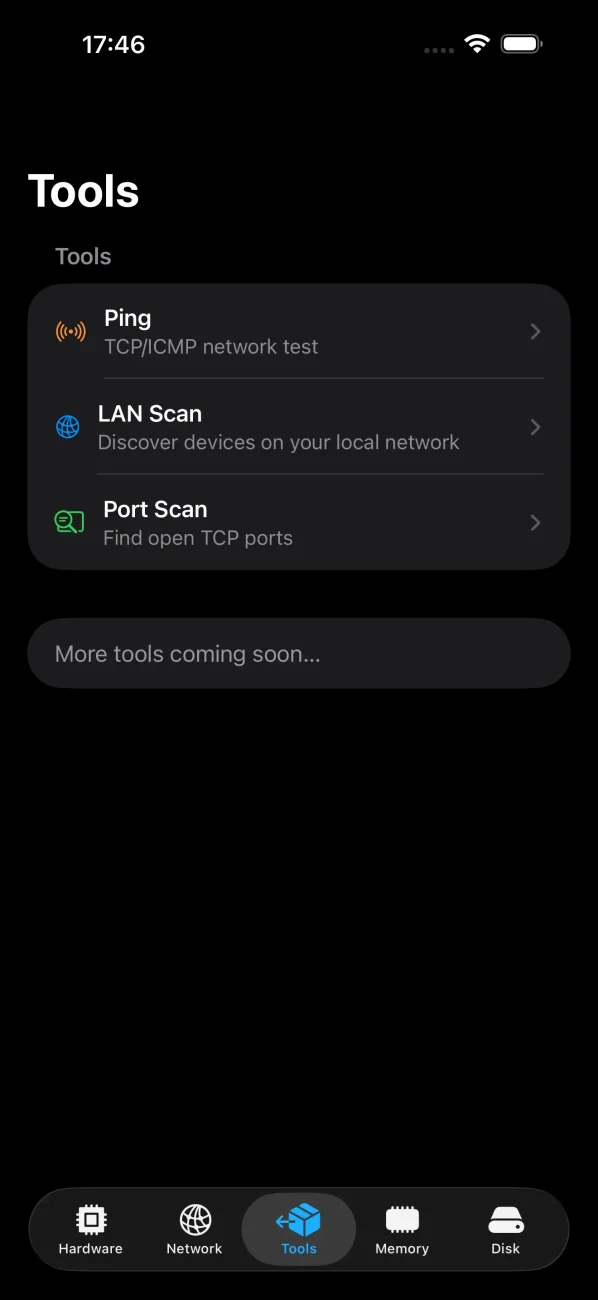
The new Tools tab provides powerful built-in diagnostic utilities for advanced network analysis.
• Ping
Verify connectivity to any host or IP address and check network responsiveness in real time.
Ideal for troubleshooting reachability and latency issues.
• LAN Scan
Discover active devices connected to your local network.
Quickly identify IP addresses and detect available hosts within your subnet.
• Port Scan
Scan open TCP ports on a target device to analyze running services and network exposure.
Useful for diagnostics, testing, and infrastructure validation.
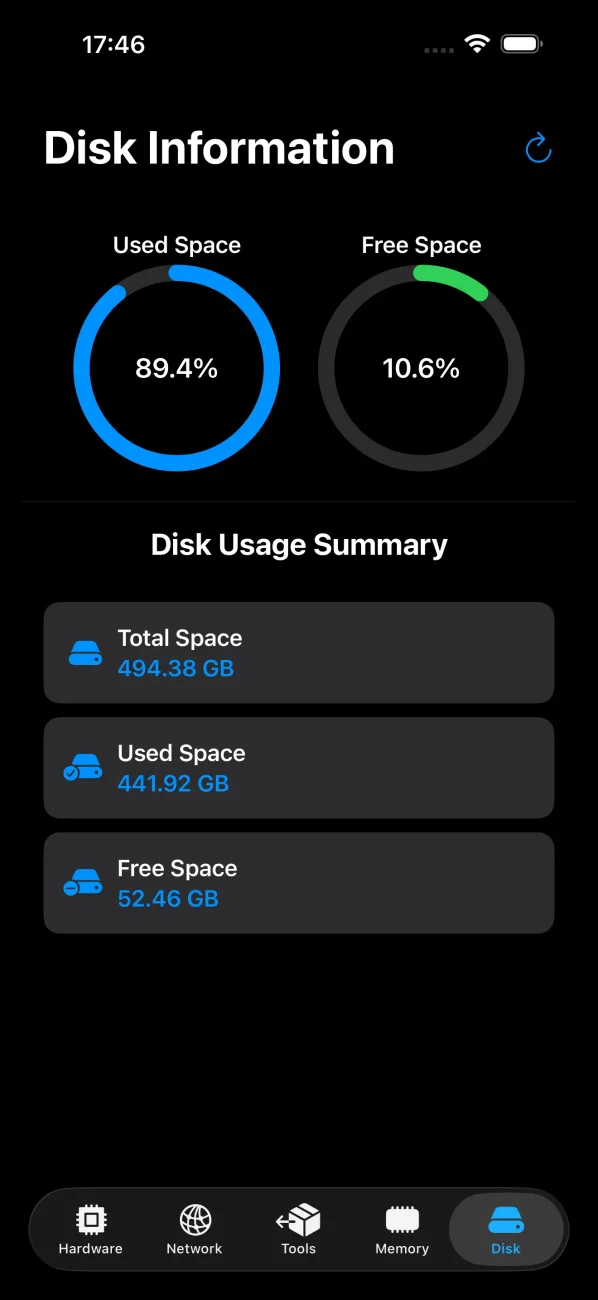
Storage Management
• Total storage and available space display
• Breakdown of space occupied by files and apps
• Visual representation of disk usage with modern UI elements
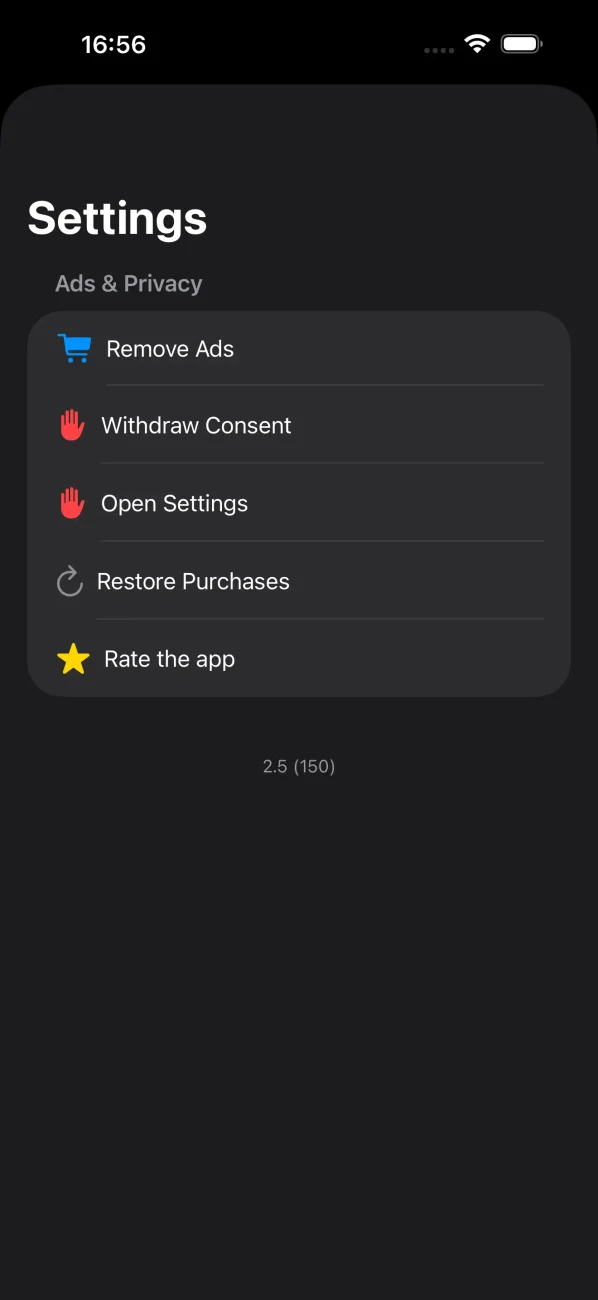
Settings & Privacy
• Remove Ads – One-time purchase for a completely ad-free experience
• Manage Consent – GDPR/CCPA compliance options
• Ad Personalization – Customize ad preferences based on privacy policies
Modern & User-Friendly Experience
• Dark Mode support for a comfortable viewing experience
• Interactive visual elements, graphs, and bars for easy interpretation
• Optimized for both iPhone and iPad
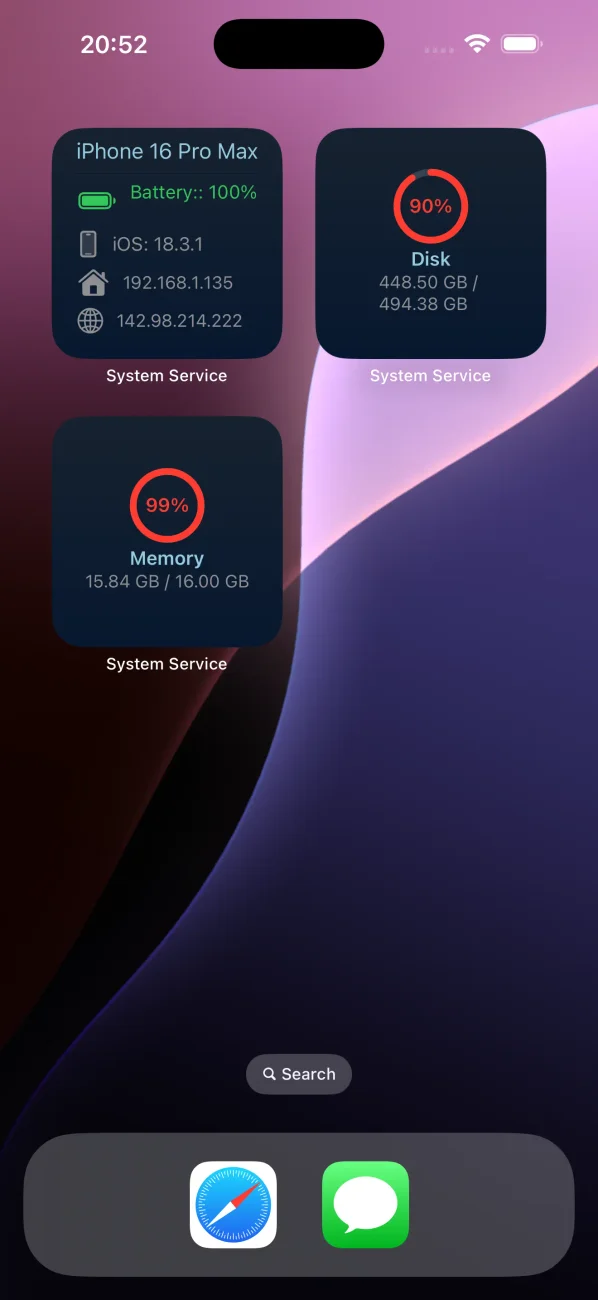
System Service Widgets – Overview
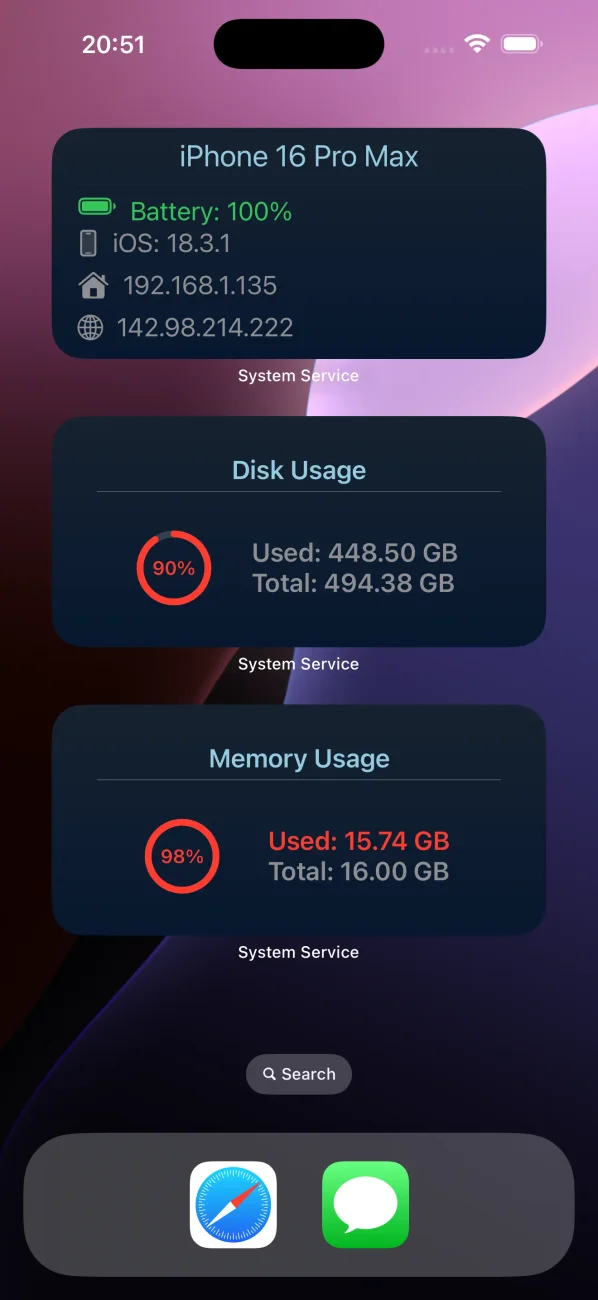
The System Service app is designed for iOS system monitoring and now features three useful widgets that display key system information in real-time.
Available Widgets:
Device Information Widget
Displayed Data:
• Device name
• Battery level
• iOS version
• Local (LAN) and external (WAN) IP addresses
Usage:
This widget provides a quick overview of your device, making it especially useful for developers, network administrators, and power users.
Disk Usage Widget
Displayed Data:
• Disk usage percentage (circular progress bar)
• Used storage amount (GB)
• Total storage capacity (GB)
Usage:
This widget allows you to instantly check how much storage is available on your device. It’s particularly useful when managing large files or installing new applications.
Memory Usage Widget
Displayed Data:
• Memory usage percentage (circular progress bar)
• Used memory amount (GB)
• Total memory capacity (GB)
Usage:
A great tool for monitoring background app memory usage, helping optimize device performance.
How to Add the Widget?
1. Long-press the home screen.
2. Tap the ”+” icon in the top-left corner.
3. Scroll down to the System Service widgets.
4. Select your preferred widget size.
5. Tap “Add Widget.”
Why Use It?
• Provides quick system data access
• Helps optimize storage and memory usage
• Easily accessible—no need to open an extra app
Download and try it now!
新機能
バージョン 2.7 · 2026/9/13
• DNS lookup with multiple record types
• WHOIS/RDAP lookup for domains and IP addresses
• HTTP checker with GET/HEAD requests, status code, response time, redirects, and headers
• SSL/TLS checker with certificate status, subject, certificate chain, and SHA-256 fingerprint
アプリのプライバシー
このアプリのデータの取り扱いについて、Albert PartiがApp Storeで申告している内容です。
-
ユーザーのトラッキングに使用されるデータ
他社のアプリやウェブサイトを横断してユーザーをトラッキングする目的で使用される場合があります。
- ID
-
ユーザーに関連付けられないデータ
収集される場合がありますが、ユーザーの識別情報には関連付けられません。
- ID
プライバシーの取り扱いは、ご利用の機能やお客様の年齢などに応じて異なる場合があります。
情報
- 販売元
- Albert Parti
- カテゴリ
- ユーティリティ
- バージョン
- 2.7
- 更新日
- 2026/9/13
- リリース
- 2016/6/22
- サイズ
- 9.4 MB
- 必要条件
- iOS 16.6以降
- 対象年齢
- 4+
- 価格
- 無料
- アプリ内課金
- あり
- 言語
- 英語, チェコ語, フィンランド語, フランス語, ドイツ語, ハンガリー語, イタリア語, 日本語, ポーランド語, ルーマニア語, ロシア語, 簡体字中国語 ほか3言語
- 著作権
- © App System Code