
Device System Services - Tools
System Services - Tools
Được thiết kế cho iPhone, iPad
Miễn phí · Mua hàng trong ứng dụng
- Độ tuổi4+
- Danh mụcTiện Ích
- Nhà phát triểnAlbert Parti
- Ngôn ngữTiếng Anh+ 14 ngôn ngữ khác
- Kích thước9,4 MB
Liên kết đến trang App Store chính thức
Download.org không lưu trữ tệp nào của Device System Services - Tools. Nút này mở trang ứng dụng trên App Store, nơi Albert Parti phát hành ứng dụng. Trang được kiểm tra lần cuối: 06/11/2026.
Ảnh chụp màn hình
Giới thiệu
Nhà phát triển chưa cung cấp nội dung này bằng ngôn ngữ của bạn.
Device System Service – System Information & Performance Monitoring
Device System Service is a professional iOS application that provides detailed insights into your device’s hardware, network, memory, and storage. The app helps you monitor system performance, optimize resource usage, and ensure smooth operation.
Key Features
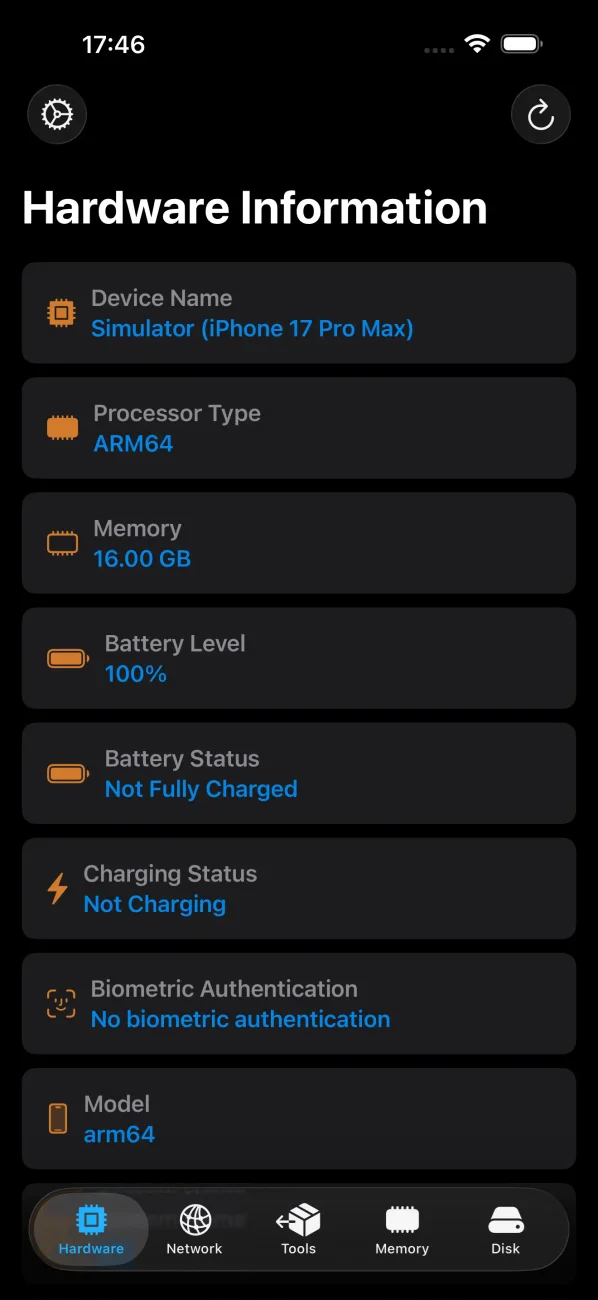
Hardware Information
• Detailed specifications of your device’s model, processor, and GPU
• Battery level and status monitoring
• Biometric authentication support (Face ID, Touch ID)
• Display size, brightness, and other screen-related details
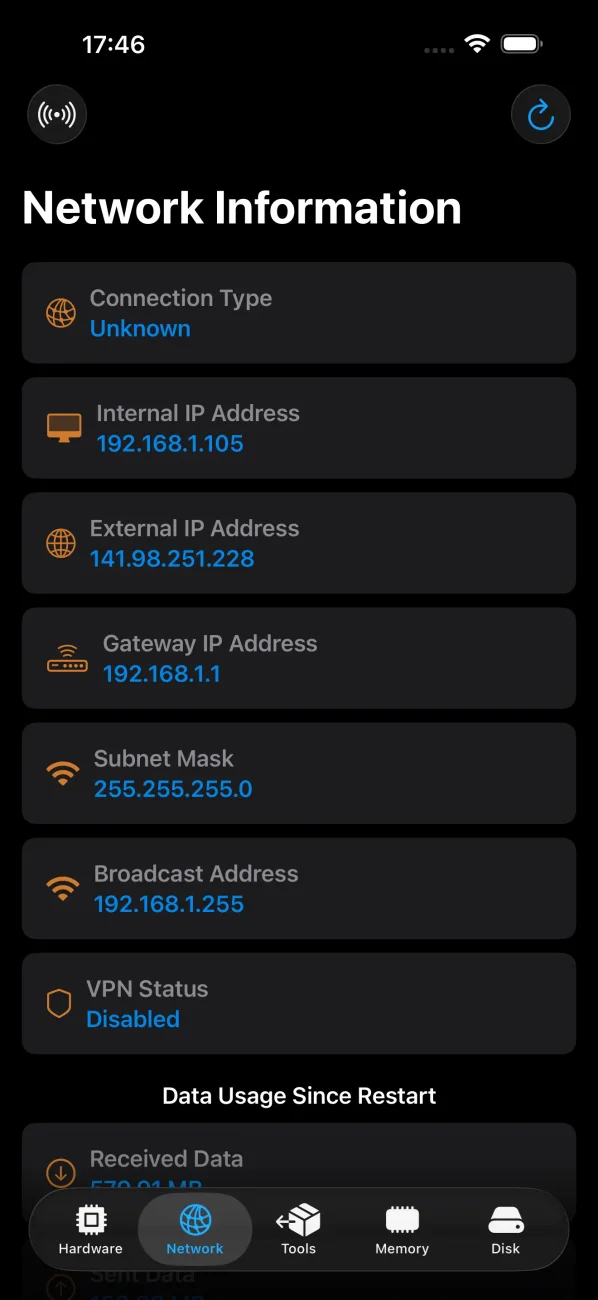
Network Status
• IP address, Wi-Fi, and mobile network information
• Internet connection check and speed data
• Ping hosts or IP addresses to verify connectivity and response time
• Local network insights and diagnostics
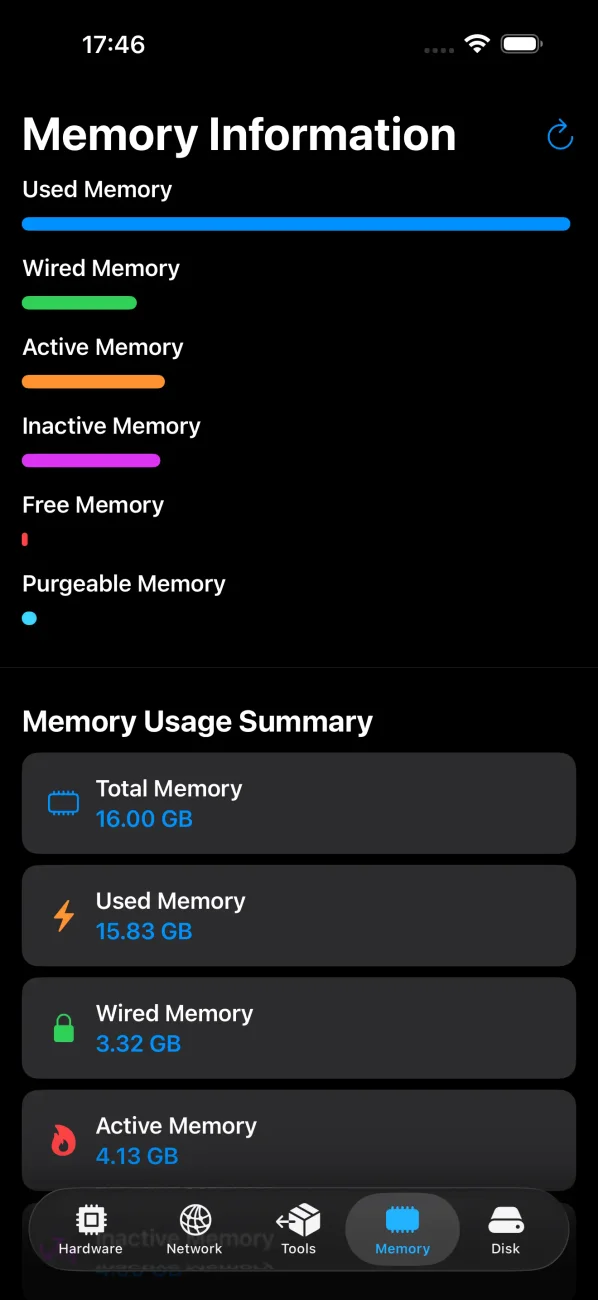
Memory Usage
• Detailed breakdown of memory usage (used, active, inactive, free memory)
• Real-time memory monitoring with interactive charts
• Performance tracking and optimization suggestions
Tools
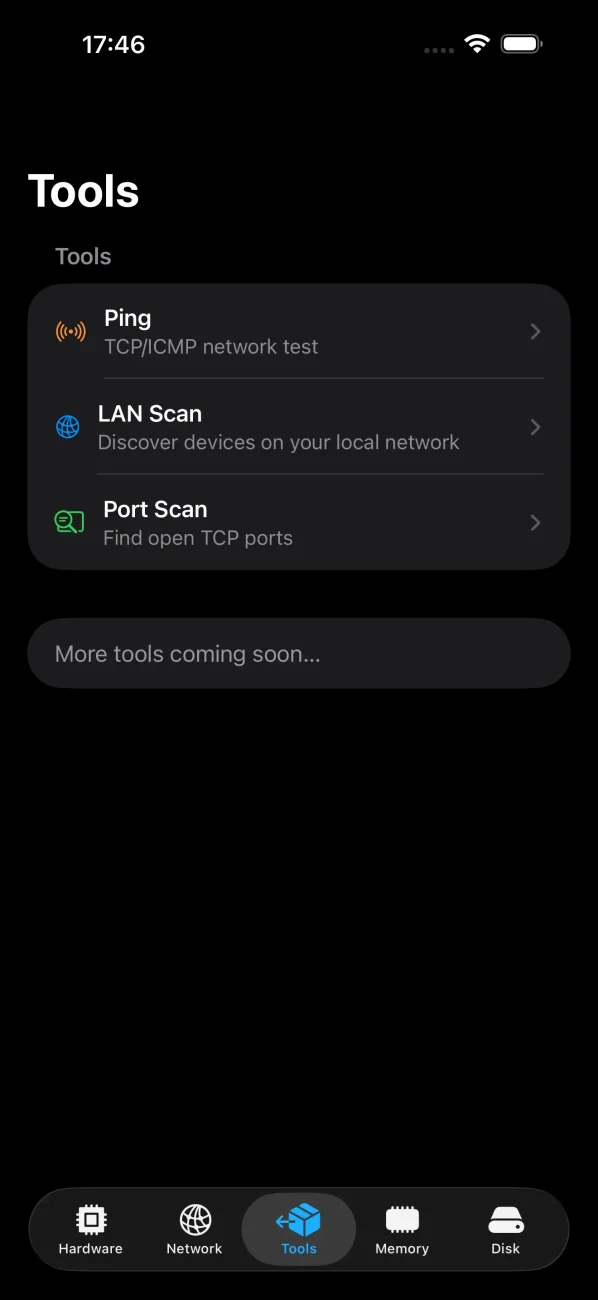
The new Tools tab provides powerful built-in diagnostic utilities for advanced network analysis.
• Ping
Verify connectivity to any host or IP address and check network responsiveness in real time.
Ideal for troubleshooting reachability and latency issues.
• LAN Scan
Discover active devices connected to your local network.
Quickly identify IP addresses and detect available hosts within your subnet.
• Port Scan
Scan open TCP ports on a target device to analyze running services and network exposure.
Useful for diagnostics, testing, and infrastructure validation.
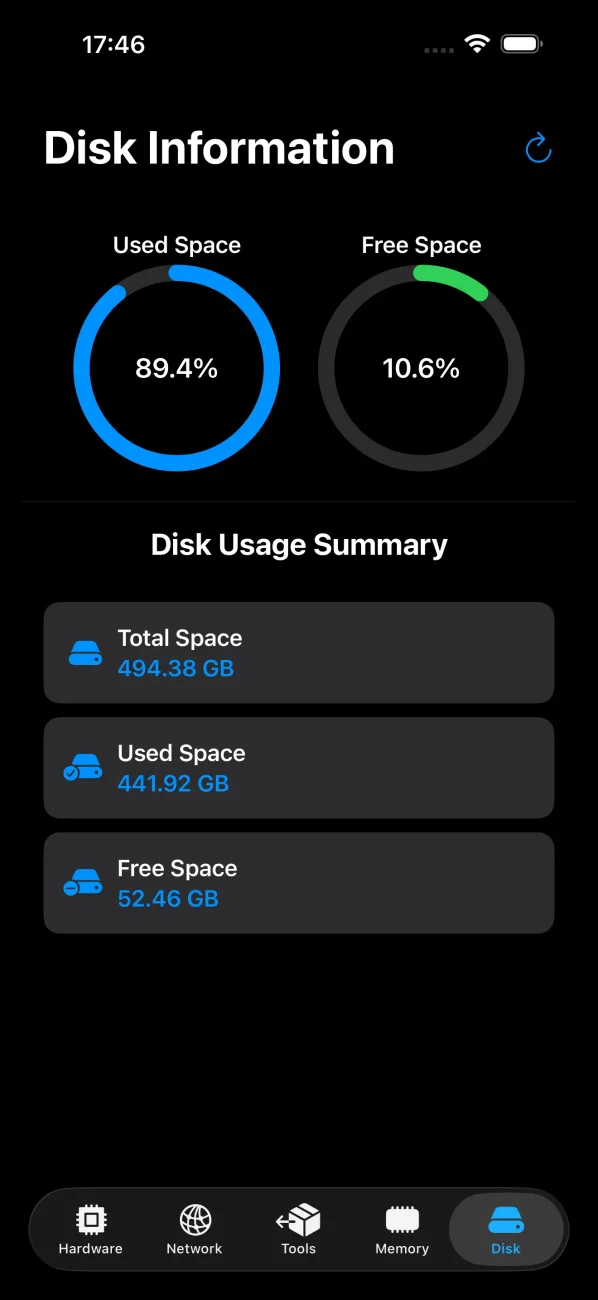
Storage Management
• Total storage and available space display
• Breakdown of space occupied by files and apps
• Visual representation of disk usage with modern UI elements
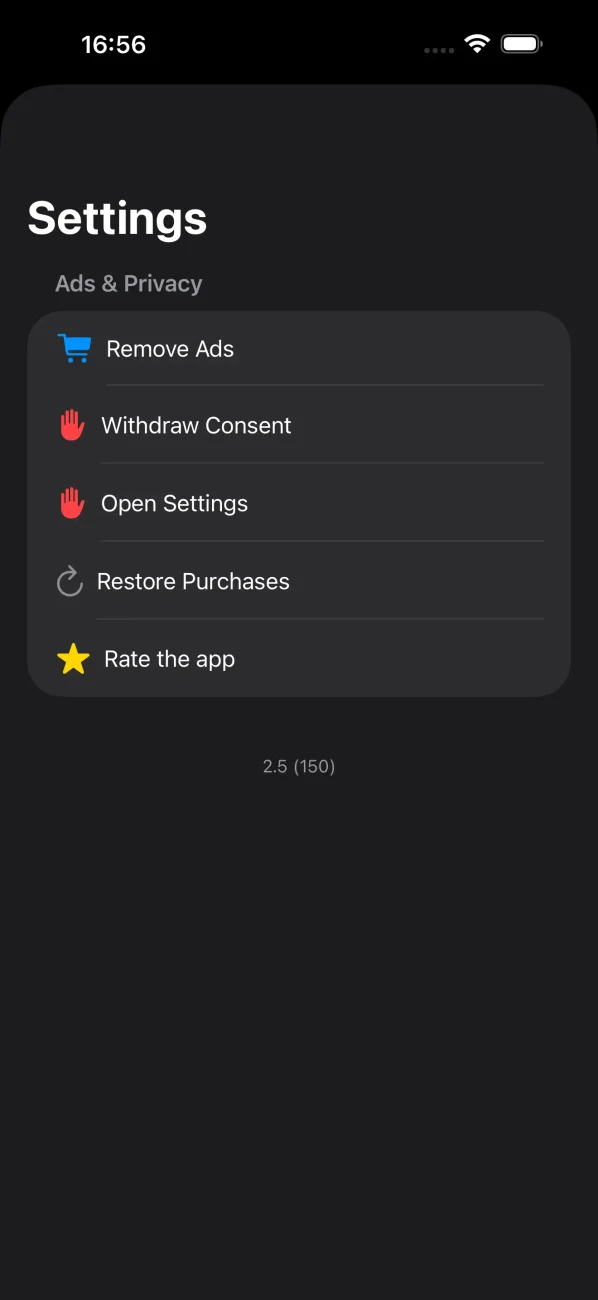
Settings & Privacy
• Remove Ads – One-time purchase for a completely ad-free experience
• Manage Consent – GDPR/CCPA compliance options
• Ad Personalization – Customize ad preferences based on privacy policies
Modern & User-Friendly Experience
• Dark Mode support for a comfortable viewing experience
• Interactive visual elements, graphs, and bars for easy interpretation
• Optimized for both iPhone and iPad
System Service Widgets – Overview
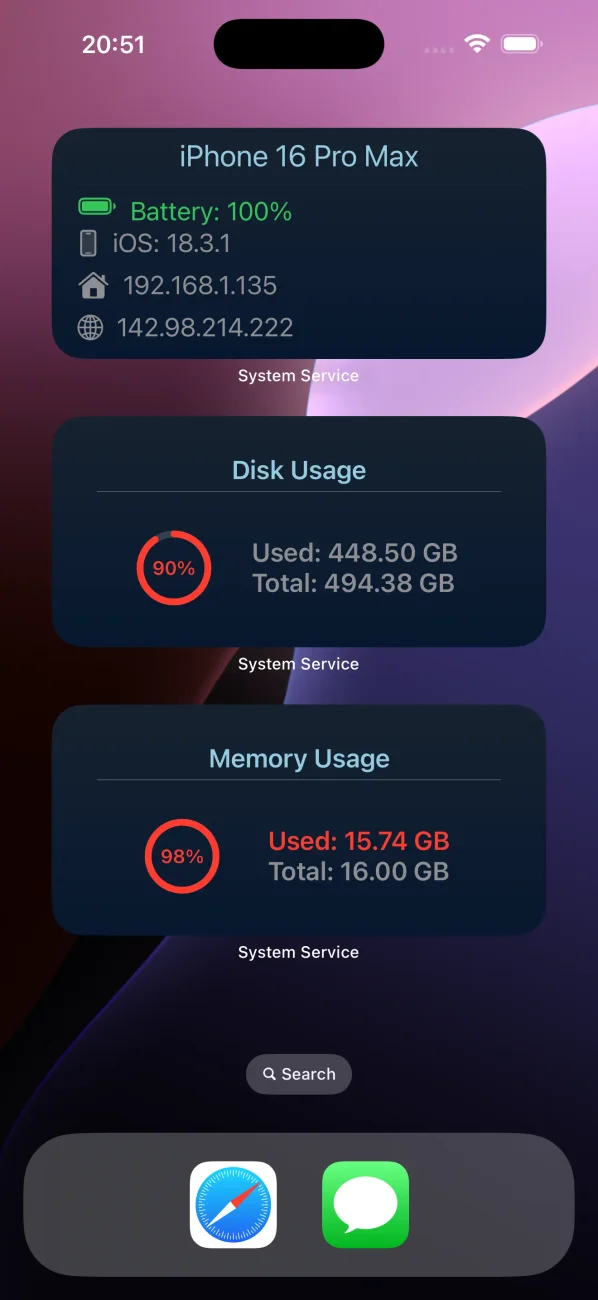
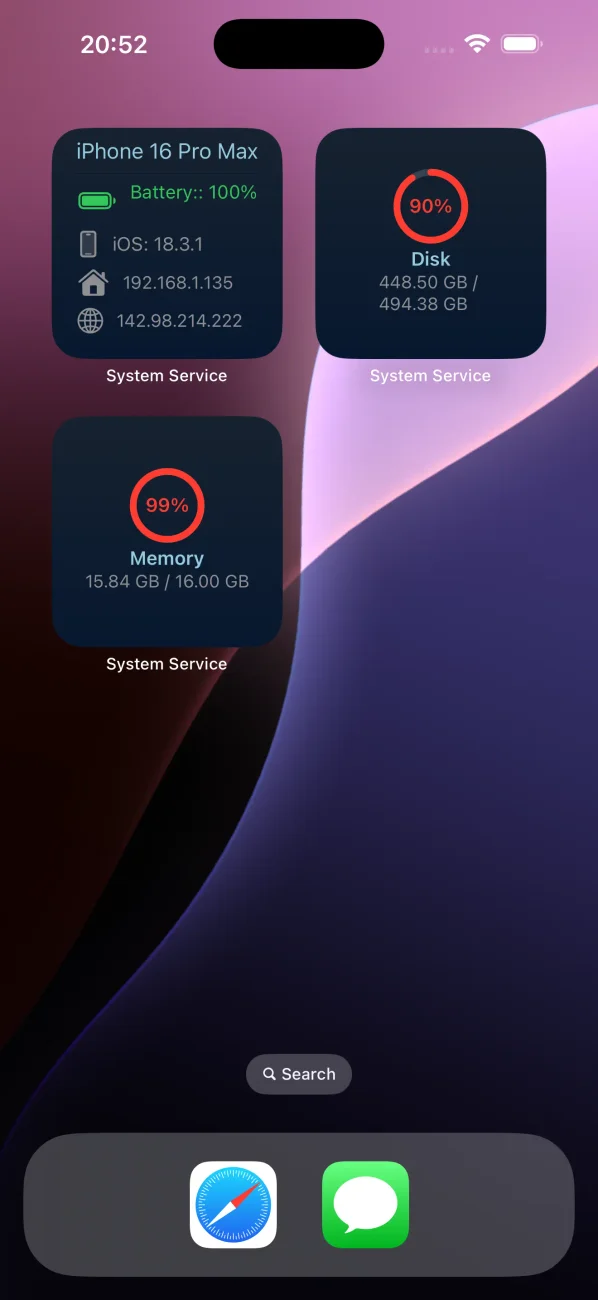
The System Service app is designed for iOS system monitoring and now features three useful widgets that display key system information in real-time.
Available Widgets:
Device Information Widget
Displayed Data:
• Device name
• Battery level
• iOS version
• Local (LAN) and external (WAN) IP addresses
Usage:
This widget provides a quick overview of your device, making it especially useful for developers, network administrators, and power users.
Disk Usage Widget
Displayed Data:
• Disk usage percentage (circular progress bar)
• Used storage amount (GB)
• Total storage capacity (GB)
Usage:
This widget allows you to instantly check how much storage is available on your device. It’s particularly useful when managing large files or installing new applications.
Memory Usage Widget
Displayed Data:
• Memory usage percentage (circular progress bar)
• Used memory amount (GB)
• Total memory capacity (GB)
Usage:
A great tool for monitoring background app memory usage, helping optimize device performance.
How to Add the Widget?
1. Long-press the home screen.
2. Tap the ”+” icon in the top-left corner.
3. Scroll down to the System Service widgets.
4. Select your preferred widget size.
5. Tap “Add Widget.”
Why Use It?
• Provides quick system data access
• Helps optimize storage and memory usage
• Easily accessible—no need to open an extra app
Download and try it now!
Có gì mới
Phiên bản 2.7 · 13/09/2026
• DNS lookup with multiple record types
• WHOIS/RDAP lookup for domains and IP addresses
• HTTP checker with GET/HEAD requests, status code, response time, redirects, and headers
• SSL/TLS checker with certificate status, subject, certificate chain, and SHA-256 fingerprint
Quyền riêng tư của ứng dụng
Những gì Albert Parti khai báo trên App Store về cách ứng dụng này xử lý dữ liệu.
-
Dữ liệu được sử dụng để theo dõi bạn
Có thể được sử dụng để theo dõi bạn trên các ứng dụng và trang web do công ty khác sở hữu.
- Mã định danh
-
Dữ liệu không liên kết với bạn
Có thể được thu thập nhưng không liên kết với danh tính của bạn.
- Mã định danh
Phương thức đảm bảo quyền riêng tư có thể khác nhau, chẳng hạn như tuỳ theo các tính năng bạn sử dụng hoặc độ tuổi của bạn.
Thông tin
- Người bán
- Albert Parti
- Danh mục
- Tiện Ích
- Phiên bản
- 2.7
- Cập nhật
- 13/09/2026
- Phát hành
- 22/06/2016
- Kích thước
- 9,4 MB
- Yêu cầu
- iOS 16.6 trở lên
- Độ tuổi
- 4+
- Giá
- Miễn phí
- Mua hàng trong ứng dụng
- Có
- Ngôn ngữ
- Tiếng Anh, Tiếng Séc, Tiếng Phần Lan, Tiếng Pháp, Tiếng Đức, Tiếng Hungary, Tiếng Ý, Tiếng Nhật, Tiếng Ba Lan, Tiếng Rumani, Tiếng Nga, Tiếng Trung Giản thể + 3 ngôn ngữ khác
- Bản quyền
- © App System Code
Có thể bạn cũng thích
-
 Network UtilityTiện Ích
-
 ActMonitor: my iPhone or iPadTiện Ích
-
 My Device Info!Tiện Ích
-
 Deep WhoisTiện Ích
-
 System Status: hw monitorTiện Ích
-
 SYSMonitor - Hệ thống giám sátBộ nhớ, pin, CPU
-
 Lirum Device Info 2Tiện Ích
-
 SIM Card Status CheckerTiện Ích
-
 System Info - Monitor RAM & OSTiện Ích
-
 Web ToolboxTiện Ích