
Device System Services - Tools
System Services - Tools
Projetado para iPhone, iPad
Grátis · Compras no app
- Classificação etária4+
- CategoriaUtilidades
- DesenvolvedorAlbert Parti
- IdiomasInglêse mais 14
- Tamanho9,4 MB
Leva à página oficial na App Store
O Download.org não hospeda nenhum arquivo de Device System Services - Tools. O botão abre a página do app na App Store, onde Albert Parti o publica. Página verificada pela última vez em 06/11/2026.
Capturas de tela
Sobre
O desenvolvedor não forneceu este texto no seu idioma.
Device System Service – System Information & Performance Monitoring
Device System Service is a professional iOS application that provides detailed insights into your device’s hardware, network, memory, and storage. The app helps you monitor system performance, optimize resource usage, and ensure smooth operation.
Key Features
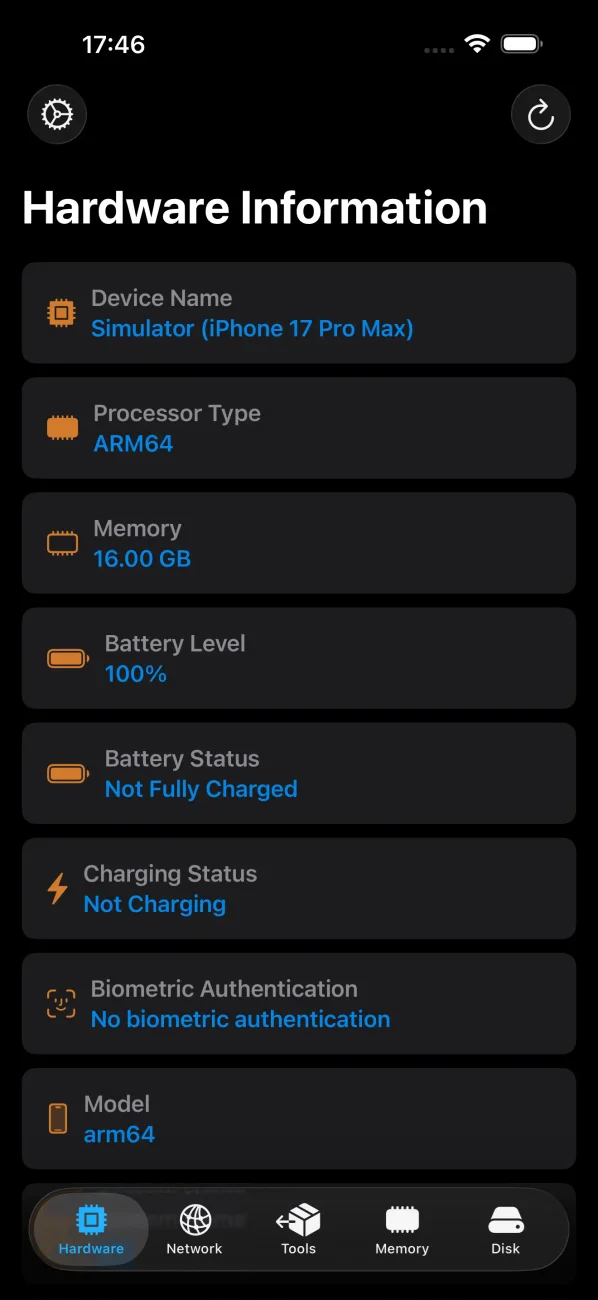
Hardware Information
• Detailed specifications of your device’s model, processor, and GPU
• Battery level and status monitoring
• Biometric authentication support (Face ID, Touch ID)
• Display size, brightness, and other screen-related details
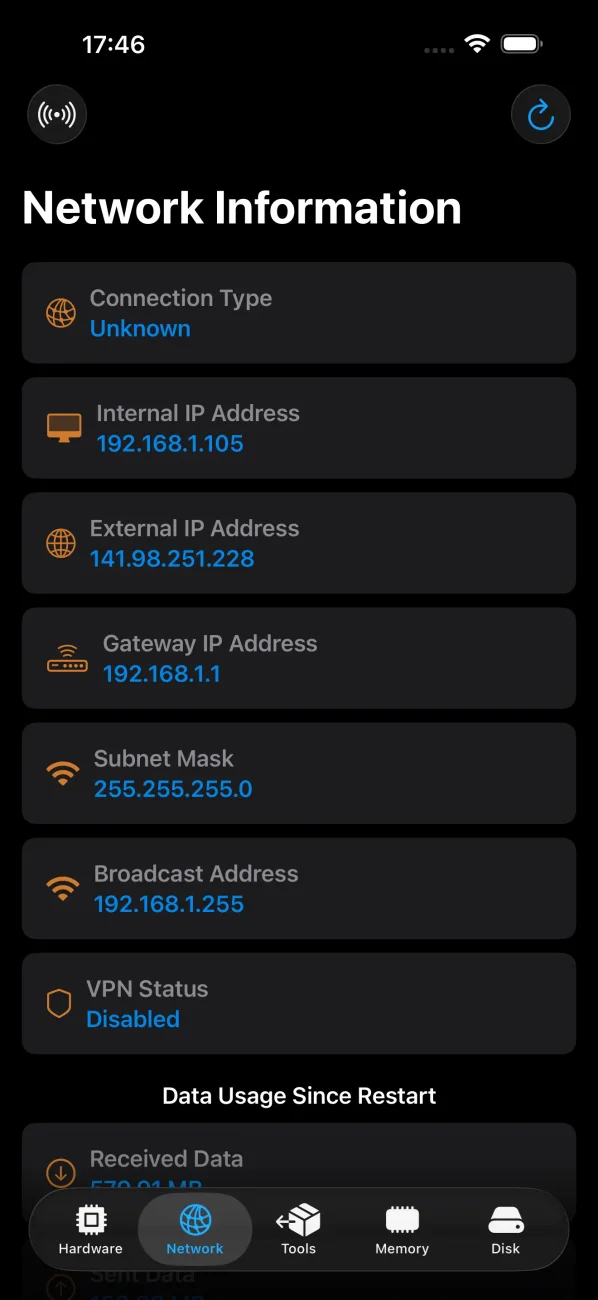
Network Status
• IP address, Wi-Fi, and mobile network information
• Internet connection check and speed data
• Ping hosts or IP addresses to verify connectivity and response time
• Local network insights and diagnostics
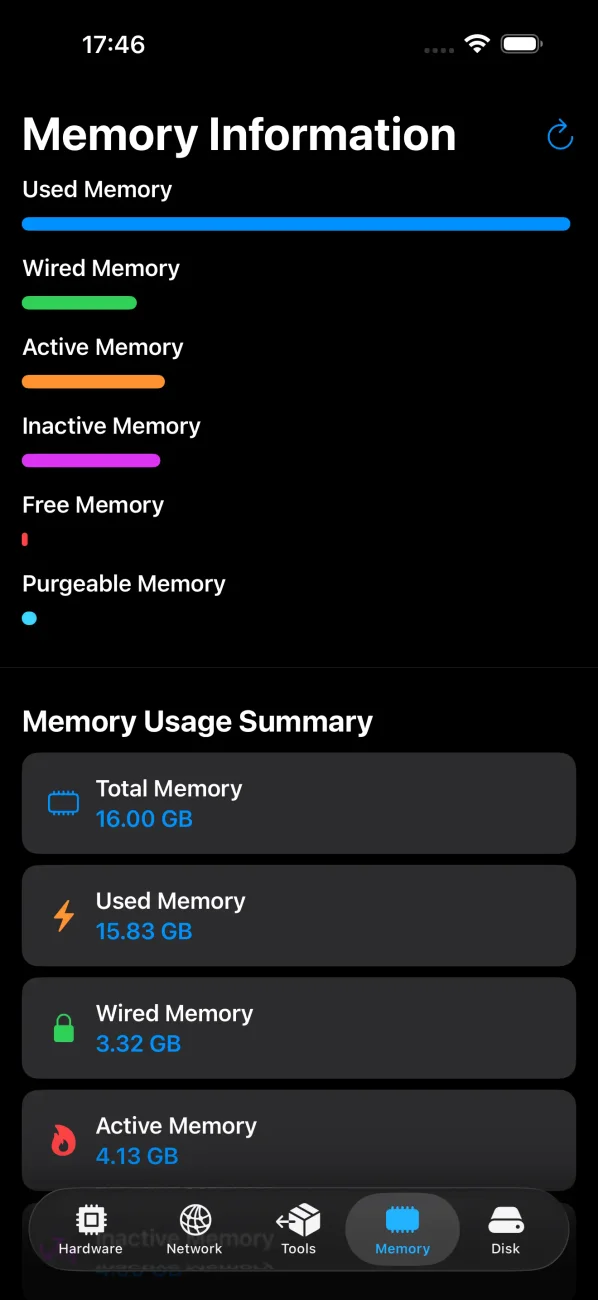
Memory Usage
• Detailed breakdown of memory usage (used, active, inactive, free memory)
• Real-time memory monitoring with interactive charts
• Performance tracking and optimization suggestions
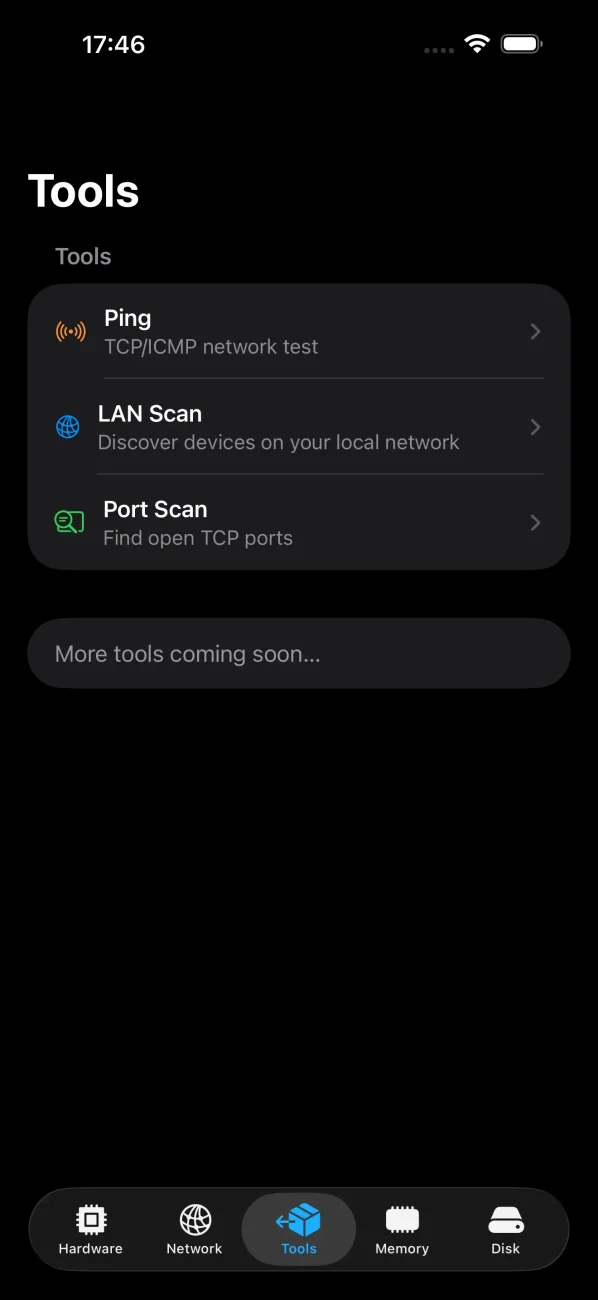
Tools
The new Tools tab provides powerful built-in diagnostic utilities for advanced network analysis.
• Ping
Verify connectivity to any host or IP address and check network responsiveness in real time.
Ideal for troubleshooting reachability and latency issues.
• LAN Scan
Discover active devices connected to your local network.
Quickly identify IP addresses and detect available hosts within your subnet.
• Port Scan
Scan open TCP ports on a target device to analyze running services and network exposure.
Useful for diagnostics, testing, and infrastructure validation.
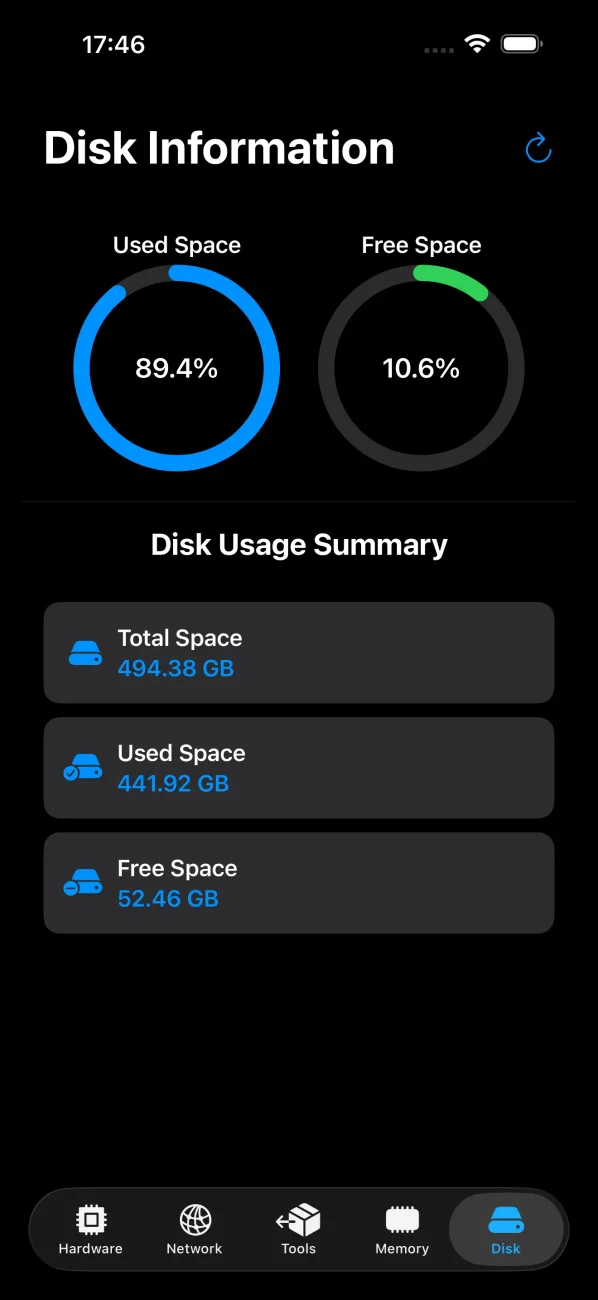
Storage Management
• Total storage and available space display
• Breakdown of space occupied by files and apps
• Visual representation of disk usage with modern UI elements
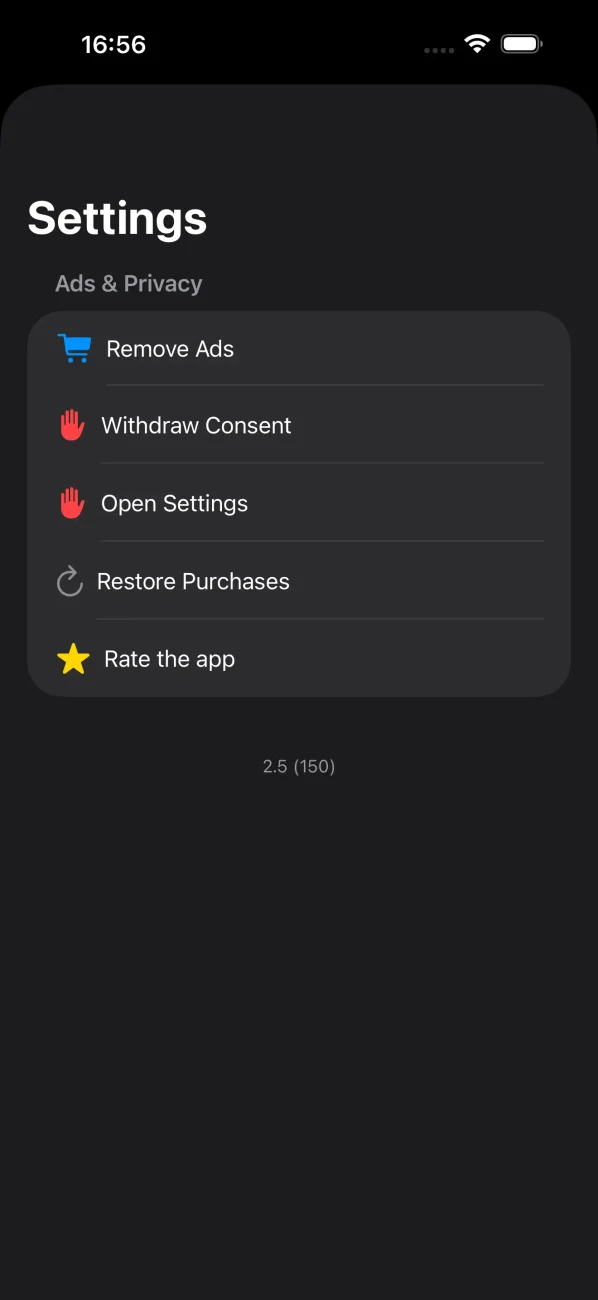
Settings & Privacy
• Remove Ads – One-time purchase for a completely ad-free experience
• Manage Consent – GDPR/CCPA compliance options
• Ad Personalization – Customize ad preferences based on privacy policies
Modern & User-Friendly Experience
• Dark Mode support for a comfortable viewing experience
• Interactive visual elements, graphs, and bars for easy interpretation
• Optimized for both iPhone and iPad
System Service Widgets – Overview
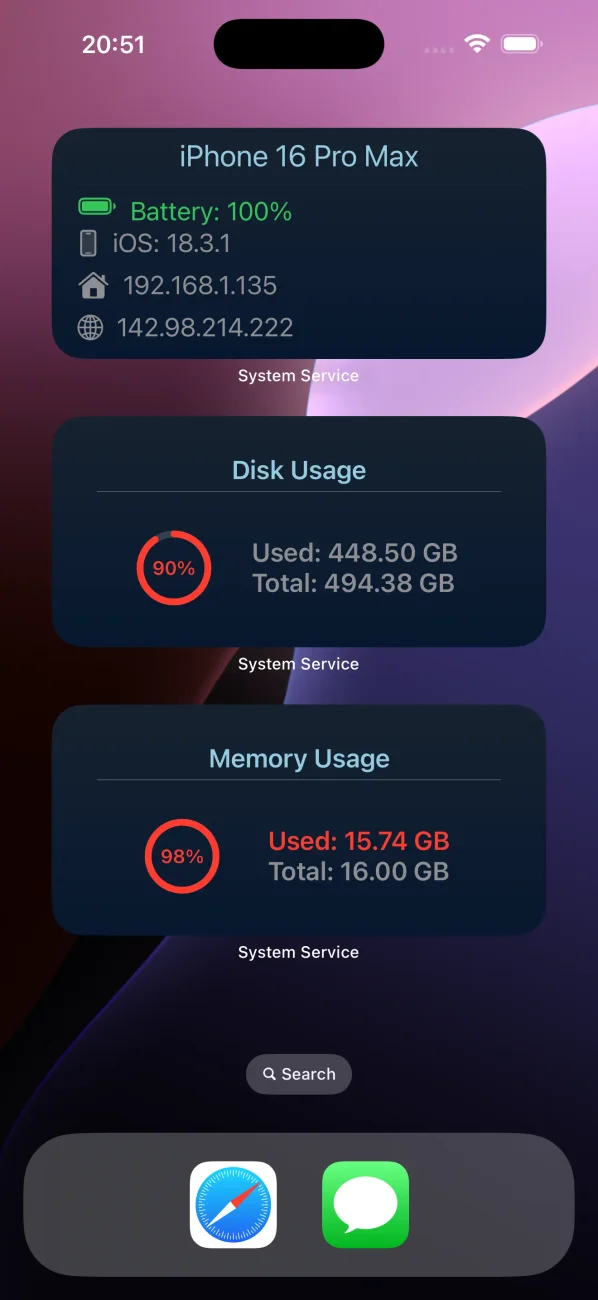
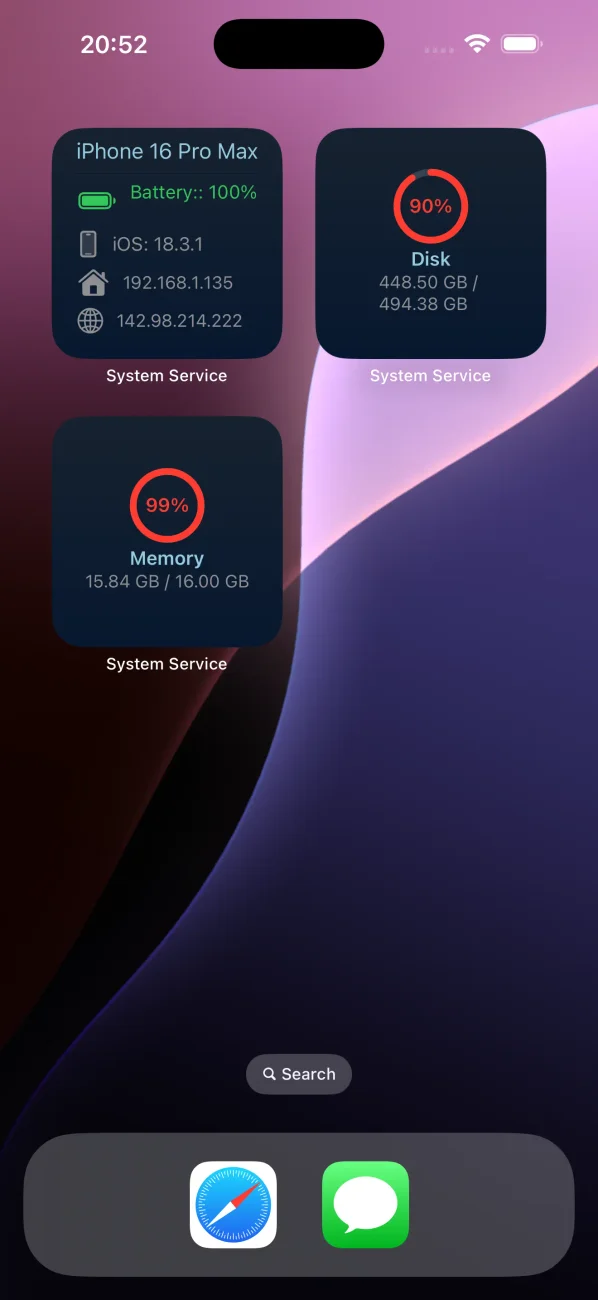
The System Service app is designed for iOS system monitoring and now features three useful widgets that display key system information in real-time.
Available Widgets:
Device Information Widget
Displayed Data:
• Device name
• Battery level
• iOS version
• Local (LAN) and external (WAN) IP addresses
Usage:
This widget provides a quick overview of your device, making it especially useful for developers, network administrators, and power users.
Disk Usage Widget
Displayed Data:
• Disk usage percentage (circular progress bar)
• Used storage amount (GB)
• Total storage capacity (GB)
Usage:
This widget allows you to instantly check how much storage is available on your device. It’s particularly useful when managing large files or installing new applications.
Memory Usage Widget
Displayed Data:
• Memory usage percentage (circular progress bar)
• Used memory amount (GB)
• Total memory capacity (GB)
Usage:
A great tool for monitoring background app memory usage, helping optimize device performance.
How to Add the Widget?
1. Long-press the home screen.
2. Tap the ”+” icon in the top-left corner.
3. Scroll down to the System Service widgets.
4. Select your preferred widget size.
5. Tap “Add Widget.”
Why Use It?
• Provides quick system data access
• Helps optimize storage and memory usage
• Easily accessible—no need to open an extra app
Download and try it now!
Novidades
Versão 2.7 · 13/09/2026
• DNS lookup with multiple record types
• WHOIS/RDAP lookup for domains and IP addresses
• HTTP checker with GET/HEAD requests, status code, response time, redirects, and headers
• SSL/TLS checker with certificate status, subject, certificate chain, and SHA-256 fingerprint
Privacidade do app
O que Albert Parti declara na App Store sobre como este app lida com os dados.
-
Dados usados para rastrear você
Podem ser usados para rastrear você em apps e sites de outras empresas.
- Identificadores
-
Dados não vinculados a você
Podem ser coletados, mas não são vinculados à sua identidade.
- Identificadores
As práticas de privacidade podem variar, por exemplo, com base nos recursos que você usa ou na sua idade.
Informações
- Vendedor
- Albert Parti
- Categoria
- Utilidades
- Versão
- 2.7
- Atualizado
- 13/09/2026
- Lançamento
- 22/06/2016
- Tamanho
- 9,4 MB
- Requer
- iOS 16.6 ou posterior
- Classificação etária
- 4+
- Preço
- Grátis
- Compras no app
- Sim
- Idiomas
- Inglês, Checo, Finlandês, Francês, Alemão, Húngaro, Italiano, Japonês, Polonês, Romeno, Russo, Chinês simplificado e mais 3
- Copyright
- © App System Code
Você também pode gostar
-
 Network UtilityUtilidades
-
 ActMonitor: my iPhone or iPadUtilidades
-
 My Device Info!Utilidades
-
 Deep WhoisUtilidades
-
 System Status: hw monitorUtilidades
-
 SYSMonitor- Monitor do sistemaMemória, bateria, CPU
-
 Lirum Device Info 2Monitor de Sistema e Hardware
-
 SIM Card Status CheckerCheck Devices IMEI Status
-
 System Info - Monitor RAM & OSUtilidades
-
 Web ToolboxUtilidades