- 対象年齢4+
- カテゴリ仕事効率化
- 開発元Himanshu Rupareliya
- 言語英語
- サイズ28.3 MB
App Storeの公式ページにリンクしています
Download.orgはDoc Scanner .のファイルを一切ホストしていません。ボタンを押すと、Himanshu Rupareliyaが公開しているApp Storeのアプリページが開きます。ページの最終確認:2026/11/22。
スクリーンショット


概要
開発元はこのテキストをお使いの言語で提供していません。
Doc Scanner - Camera Scanner lets you scan and create PDF files on your device using photos and camera. You can click or scan your document from your camera or choose photos from gallery.
Doc Scanner - Scan Document with quality. Using this Pdf Maker, save your PDF file in history and in the list of recently used documents.
To rescue you from that situation we brings you a portable Document Scanner. This Document Scanner you let you scan your documents anytime anywhere.
Pdf Scanner & Fast Scanner :-
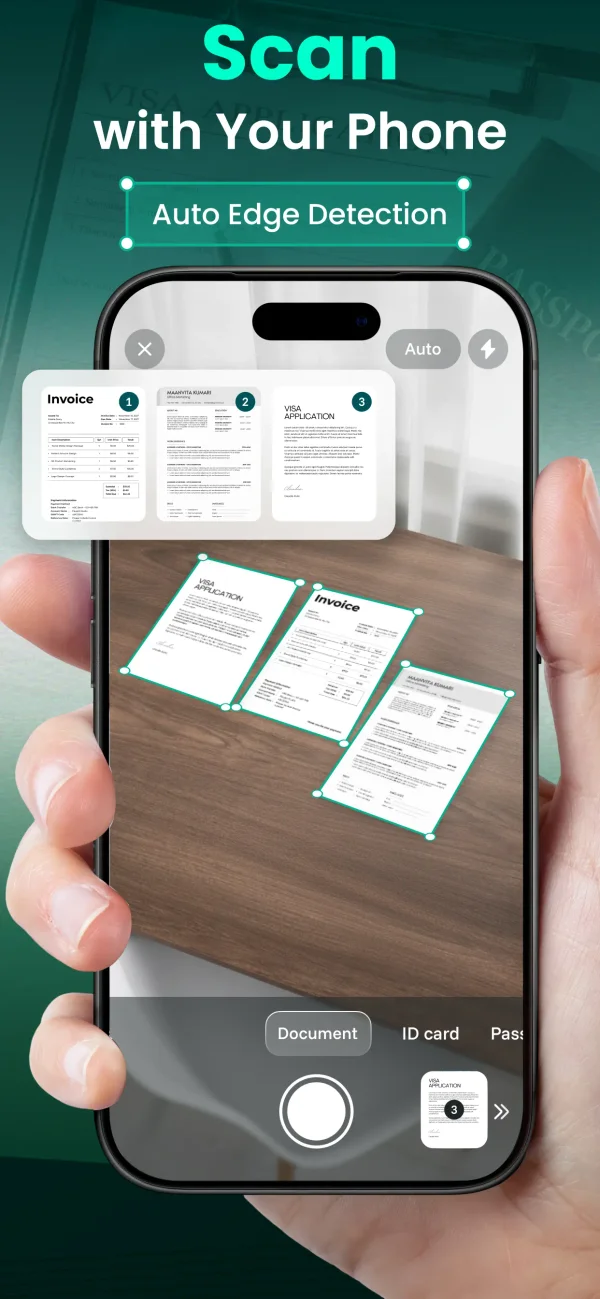
- Anytime and anywhere, Use your camera to scan invoices, personal documents, receipts, certificates, ID proofs, photo IDs, business documents, etc.
- Scan all types of a document with the Doc Scanner - Camera Scanner.
Auto detect edge :-
- Use camera for capture document by phone, remove extra space background, auto-detect the edge, generate high-resolution PDF File and JPEG.
Smart E-signature :-
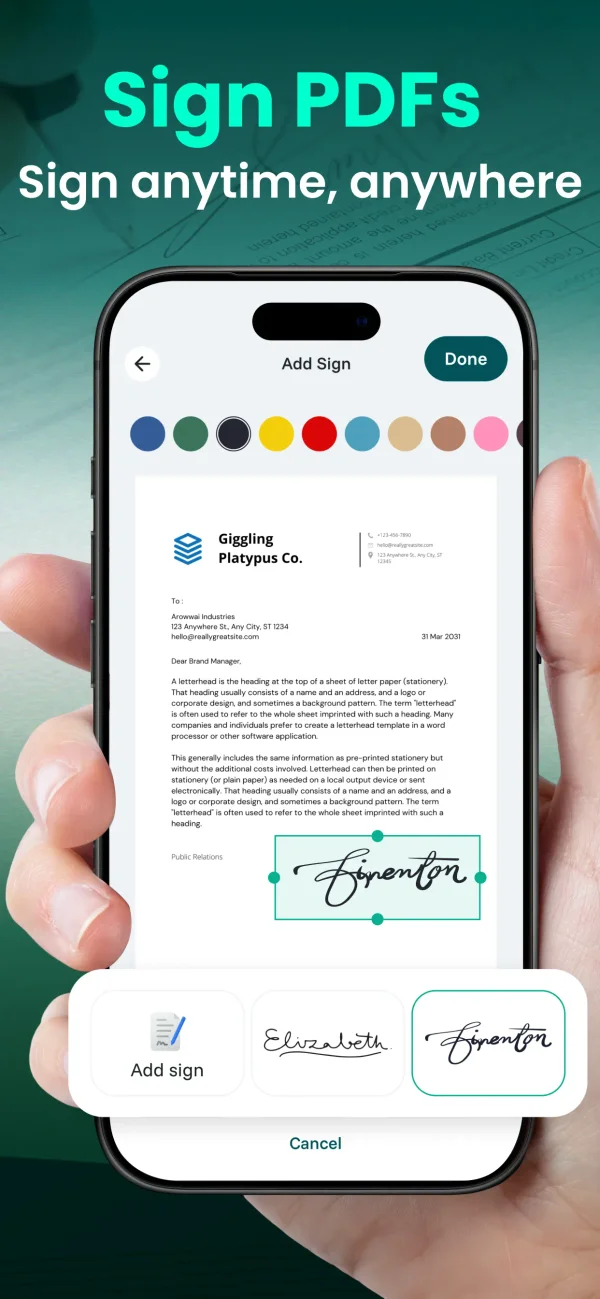
- Upload and Sign doc to use the E-signature pad on your phone and sign the contract to your business party. it is used for doing sign on contract, government form fills up, and other business documents.
Add Signature to Document :-
- Add Signature to document
- Choose Signature of your choice color.
Document Editting :-
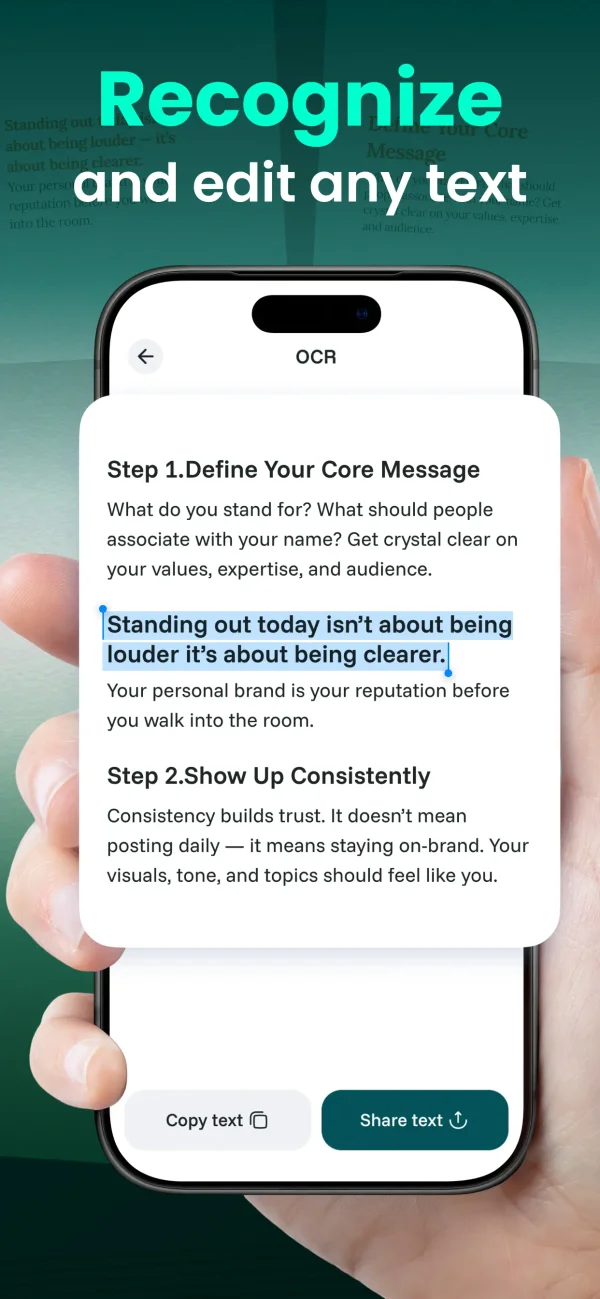
- Text detector & text scanner (OCR)
- Advance way for editing adopts documents.
- Add text to documents
Image to PDF Maker :-
- save PDF from photo
- convert image to pdf file
- make your file safe as adopt pdf by using Doc Scanner - Camera Scanner app
Optimize Images and Text :-
Doc Scanner is a free app that fast scans with automatic color detection & adjustment, background removal&bleed through, text enhance, color drop, image rotation, Multiple scan Destination & Duplexing Scanning.
Classified Folders :-
- Create classified folders to scan and save different documents in an organized manner Camera Scanner app.
Document Sharing :-
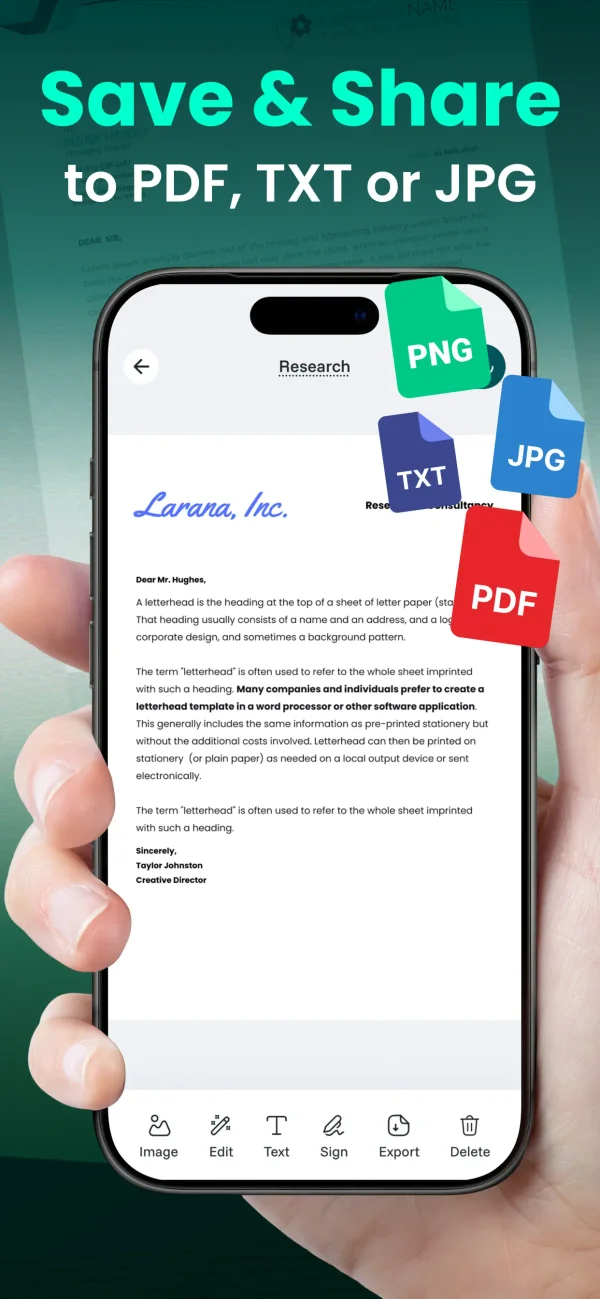
- Save each scanned document in the app for instant access and sharing.
- Scan, save and share the documents with your network quickly.
Phone Camera Scanner :-
Capture documents by phone, remove the extra background and generate high-resolution JPEG &PNG and PDF files.
Add E-Signature :-
Upload and sign a doc to use the E-signature pad on your phone and sign the contract to your business party. Sign contracts and share with your third party or counter party.
PDF Tools :-
Convert PDF files to JPG, PNG as well as reverse the process like PDF to Images converter.
How to Use Doc Scanner?
- Simply install the Camera Scanner app and tap on the + icon at the bottom of the screen to start scanning.
- Select whether to scan a document with your camera or select one from your device gallery.
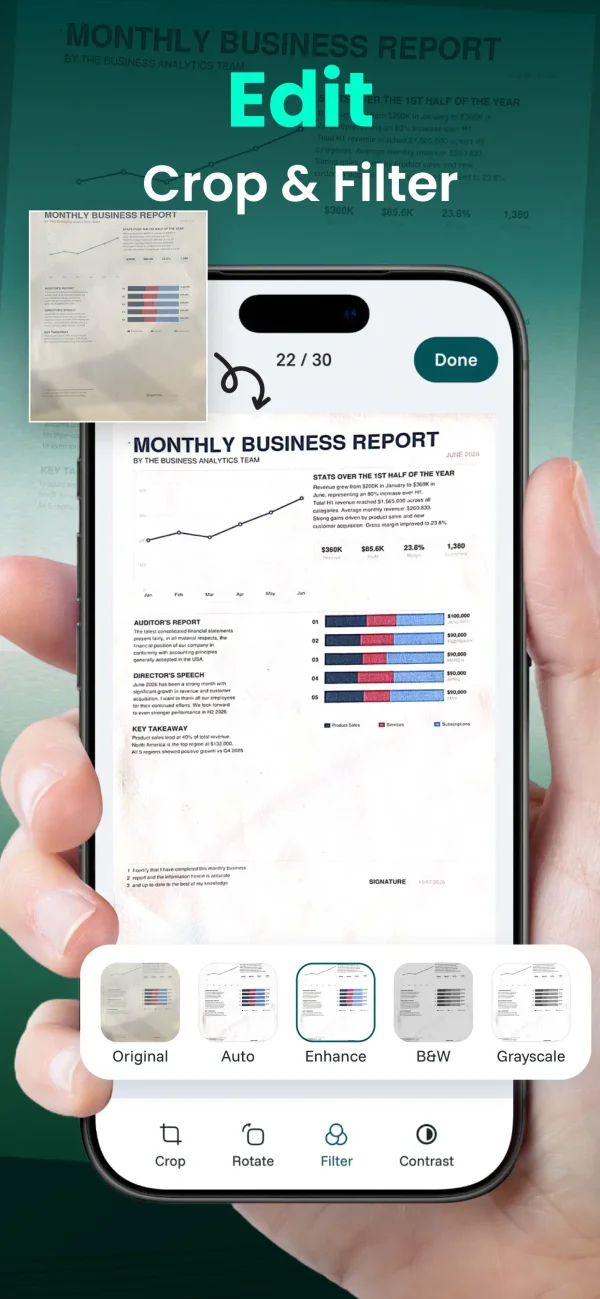
- Crop, adjust or add filters & effects to your scanned documents.
- You can save the scanned image to your gallery or convert it to a PDF using PDF Maker & PDF Converter tool.
VARIOUS SCANNING MODES :-
• DOCUMENTS – scan multipage documents on the go
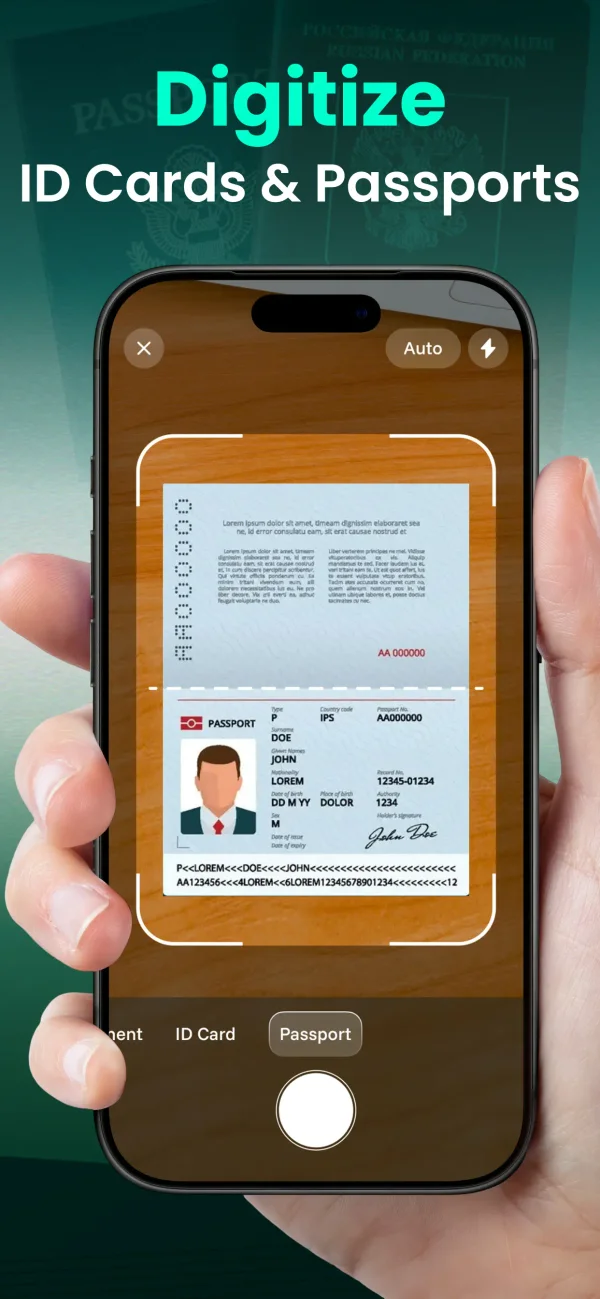
• ID-CARD & PASSPORT – create scanned versions of your personal documents
• OCR - Detect any text from image and translate in any language
• TRANSLATE - Language translator support all languages
• QR CODE – read any QR-code with your device camera
• BAR CODE – read any Bar-code with your device camera
• Multiple DocumentScan
Feel free to review your experience with the Doc Scanner - Camera Scanner app. Do leave your thoughts on the Camera Scanner app.
We will be grateful to hear your opinions and improve whenever needed in future versions!
Privacy Policy :- https://docscannerprivacypolicyapp.blogspot.com
Terms of use :- https://sites.google.com/view/camerascannerterms/home
Keep scanning with Doc Scanner
新機能
バージョン 2.7 · 2026/9/22
Thanks for using Doc Scanner!
• Bug fixes and performance improvements.
Enjoying the app? Please Rate and review the app to help others discover it!
アプリのプライバシー
このアプリのデータの取り扱いについて、Himanshu RupareliyaがApp Storeで申告している内容です。
-
ユーザーのトラッキングに使用されるデータ
他社のアプリやウェブサイトを横断してユーザーをトラッキングする目的で使用される場合があります。
- 使用状況データ
-
ユーザーに関連付けられないデータ
収集される場合がありますが、ユーザーの識別情報には関連付けられません。
- 使用状況データ
プライバシーの取り扱いは、ご利用の機能やお客様の年齢などに応じて異なる場合があります。
情報
- 販売元
- Himanshu Rupareliya
- カテゴリ
- 仕事効率化
- バージョン
- 2.7
- 更新日
- 2026/9/22
- リリース
- 2022/12/4
- サイズ
- 28.3 MB
- 必要条件
- iOS 14.0以降
- 対象年齢
- 4+
- 価格
- 無料
- アプリ内課金
- あり
- 言語
- 英語
- 著作権
- © HR2021
こちらもおすすめ
-
 Doc Scanner: Scan PDF仕事効率化
-
 OKEN - Doc Scanner, PDF Scan仕事効率化
-
 Sift: PDF Scanner & OCR仕事効率化
-
 Document Scanner by Lufick仕事効率化
-
 Document Scanner - Scan Photo仕事効率化
-
 PDFScanner- スキャン, pdf変換, pdf編集OCR 付モバイルスキャンで文書と写真を PDF に変換
-
 Camera Scanner・PDFスキャナー , OCR写真をPDFに変換・文字認識・スキャンアプリ,Sign
-
 DocScanner: PDF Scan仕事効率化
-
 Auto Redial - 自動再ダイヤル話し中の電話を連続リトライ
-
 Cam Scan - PDF Scanner & OCR仕事効率化