DocClair: PDF Scanner & Editor
Sign Documents, OCR & Merge
iPhone, iPad向けに設計
無料 · アプリ内課金
- 対象年齢4+
- カテゴリユーティリティ
- 開発元Mewey
- 言語英語ほか6言語
- サイズ11.1 MB
App Storeの公式ページにリンクしています
Download.orgはDocClair: PDF Scanner & Editorのファイルを一切ホストしていません。ボタンを押すと、Meweyが公開しているApp Storeのアプリページが開きます。ページの最終確認:2026/11/12。
スクリーンショット
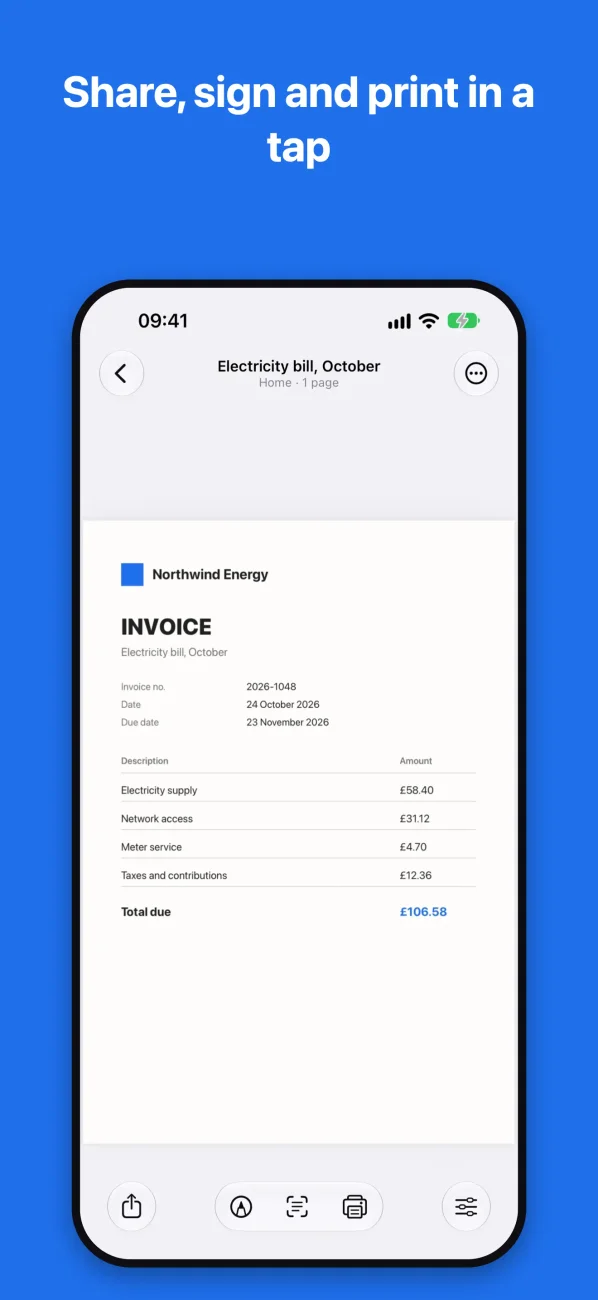
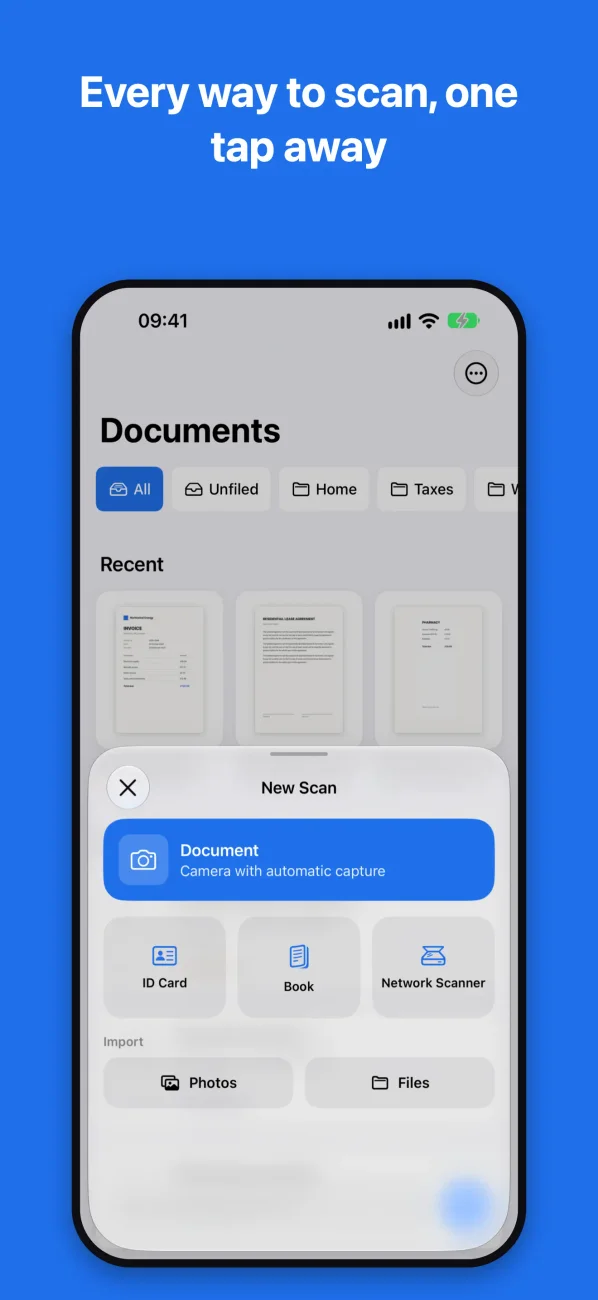
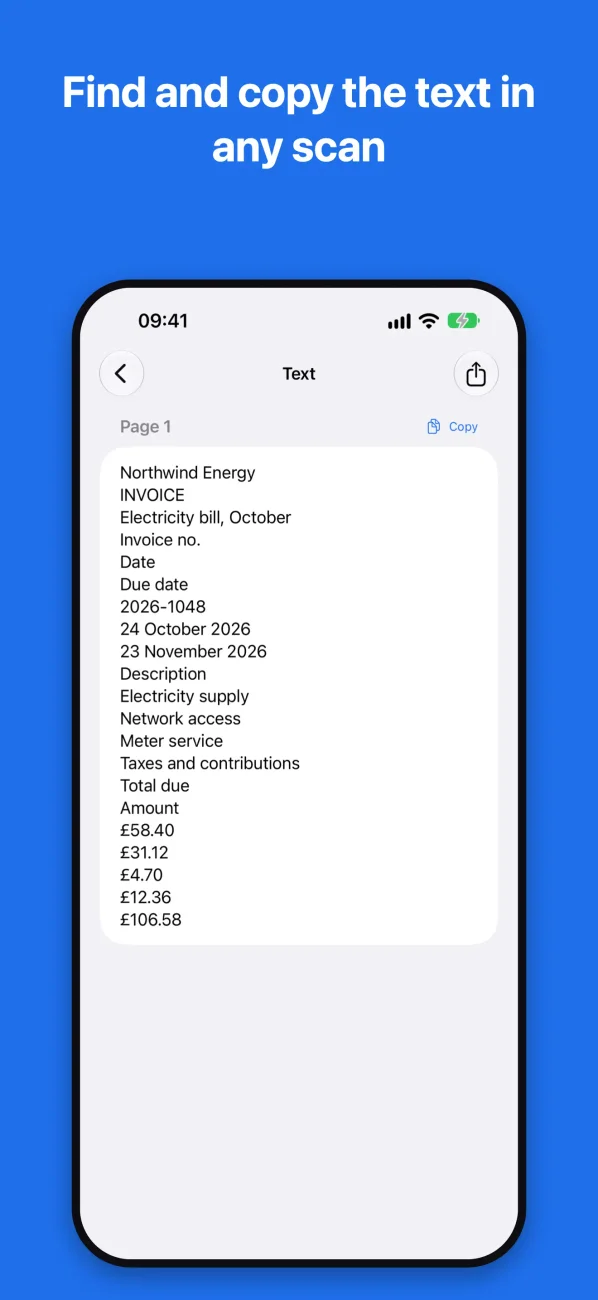
概要
開発元はこのテキストをお使いの言語で提供していません。
DocClair turns your iPhone and iPad into a fast, private document scanner and PDF editor. Scan with the camera or straight from your printer, sign and annotate, and get a clean, sharp PDF in seconds. No account, no ads, no tracking: everything stays on your device.
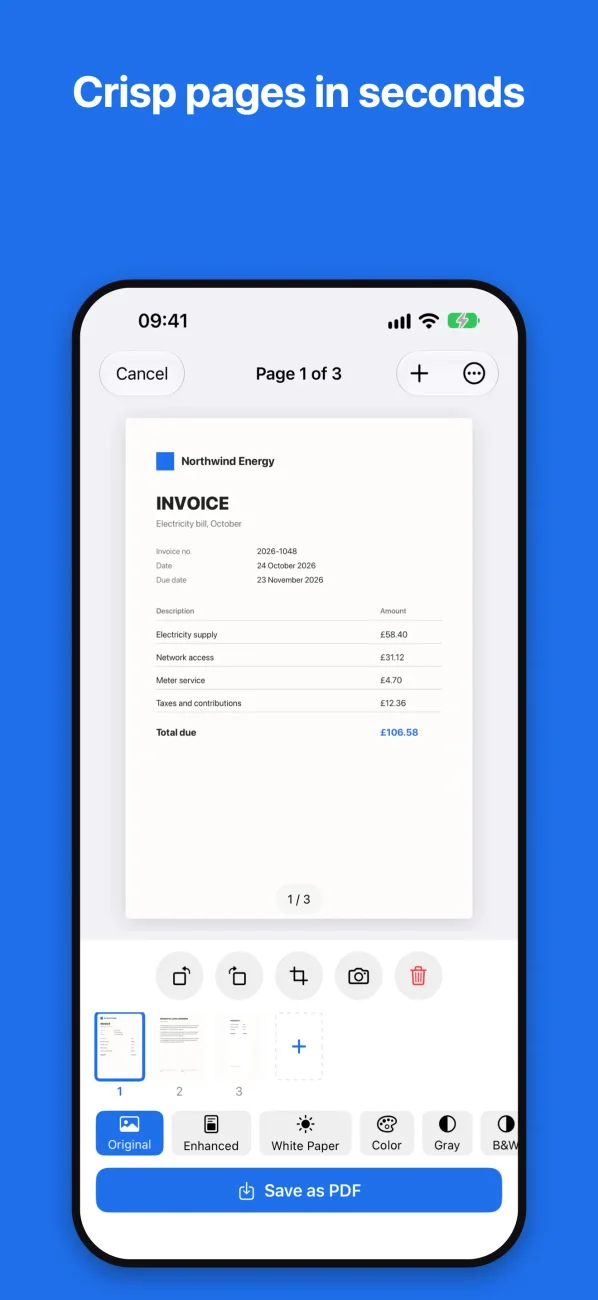
Automatic edge detection and perspective correction straighten every page, while smart filters (Document, Black & White, Whitening) make text crisp and backgrounds clean. Live framing, lighting and focus guidance, plus a flash for low light, help you capture the perfect page every time. Add pages, reorder them and export a polished multi-page PDF.
SCAN FROM YOUR PRINTER
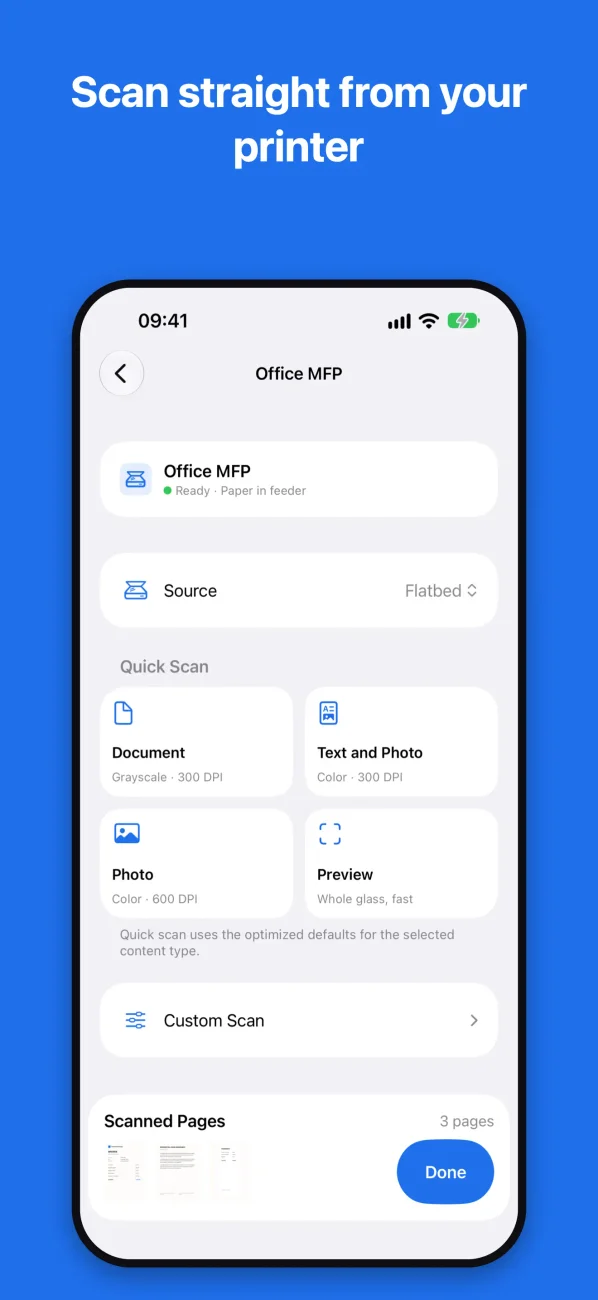
• Works with AirScan (eSCL) and Mopria printers and scanners on your Wi-Fi
• Flatbed or document feeder, single or double-sided
• Quick scans for documents, text and photos, or choose the file type, colour mode, resolution and paper size
• Save your favourite settings as presets
• Scan several batches in a row into one PDF
• Scans travel only over your local network
DESIGNED FOR iPHONE AND iPAD
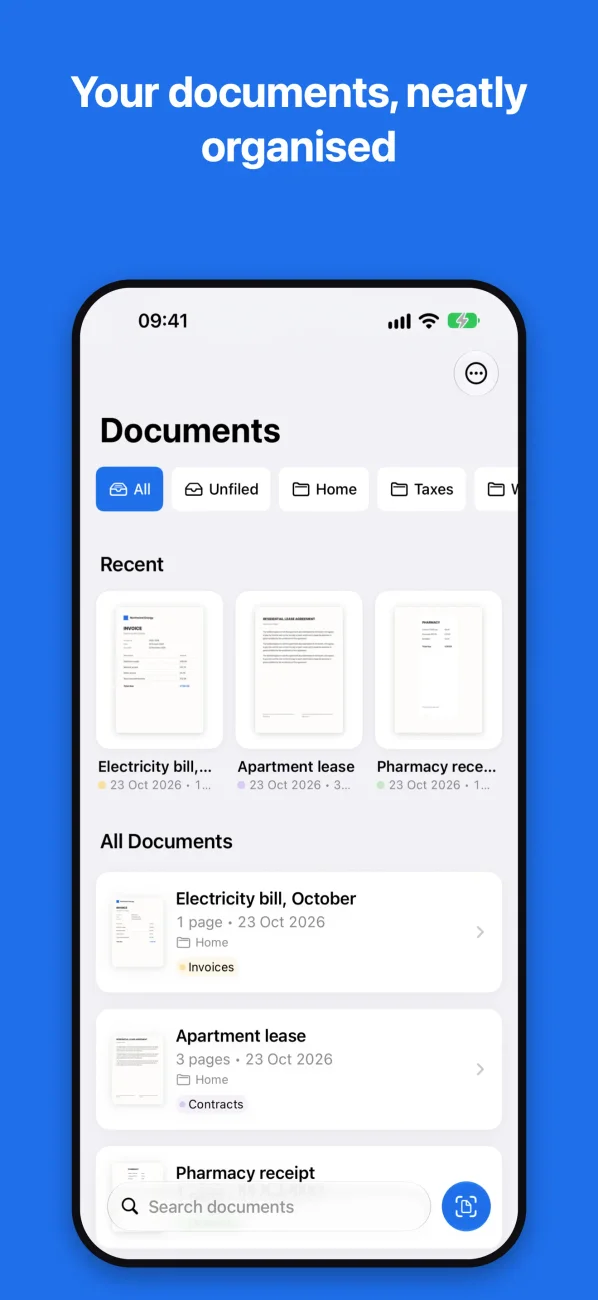
• iPhone: search and Scan at the bottom of the screen, folder and tag filters, your latest documents at the top
• iPad: a sidebar with your folders and tags, a grid of documents, and details and tools beside every PDF
DRAFTS AND EDITING
• Save a document in progress as a draft and finish it later: every page keeps its crop, rotation and filter
• Edit a saved PDF: add pages from any source, delete them, or drag them into a new order
• PDFs are named after your document, ready to share
SPECIAL CAPTURE MODES
• ID Card mode: front and back on a single, tidy page
• Book mode: capture a two-page spread and split it into two pages
YOUR DATA, SAFE AND YOURS
• Recently Deleted: restore deleted documents for up to 30 days
• Local Backup & Restore: save your whole library to one file and bring it back anytime, with no cloud and no account
PART OF YOUR DEVICE
• Scan with Siri and Shortcuts
• One-tap scan from the Lock Screen and Control Centre
• A Recent Scans Home Screen widget
• Find documents in Spotlight by title or by the text inside them
FREE
• Scan or import documents up to 3 pages
• Automatic edge detection and perspective crop
• Enhancement filters
• Recently Deleted and local backup
• Save, share, rename and print your PDFs
DocClair Pro: one-time purchase, no subscription
• Unlimited pages per document
• Save scans from network printers and scanners
• ID Card and Book capture modes
• Text recognition (OCR) to search and copy text
• Annotate and sign your documents
• Compress, merge, split and reorder PDFs
• Organise with folders and tags
• Password-protect your PDFs
Available in English, French, German, Spanish, Italian, Portuguese and Russian, with VoiceOver and Dynamic Type support.
Private by design: DocClair works fully offline. Your scans and recognised text are processed and stored only on your device, never uploaded.
No subscription. No account. No data collection.
新機能
バージョン 2.1 · 2026/10/23
DocClair 2.1 lets you build a document over several sittings, and change it after it is saved.
Drafts
• Save a document in progress as a draft and finish it later. Every page keeps its crop, rotation and filter.
• Your drafts appear at the top of your library.
Edit your PDFs
• Open any saved document to add pages from the camera, a network scanner, Photos or Files, or to delete pages.
• Drag the page thumbnails to put them in a new order.
Also new
• PDFs are now named after your document, for example “Electricity Bill.pdf”.
• On iPad, the PDF gets the full width, with a smoother page thumbnail column.
As always, everything stays on your device: no account, no subscription, no cloud.
アプリのプライバシー
このアプリのデータの取り扱いについて、MeweyがApp Storeで申告している内容です。
-
データの収集なし
開発元はこのアプリからデータを収集しません。
プライバシーの取り扱いは、ご利用の機能やお客様の年齢などに応じて異なる場合があります。
情報
- 販売元
- Dimitri MERAULT
- カテゴリ
- ユーティリティ
- バージョン
- 2.1
- 更新日
- 2026/10/23
- リリース
- 2026/6/16
- サイズ
- 11.1 MB
- 必要条件
- iOS 26.5以降
- 対象年齢
- 4+
- 価格
- 無料
- アプリ内課金
- あり
- 言語
- 英語, フランス語, ドイツ語, イタリア語, ポルトガル語, ロシア語, スペイン語
- 著作権
- © 2026 Dim
こちらもおすすめ
-
 Changeloファイルの違いをひと目で
-
 Tunnel Toll & Timeユーティリティ
-
 AppTicker Wishユーティリティ
-
 Gandalfoneユーティリティ
-
 OBD2 Car Scanner ELM 327 車診断車の故障診断・スキャナー・メーター・燃費・車検
-
 Universal VPN : Fast VPN Proxyユーティリティ
-
 TotalEnergies - Driveユーティリティ
-
 AdGuard Home Remoteユーティリティ
-
 ページロック画面時計-全画面デスクトップ時計デスクトップ時計、ページめくり時計、カウントダウン
-
 Dark Mode Wallpapers & Themesユーティリティ