DocClair: PDF Scanner & Editor
Sign Documents, OCR & Merge
Được thiết kế cho iPhone, iPad
Miễn phí · Mua hàng trong ứng dụng
- Độ tuổi4+
- Danh mụcTiện Ích
- Nhà phát triểnMewey
- Ngôn ngữTiếng Anh+ 6 ngôn ngữ khác
- Kích thước11,1 MB
Liên kết đến trang App Store chính thức
Download.org không lưu trữ tệp nào của DocClair: PDF Scanner & Editor. Nút này mở trang ứng dụng trên App Store, nơi Mewey phát hành ứng dụng. Trang được kiểm tra lần cuối: 12/11/2026.
Ảnh chụp màn hình
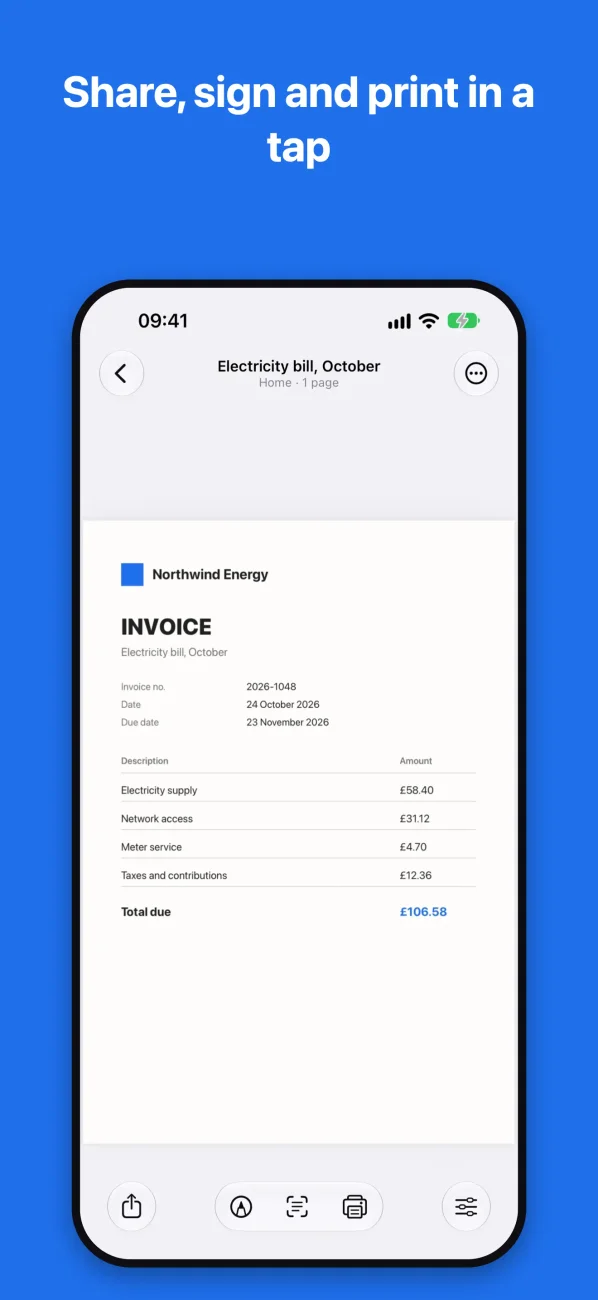
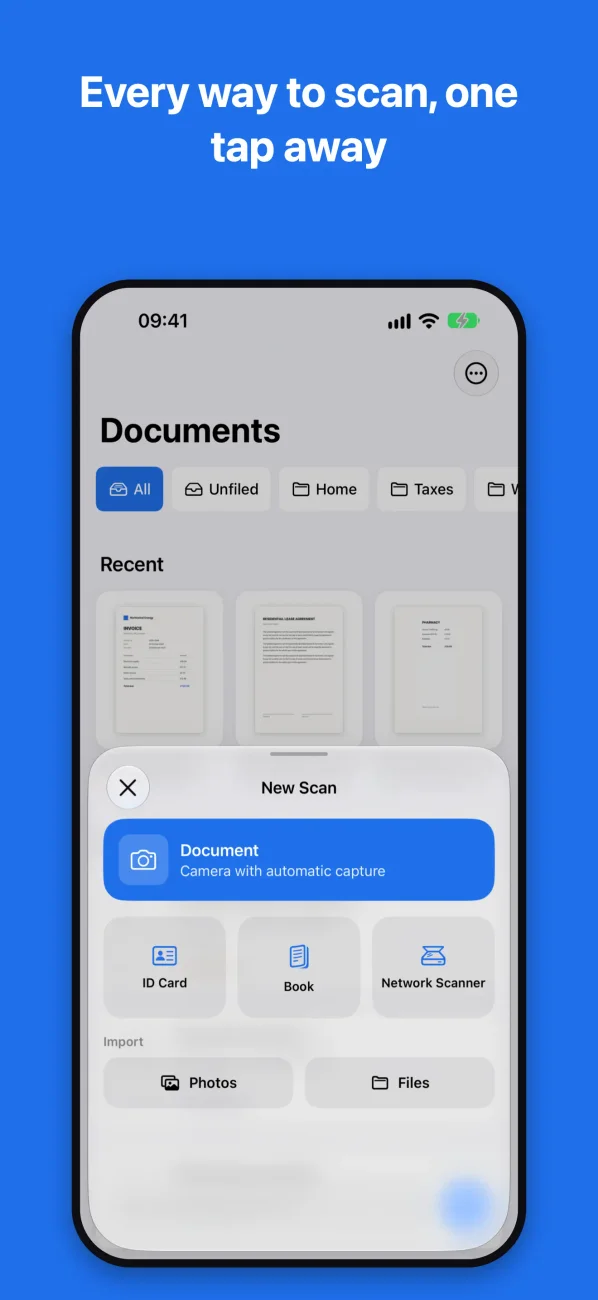
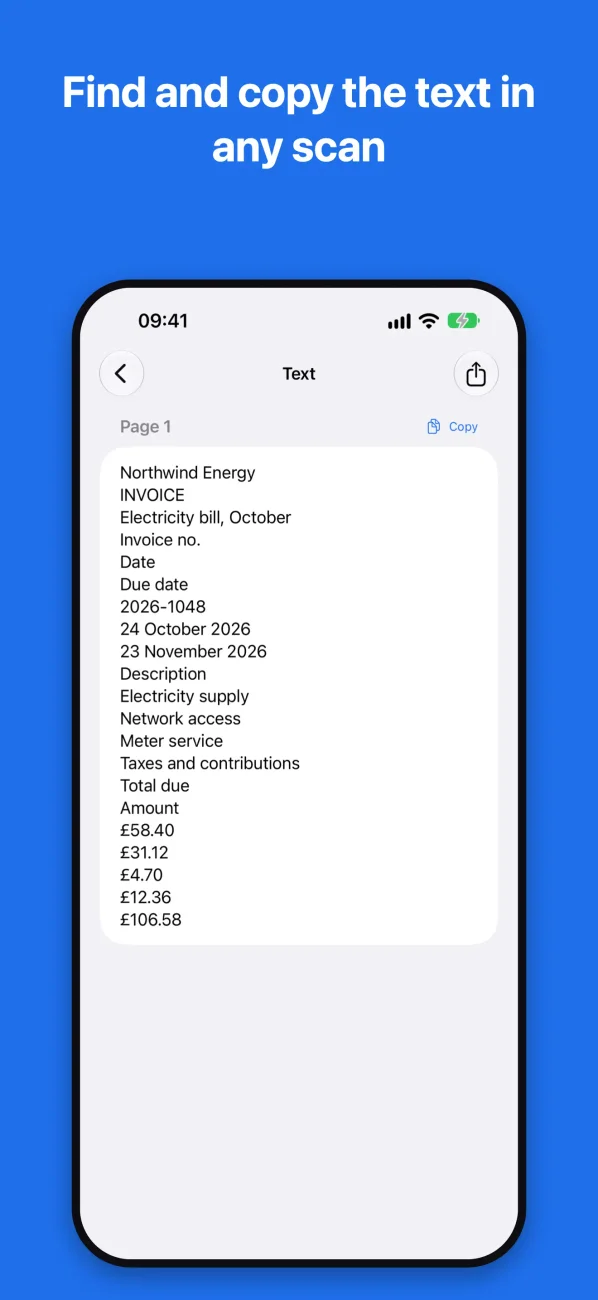
Giới thiệu
Nhà phát triển chưa cung cấp nội dung này bằng ngôn ngữ của bạn.
DocClair turns your iPhone and iPad into a fast, private document scanner and PDF editor. Scan with the camera or straight from your printer, sign and annotate, and get a clean, sharp PDF in seconds. No account, no ads, no tracking: everything stays on your device.
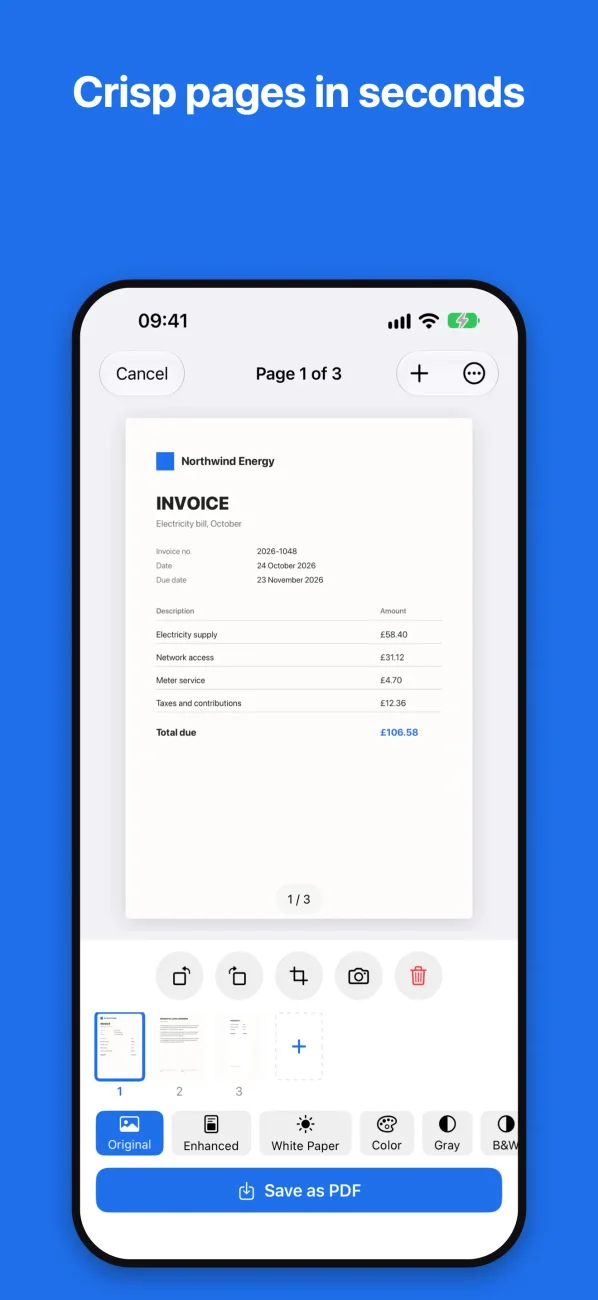
Automatic edge detection and perspective correction straighten every page, while smart filters (Document, Black & White, Whitening) make text crisp and backgrounds clean. Live framing, lighting and focus guidance, plus a flash for low light, help you capture the perfect page every time. Add pages, reorder them and export a polished multi-page PDF.
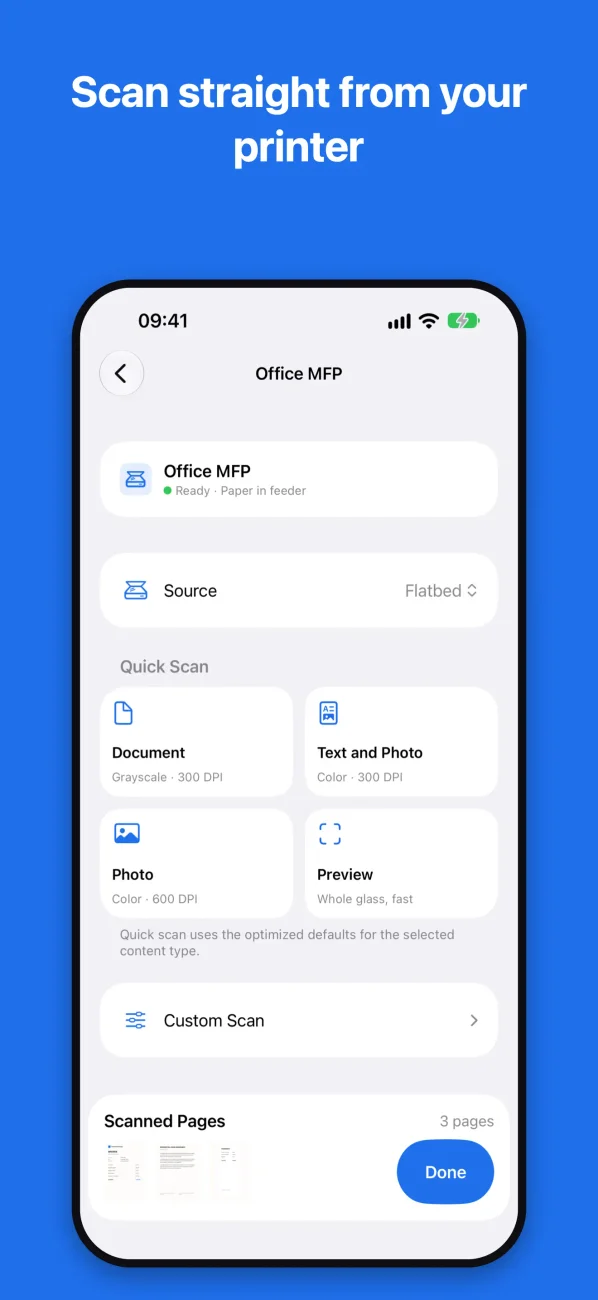
SCAN FROM YOUR PRINTER
• Works with AirScan (eSCL) and Mopria printers and scanners on your Wi-Fi
• Flatbed or document feeder, single or double-sided
• Quick scans for documents, text and photos, or choose the file type, colour mode, resolution and paper size
• Save your favourite settings as presets
• Scan several batches in a row into one PDF
• Scans travel only over your local network
DESIGNED FOR iPHONE AND iPAD
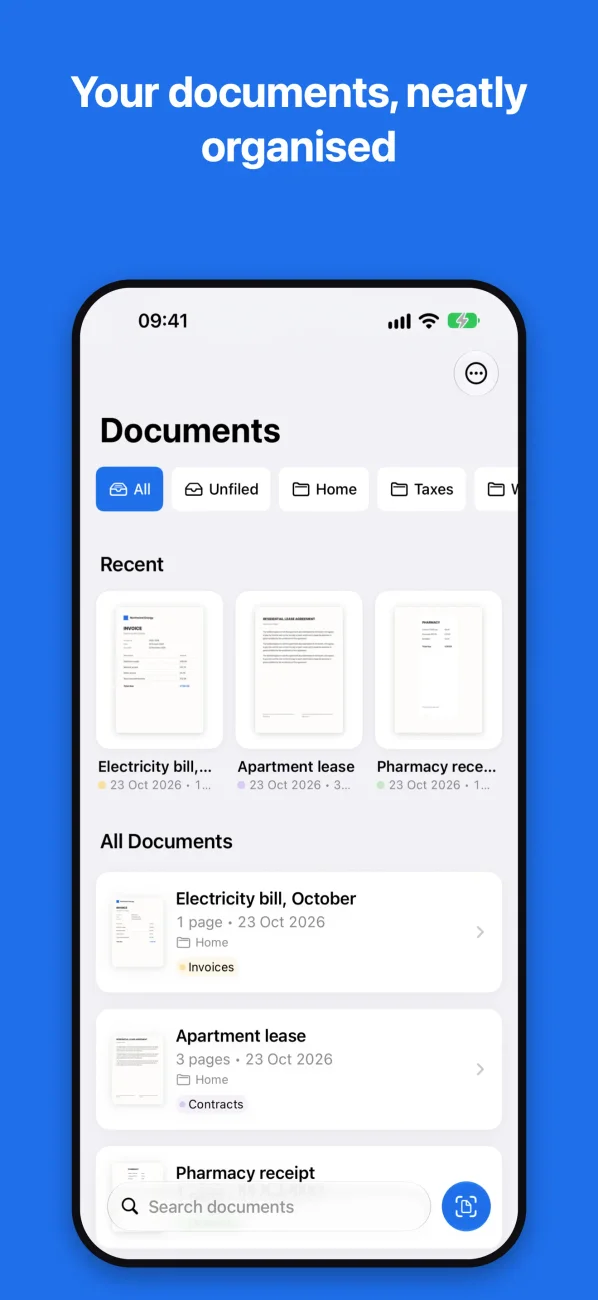
• iPhone: search and Scan at the bottom of the screen, folder and tag filters, your latest documents at the top
• iPad: a sidebar with your folders and tags, a grid of documents, and details and tools beside every PDF
DRAFTS AND EDITING
• Save a document in progress as a draft and finish it later: every page keeps its crop, rotation and filter
• Edit a saved PDF: add pages from any source, delete them, or drag them into a new order
• PDFs are named after your document, ready to share
SPECIAL CAPTURE MODES
• ID Card mode: front and back on a single, tidy page
• Book mode: capture a two-page spread and split it into two pages
YOUR DATA, SAFE AND YOURS
• Recently Deleted: restore deleted documents for up to 30 days
• Local Backup & Restore: save your whole library to one file and bring it back anytime, with no cloud and no account
PART OF YOUR DEVICE
• Scan with Siri and Shortcuts
• One-tap scan from the Lock Screen and Control Centre
• A Recent Scans Home Screen widget
• Find documents in Spotlight by title or by the text inside them
FREE
• Scan or import documents up to 3 pages
• Automatic edge detection and perspective crop
• Enhancement filters
• Recently Deleted and local backup
• Save, share, rename and print your PDFs
DocClair Pro: one-time purchase, no subscription
• Unlimited pages per document
• Save scans from network printers and scanners
• ID Card and Book capture modes
• Text recognition (OCR) to search and copy text
• Annotate and sign your documents
• Compress, merge, split and reorder PDFs
• Organise with folders and tags
• Password-protect your PDFs
Available in English, French, German, Spanish, Italian, Portuguese and Russian, with VoiceOver and Dynamic Type support.
Private by design: DocClair works fully offline. Your scans and recognised text are processed and stored only on your device, never uploaded.
No subscription. No account. No data collection.
Có gì mới
Phiên bản 2.1 · 23/10/2026
DocClair 2.1 lets you build a document over several sittings, and change it after it is saved.
Drafts
• Save a document in progress as a draft and finish it later. Every page keeps its crop, rotation and filter.
• Your drafts appear at the top of your library.
Edit your PDFs
• Open any saved document to add pages from the camera, a network scanner, Photos or Files, or to delete pages.
• Drag the page thumbnails to put them in a new order.
Also new
• PDFs are now named after your document, for example “Electricity Bill.pdf”.
• On iPad, the PDF gets the full width, with a smoother page thumbnail column.
As always, everything stays on your device: no account, no subscription, no cloud.
Quyền riêng tư của ứng dụng
Những gì Mewey khai báo trên App Store về cách ứng dụng này xử lý dữ liệu.
-
Dữ liệu không được thu thập
Nhà phát triển không thu thập bất kỳ dữ liệu nào từ ứng dụng này.
Phương thức đảm bảo quyền riêng tư có thể khác nhau, chẳng hạn như tuỳ theo các tính năng bạn sử dụng hoặc độ tuổi của bạn.
Thông tin
- Người bán
- Dimitri MERAULT
- Danh mục
- Tiện Ích
- Phiên bản
- 2.1
- Cập nhật
- 23/10/2026
- Phát hành
- 16/06/2026
- Kích thước
- 11,1 MB
- Yêu cầu
- iOS 26.5 trở lên
- Độ tuổi
- 4+
- Giá
- Miễn phí
- Mua hàng trong ứng dụng
- Có
- Ngôn ngữ
- Tiếng Anh, Tiếng Pháp, Tiếng Đức, Tiếng Ý, Tiếng Bồ Đào Nha, Tiếng Nga, Tiếng Tây Ban Nha
- Bản quyền
- © 2026 Dim
Có thể bạn cũng thích
-
 ChangeloTiện Ích
-
 Tunnel Toll & TimeTiện Ích
-
 AppTicker WishTiện Ích
-
 GandalfoneTiện Ích
-
 OBD2 Car Scanner ELM 327 Ô TôChẩn đoán OBD & lỗi động cơ
-
 Universal VPN : Fast VPN ProxyTiện Ích
-
 TotalEnergies - DriveTiện Ích
-
 AdGuard Home RemoteTiện Ích
-
 Đồng hồ màn hình đầy đủĐồng hồ lật, đếm ngược
-
 Dark Mode Wallpapers & ThemesTiện Ích