DocClair: PDF Scanner & Editor
Sign Documents, OCR & Merge
Designed for iPhone, iPad
In-app purchases
- Age rating4+
- CategoryUtilities
- DeveloperMewey
- LanguagesEnglish+ 6 more
- Size11.1 MB
Links to the official App Store page
Download.org hosts no file of DocClair: PDF Scanner & Editor. The button opens its official App Store page, published by Mewey. Listing last checked on Nov 12, 2026.
Screenshots
About
DocClair turns your iPhone and iPad into a fast, private document scanner and PDF editor. Scan with the camera or straight from your printer, sign and annotate, and get a clean, sharp PDF in seconds. No account, no ads, no tracking: everything stays on your device.
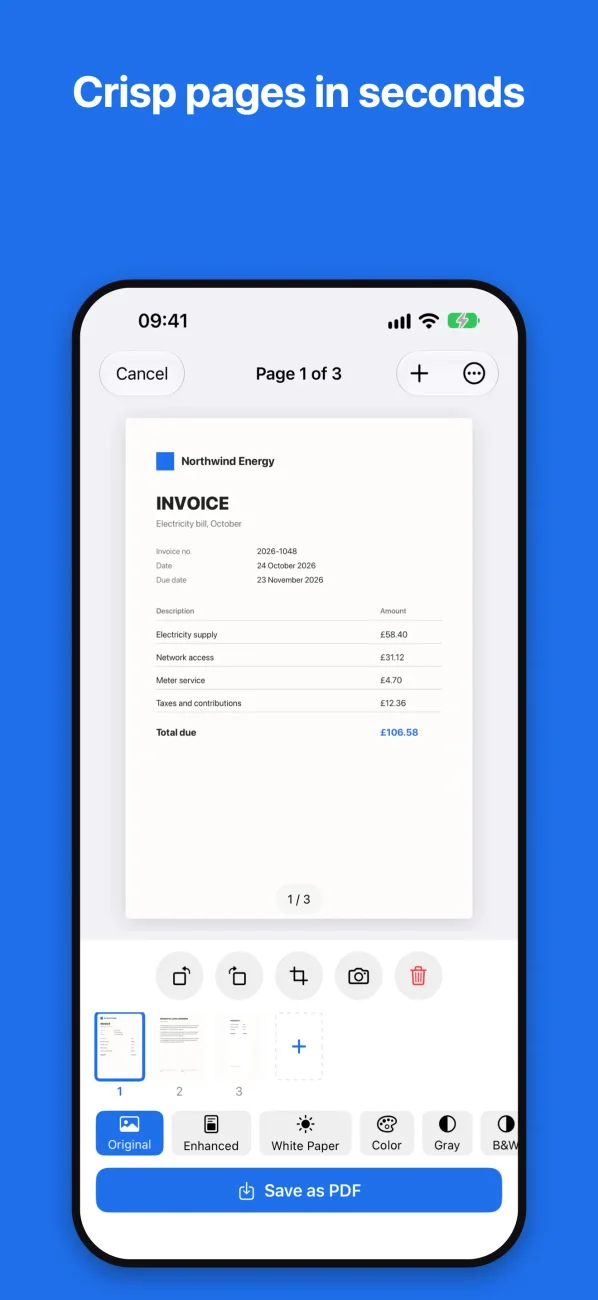
Automatic edge detection and perspective correction straighten every page, while smart filters (Document, Black & White, Whitening) make text crisp and backgrounds clean. Live framing, lighting and focus guidance, plus a flash for low light, help you capture the perfect page every time. Add pages, reorder them and export a polished multi-page PDF.
SCAN FROM YOUR PRINTER
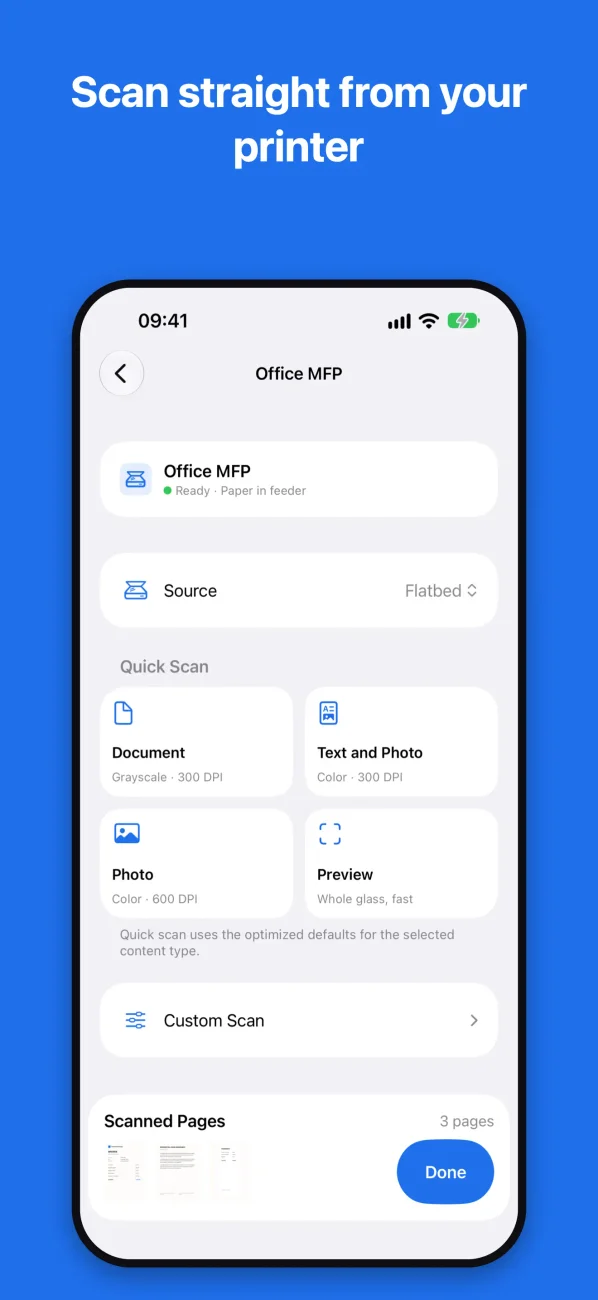
• Works with AirScan (eSCL) and Mopria printers and scanners on your Wi-Fi
• Flatbed or document feeder, single or double-sided
• Quick scans for documents, text and photos, or choose the file type, colour mode, resolution and paper size
• Save your favourite settings as presets
• Scan several batches in a row into one PDF
• Scans travel only over your local network
DESIGNED FOR iPHONE AND iPAD
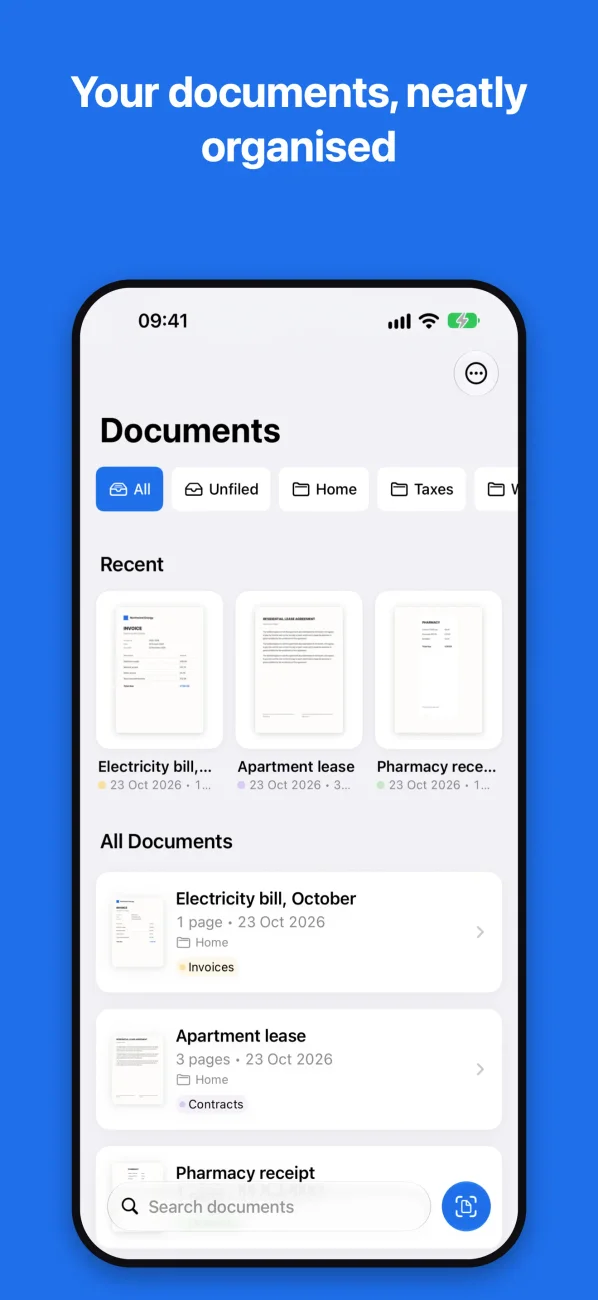
• iPhone: search and Scan at the bottom of the screen, folder and tag filters, your latest documents at the top
• iPad: a sidebar with your folders and tags, a grid of documents, and details and tools beside every PDF
DRAFTS AND EDITING
• Save a document in progress as a draft and finish it later: every page keeps its crop, rotation and filter
• Edit a saved PDF: add pages from any source, delete them, or drag them into a new order
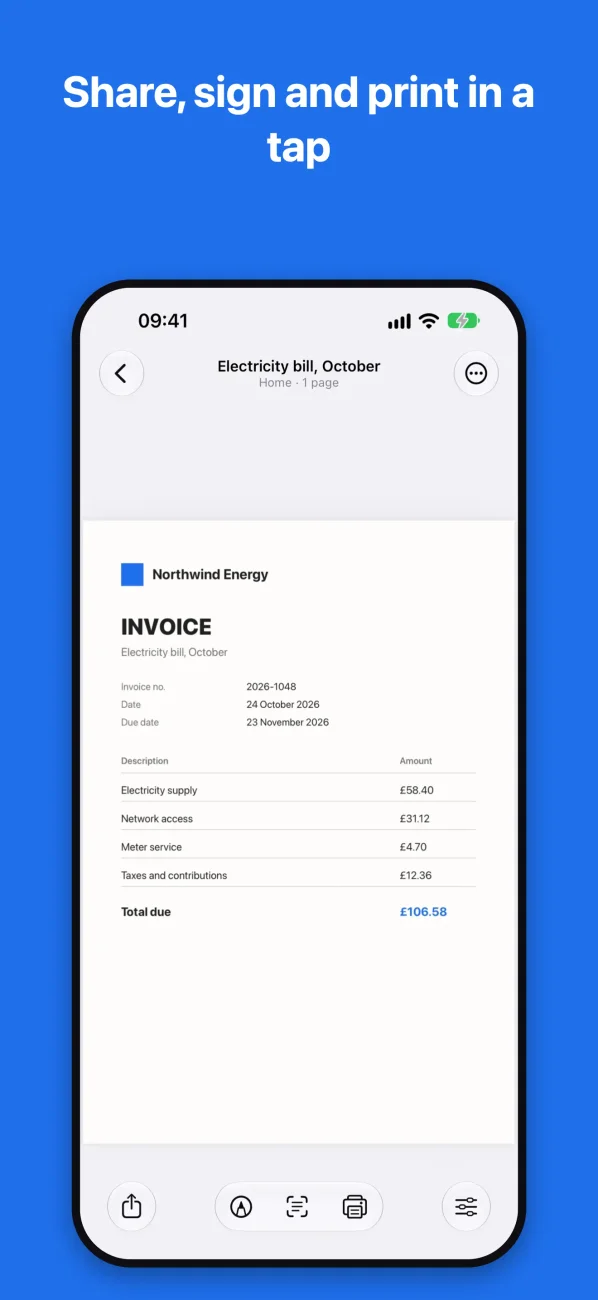
• PDFs are named after your document, ready to share
SPECIAL CAPTURE MODES
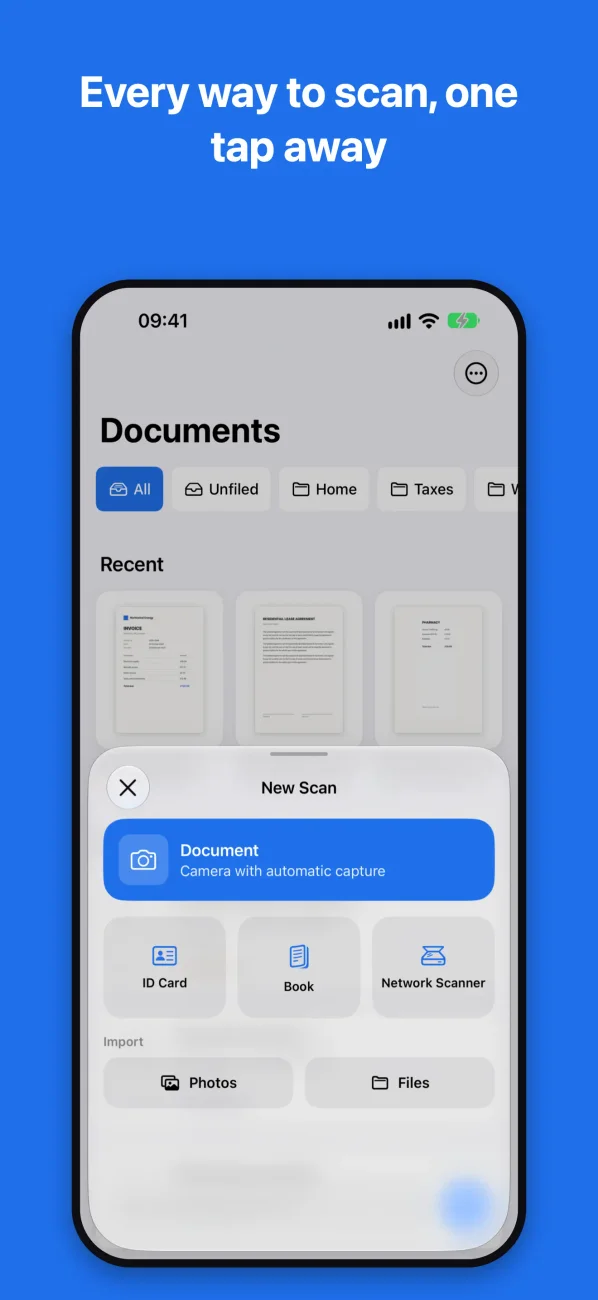
• ID Card mode: front and back on a single, tidy page
• Book mode: capture a two-page spread and split it into two pages
YOUR DATA, SAFE AND YOURS
• Recently Deleted: restore deleted documents for up to 30 days
• Local Backup & Restore: save your whole library to one file and bring it back anytime, with no cloud and no account
PART OF YOUR DEVICE
• Scan with Siri and Shortcuts
• One-tap scan from the Lock Screen and Control Centre
• A Recent Scans Home Screen widget
• Find documents in Spotlight by title or by the text inside them
FREE
• Scan or import documents up to 3 pages
• Automatic edge detection and perspective crop
• Enhancement filters
• Recently Deleted and local backup
• Save, share, rename and print your PDFs
DocClair Pro: one-time purchase, no subscription
• Unlimited pages per document
• Save scans from network printers and scanners
• ID Card and Book capture modes
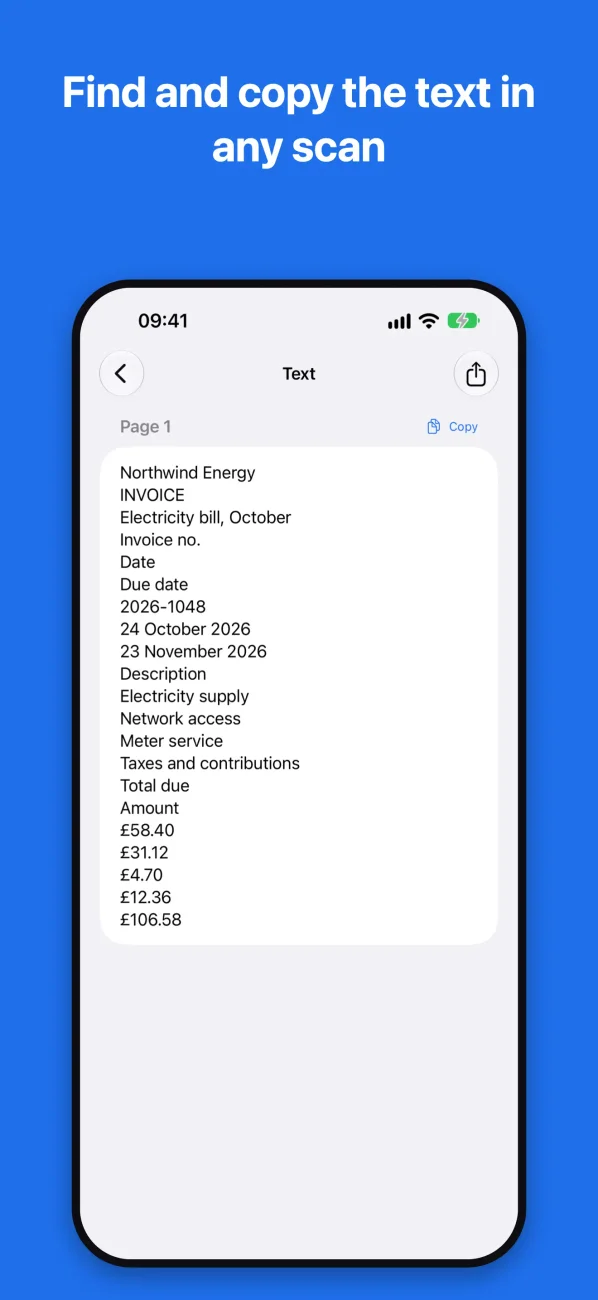
• Text recognition (OCR) to search and copy text
• Annotate and sign your documents
• Compress, merge, split and reorder PDFs
• Organise with folders and tags
• Password-protect your PDFs
Available in English, French, German, Spanish, Italian, Portuguese and Russian, with VoiceOver and Dynamic Type support.
Private by design: DocClair works fully offline. Your scans and recognised text are processed and stored only on your device, never uploaded.
No subscription. No account. No data collection.
What’s new
Version 2.1 · Oct 23, 2026
DocClair 2.1 lets you build a document over several sittings, and change it after it is saved.
Drafts
• Save a document in progress as a draft and finish it later. Every page keeps its crop, rotation and filter.
• Your drafts appear at the top of your library.
Edit your PDFs
• Open any saved document to add pages from the camera, a network scanner, Photos or Files, or to delete pages.
• Drag the page thumbnails to put them in a new order.
Also new
• PDFs are now named after your document, for example “Electricity Bill.pdf”.
• On iPad, the PDF gets the full width, with a smoother page thumbnail column.
As always, everything stays on your device: no account, no subscription, no cloud.
App privacy
What Mewey declares on the App Store about how this app handles data.
-
Data not collected
The developer does not collect any data from this app.
Privacy practices may vary, for example with the features you use or your age.
Information
- Seller
- Dimitri MERAULT
- Category
- Utilities
- Version
- 2.1
- Updated
- Oct 23, 2026
- Released
- Jun 16, 2026
- Size
- 11.1 MB
- Requires
- iOS 26.5 or later
- Age rating
- 4+
- In-app purchases
- Yes
- Languages
- English, French, German, Italian, Portuguese, Russian, Spanish
- Copyright
- © 2026 Dim
You might also like
-
 ChangeloWhat changed between files?
-
 Tunnel Toll & TimeUtilities
-
 AppTicker WishYour own Wishlist
-
 GandalfoneYour anti spam app
-
 OBD2 Car Scanner ELM 327 DTCOBD Check Engine Code Reader
-
 Universal VPN : Fast VPN ProxySecure Unlimited VPN Proxy
-
 TotalEnergies - DriveUtilities
-
 AdGuard Home RemoteAd Blocker, Privacy & Control
-
 Flip Clock-DIGITAL CLOCKDigital clock&Digital widget
-
 Dark Mode Wallpapers & ThemesHD 4k Lock Screen Backgrounds