- 対象年齢4+
- カテゴリロールプレイング
- 開発元Jeremy Beker
- 言語英語
- サイズ6.9 MB
App Storeの公式ページにリンクしています
Download.orgはFantazioのファイルを一切ホストしていません。ボタンを押すと、Jeremy Bekerが公開しているApp Storeのアプリページが開きます。ページの最終確認:2026/11/14。
スクリーンショット


概要
開発元はこのテキストをお使いの言語で提供していません。
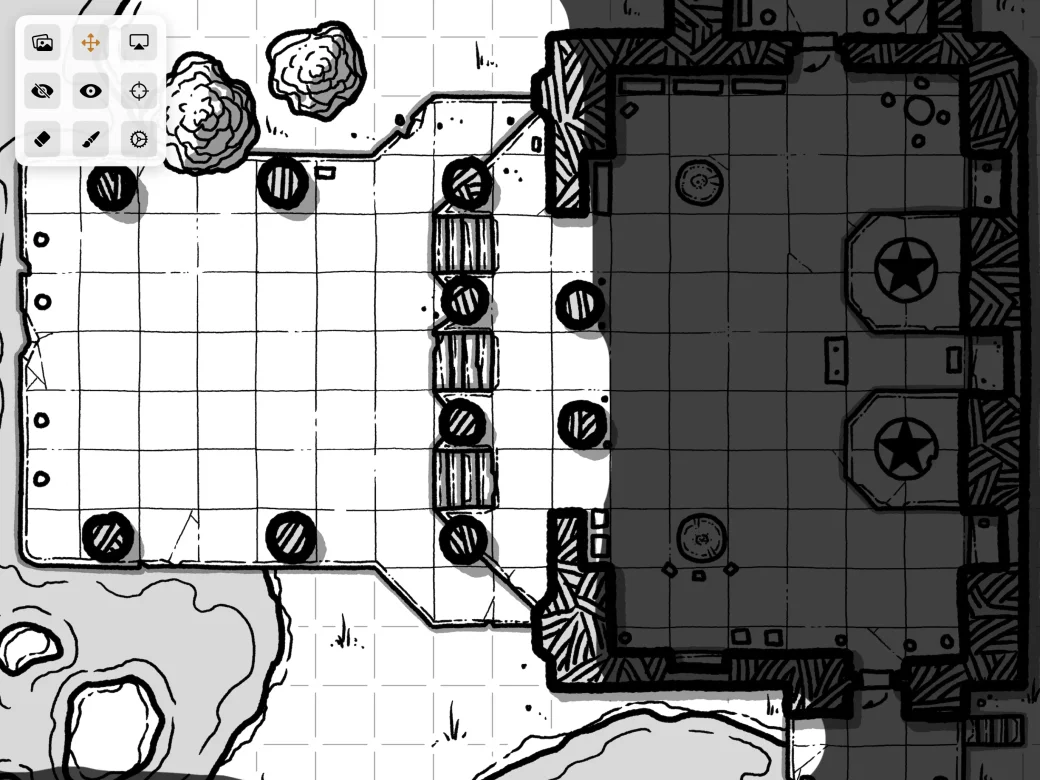
Having great maps for your gaming sessions helps everyone have more fun. But printing tons of maps for everyone to see can be a pain (and expensive). Just showing a map on a screen can reveal too much about your adventure. Fantazio lets you, the GM, have the flexibility to use as many maps as you would like, hiding and revealing only what you want your players to see.
Your iPad will show and control your view of the map. By sharing your iPad screen via AirPlay or connecting an external diplay, your players will only see the areas you revealed to them.
新機能
バージョン 2.1.0 · 2026/1/27
Map Library
Manage unlimited maps from a single session. The new Map Library lets you add, rename, reorder, and switch between maps instantly. Each map maintains its own
independent fog of war settings, so you can prepare multiple dungeon levels or encounter areas and switch between them during play. The external display only
updates when you tap the AirPlay button, letting you prep maps privately before revealing them to players.
Import Maps from Files
You can now import map images directly from the Files app in addition to your Photo Library. This makes it easier to use maps downloaded from the web or stored in
cloud services like iCloud, Dropbox, or Google Drive.
Refreshed Tool Icons
The hide and reveal brush tools have new, more intuitive icons. The hide brush now uses a paintbrush icon, while the reveal brush uses an eraser icon. The reset
view button has been updated to use a scope/crosshairs icon for better clarity.
Improved Onboarding
A new "Floating Palette Buttons" page has been added to the onboarding tutorial, showing all nine tool icons with clear descriptions of what each one does. This
helps new users quickly understand the interface.
Better Error Messages
When importing a map image that is too large or invalid, you will now see a clear error message explaining the issue instead of the import silently failing.
Bug Fixes
- Fixed issues with map scale and position being corrupted when switching between maps
- Fixed the reset button to properly restore the initial view after app restart
- Various improvements to help documentation accuracy and consistency
アプリのプライバシー
このアプリのデータの取り扱いについて、Jeremy BekerがApp Storeで申告している内容です。
-
データの収集なし
開発元はこのアプリからデータを収集しません。
プライバシーの取り扱いは、ご利用の機能やお客様の年齢などに応じて異なる場合があります。
情報
- 販売元
- Jeremy Beker
- カテゴリ
- ロールプレイング
- バージョン
- 2.1.0
- 更新日
- 2026/1/27
- リリース
- 2020/6/10
- サイズ
- 6.9 MB
- 必要条件
- iOS 18.0以降
- 対象年齢
- 4+
- 価格
- 無料
- アプリ内課金
- あり
- 言語
- 英語
- 著作権
- © 2026 Jeremy Beker