
FlashMob -Smart LED Flashlight
Strobe torch Night screen lamp
iPhone, iPod touch向けに設計
無料 · アプリ内課金
- 対象年齢4+
- カテゴリユーティリティ
- 開発元Jungmoon Jo
- 言語英語ほか4言語
- サイズ37.8 MB
App Storeの公式ページにリンクしています
Download.orgはFlashMob -Smart LED Flashlightのファイルを一切ホストしていません。ボタンを押すと、Jungmoon Joが公開しているApp Storeのアプリページが開きます。ページの最終確認:2026/11/20。
スクリーンショット
概要
開発元はこのテキストをお使いの言語で提供していません。
■ FlashMob is a smart and easy flashlight application for concerts, clubs, sports games, candlelight-rallies and flash mobs.
■ There are many times when we come together with strangers at a place. These strangers together go wild about the same musician, cheer the same team, dance to the same rhythm, or cry for the same idea. Together, we share the same enthusiasm and thoughts gathered in one place. FlashMob was developed as a tool to actively express such thoughts and enthusiasm.
■ Of course, you can also use it when you listen to music at home and you want to feel like you’re at a club. And you can use it to create a mood light in various colors. Or you can type in “yummy” and hold the phone out next to a delicious food when taking a photo of it. If there’s someone to take that photo, of course. Or when you finally meet an alien, you can type in “not for eating” and ask for a handshake. Hm... Please share your tips for using FlashMob in Review.
■■■ Main functions ■■■
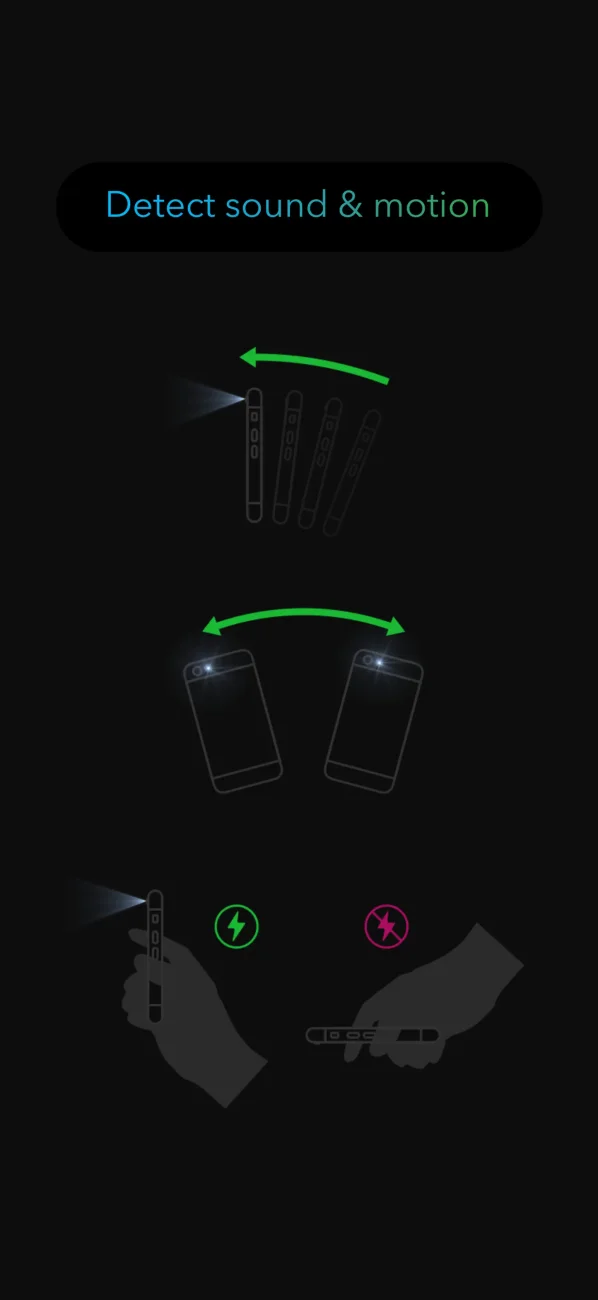
1. FlashMob detects sound and motion, and it controls background, text colors and the flashlight accordingly.
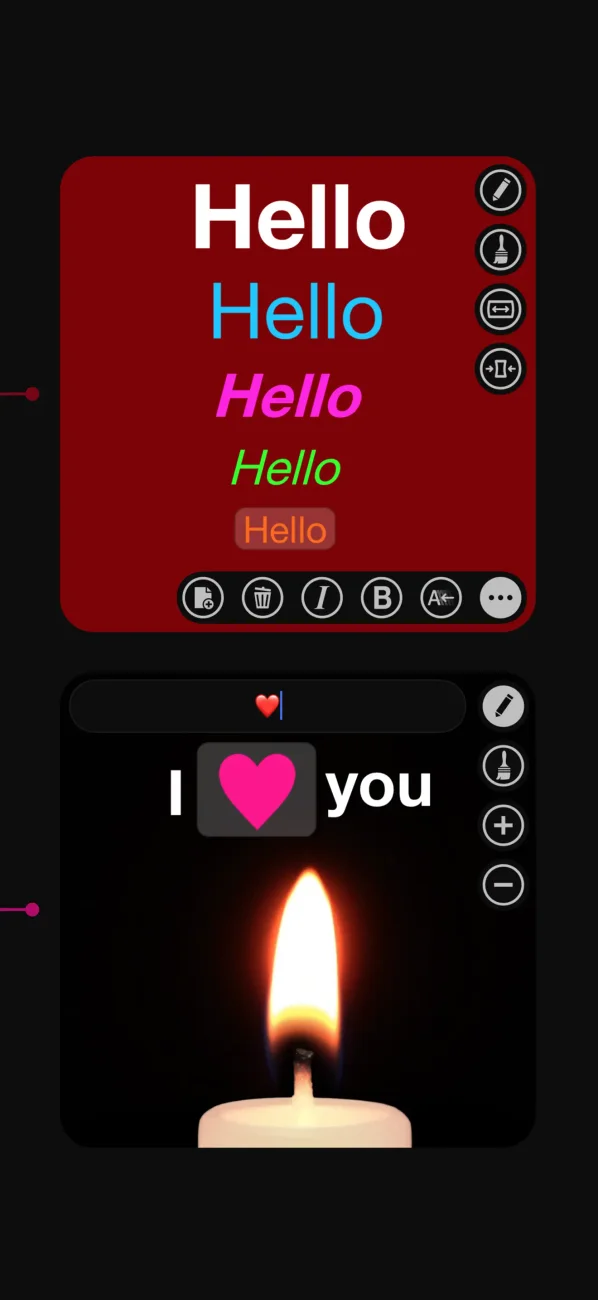
2. You can enter simple texts in the screen.
3. You can freely transform the text’s size and set its position. If the text is too long, you can apply an animation and make it scroll from the right to the left side.
4. You can change the background and text colors. You can also control their setting so the colors respond to sound and motion.
5. Automatic color change – You can set the app so that it changes color according to changing time. If this function is turned on, the app users will see their screens changing to same colors (choose the rainbow button in color selecting menu.)
6. You can enter a simple message on FlashMob’s candlelight image. (The image is a moving image, not a still one.)
7. FlashMob detects various motions including back/forth and left/right movement, which is the most basic motion for cheering, and you can also use the Smart On-Off function.
8. When you use the Smart On-Off function, the flashlight will automatically turn on when you hold it up and turn off when you hold it down. (You can turn this on in the Option menu.)
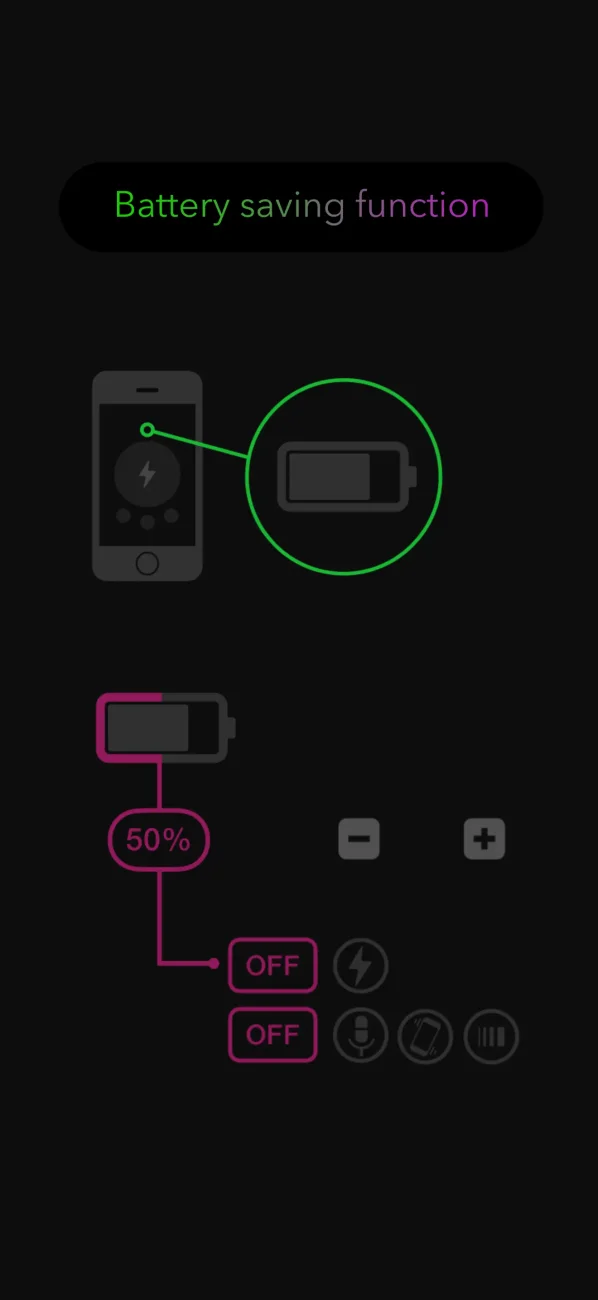
9. Battery saving function - You can make power-consuming functions turn off automatically when the battery runs out and reaches below the level you set while using FlashMob. (You can turn this on in the Option menu.)
■■■ Interface ■■■
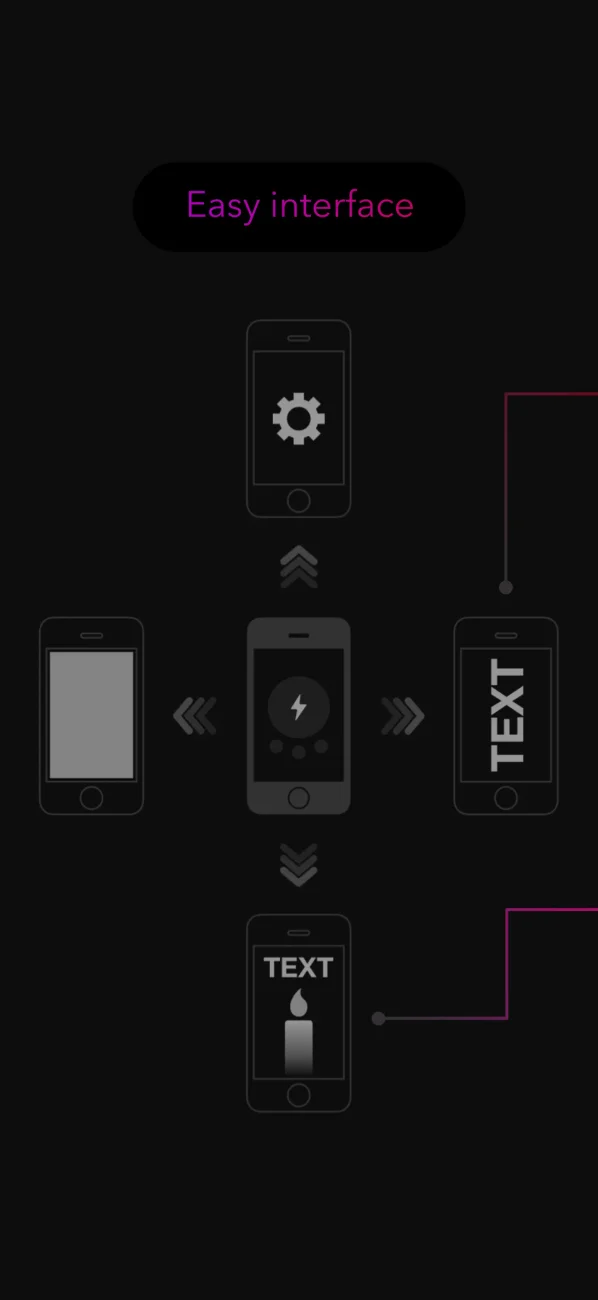
FlashMob’s interface consists of four modes laid out in the shape of a cross, with the main mode in the center. By simply scrolling up and down or sideways, you can quickly move on to the mode you want.
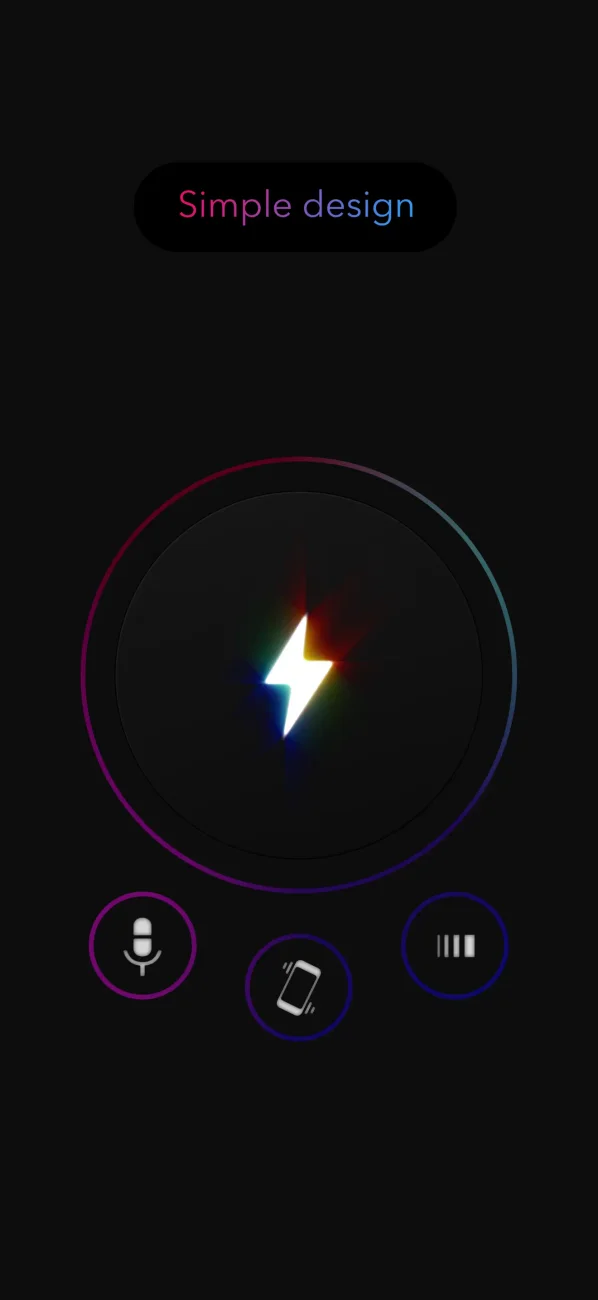
1. Center : Main (Flashlight, microphone, motion sensor, flicker on/off)
2. Top : Options (Motion-sensor’s option, battery saving function, etc)
3. Bottom : Image mode (You can enter simple text on the candlelight image)
4. Left : Flashlight screen mode (You can use the entire screen as flashlight)
5. Right : Text mode (You can select the background color and enter simple text)
■■■ In App Purchase ■■■
Left : Touch-drawing LED Screen ( temporarily FREE )
Down : Rose+Lights Screen ( temporarily FREE )
Top : Upgrade ( Remove Ads )
新機能
バージョン 1.3.0 · 2026/4/26
Bug fixes and performance improvements.
アプリのプライバシー
このアプリのデータの取り扱いについて、Jungmoon JoがApp Storeで申告している内容です。
-
ユーザーのトラッキングに使用されるデータ
他社のアプリやウェブサイトを横断してユーザーをトラッキングする目的で使用される場合があります。
- 位置情報
- ID
- 使用状況データ
- 診断
-
ユーザーに関連付けられたデータ
収集され、ユーザーの識別情報に関連付けられる場合があります。
- 位置情報
- ID
- 使用状況データ
- 診断
プライバシーの取り扱いは、ご利用の機能やお客様の年齢などに応じて異なる場合があります。
情報
- 販売元
- Jungmoon Jo
- カテゴリ
- ユーティリティ
- バージョン
- 1.3.0
- 更新日
- 2026/4/26
- リリース
- 2017/3/2
- サイズ
- 37.8 MB
- 必要条件
- iOS 15.6以降
- 対象年齢
- 4+
- 価格
- 無料
- アプリ内課金
- あり
- 言語
- 英語, 日本語, 韓国語, 簡体字中国語, 繁体字中国語
- 著作権
- © Appurr Co.
こちらもおすすめ
-
 iLed Flashlightタイマー、拍手、カラー
-
 懐中電灯&モールスユーティリティセンデモールコード
-
 多機能ライト・電光掲示板・モールス警告点滅・キャンプ・読書・撮影ライト
-
 Flashlight GoodTorchユーティリティ
-
 Best Flash Light - Flashlight拡大鏡付の懐中電灯
-
 トーチライト T ◎ 便利な懐中電灯アプリ TorchTorchlight ◎ Brightest LED
-
 懐中電灯 ×あなたと光を
-
 フラッシュライト : 懐中電灯必要なときに追加でライトをオンにします。
-
 LED 懐中電灯 HD最も明るい光
-
 FlashLight - TorchLight Widget最も明るいスタンバイ懐中電灯 standby island