
FlashMob -Smart LED Flashlight
Strobe torch Night screen lamp
Được thiết kế cho iPhone, iPod touch
Miễn phí · Mua hàng trong ứng dụng
- Độ tuổi4+
- Danh mụcTiện Ích
- Nhà phát triểnJungmoon Jo
- Ngôn ngữTiếng Anh+ 4 ngôn ngữ khác
- Kích thước37,8 MB
Liên kết đến trang App Store chính thức
Download.org không lưu trữ tệp nào của FlashMob -Smart LED Flashlight. Nút này mở trang ứng dụng trên App Store, nơi Jungmoon Jo phát hành ứng dụng. Trang được kiểm tra lần cuối: 20/11/2026.
Ảnh chụp màn hình
Giới thiệu
Nhà phát triển chưa cung cấp nội dung này bằng ngôn ngữ của bạn.
■ FlashMob is a smart and easy flashlight application for concerts, clubs, sports games, candlelight-rallies and flash mobs.
■ There are many times when we come together with strangers at a place. These strangers together go wild about the same musician, cheer the same team, dance to the same rhythm, or cry for the same idea. Together, we share the same enthusiasm and thoughts gathered in one place. FlashMob was developed as a tool to actively express such thoughts and enthusiasm.
■ Of course, you can also use it when you listen to music at home and you want to feel like you’re at a club. And you can use it to create a mood light in various colors. Or you can type in “yummy” and hold the phone out next to a delicious food when taking a photo of it. If there’s someone to take that photo, of course. Or when you finally meet an alien, you can type in “not for eating” and ask for a handshake. Hm... Please share your tips for using FlashMob in Review.
■■■ Main functions ■■■
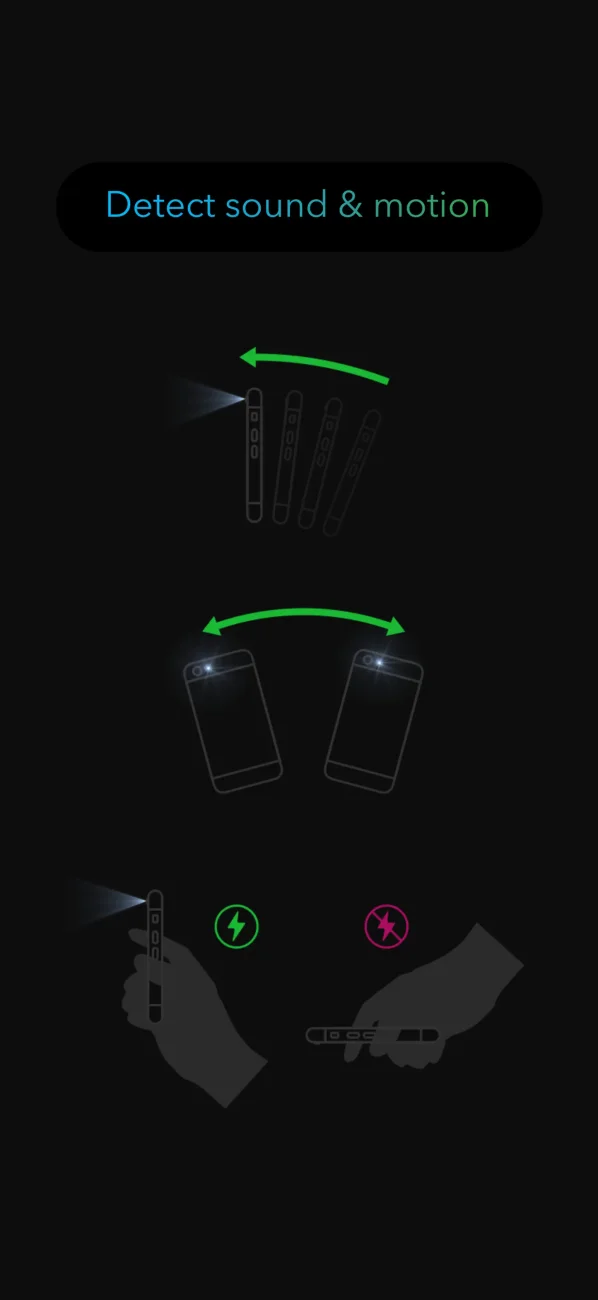
1. FlashMob detects sound and motion, and it controls background, text colors and the flashlight accordingly.
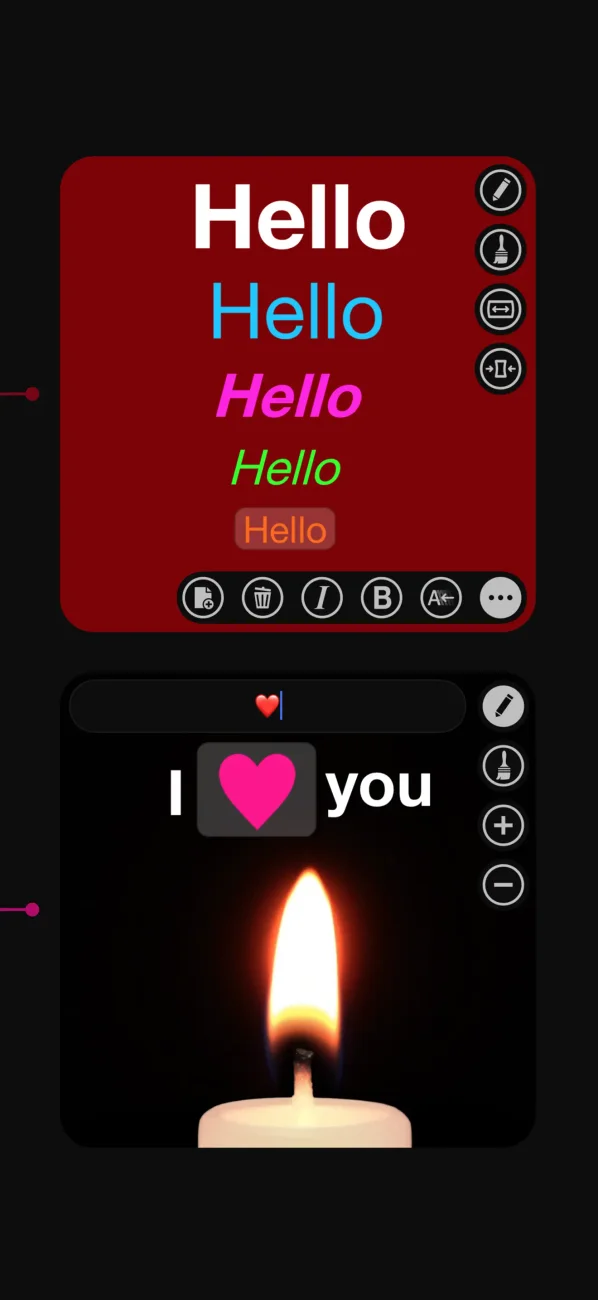
2. You can enter simple texts in the screen.
3. You can freely transform the text’s size and set its position. If the text is too long, you can apply an animation and make it scroll from the right to the left side.
4. You can change the background and text colors. You can also control their setting so the colors respond to sound and motion.
5. Automatic color change – You can set the app so that it changes color according to changing time. If this function is turned on, the app users will see their screens changing to same colors (choose the rainbow button in color selecting menu.)
6. You can enter a simple message on FlashMob’s candlelight image. (The image is a moving image, not a still one.)
7. FlashMob detects various motions including back/forth and left/right movement, which is the most basic motion for cheering, and you can also use the Smart On-Off function.
8. When you use the Smart On-Off function, the flashlight will automatically turn on when you hold it up and turn off when you hold it down. (You can turn this on in the Option menu.)
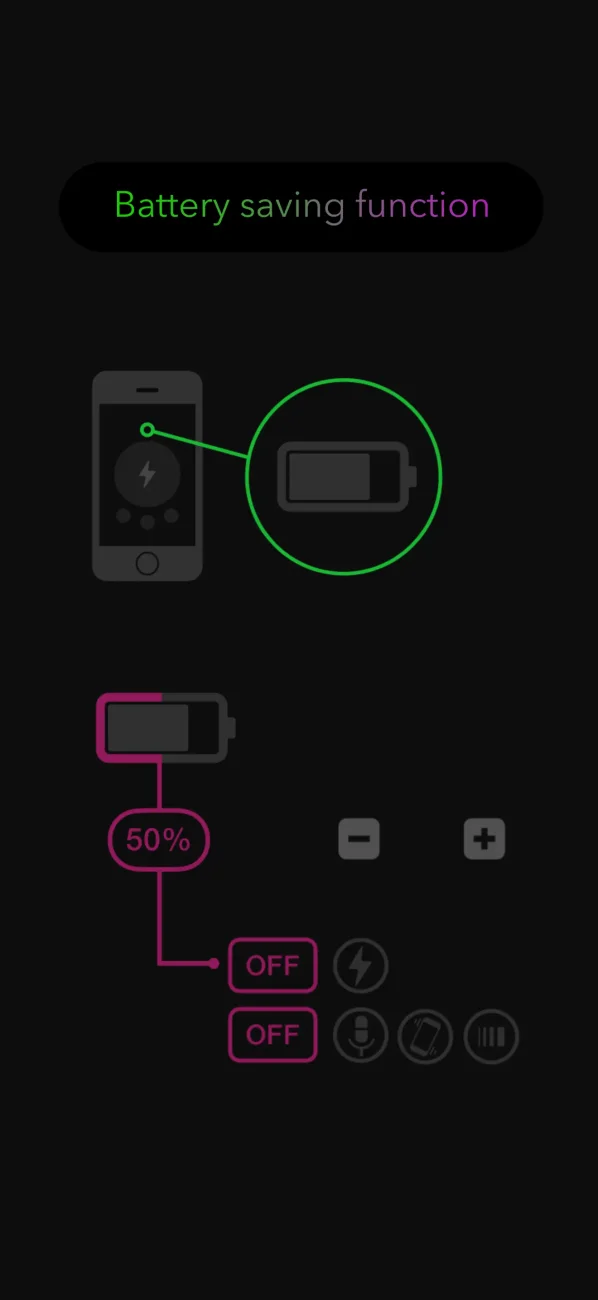
9. Battery saving function - You can make power-consuming functions turn off automatically when the battery runs out and reaches below the level you set while using FlashMob. (You can turn this on in the Option menu.)
■■■ Interface ■■■
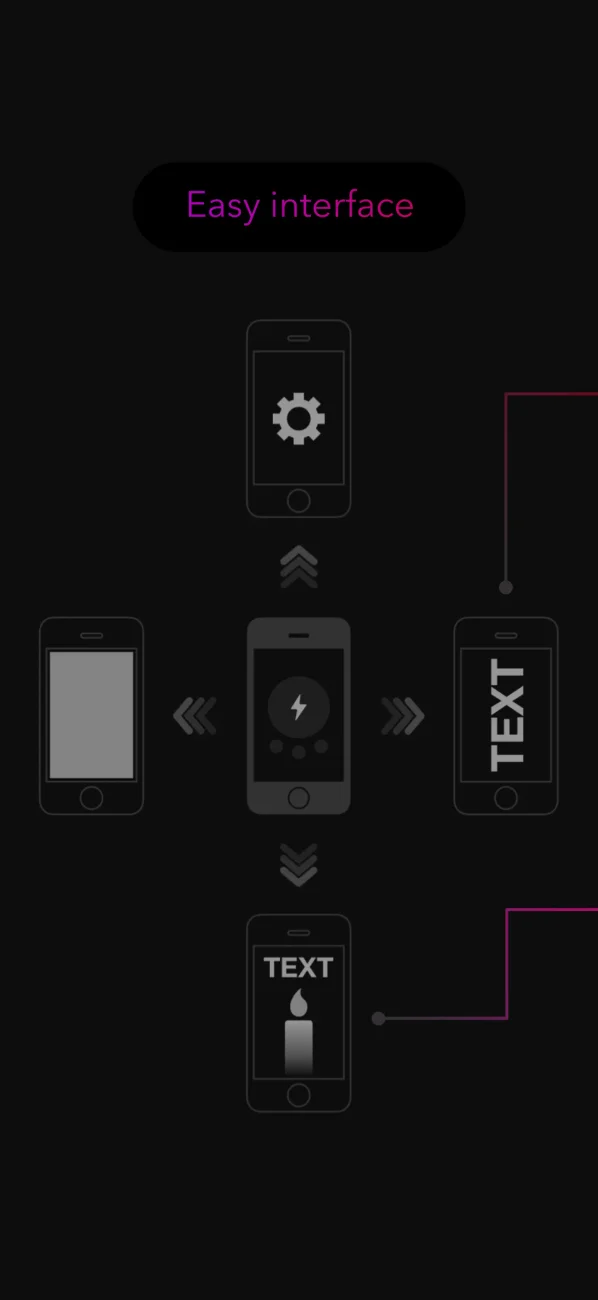
FlashMob’s interface consists of four modes laid out in the shape of a cross, with the main mode in the center. By simply scrolling up and down or sideways, you can quickly move on to the mode you want.
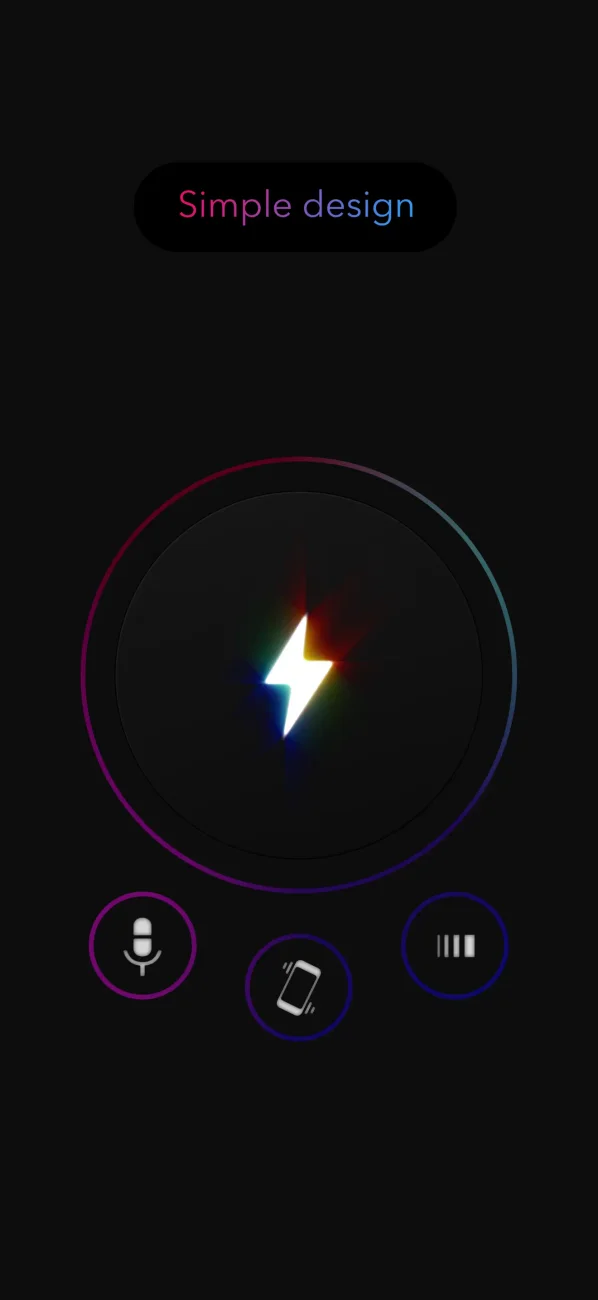
1. Center : Main (Flashlight, microphone, motion sensor, flicker on/off)
2. Top : Options (Motion-sensor’s option, battery saving function, etc)
3. Bottom : Image mode (You can enter simple text on the candlelight image)
4. Left : Flashlight screen mode (You can use the entire screen as flashlight)
5. Right : Text mode (You can select the background color and enter simple text)
■■■ In App Purchase ■■■
Left : Touch-drawing LED Screen ( temporarily FREE )
Down : Rose+Lights Screen ( temporarily FREE )
Top : Upgrade ( Remove Ads )
Có gì mới
Phiên bản 1.3.0 · 26/04/2026
Bug fixes and performance improvements.
Quyền riêng tư của ứng dụng
Những gì Jungmoon Jo khai báo trên App Store về cách ứng dụng này xử lý dữ liệu.
-
Dữ liệu được sử dụng để theo dõi bạn
Có thể được sử dụng để theo dõi bạn trên các ứng dụng và trang web do công ty khác sở hữu.
- Vị trí
- Mã định danh
- Dữ liệu sử dụng
- Chẩn đoán
-
Dữ liệu liên kết với bạn
Có thể được thu thập và liên kết với danh tính của bạn.
- Vị trí
- Mã định danh
- Dữ liệu sử dụng
- Chẩn đoán
Phương thức đảm bảo quyền riêng tư có thể khác nhau, chẳng hạn như tuỳ theo các tính năng bạn sử dụng hoặc độ tuổi của bạn.
Thông tin
- Người bán
- Jungmoon Jo
- Danh mục
- Tiện Ích
- Phiên bản
- 1.3.0
- Cập nhật
- 26/04/2026
- Phát hành
- 02/03/2017
- Kích thước
- 37,8 MB
- Yêu cầu
- iOS 15.6 trở lên
- Độ tuổi
- 4+
- Giá
- Miễn phí
- Mua hàng trong ứng dụng
- Có
- Ngôn ngữ
- Tiếng Anh, Tiếng Nhật, Tiếng Hàn, Tiếng Trung Giản thể, Tiếng Trung Phồn thể
- Bản quyền
- © Appurr Co.
Có thể bạn cũng thích
-
 iLed FlashlightHẹn giờ và màu sắc
-
 Flashlight & MorseMã Sende morse
-
 Flashlight, LED Banner & MorseTiện Ích
-
 Flashlight GoodTorchTiện Ích
-
 Best Flash Light - FlashlightĐèn Pin Cùng Kính Lúp
-
 Đèn pin ◎ Ngọn đuốc sáng nhấtBrightest LED flashlight app
-
 Đèn pin ×ánh sáng luôn bên bạn
-
 Đèn pin PROĐèn pin đa năng
-
 Đèn pin LED FlashLightánh sáng rực rỡ nhất
-
 FlashLight -Torch Light WidgetTiện Ích