- 対象年齢4+
- カテゴリ仕事効率化
- 開発元祖恒 廖
- 言語英語ほか6言語
- サイズ81.6 MB
App Storeの公式ページにリンクしています
Download.orgはFlashScan - Simple doc scannerのファイルを一切ホストしていません。ボタンを押すと、祖恒 廖が公開しているApp Storeのアプリページが開きます。ページの最終確認:2026/11/24。
スクリーンショット
概要
開発元はこのテキストをお使いの言語で提供していません。
FlashScan is a privacy-first document scanner and PDF tool. Point your camera at any document and it automatically detects the edges, crops, corrects perspective and enhances the image.
KEY FEATURES
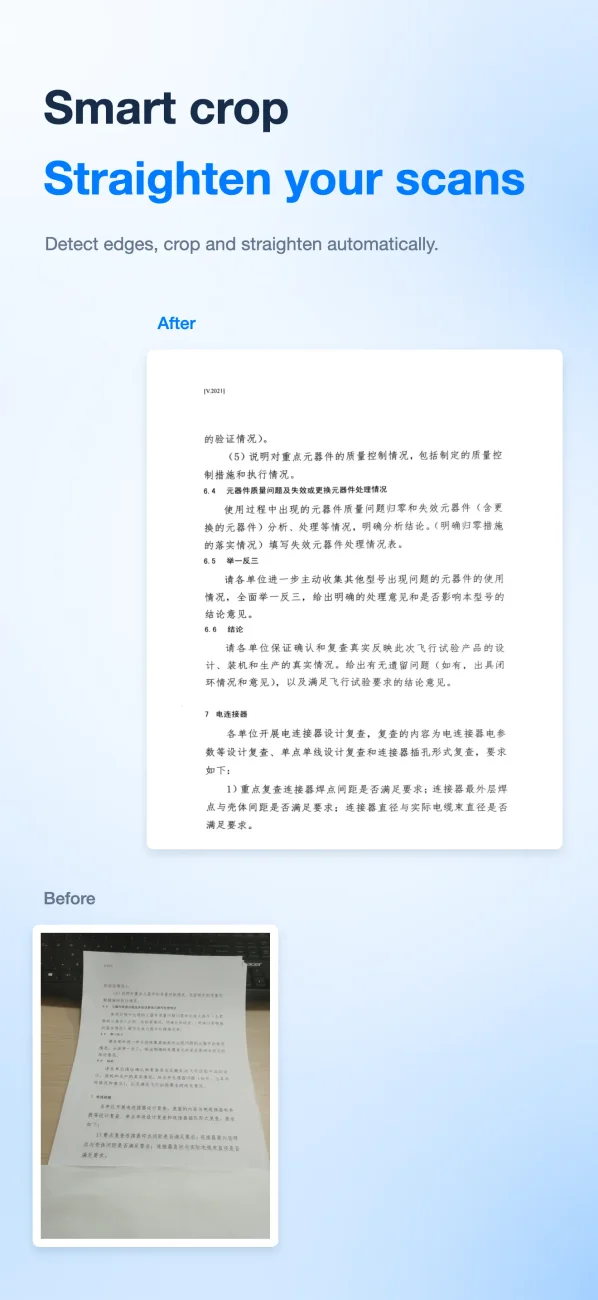
• Smart Crop — find the page edges and correct perspective, even when the photo is tilted.
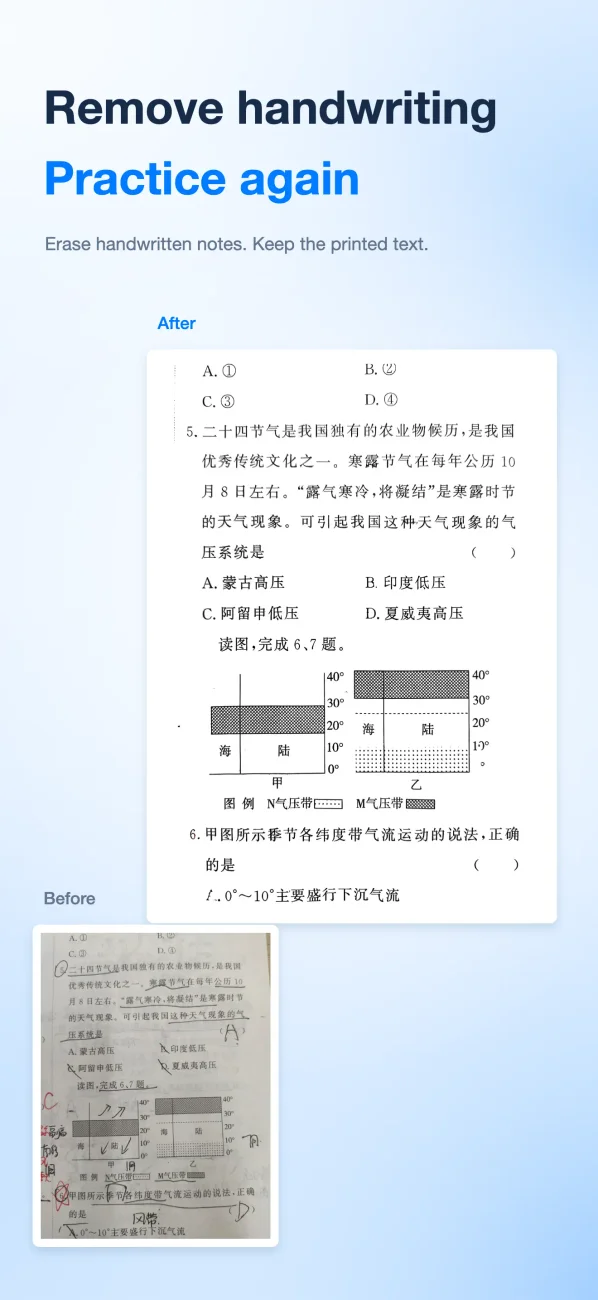
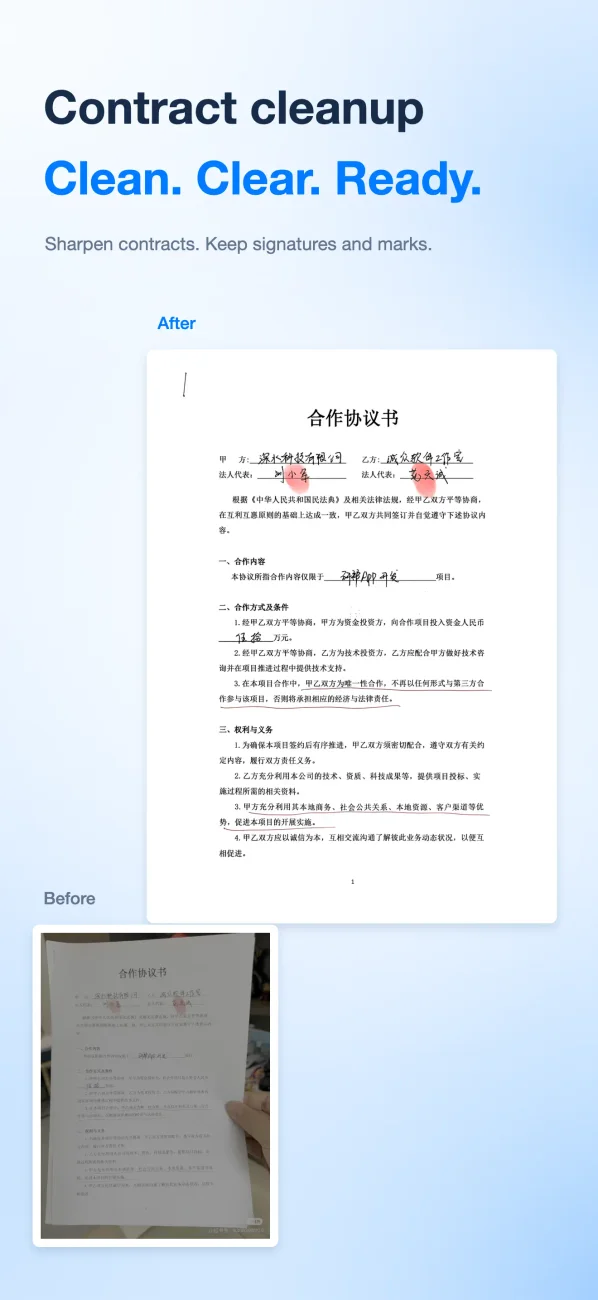
• Remove Handwriting — clear handwritten marks while keeping printed content and layout.
• Text Removal — erase unwanted text or marks while keeping the paper background.
• Exam Enhancement — remove shadows and background tint for clearer exam papers.
• Receipt Enhancement — make receipt and invoice text and tables easier to read.
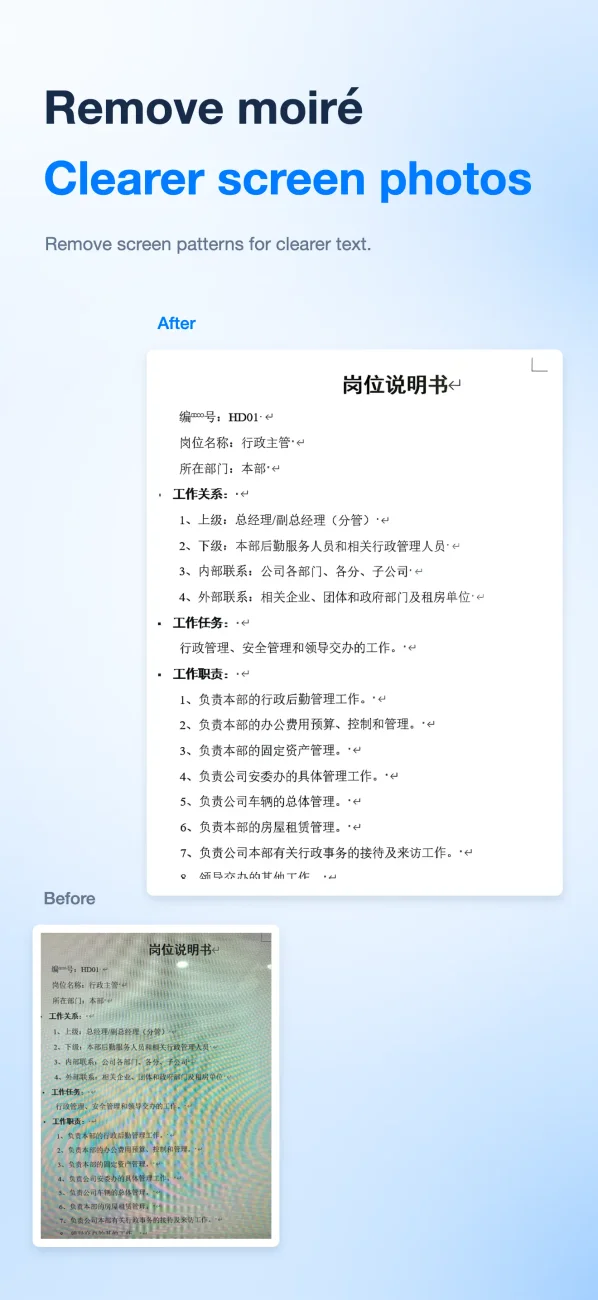
• Remove Screen Moiré — reduce moiré patterns and glare from photos of screens.
• Background Cleanup — remove paper tint and shadows for a clean scan.
• Contract Cleanup — flatten and clarify contract pages for archiving and sharing.
• Smart Scanning — automatic edge detection and perspective correction, with flash and auto/manual capture.
• Image Enhance — filters such as Bright, Clarity, Print, Color Print, Grayscale and Black & White, applied to one page or the whole document.
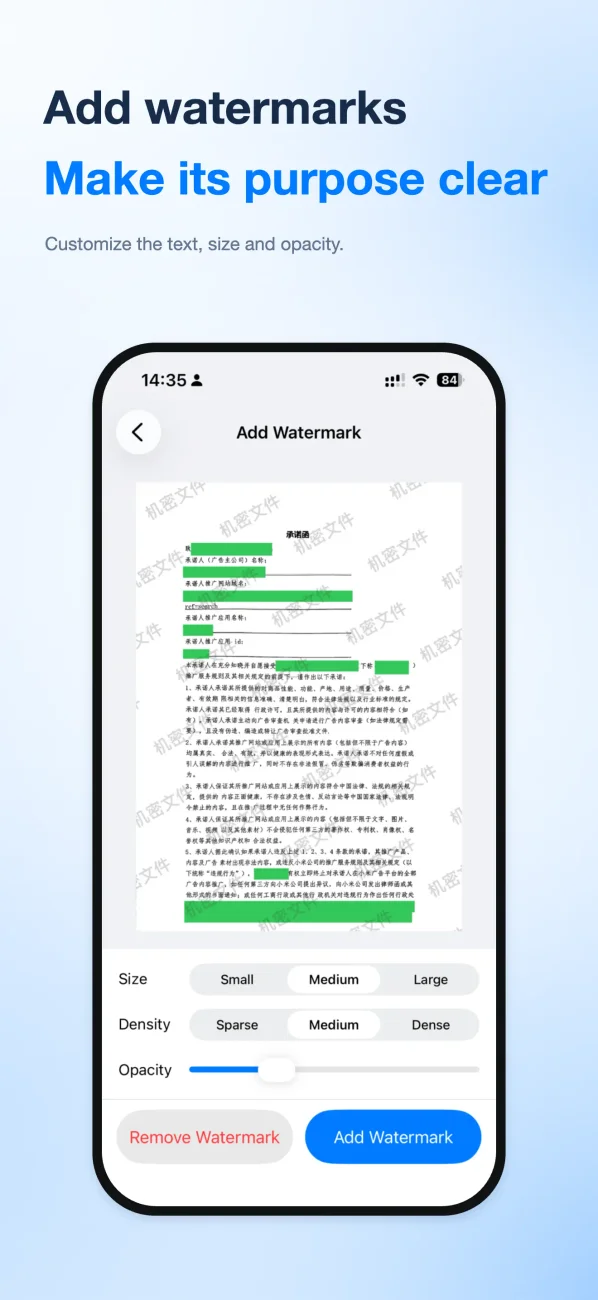
• Privacy Redaction — automatically detects names, phone numbers and addresses and redacts them in one tap; supports manual region drawing and per-word redaction with multiple colors.
• Text Recognition (OCR) — extract text from documents, then select, copy and share it, with multi-language support.
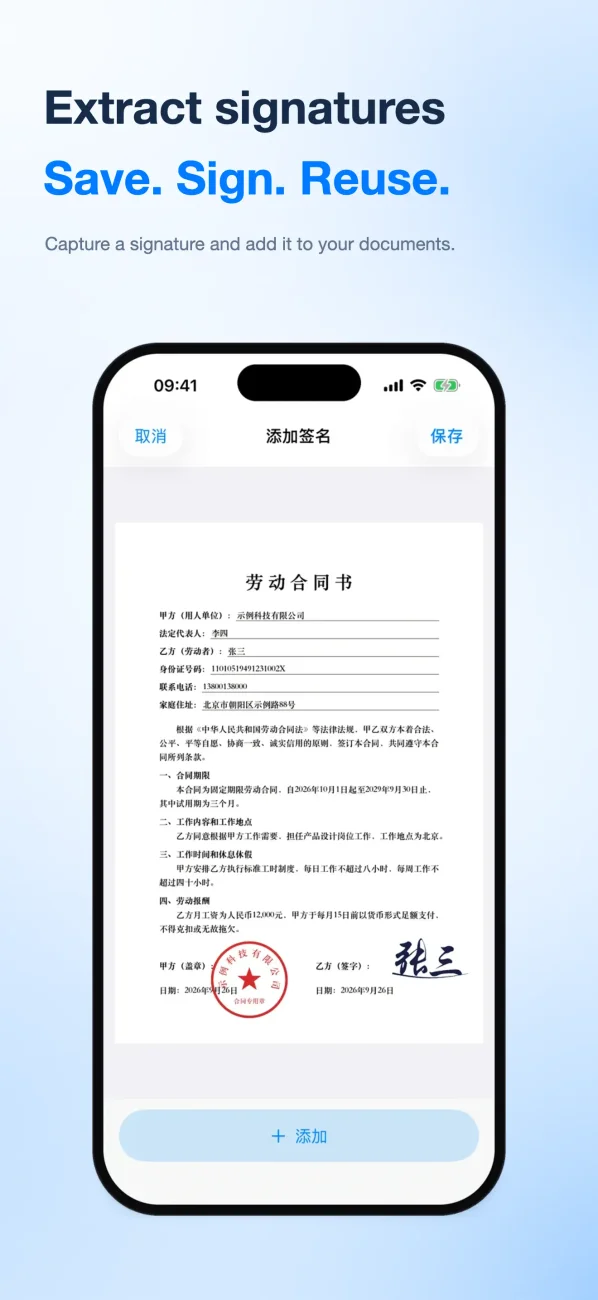
• PDF Tool — import PDFs and edit a copy (your original is never modified): insert pages, batch delete, jump to pages, convert pages to images, add signatures and watermarks, then export as a new PDF.
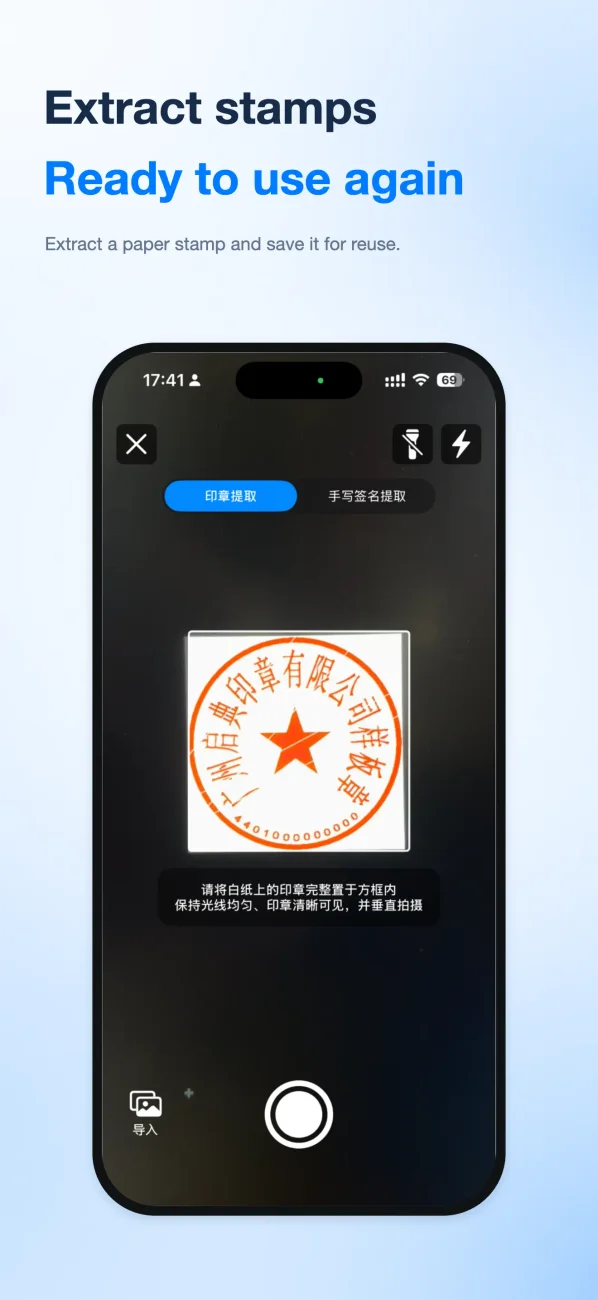
• Signatures & Stamps — sign on screen, or extract a signature or stamp from a photo and reuse it from your library.
• Watermark — protect your scans with a custom watermark.
• ID Card — a dedicated mode for scanning both sides of ID cards.
• Defaults — choose the default filter for scans and imports, plus auto or manual capture.
• Export & Share — export as PDF, images or a ZIP archive, plus system printing.
Smart Crop, Remove Handwriting, Text Removal, Exam Enhancement, Receipt Enhancement, Remove Screen Moiré, Background Cleanup and Contract Cleanup use credits per page (4 credits per page). New users receive starter credits, and inviting a friend gives credits to both of you. Only the selected pages are uploaded for processing; the third-party provider does not retain the original images. Credits for a page are refunded if processing fails.
PRIVACY
Everyday scanning, filters, redaction and text recognition happen on your device. The per-page enhancements listed above send only the selected pages to a third-party technology provider for processing; the original images are not retained afterward. Your documents are stored locally by default.
Auto-Renewal Service Description:
Service Name: Membership Subscription
Subscription Period: One month / One year
Subscription Price: $1.99/month, $14.99/year
Payment: The membership subscription will be paid directly through your iTunes account.
Renewal: Within 24 hours before the subscription expires, the system will automatically renew and deduct the corresponding fee according to the subscription type. To cancel the continuous annual subscription, you must cancel the subscription 24 hours before the end of the validity period.
Cancellation Method: Open "App Store" on your Apple iOS device --> Tap the Apple account avatar in the upper right corner --> Go to "Account" --> Tap "Subscriptions" --> Select the paid service name related to [FlashScan] for which you want to cancel auto-renewal, and cancel the subscription.
Privacy Policy: https://xiaoyucx.com/scanner_app/privacy_policy_en.html
User Agreement: https://xiaoyucx.com/scanner_app/user_agreement_en.html
新機能
バージョン 3.6.0 · 2026/11/23
Increased the limit on the number of images that can be imported;
Other feature optimizations.
アプリのプライバシー
このアプリのデータの取り扱いについて、祖恒 廖がApp Storeで申告している内容です。
-
ユーザーのトラッキングに使用されるデータ
他社のアプリやウェブサイトを横断してユーザーをトラッキングする目的で使用される場合があります。
- ID
- 使用状況データ
-
ユーザーに関連付けられたデータ
収集され、ユーザーの識別情報に関連付けられる場合があります。
- ID
- 使用状況データ
-
ユーザーに関連付けられないデータ
収集される場合がありますが、ユーザーの識別情報には関連付けられません。
- 使用状況データ
プライバシーの取り扱いは、ご利用の機能やお客様の年齢などに応じて異なる場合があります。
情報
- 販売元
- 祖恒 廖
- カテゴリ
- 仕事効率化
- バージョン
- 3.6.0
- 更新日
- 2026/11/23
- リリース
- 2026/8/26
- サイズ
- 81.6 MB
- 必要条件
- iOS 16.0以降
- 対象年齢
- 4+
- 価格
- 無料
- アプリ内課金
- あり
- 言語
- 英語, アラビア語, インドネシア語, 日本語, 韓国語, 簡体字中国語, 繁体字中国語
- 著作権
- © xycx
こちらもおすすめ
-
 OneScan 書類スキャンプライベート書類スキャナー
-
 扫描仙人-无水印的扫描王仕事効率化
-
 Nudgy - 終わるまで鳴るリマインダー止めても鳴るアラーム・ToDo・習慣
-
 スキャナー: PDF OCR 書類スキャンPDF OCR & QRコードスキャン
-
 即見 Near - 受取コードと予定端末内で読み取り、必要な情報を手元に
-
 MindThread仕事効率化
-
 BaiPDF: Scan & PDF Convert仕事効率化
-
 Kepori記事や画像を保存、あとで読む
-
 EverPass: 証明書管理と期限通知証明書管理、有効期限通知
-
 Just Right Scan - PDFスキャンOCR・証明書・変換・署名・手書き消去