
FlashScan - Simple doc scanner
Signature · PDF · OCR
Được thiết kế cho iPhone, iPad
Miễn phí · Mua hàng trong ứng dụng
- Độ tuổi4+
- Danh mụcHiệu Suất
- Nhà phát triển祖恒 廖
- Ngôn ngữTiếng Anh+ 6 ngôn ngữ khác
- Kích thước81,6 MB
Liên kết đến trang App Store chính thức
Download.org không lưu trữ tệp nào của FlashScan - Simple doc scanner. Nút này mở trang ứng dụng trên App Store, nơi 祖恒 廖 phát hành ứng dụng. Trang được kiểm tra lần cuối: 24/11/2026.
Ảnh chụp màn hình
Giới thiệu
Nhà phát triển chưa cung cấp nội dung này bằng ngôn ngữ của bạn.
FlashScan is a privacy-first document scanner and PDF tool. Point your camera at any document and it automatically detects the edges, crops, corrects perspective and enhances the image.
KEY FEATURES
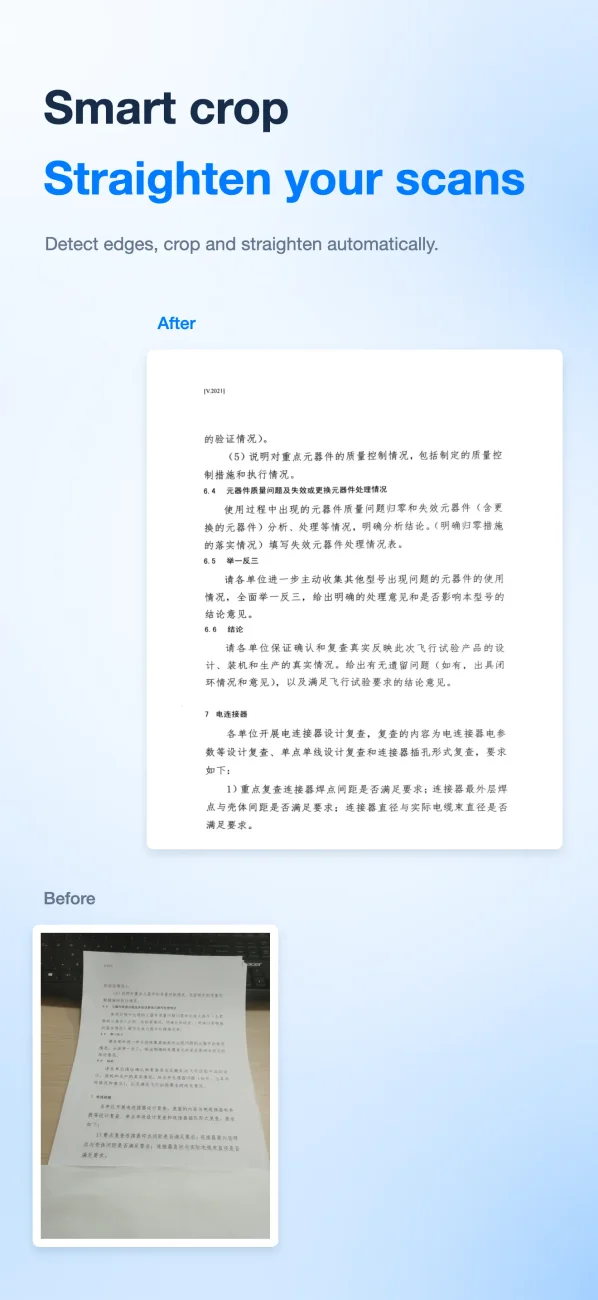
• Smart Crop — find the page edges and correct perspective, even when the photo is tilted.
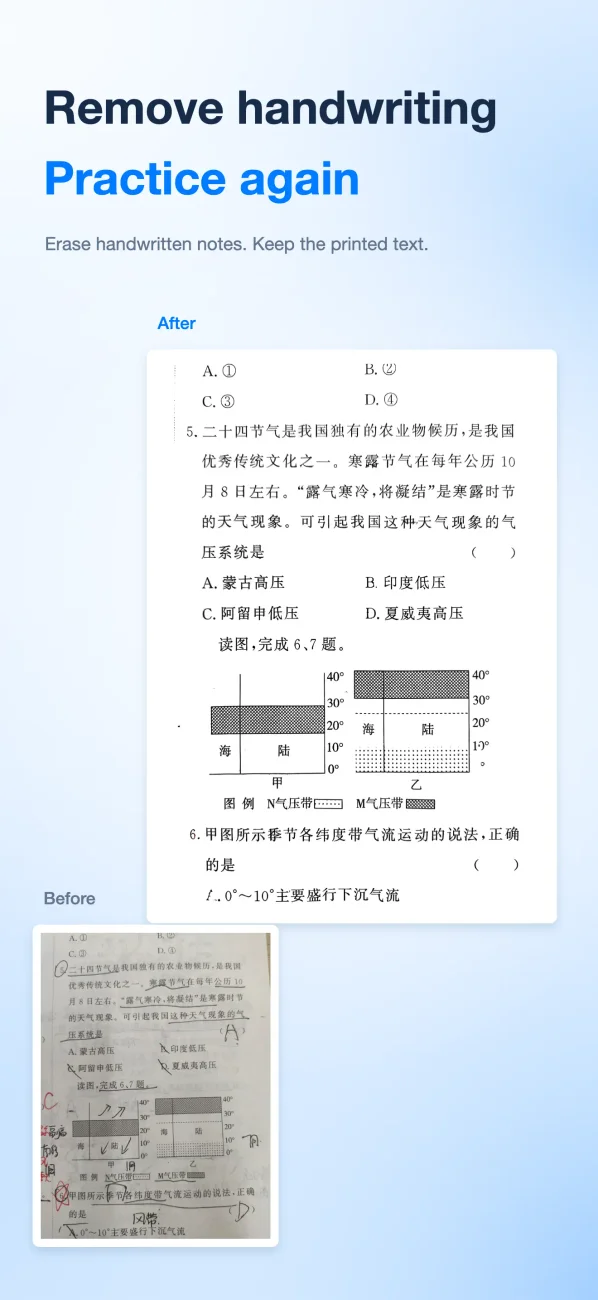
• Remove Handwriting — clear handwritten marks while keeping printed content and layout.
• Text Removal — erase unwanted text or marks while keeping the paper background.
• Exam Enhancement — remove shadows and background tint for clearer exam papers.
• Receipt Enhancement — make receipt and invoice text and tables easier to read.
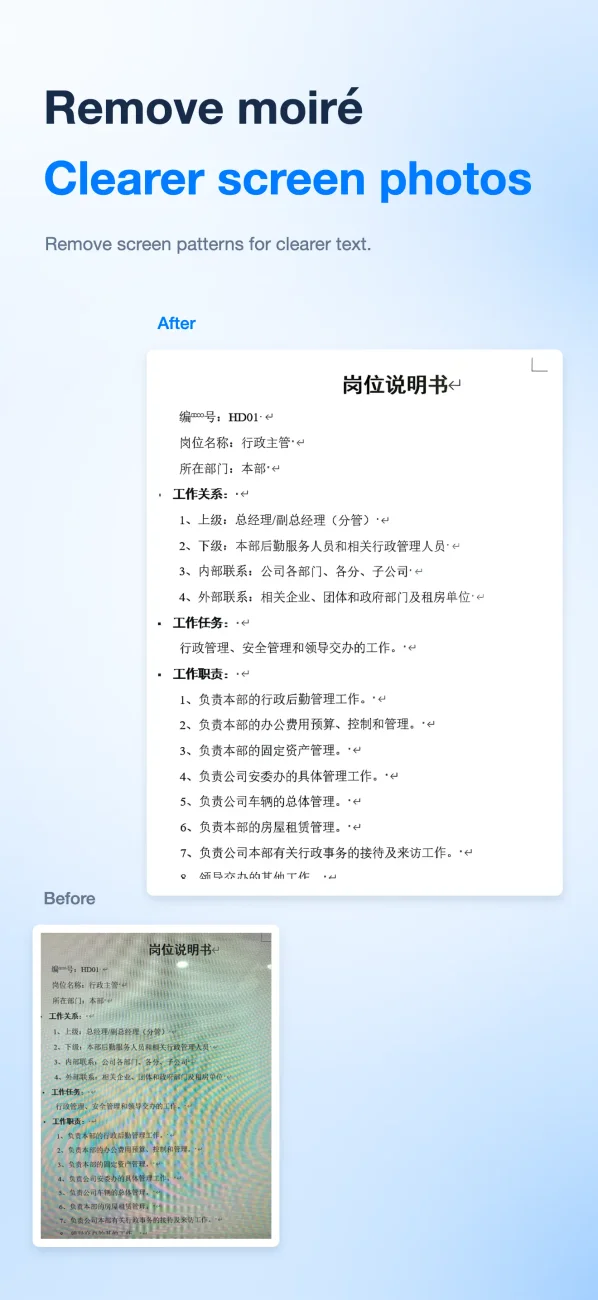
• Remove Screen Moiré — reduce moiré patterns and glare from photos of screens.
• Background Cleanup — remove paper tint and shadows for a clean scan.
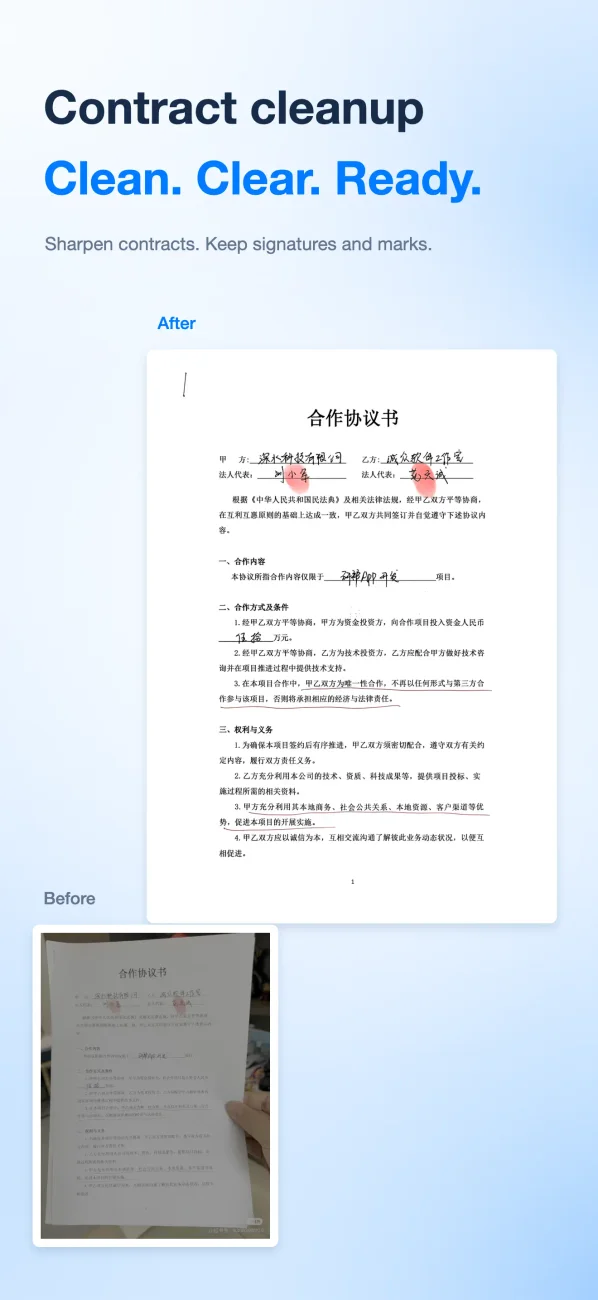
• Contract Cleanup — flatten and clarify contract pages for archiving and sharing.
• Smart Scanning — automatic edge detection and perspective correction, with flash and auto/manual capture.
• Image Enhance — filters such as Bright, Clarity, Print, Color Print, Grayscale and Black & White, applied to one page or the whole document.
• Privacy Redaction — automatically detects names, phone numbers and addresses and redacts them in one tap; supports manual region drawing and per-word redaction with multiple colors.
• Text Recognition (OCR) — extract text from documents, then select, copy and share it, with multi-language support.
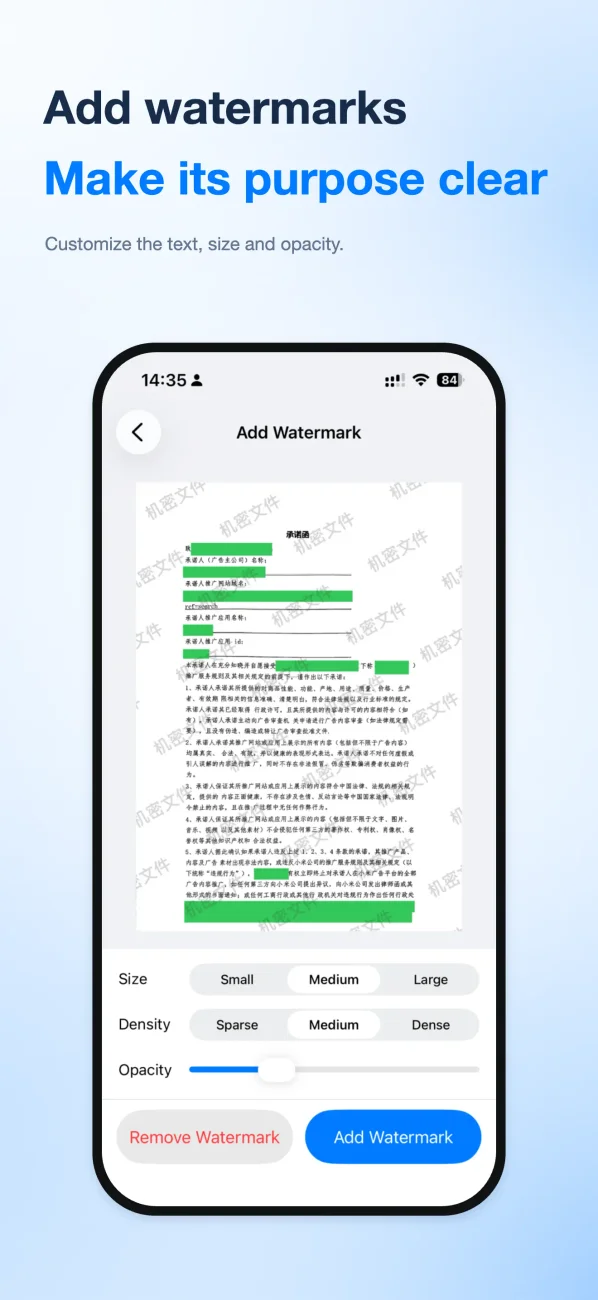
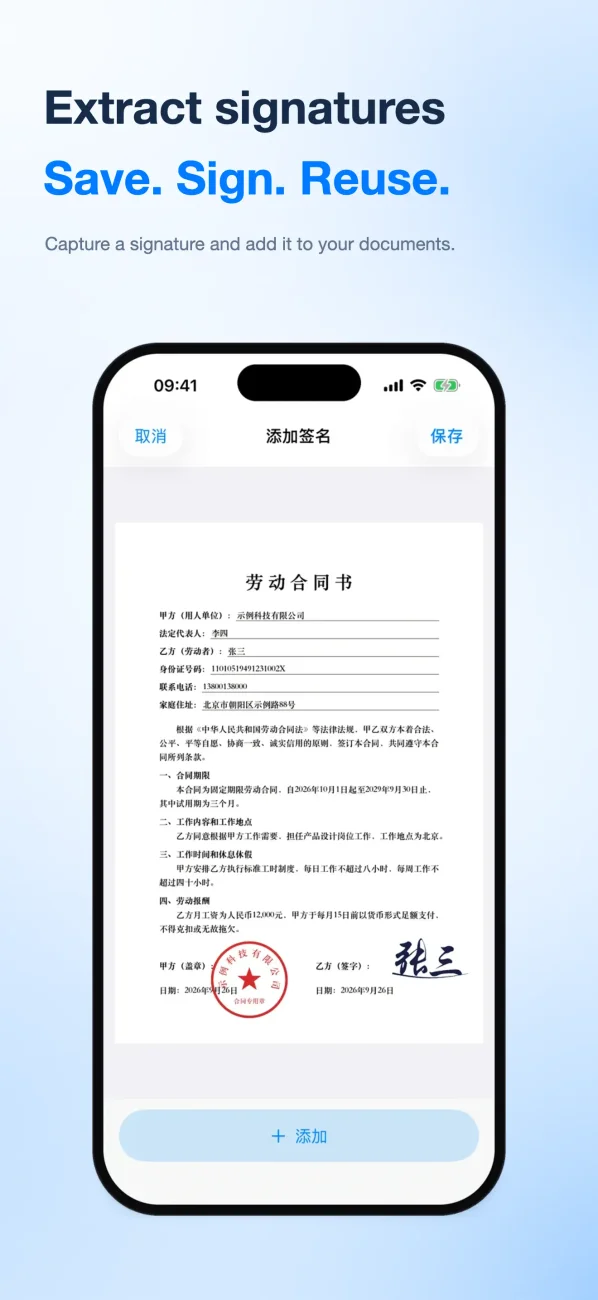
• PDF Tool — import PDFs and edit a copy (your original is never modified): insert pages, batch delete, jump to pages, convert pages to images, add signatures and watermarks, then export as a new PDF.
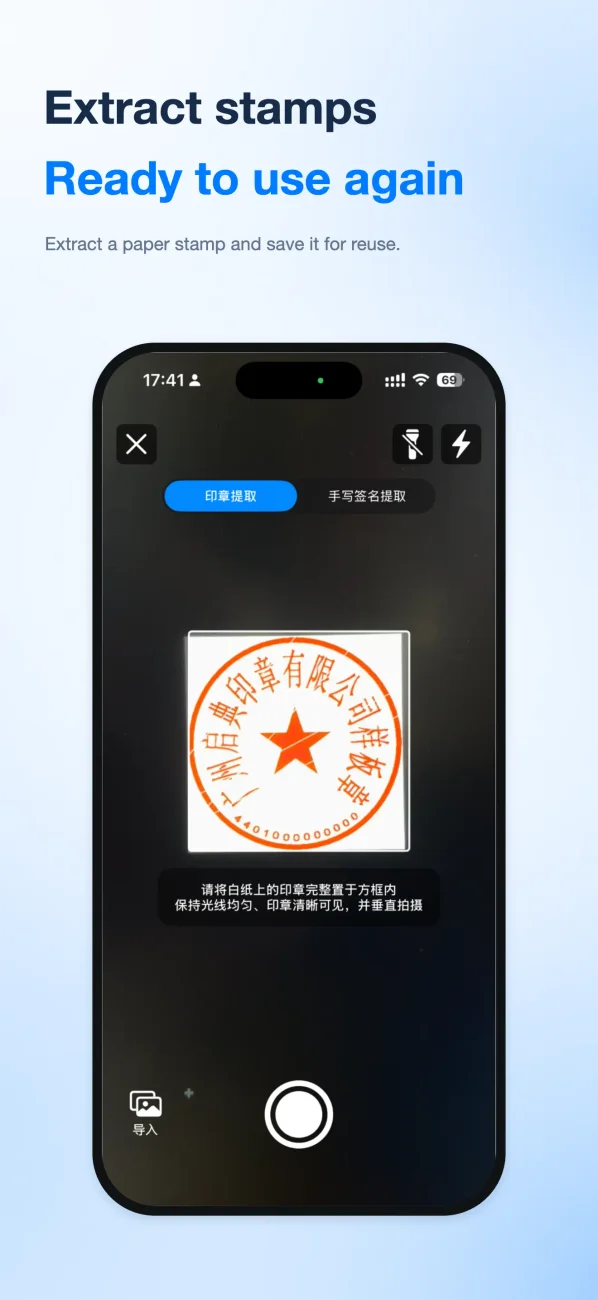
• Signatures & Stamps — sign on screen, or extract a signature or stamp from a photo and reuse it from your library.
• Watermark — protect your scans with a custom watermark.
• ID Card — a dedicated mode for scanning both sides of ID cards.
• Defaults — choose the default filter for scans and imports, plus auto or manual capture.
• Export & Share — export as PDF, images or a ZIP archive, plus system printing.
Smart Crop, Remove Handwriting, Text Removal, Exam Enhancement, Receipt Enhancement, Remove Screen Moiré, Background Cleanup and Contract Cleanup use credits per page (4 credits per page). New users receive starter credits, and inviting a friend gives credits to both of you. Only the selected pages are uploaded for processing; the third-party provider does not retain the original images. Credits for a page are refunded if processing fails.
PRIVACY
Everyday scanning, filters, redaction and text recognition happen on your device. The per-page enhancements listed above send only the selected pages to a third-party technology provider for processing; the original images are not retained afterward. Your documents are stored locally by default.
Auto-Renewal Service Description:
Service Name: Membership Subscription
Subscription Period: One month / One year
Subscription Price: $1.99/month, $14.99/year
Payment: The membership subscription will be paid directly through your iTunes account.
Renewal: Within 24 hours before the subscription expires, the system will automatically renew and deduct the corresponding fee according to the subscription type. To cancel the continuous annual subscription, you must cancel the subscription 24 hours before the end of the validity period.
Cancellation Method: Open "App Store" on your Apple iOS device --> Tap the Apple account avatar in the upper right corner --> Go to "Account" --> Tap "Subscriptions" --> Select the paid service name related to [FlashScan] for which you want to cancel auto-renewal, and cancel the subscription.
Privacy Policy: https://xiaoyucx.com/scanner_app/privacy_policy_en.html
User Agreement: https://xiaoyucx.com/scanner_app/user_agreement_en.html
Có gì mới
Phiên bản 3.6.0 · 23/11/2026
Increased the limit on the number of images that can be imported;
Other feature optimizations.
Quyền riêng tư của ứng dụng
Những gì 祖恒 廖 khai báo trên App Store về cách ứng dụng này xử lý dữ liệu.
-
Dữ liệu được sử dụng để theo dõi bạn
Có thể được sử dụng để theo dõi bạn trên các ứng dụng và trang web do công ty khác sở hữu.
- Mã định danh
- Dữ liệu sử dụng
-
Dữ liệu liên kết với bạn
Có thể được thu thập và liên kết với danh tính của bạn.
- Mã định danh
- Dữ liệu sử dụng
-
Dữ liệu không liên kết với bạn
Có thể được thu thập nhưng không liên kết với danh tính của bạn.
- Dữ liệu sử dụng
Phương thức đảm bảo quyền riêng tư có thể khác nhau, chẳng hạn như tuỳ theo các tính năng bạn sử dụng hoặc độ tuổi của bạn.
Thông tin
- Người bán
- 祖恒 廖
- Danh mục
- Hiệu Suất
- Phiên bản
- 3.6.0
- Cập nhật
- 23/11/2026
- Phát hành
- 26/08/2026
- Kích thước
- 81,6 MB
- Yêu cầu
- iOS 16.0 trở lên
- Độ tuổi
- 4+
- Giá
- Miễn phí
- Mua hàng trong ứng dụng
- Có
- Ngôn ngữ
- Tiếng Anh, Tiếng Ả Rập, Tiếng Indonesia, Tiếng Nhật, Tiếng Hàn, Tiếng Trung Giản thể, Tiếng Trung Phồn thể
- Bản quyền
- © xycx
Có thể bạn cũng thích
-
 OneScan: Quét PDF & giấy tờQuét, lưu và tìm tài liệu
-
 扫描仙人-无水印的扫描王Hiệu Suất
-
 Nudgy - Reminders Until DoneHiệu Suất
-
 Scanner: PDF OCR Document ScanHiệu Suất
-
 Near: việc cần làm và nhắc nhởRiêng tư. Thấy việc quan trọng
-
 MindThreadHiệu Suất
-
 BaiPDF: Scan & PDF ConvertHiệu Suất
-
 KeporiLưu, đọc và tìm lại
-
 EverPass: Expiry ReminderHiệu Suất
-
 Just Right Scan - PDF ScannerHiệu Suất