
- 対象年齢17+
- カテゴリユーティリティ
- 開発元Stefan Van Damme
- 言語英語ほか22言語
- サイズ18.9 MB
App Storeの公式ページにリンクしています
Download.orgはFont Size Decrease for Safariのファイルを一切ホストしていません。ボタンを押すと、Stefan Van Dammeが公開しているApp Storeのアプリページが開きます。ページの最終確認:2026/11/14。
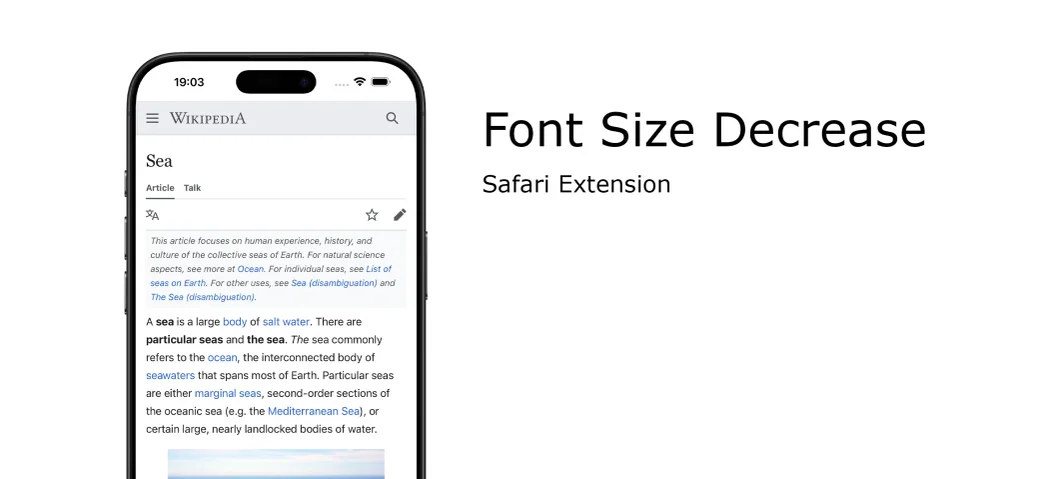
スクリーンショット

概要
開発元はこのテキストをお使いの言語で提供していません。
Font Size Decrease is a lightweight and straightforward browser extension that brings a single, essential feature to your browsing experience: a button to decrease the font size on any webpage with one simple click. Whether you are looking to make the text easier to read, reduce eye strain, or enhance accessibility, Font Size Decrease makes it effortless to enlarge text instantly without affecting the page layout or performance. Install today and enjoy larger, more readable fonts with minimal effort.
Font Size Decrease is perfect for users who prefer an easy, no-fuss solution to improve readability, including those with visual impairments or anyone who spends long hours reading online. With just one button to decrease the font size, this extension is designed for simplicity and ease of use.
If you are also looking to decrease font size with a single click, we offer a companion extension, Font Size Increase, for complete control over your text size preferences.
https://chromewebstore.google.com/detail/font-size-increase/ombpcpigmndepfckcifdblemkabaoihk
Browser extension features:
◆ One-Click Font Size Decrease:
Easily enlarge text on any website with a single click.
◆ Dark Mode Support:
Designed to work seamlessly with dark mode, ensuring comfortable use regardless of your browser's theme.
◆ Toolbar Icon Customization:
Choose from 6 custom icons for your toolbar to personalize the look of the extension.
◆ Double-Click Reset:
Enable the option to reset the font size on the current web page by simply double-clicking the button.
◆ Right-Click Menu Integration:
Optionally enable a right-click menu option to incrdecreaseease the font size on the current web page for quick access.
◆ Simple and Lightweight:
No complicated settings—just a single button to decrease font size instantly without slowing down your browsing experience.
◆ Companion Extension Available:
If you want to decrease font size, check out our Font Size Decrease extension for a similarly easy-to-use tool.
Project Information:
https://www.stefanvd.net/project/font-size-decrease/browser-extension
Required Permissions:
◆ "contextMenus": This is to add the "Decrease font size on this page" menu item in the web browser context menu.
◆ "activeTab": Allow the decrease the font size function to be accessible on the currently visible tab page.
◆ "storage": Save settings locally and sync with your web browser account.
アプリのプライバシー
このアプリのデータの取り扱いについて、Stefan Van DammeがApp Storeで申告している内容です。
-
データの収集なし
開発元はこのアプリからデータを収集しません。
プライバシーの取り扱いは、ご利用の機能やお客様の年齢などに応じて異なる場合があります。
情報
- 販売元
- Stefan Van Damme
- カテゴリ
- ユーティリティ
- バージョン
- 1.1.3
- 更新日
- 2025/12/7
- リリース
- 2025/12/5
- サイズ
- 18.9 MB
- 必要条件
- iOS 18.0以降
- 対象年齢
- 17+
- 価格
- 無料
- 言語
- 英語, チェコ語, デンマーク語, オランダ語, フィンランド語, フランス語, ドイツ語, ハンガリー語, インドネシア語, イタリア語, 日本語, 韓国語 ほか11言語
- 著作権
- Copyright © 2025 Stefan Van Damme. All rights reserved.
こちらもおすすめ
-
 Super Size Textユーティリティ
-
 Darkify for Safariユーティリティ
-
 FontFlex: Safariのフォントサイズ、太さ、色を調整
-
 Vidimote for Safariユーティリティ
-
 Mapper for Safariユーティリティ
-
 wBlock: Ad Blocker for Safariユーティリティ
-
 Hush Nag Blockerユーティリティ
-
 Super Agent for SafariCookieポップアップをブロック
-
 ダークモード - ナイトアイWeb サイトにダークモードを追加する
-
 Vivaldi ブラウザ - 広告ブロック&カスタム自在自分らしさ全開カスタム・広告とトラッカー防御・デバイス間同期