- 対象年齢4+
- カテゴリユーティリティ
- 開発元Fab Lab Connect
- 言語英語
- サイズ5.6 MB
App Storeの公式ページにリンクしています
Download.orgはICIDOのファイルを一切ホストしていません。ボタンを押すと、Fab Lab Connectが公開しているApp Storeのアプリページが開きます。ページの最終確認:2026/11/16。
スクリーンショット



概要
開発元はこのテキストをお使いの言語で提供していません。
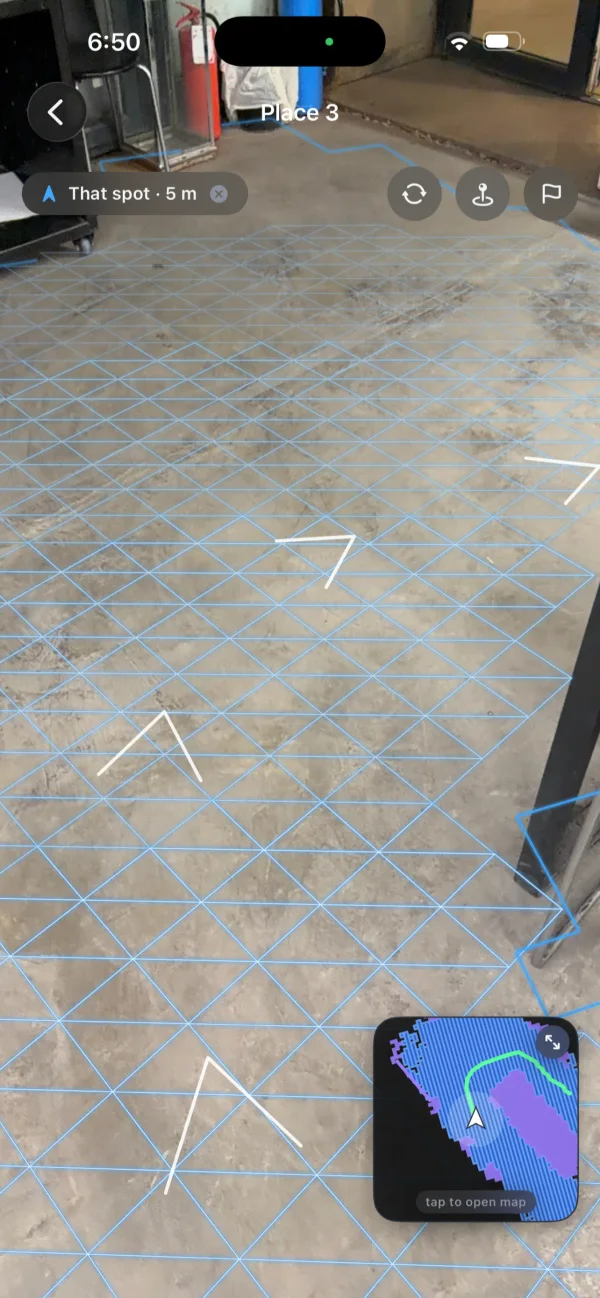
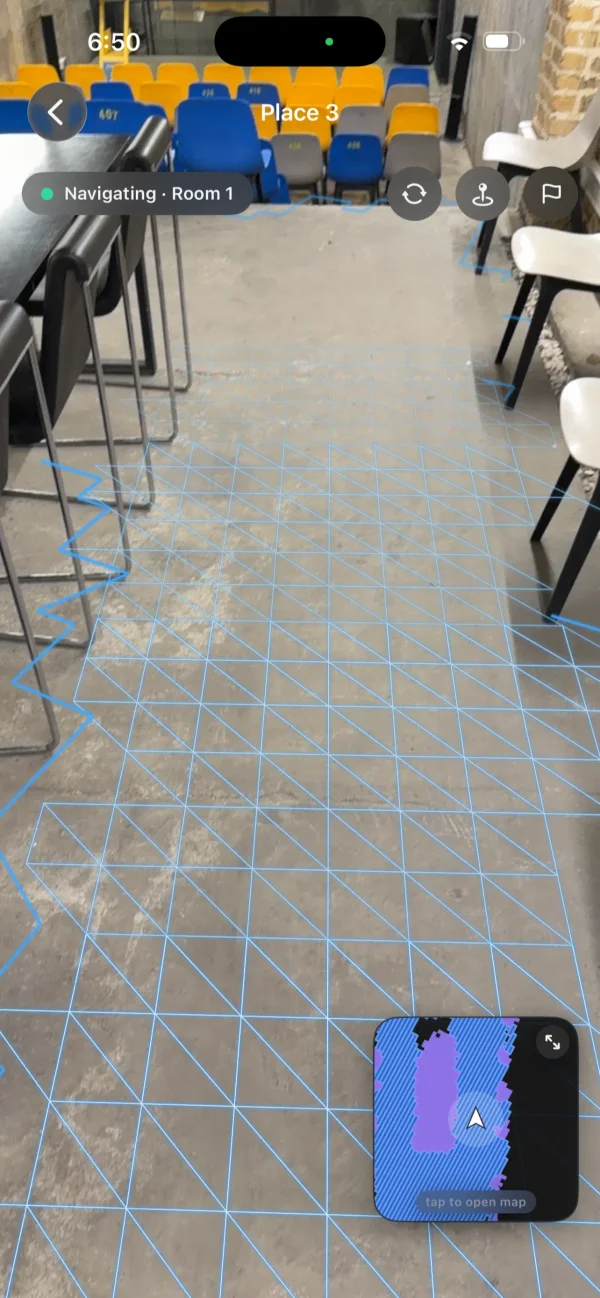
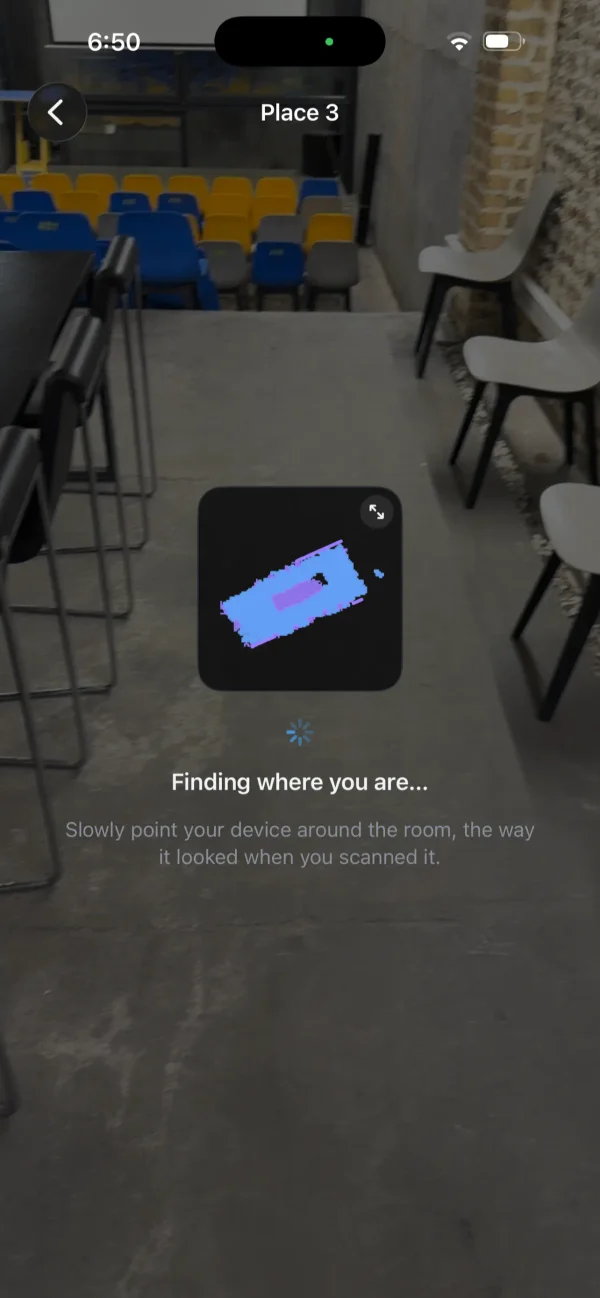
ICIDO turns your iPhone's LiDAR scanner into an indoor map you can navigate — no beacons, no Wi-Fi setup, no internet. Scan a room once and ICIDO remembers its exact shape. Walk back in later and it recognizes where you are and guides you to any spot, even where GPS has no signal.
HOW IT WORKS
• Scan — sweep your iPhone across a room to capture its walls, floor, and furniture in 3D.
• Find yourself — tap Find Me and ICIDO works out which place you're in and exactly where you're standing.
• Navigate — pick a saved spot or tap the map, and a route is drawn on the real floor, steering around furniture and through doorways.
FEATURES
• Tag any spot — drop a waypoint ("printer", "exit", "room 204") and route straight to it.
• Rooms, detected automatically — larger maps split into named rooms at the doorways.
• Grow your maps — add newly scanned areas to a place, or combine two overlapping maps into one.
• Buildings — stack scanned floors into a building and ICIDO follows you between them.
• History — revisit where you've been with trails and heat maps.
• Share — send a place as a .spacemap file; the other person can open and navigate it.
PRIVATE BY DESIGN
Everything stays on your device. No account, no sign-in, no analytics, no networking. Your scans never leave your iPhone.
REQUIRES LiDAR
ICIDO needs the LiDAR sensor, available on iPhone 12 Pro and later Pro models (Pro and Pro Max). It will not scan on non-Pro iPhones.
新機能
バージョン 1.3 · 2026/9/10
Back up your places, and put a code on the wall.
• Backup, off until you turn it on: sign in with Apple and your scanned places are copied to your ICIDO account, so a lost or replaced iPhone doesn't lose scans that took you an hour to walk. Restore them onto a new iPhone from the Places tab.
• Publish a place as a code: ICIDO gives you a QR code and a printable sheet with the place's name on it. Anyone who scans it gets the map and can be guided around it — they need no account, and nothing about them comes back to you.
• Maps are about a third of the size they were, so backing up and downloading is faster.
• Updating a large map no longer closes the app, and ICIDO warns you if memory runs low during a scan.
• Camera vision ("what do you see?") uses Apple Intelligence on iPhones that support it. The separate 370 MB download is gone.
• Settings → Account: sign out, or delete your account and everything held for it, from inside the app.
Scanning, navigating, tagging and opening a place someone shared still need no account and work with no signal. Anything you say, anything the camera remembered, and your history never leave your iPhone.
アプリのプライバシー
このアプリのデータの取り扱いについて、Fab Lab ConnectがApp Storeで申告している内容です。
-
ユーザーに関連付けられたデータ
収集され、ユーザーの識別情報に関連付けられる場合があります。
- 位置情報
- 連絡先情報
- ユーザーコンテンツ
- ID
- Surroundings
プライバシーの取り扱いは、ご利用の機能やお客様の年齢などに応じて異なる場合があります。
情報
- 販売元
- School Fab Lab Inc.
- カテゴリ
- ユーティリティ
- バージョン
- 1.3
- 更新日
- 2026/9/10
- リリース
- 2026/8/6
- サイズ
- 5.6 MB
- 必要条件
- iOS 16.0以降
- 対象年齢
- 4+
- 価格
- 無料
- 言語
- 英語
- 著作権
- © 2026 School Fab Lab Inc.