- Yaş sınırı4+
- KategoriYardımcılar
- GeliştiriciFab Lab Connect
- Dillerİngilizce
- Boyut5,6 MB
Resmi App Store sayfasına bağlanır
Download.org, ICIDO için hiçbir dosya barındırmaz. Düğme, uygulamanın App Store üzerindeki sayfasını açar; uygulamayı orada Fab Lab Connect yayınlar. Sayfanın son kontrolü: 16.11.2026.
Ekran görüntüleri



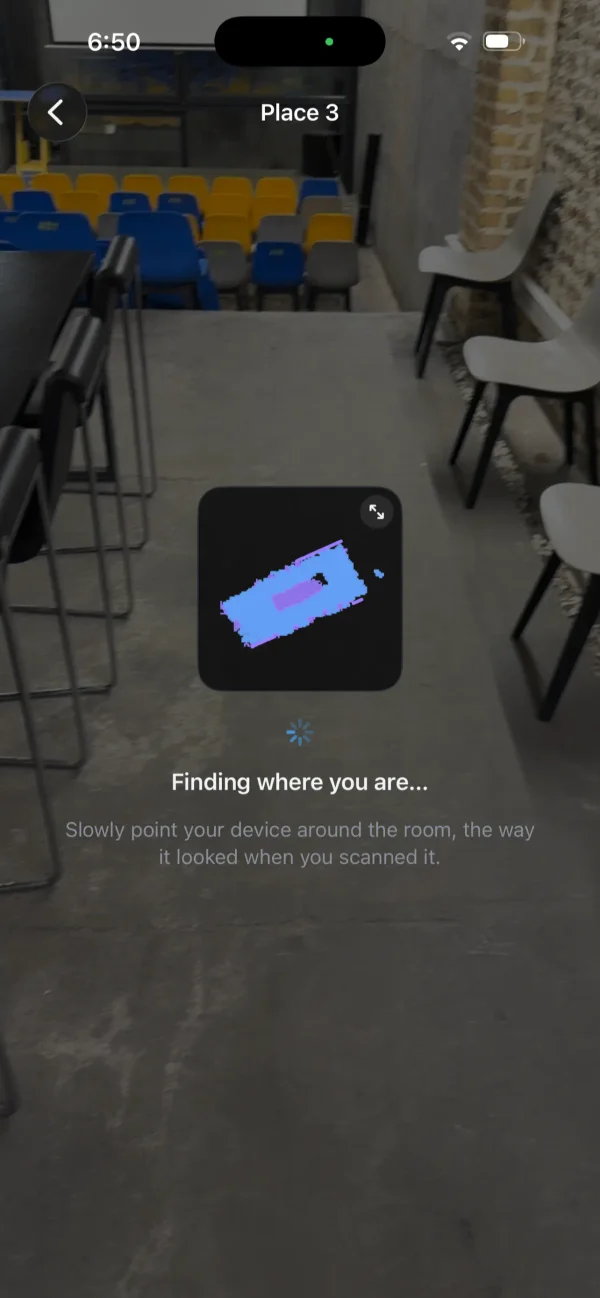
Hakkında
Geliştirici bu metni dilinizde sunmamış.
ICIDO turns your iPhone's LiDAR scanner into an indoor map you can navigate — no beacons, no Wi-Fi setup, no internet. Scan a room once and ICIDO remembers its exact shape. Walk back in later and it recognizes where you are and guides you to any spot, even where GPS has no signal.
HOW IT WORKS
• Scan — sweep your iPhone across a room to capture its walls, floor, and furniture in 3D.
• Find yourself — tap Find Me and ICIDO works out which place you're in and exactly where you're standing.
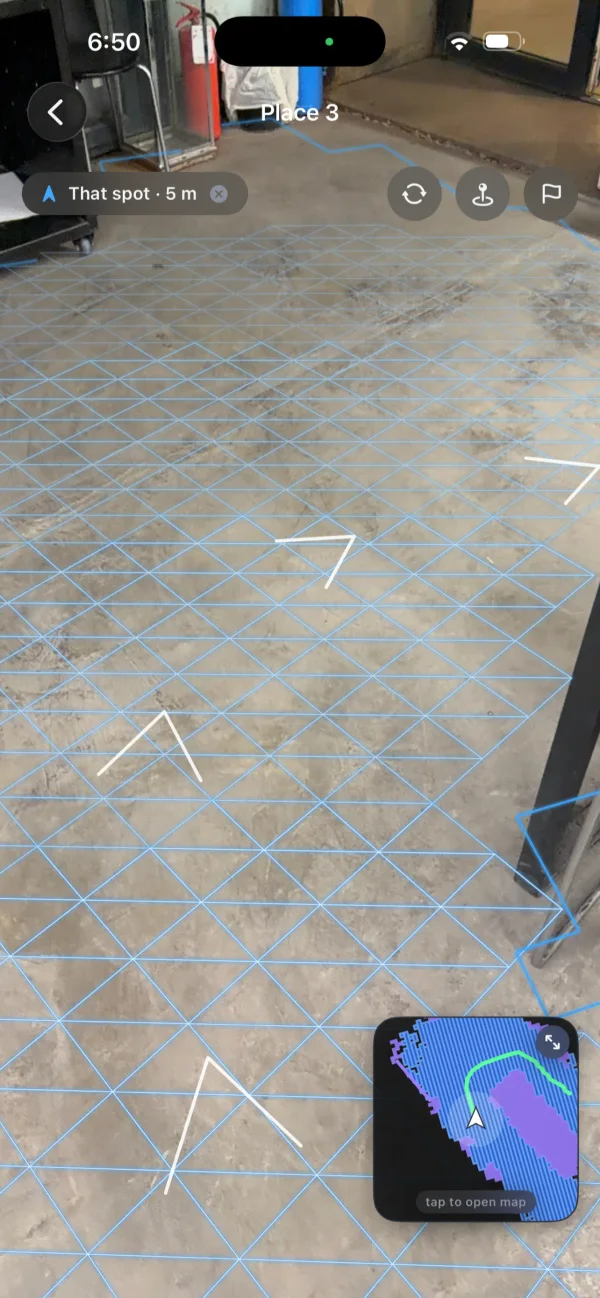
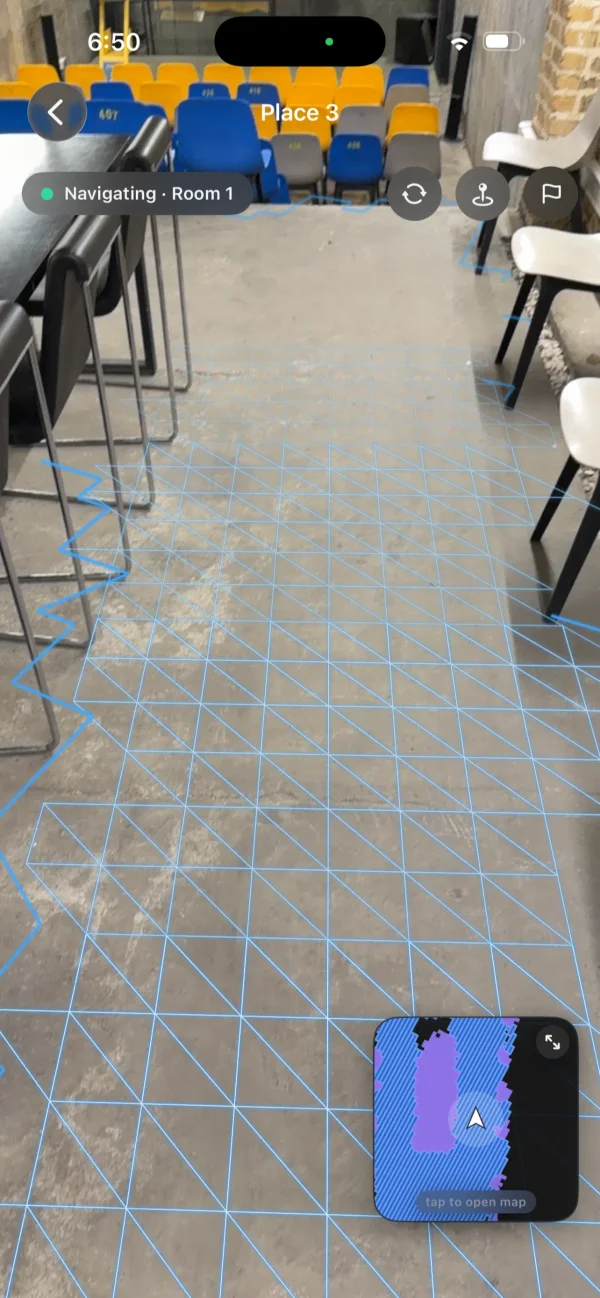
• Navigate — pick a saved spot or tap the map, and a route is drawn on the real floor, steering around furniture and through doorways.
FEATURES
• Tag any spot — drop a waypoint ("printer", "exit", "room 204") and route straight to it.
• Rooms, detected automatically — larger maps split into named rooms at the doorways.
• Grow your maps — add newly scanned areas to a place, or combine two overlapping maps into one.
• Buildings — stack scanned floors into a building and ICIDO follows you between them.
• History — revisit where you've been with trails and heat maps.
• Share — send a place as a .spacemap file; the other person can open and navigate it.
PRIVATE BY DESIGN
Everything stays on your device. No account, no sign-in, no analytics, no networking. Your scans never leave your iPhone.
REQUIRES LiDAR
ICIDO needs the LiDAR sensor, available on iPhone 12 Pro and later Pro models (Pro and Pro Max). It will not scan on non-Pro iPhones.
Yenilikler
Sürüm 1.3 · 10.09.2026
Back up your places, and put a code on the wall.
• Backup, off until you turn it on: sign in with Apple and your scanned places are copied to your ICIDO account, so a lost or replaced iPhone doesn't lose scans that took you an hour to walk. Restore them onto a new iPhone from the Places tab.
• Publish a place as a code: ICIDO gives you a QR code and a printable sheet with the place's name on it. Anyone who scans it gets the map and can be guided around it — they need no account, and nothing about them comes back to you.
• Maps are about a third of the size they were, so backing up and downloading is faster.
• Updating a large map no longer closes the app, and ICIDO warns you if memory runs low during a scan.
• Camera vision ("what do you see?") uses Apple Intelligence on iPhones that support it. The separate 370 MB download is gone.
• Settings → Account: sign out, or delete your account and everything held for it, from inside the app.
Scanning, navigating, tagging and opening a place someone shared still need no account and work with no signal. Anything you say, anything the camera remembered, and your history never leave your iPhone.
Uygulama gizliliği
Bu uygulamanın verileri nasıl işlediği hakkında Fab Lab Connect tarafından App Store üzerinde yapılan beyan.
-
Sizinle ilişkilendirilen veriler
Toplanabilir ve kimliğinizle ilişkilendirilebilir.
- Konum
- İletişim bilgileri
- Kullanıcı içeriği
- Tanımlayıcılar
- Surroundings
Gizlilik uygulamaları, örneğin kullandığınız özelliklere veya yaşınıza göre değişiklik gösterebilir.
Bilgiler
- Satıcı
- School Fab Lab Inc.
- Kategori
- Yardımcılar
- Sürüm
- 1.3
- Güncellendi
- 10.09.2026
- Yayın tarihi
- 06.08.2026
- Boyut
- 5,6 MB
- Gereksinim
- iOS 16.0 veya sonrası
- Yaş sınırı
- 4+
- Fiyat
- Ücretsiz
- Diller
- İngilizce
- Telif hakkı
- © 2026 School Fab Lab Inc.