- 対象年齢4+
- カテゴリ仕事効率化
- 開発元Aliaksandr Harbavets
- 言語英語ほか14言語
- サイズ9.5 MB
App Storeの公式ページにリンクしています
Download.orgはInSight Countdownのファイルを一切ホストしていません。ボタンを押すと、Aliaksandr Harbavetsが公開しているApp Storeのアプリページが開きます。ページの最終確認:2026/11/15。
スクリーンショット

概要
開発元はこのテキストをお使いの言語で提供していません。
Keep what matters in sight.
InSight Countdown turns the wait for what matters into something you look forward to seeing.
Set a countdown to an exact date and time — your flight, an exam, a birthday, a deadline — not just a vague duration. A huge, glanceable countdown fills your screen, ticking down the days, hours, minutes, and seconds to the precise moment.
FEATURES
• Count down to an exact date & time
Pick the exact calendar date and time of your event — or a simple duration when that's all you need. The closest event is always front and center. Add a note — flight number, gate, address — shown in small type under the name.
• Synced across your devices
Your countdowns stay in sync between iPhone, iPad, and Mac through your private iCloud — the same events, each keeping its own visualization, follow you everywhere. Your countdowns are yours — their content is never sent to us.
• Choose how time looks
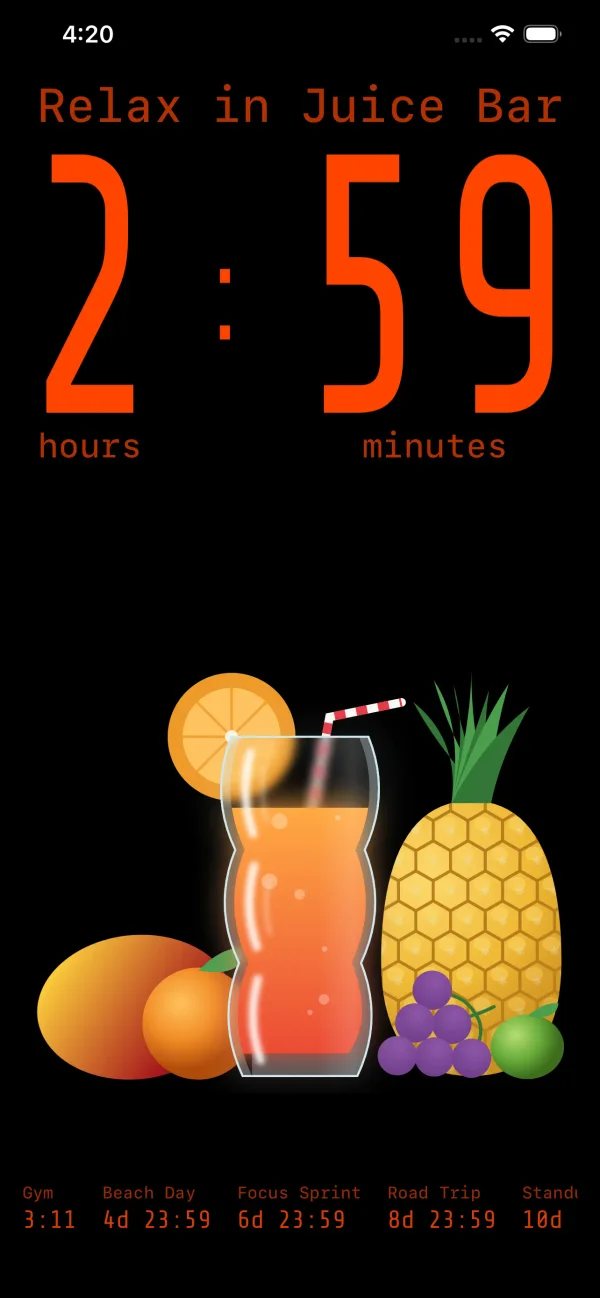
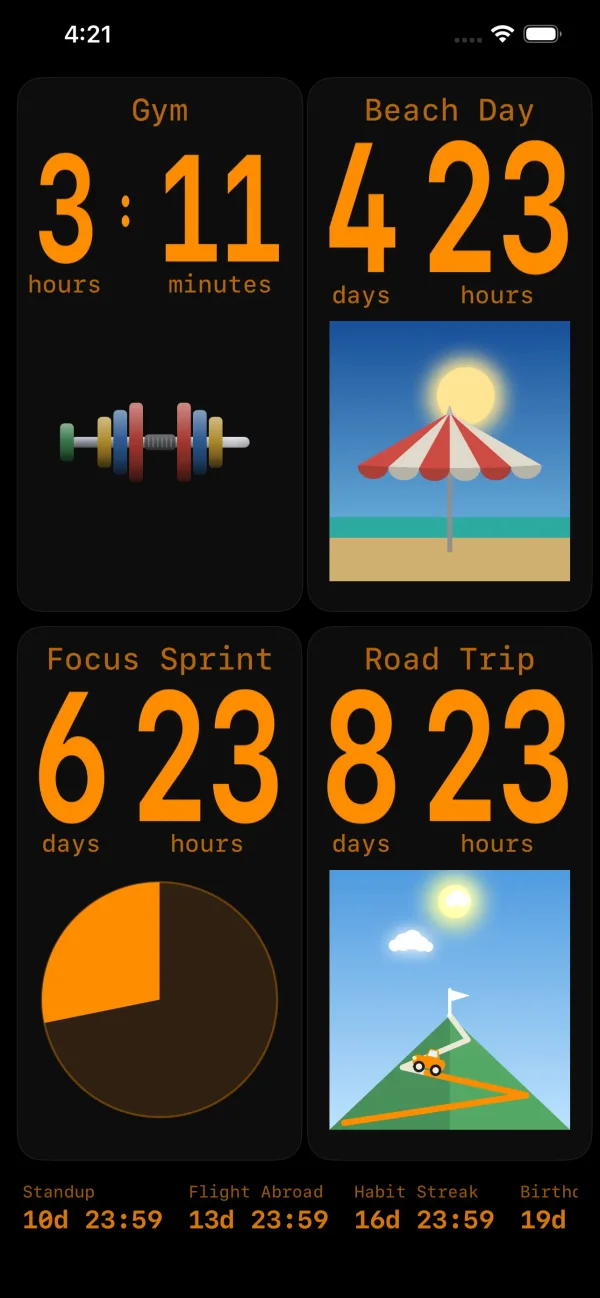
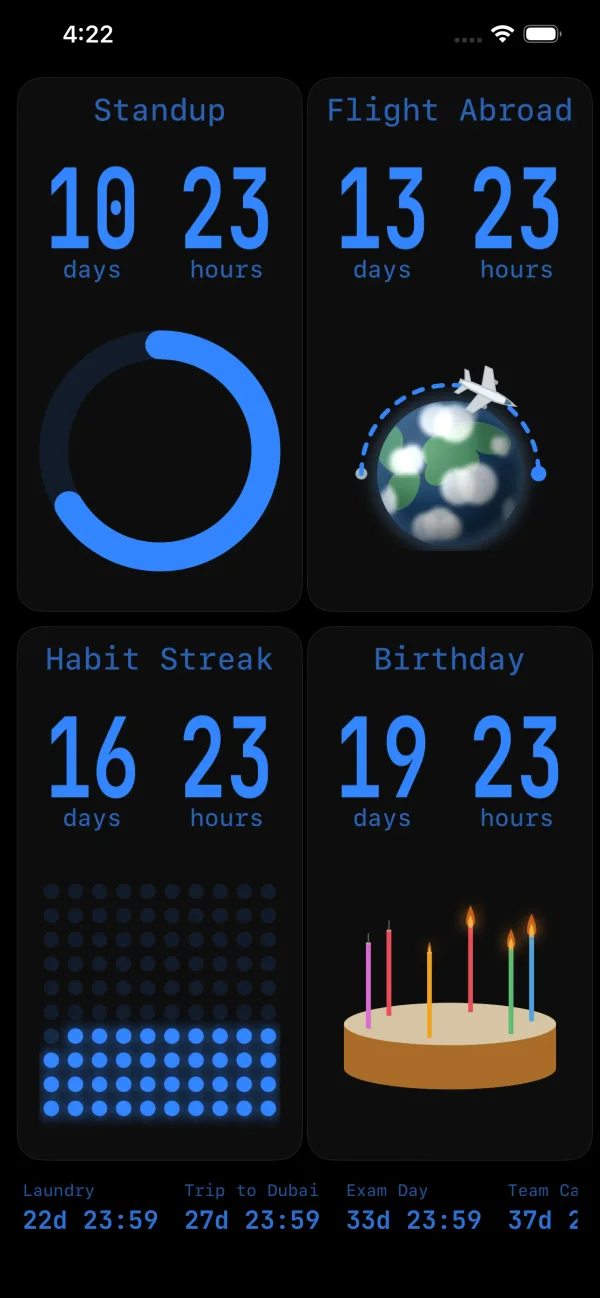
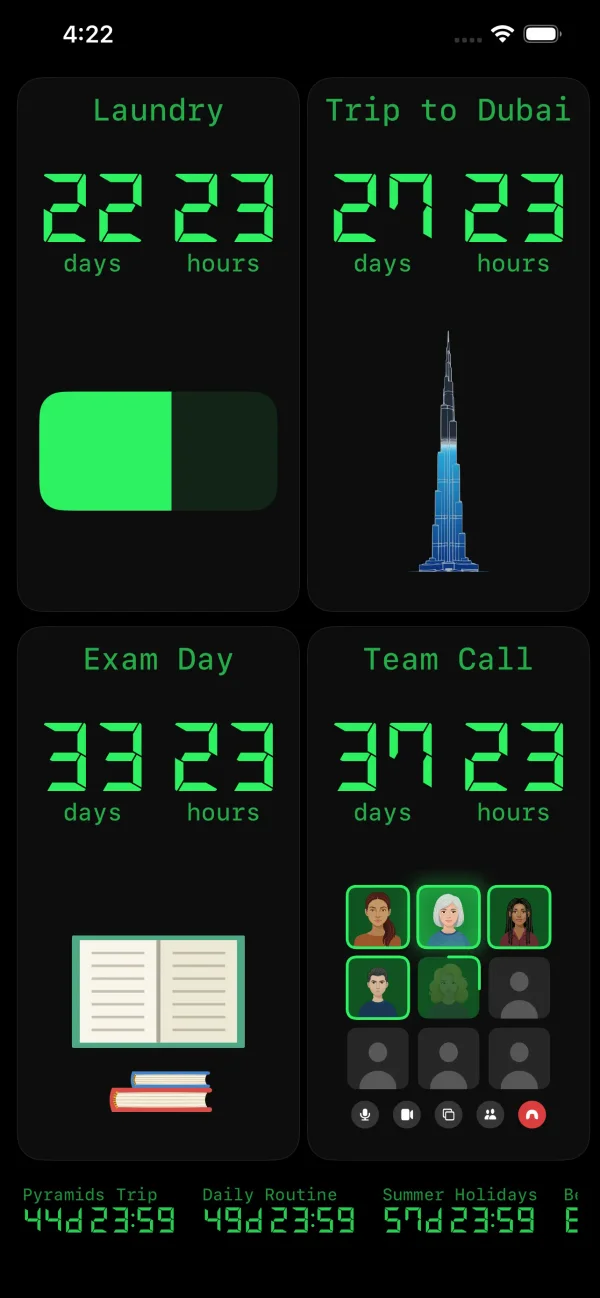
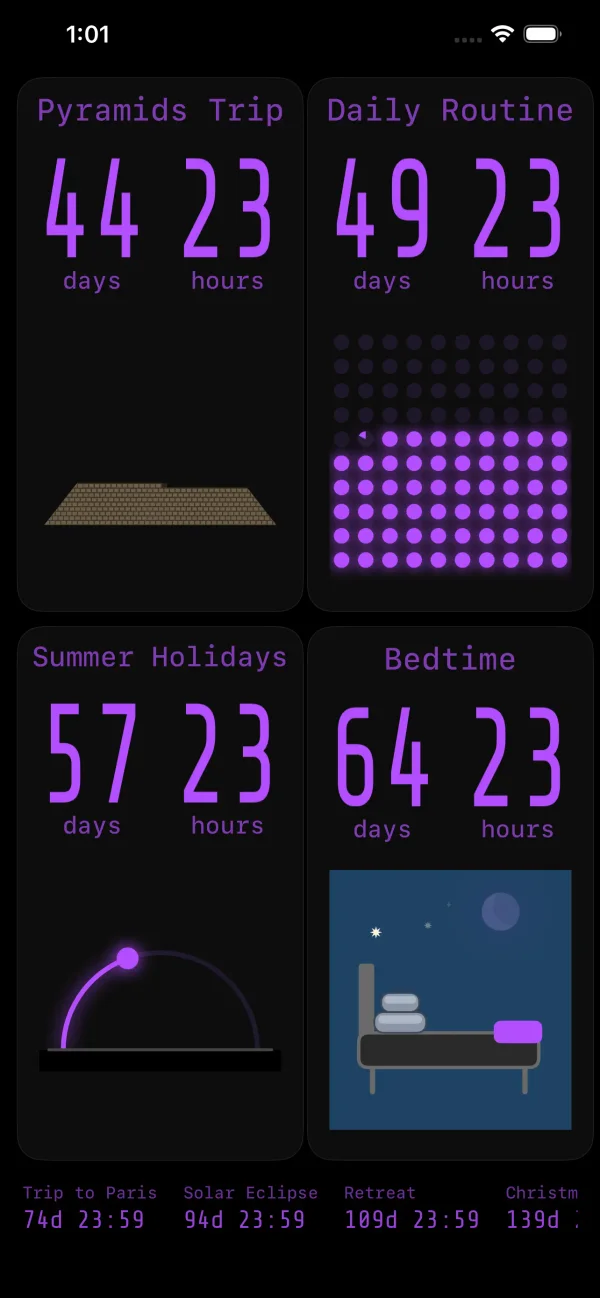
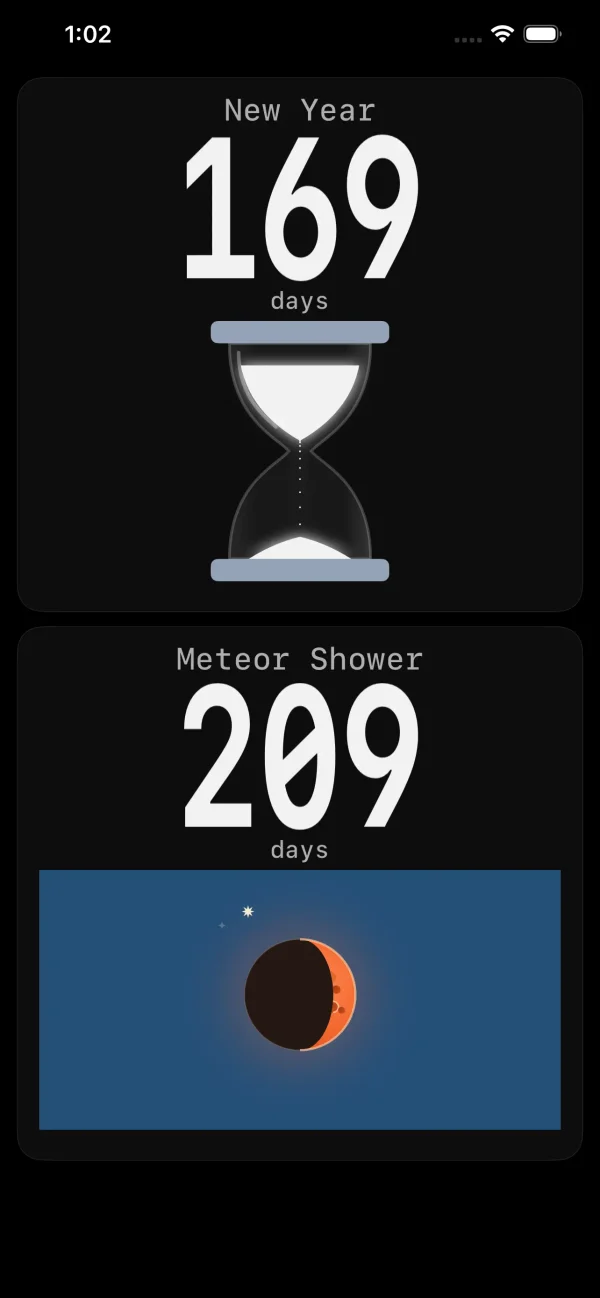
Watch time melt away in a draining hourglass, a progress ring, a rounded bar, a Time-Timer-style shrinking disc, a dot grid, a dot dial, a solar eclipse, an unwinding spiral, or a sun along its day arc — plus themed styles: a Christmas tree lighting up branch by branch, a birthday cake whose candles flicker on, a beach parasol opening as the sun rises, a juice glass that fills, a dumbbell loading up plate by plate, a car climbing a mountain road, a plane arcing around a globe, and lit-up landmarks (the Eiffel Tower, Burj Khalifa). Pick a look that fits the occasion — a parasol for a trip, a cake for a birthday — so a glance tells you what's coming. Swipe to switch right on the countdown; each remembers its own. Landscape keeps a linear bar.
• Make it yours
Pick a digit font — from a clean system face to a retro seven-segment LCD — and tint the whole app with a preset accent color or any color you choose.
• Many countdowns, one glance
The nearest event takes the main screen; the rest sit in a quick-access bottom bar. Choose per countdown when it takes the main screen — always, only when it's near, only on its day, or never — so a far-off event doesn't crowd out nearer ones. Or watch several at once on any device: Duo fits two to your screen, and a large grid shows four. iPad and Mac add a denser small grid and a zoomed layout that enlarges the nearest event. Called off? Archive it instead of deleting — it waits until you set a new date.
• Daily & weekly repeats
Set a countdown to repeat every day, or on the weekdays you choose (say Mon/Wed/Fri), and it rolls forward automatically after it finishes — great for routines, classes, standups, and recurring reminders.
• Beat procrastination — and have fun doing it
A deadline you can see is harder to ignore. Keep the countdown in front of you — full screen or on the Lock Screen — and watch the remaining time melt away. Better yet, the task you kept putting off becomes a screen you want to watch.
• Lock Screen & Dynamic Island
Show your countdowns as Live Activities on the Lock Screen and in the Dynamic Island. Choose per countdown when it appears.
• Doubles as an alarm across your devices
The instant a countdown hits zero, an alert breaks through silent mode and Focus — and on iOS 26 it rings until you dismiss it — or snooze it for five more minutes — so any countdown works as a full alarm. Add an early reminder (from 10 seconds to a day before), or ring the alarm up to 3 minutes ahead. Because your countdowns sync through iCloud, the same alarm can ring on whichever device is with you.
• iPhone, iPad & Mac
The full-screen countdown adapts to any size and rotation — a phone in your pocket, an iPad propped up as an always-on display, or a resizable Mac window. The controls fade away when you're not touching the screen, leaving just the countdown.
• Stays awake when you want
Optional screen-lock control keeps the display on — always or only while charging — so your countdown stays in sight.
Free. No account needed. Your countdowns are yours.
新機能
バージョン 1.2 · 2026/9/10
A countdown for the gym, more of them on screen at once, and your whole list one tap away.
• New Dumbbell visualization — a loadable dumbbell that gets heavier as the countdown runs out. Plates go on the way you actually load one, the heaviest first and one end at a time, until the bar is fully loaded at zero. For gym days, training plans and getting back into it
• Duo and Large Grid now work on iPhone — watch two or four countdowns at once, a layout that used to be iPad- and Mac-only. Every cell still reads across a room
• All your countdowns are now one tap from the main screen: a list button sits in the bottom-left corner
• "Ring alarm" can now go off 1, 2 or 3 minutes early, not just seconds — enough time to walk to the room before it rings
• Snooze a ringing alarm, like any alarm clock — it goes quiet and rings again 5 minutes later, without moving the countdown's date
• Call off a countdown without deleting it — archive it from the list, the ⋯ menu or its own form, and it stops showing and ringing until you bring it back. For the meeting that was cancelled but will happen eventually
• Archived countdowns live in that list now — switch between Active and Archived at the top, instead of looking for them in a menu
• The Cocktail visualization is now Juice Bar — a tall glass of juice with a straw and an orange wheel, and a whole pile of fruit beside it: a pineapple, a mango, an orange, a lime and a bunch of grapes. Your countdowns keep the style they were set to
アプリのプライバシー
このアプリのデータの取り扱いについて、Aliaksandr HarbavetsがApp Storeで申告している内容です。
-
ユーザーに関連付けられないデータ
収集される場合がありますが、ユーザーの識別情報には関連付けられません。
- ID
- 使用状況データ
プライバシーの取り扱いは、ご利用の機能やお客様の年齢などに応じて異なる場合があります。
情報
- 販売元
- Aliaksandr Harbavets
- カテゴリ
- 仕事効率化
- バージョン
- 1.2
- 更新日
- 2026/9/10
- リリース
- 2026/7/23
- サイズ
- 9.5 MB
- 必要条件
- iOS 26.0以降
- 対象年齢
- 4+
- 価格
- 無料
- 言語
- 英語, アラビア語, Belarusian, フランス語, ドイツ語, イタリア語, 日本語, 韓国語, ポーランド語, ポルトガル語, ロシア語, 簡体字中国語 ほか3言語
- 著作権
- © 2026 Aliaksandr Harbavets
こちらもおすすめ
-
 Till Simple: カウントダウン残り時間を、静かなバーで
-
 Day Glance Pro Calendar Widget仕事効率化
-
 Maple Note - Life Organizer仕事効率化
-
 Mellowake:やさしい目覚まし時計就寝リマインダーとカウントダウン
-
 Due Pal:カウントダウンタイマー・ADHD時計残り時間が見えるビジュアルタイマー
-
 Dashboard: 卓上時計&ウィジェットスマート卓上時計 & ディスプレイ
-
 SimpliFocusPomodoro & Session Tracker
-
 Glancelet: Your Daily HUD仕事効率化
-
 Dayglow: あと何日 カウントダウン日数カウント・記念日ウィジェット
-
 Muslim Prayer Lock: Awwal仕事効率化