- Age rating4+
- CategoryProductivity
- DeveloperAliaksandr Harbavets
- LanguagesEnglish+ 14 more
- Size9.5 MB
Links to the official App Store page
Download.org hosts no file of InSight Countdown. The button opens its official App Store page, published by Aliaksandr Harbavets. Listing last checked on Nov 15, 2026.
Screenshots


About
Keep what matters in sight.
InSight Countdown turns the wait for what matters into something you look forward to seeing.
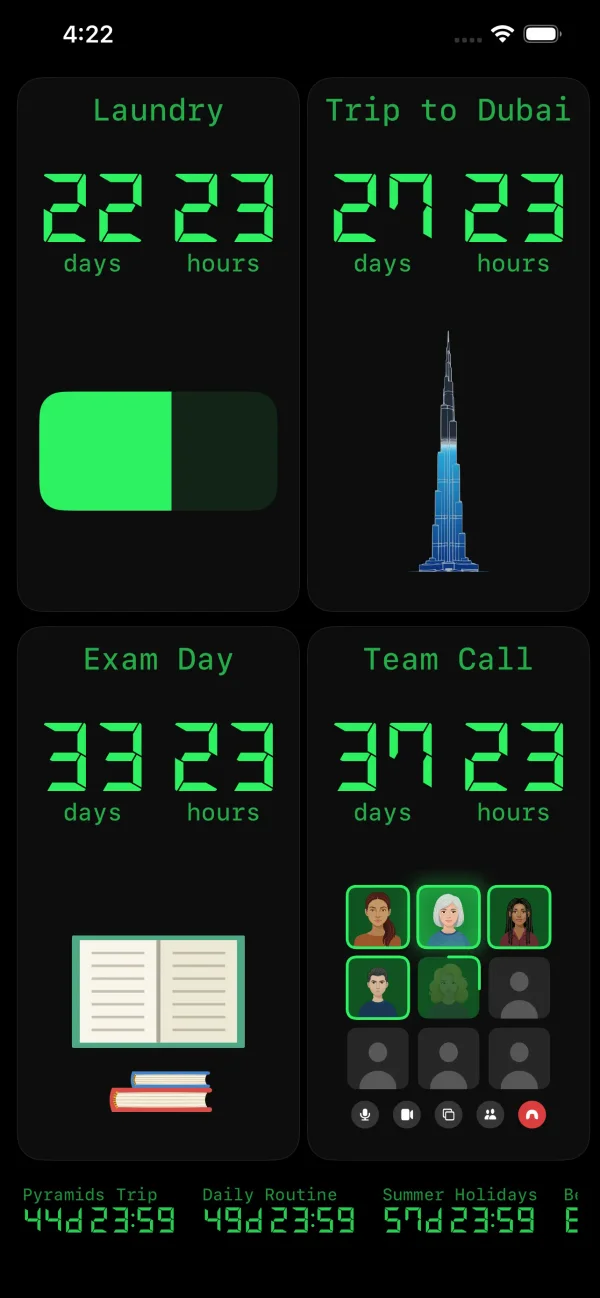
Set a countdown to an exact date and time — your flight, an exam, a birthday, a deadline — not just a vague duration. A huge, glanceable countdown fills your screen, ticking down the days, hours, minutes, and seconds to the precise moment.
FEATURES
• Count down to an exact date & time
Pick the exact calendar date and time of your event — or a simple duration when that's all you need. The closest event is always front and center. Add a note — flight number, gate, address — shown in small type under the name.
• Synced across your devices
Your countdowns stay in sync between iPhone, iPad, and Mac through your private iCloud — the same events, each keeping its own visualization, follow you everywhere. Your countdowns are yours — their content is never sent to us.
• Choose how time looks
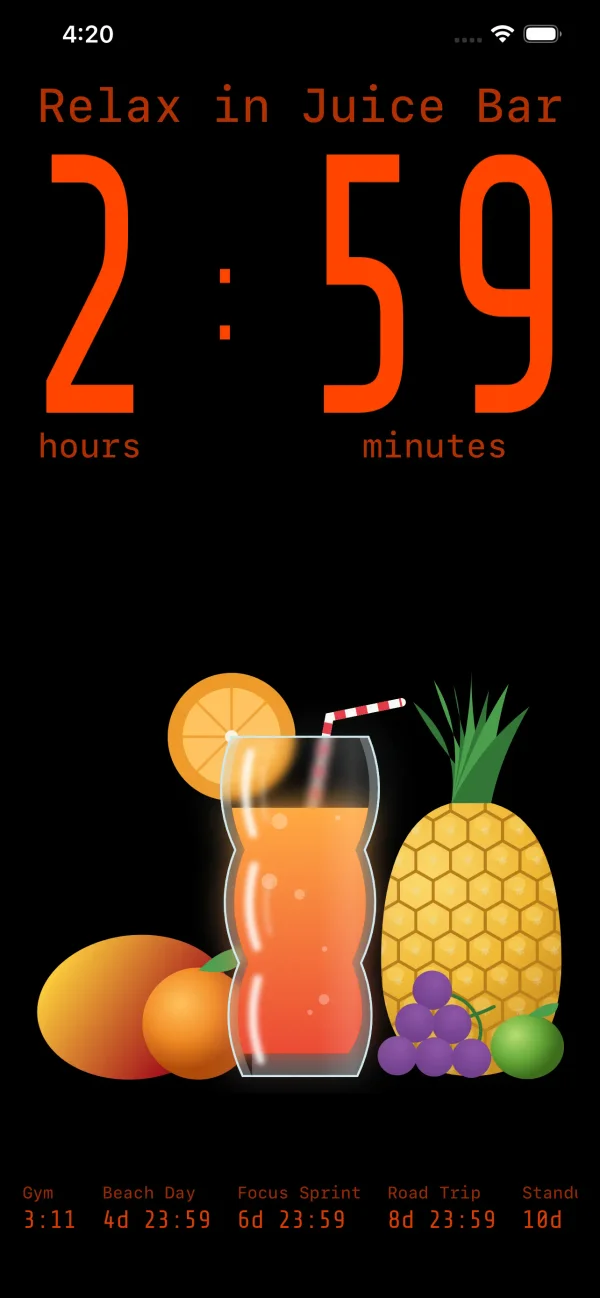
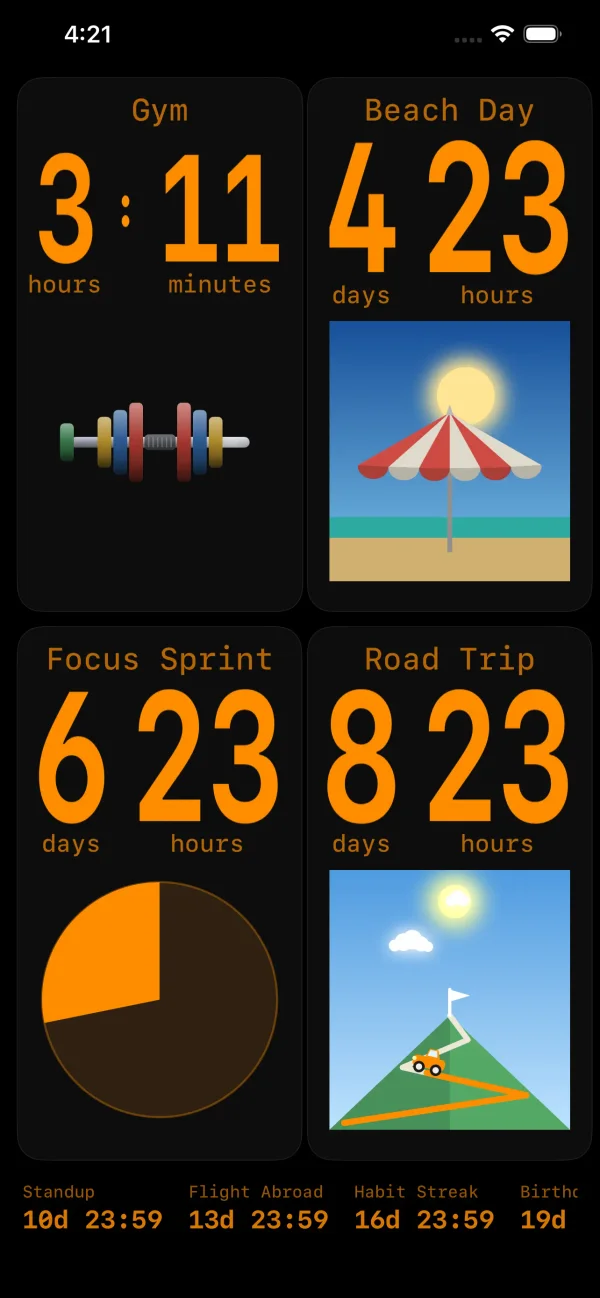
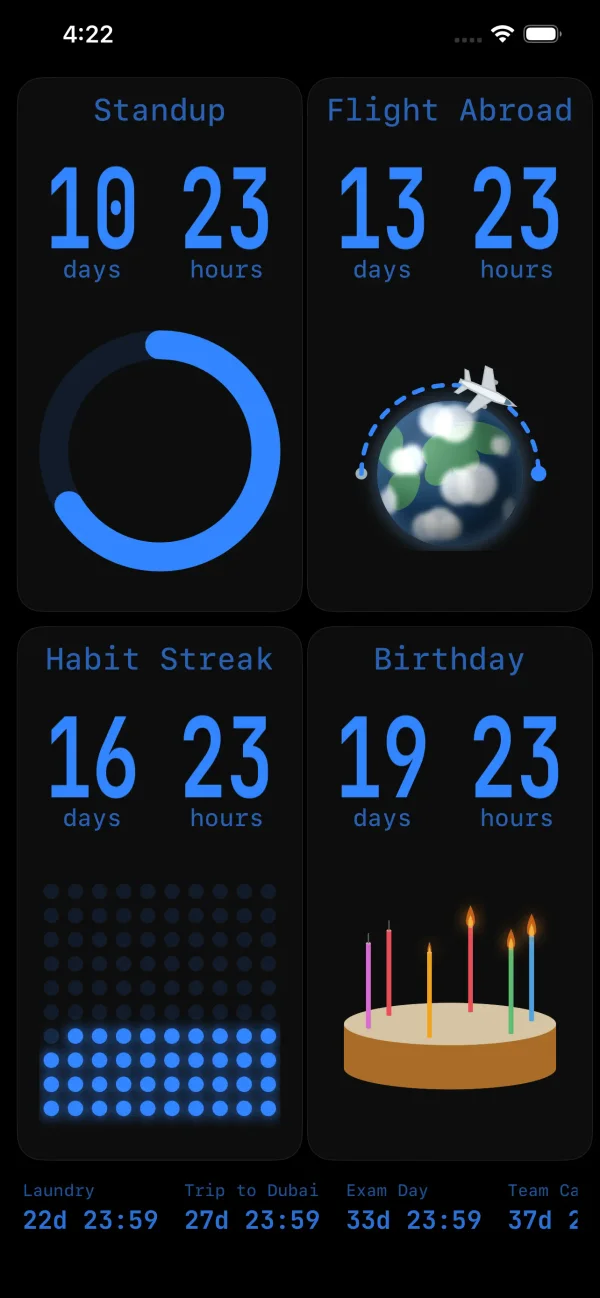
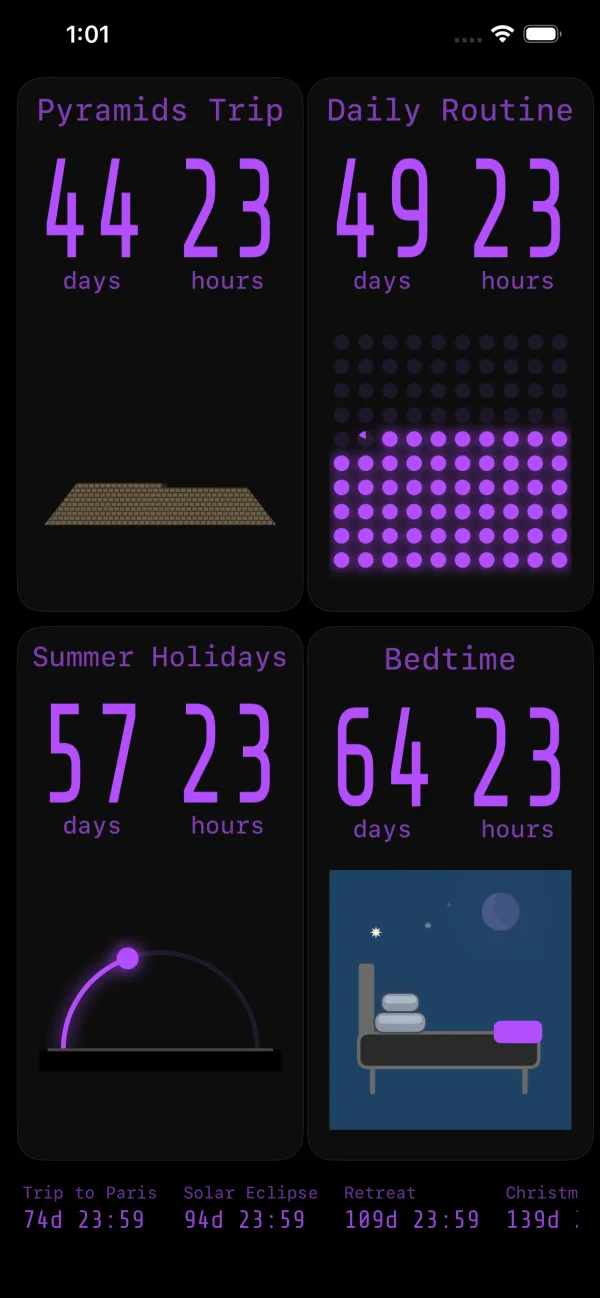
Watch time melt away in a draining hourglass, a progress ring, a rounded bar, a Time-Timer-style shrinking disc, a dot grid, a dot dial, a solar eclipse, an unwinding spiral, or a sun along its day arc — plus themed styles: a Christmas tree lighting up branch by branch, a birthday cake whose candles flicker on, a beach parasol opening as the sun rises, a juice glass that fills, a dumbbell loading up plate by plate, a car climbing a mountain road, a plane arcing around a globe, and lit-up landmarks (the Eiffel Tower, Burj Khalifa). Pick a look that fits the occasion — a parasol for a trip, a cake for a birthday — so a glance tells you what's coming. Swipe to switch right on the countdown; each remembers its own. Landscape keeps a linear bar.
• Make it yours
Pick a digit font — from a clean system face to a retro seven-segment LCD — and tint the whole app with a preset accent color or any color you choose.
• Many countdowns, one glance
The nearest event takes the main screen; the rest sit in a quick-access bottom bar. Choose per countdown when it takes the main screen — always, only when it's near, only on its day, or never — so a far-off event doesn't crowd out nearer ones. Or watch several at once on any device: Duo fits two to your screen, and a large grid shows four. iPad and Mac add a denser small grid and a zoomed layout that enlarges the nearest event. Called off? Archive it instead of deleting — it waits until you set a new date.
• Daily & weekly repeats
Set a countdown to repeat every day, or on the weekdays you choose (say Mon/Wed/Fri), and it rolls forward automatically after it finishes — great for routines, classes, standups, and recurring reminders.
• Beat procrastination — and have fun doing it
A deadline you can see is harder to ignore. Keep the countdown in front of you — full screen or on the Lock Screen — and watch the remaining time melt away. Better yet, the task you kept putting off becomes a screen you want to watch.
• Lock Screen & Dynamic Island
Show your countdowns as Live Activities on the Lock Screen and in the Dynamic Island. Choose per countdown when it appears.
• Doubles as an alarm across your devices
The instant a countdown hits zero, an alert breaks through silent mode and Focus — and on iOS 26 it rings until you dismiss it — or snooze it for five more minutes — so any countdown works as a full alarm. Add an early reminder (from 10 seconds to a day before), or ring the alarm up to 3 minutes ahead. Because your countdowns sync through iCloud, the same alarm can ring on whichever device is with you.
• iPhone, iPad & Mac
The full-screen countdown adapts to any size and rotation — a phone in your pocket, an iPad propped up as an always-on display, or a resizable Mac window. The controls fade away when you're not touching the screen, leaving just the countdown.
• Stays awake when you want
Optional screen-lock control keeps the display on — always or only while charging — so your countdown stays in sight.
Free. No account needed. Your countdowns are yours.
What’s new
Version 1.2 · Sep 10, 2026
A countdown for the gym, more of them on screen at once, and your whole list one tap away.
• New Dumbbell visualization — a loadable dumbbell that gets heavier as the countdown runs out. Plates go on the way you actually load one, the heaviest first and one end at a time, until the bar is fully loaded at zero. For gym days, training plans and getting back into it
• Duo and Large Grid now work on iPhone — watch two or four countdowns at once, a layout that used to be iPad- and Mac-only. Every cell still reads across a room
• All your countdowns are now one tap from the main screen: a list button sits in the bottom-left corner
• "Ring alarm" can now go off 1, 2 or 3 minutes early, not just seconds — enough time to walk to the room before it rings
• Snooze a ringing alarm, like any alarm clock — it goes quiet and rings again 5 minutes later, without moving the countdown's date
• Call off a countdown without deleting it — archive it from the list, the ⋯ menu or its own form, and it stops showing and ringing until you bring it back. For the meeting that was cancelled but will happen eventually
• Archived countdowns live in that list now — switch between Active and Archived at the top, instead of looking for them in a menu
• The Cocktail visualization is now Juice Bar — a tall glass of juice with a straw and an orange wheel, and a whole pile of fruit beside it: a pineapple, a mango, an orange, a lime and a bunch of grapes. Your countdowns keep the style they were set to
App privacy
What Aliaksandr Harbavets declares on the App Store about how this app handles data.
-
Data not linked to you
May be collected but is not linked to your identity.
- Identifiers
- Usage data
Privacy practices may vary, for example with the features you use or your age.
Information
- Seller
- Aliaksandr Harbavets
- Category
- Productivity
- Version
- 1.2
- Updated
- Sep 10, 2026
- Released
- Jul 23, 2026
- Size
- 9.5 MB
- Requires
- iOS 26.0 or later
- Age rating
- 4+
- Price
- Free
- Languages
- English, Arabic, Belarusian, French, German, Italian, Japanese, Korean, Polish, Portuguese, Russian, Simplified Chinese + 3 more
- Copyright
- © 2026 Aliaksandr Harbavets
You might also like
-
 Till Simple: Countdown WidgetTime left, as quiet bars
-
 Day Glance Pro Calendar WidgetYour day, calendar & reminders
-
 Maple Note - Life OrganizerMemos, Tasks, Habits & Dates
-
 Mellowake: Alarm & ClockBedtime reminders & soft tones
-
 Due Pal: ADHD Visual TimerTime Blindness Countdown Clock
-
 Dashboard: Desk Clock & WidgetSmart Desk Display & Clock
-
 SimpliFocusPomodoro & Session Tracker
-
 Glancelet: Your Daily HUDSchedule, Weather & Health
-
 Dayglow: Days Until CountdownDay Counter, Widget & Count Up
-
 Muslim Prayer Lock: AwwalSalah Focus & App Blocker