InSight Countdown
Specify time. Sleek. Synced.
Projetado para iPhone, iPad
Grátis
- Classificação etária4+
- CategoriaProdutividade
- DesenvolvedorAliaksandr Harbavets
- IdiomasInglêse mais 14
- Tamanho9,7 MB
Leva à página oficial na App Store
O Download.org não hospeda nenhum arquivo de InSight Countdown. O botão abre a página do app na App Store, onde Aliaksandr Harbavets o publica. Página verificada pela última vez em 26/11/2026.
Capturas de tela

Sobre
O desenvolvedor não forneceu este texto no seu idioma.
Keep what matters in sight.
InSight Countdown turns the wait for what matters into something you look forward to seeing.
Set a countdown to an exact date and time — your flight, an exam, a birthday, a deadline — not just a vague duration. A huge, glanceable countdown fills your screen, ticking down the days, hours, minutes, and seconds to the precise moment.
FEATURES
• Count down to an exact date & time
Pick the exact calendar date and time of your event — or a simple duration when that's all you need. The closest event is always front and center. Add a note — flight number, gate, address — shown in small type under the name.
• Synced across your devices
Your countdowns stay in sync between iPhone, iPad, and Mac through your private iCloud — the same events, each keeping its own visualization, follow you everywhere. Your countdowns are yours — their content is never sent to us.
• Choose how time looks
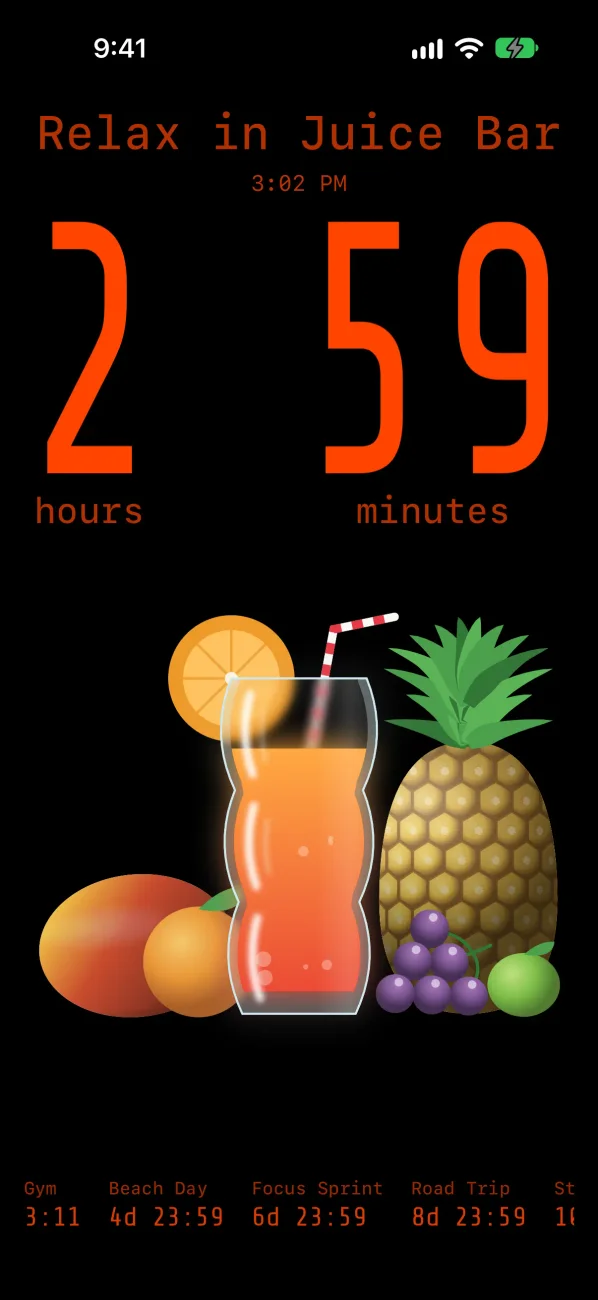
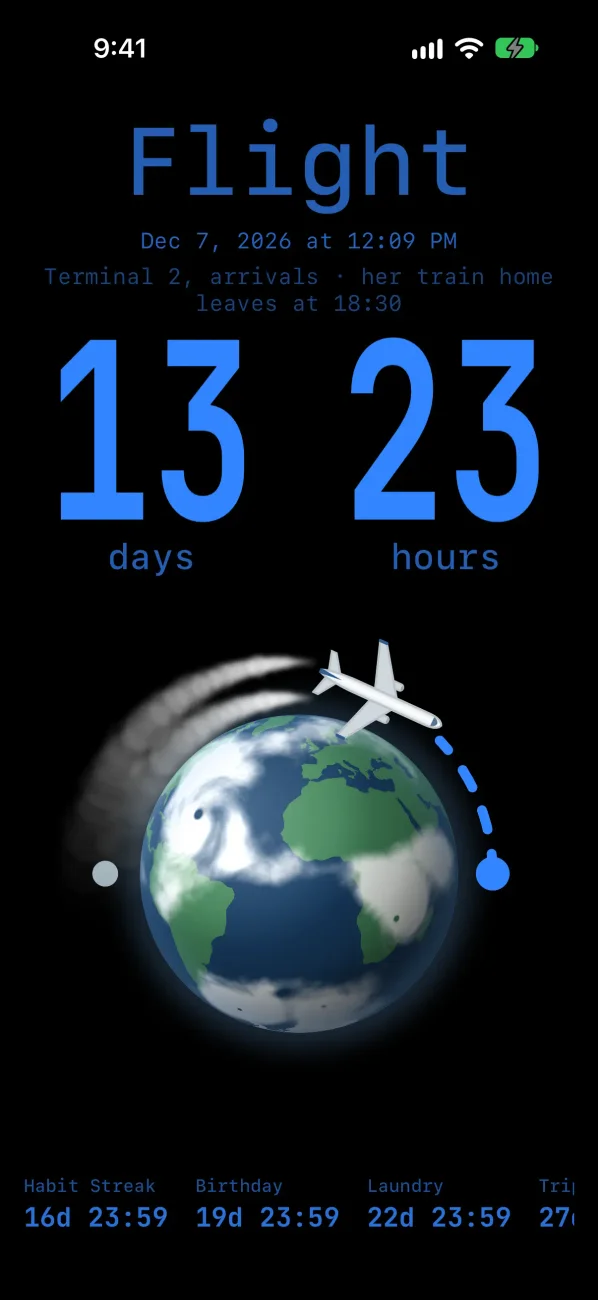
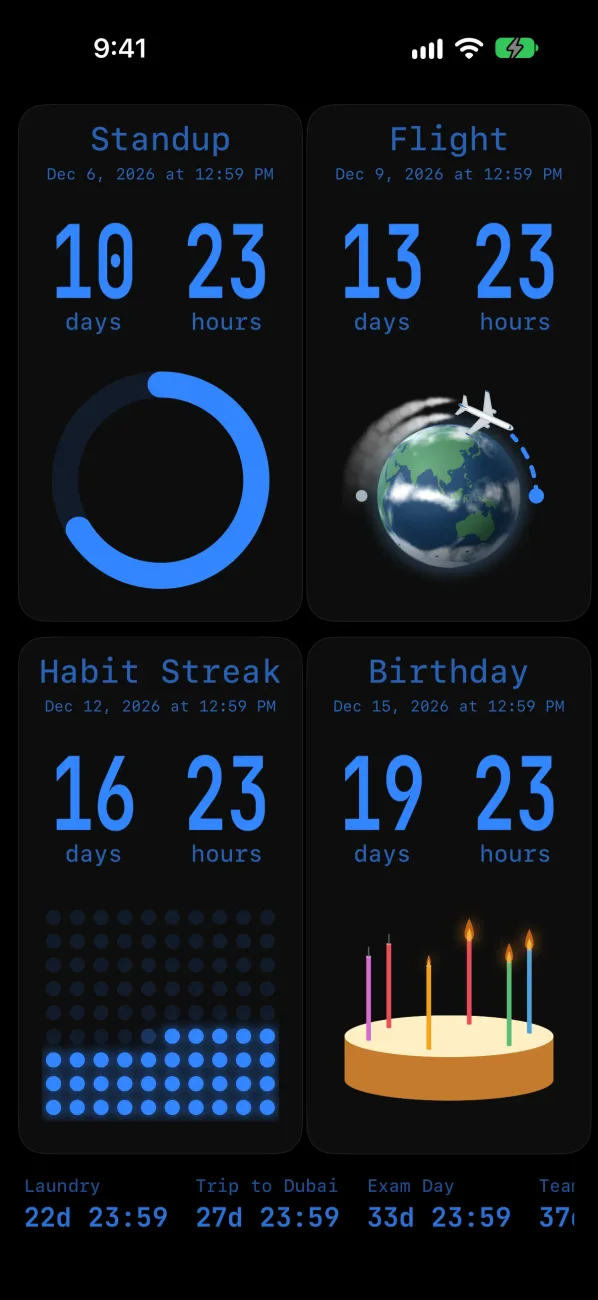
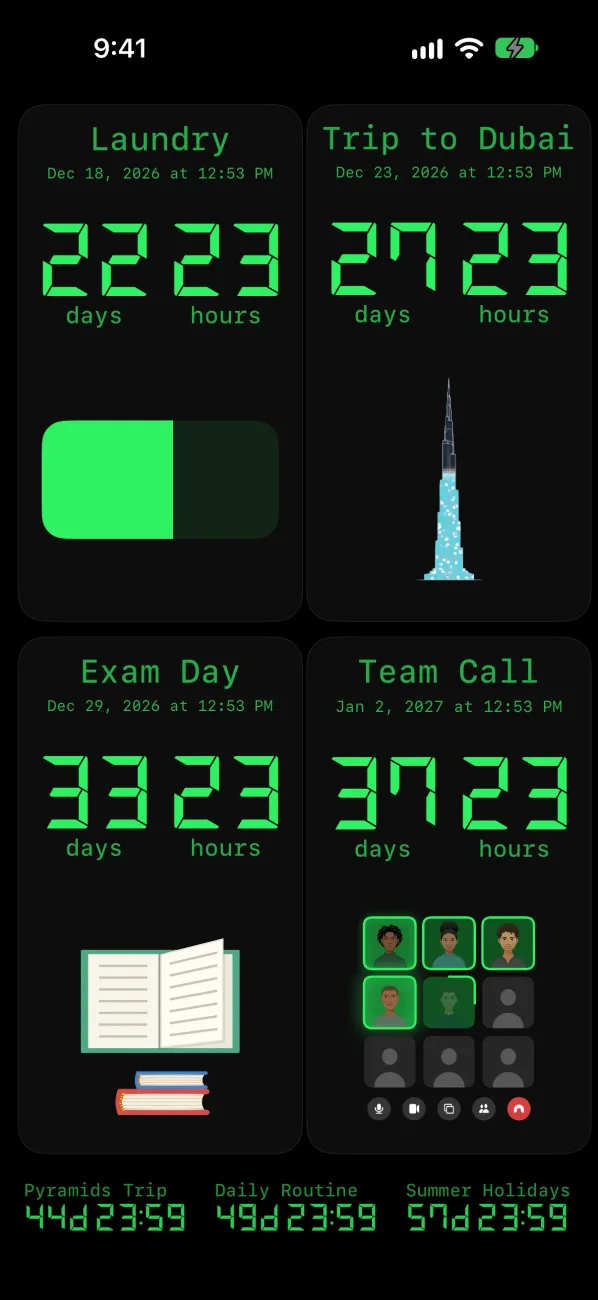
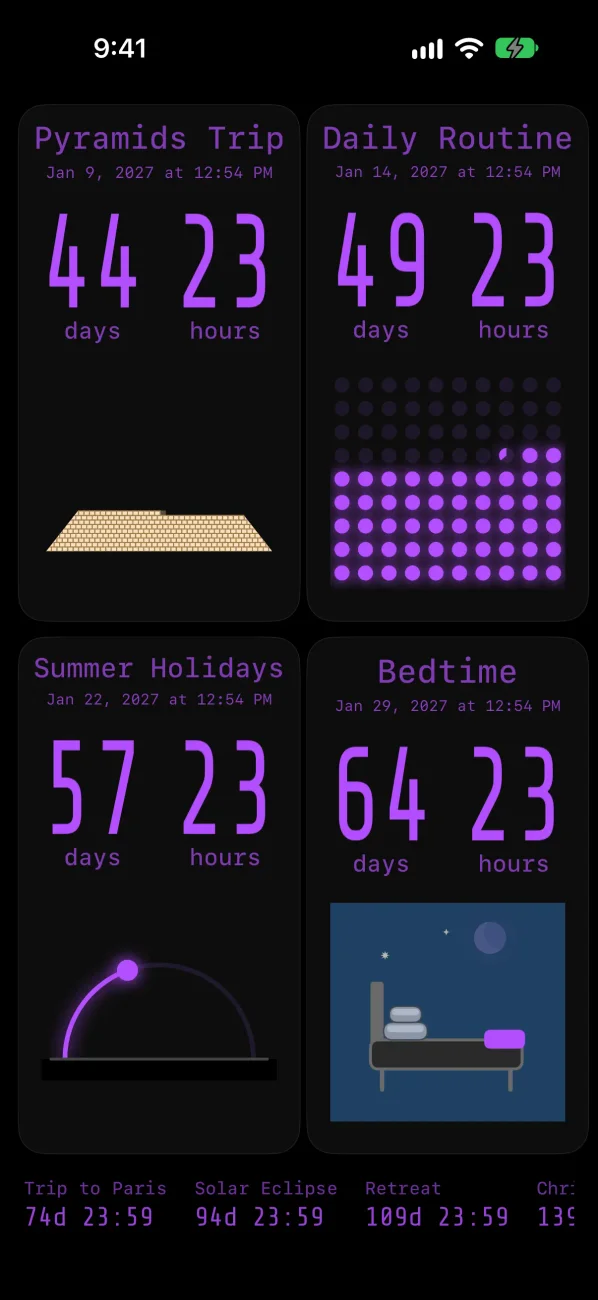
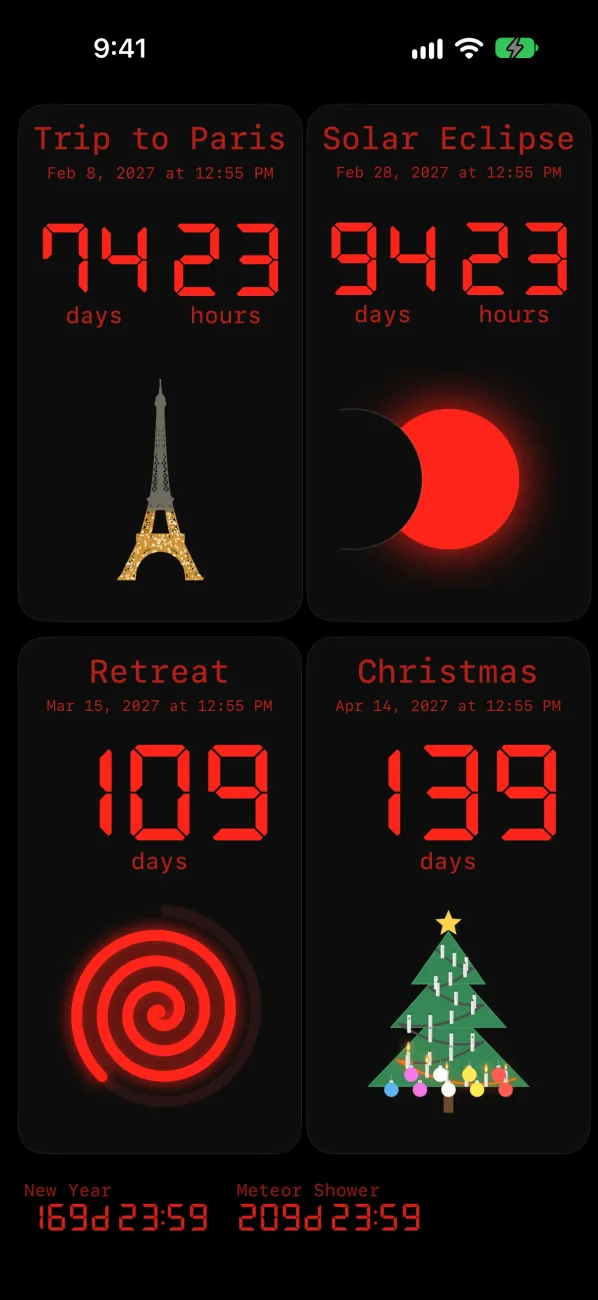
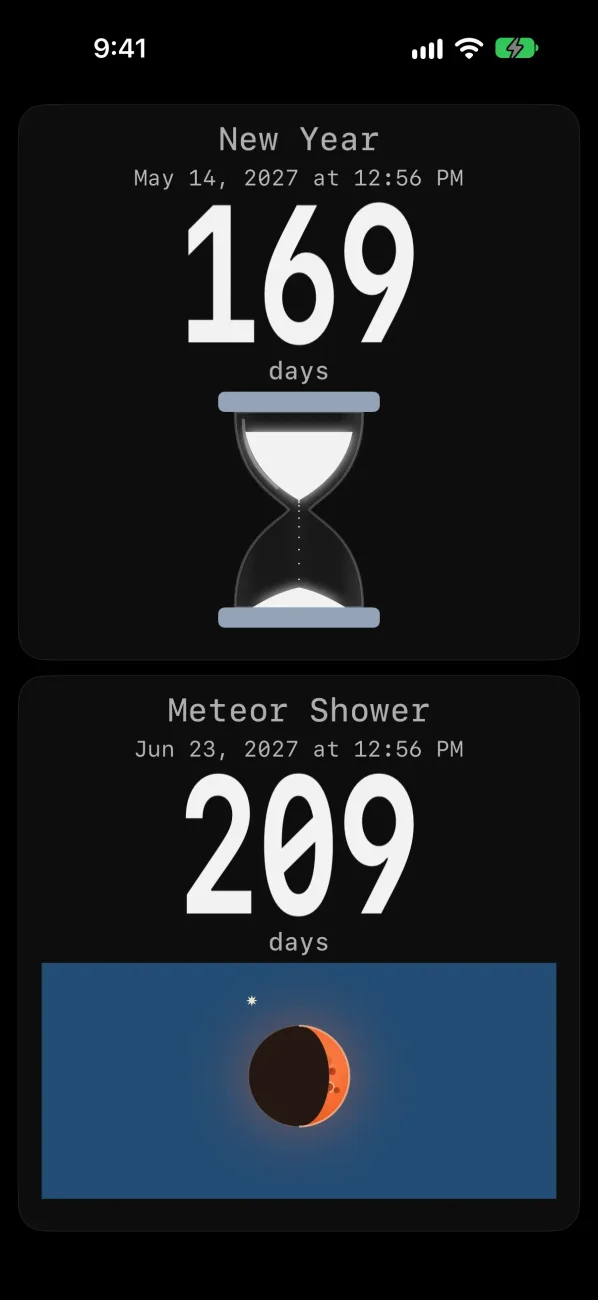
Watch time melt away in a draining hourglass, a progress ring, a rounded bar, a Time-Timer-style shrinking disc, a dot grid, a dot dial, a solar eclipse, an unwinding spiral, or a sun along its day arc — plus themed styles: a Christmas tree lighting up branch by branch, a birthday cake whose candles flicker on, a beach parasol opening as the sun rises, a juice glass that fills as its fruit ripens, a dumbbell loading up plate by plate, a car climbing a mountain road, a plane arcing around a globe, and lit-up landmarks (the Eiffel Tower, Burj Khalifa). Pick a look that fits the occasion — a parasol for a trip, a cake for a birthday — so a glance tells you what's coming. Swipe to switch right on the countdown; each remembers its own.
• Make it yours
Pick a digit font — from a clean system face to a retro seven-segment LCD — and tint the whole app with a preset accent color or any color you choose.
• Many countdowns, one glance
The nearest event takes the main screen; the rest sit in a quick-access bottom bar. Choose per countdown when it takes the main screen — always, only when it's near, only on its day, or never — so a far-off event doesn't crowd out nearer ones. Or watch several at once on any device: Duo fits two to your screen, and a large grid shows four. iPad and Mac add a denser small grid and a zoomed layout that enlarges the nearest event. Called off? Archive it instead of deleting — it waits until you set a new date.
• Daily & weekly repeats
Set a countdown to repeat every day, or on the weekdays you choose (say Mon/Wed/Fri), and it rolls forward automatically after it finishes — great for routines, classes, standups, and recurring reminders.
• Beat procrastination — and have fun doing it
A deadline you can see is harder to ignore. Keep the countdown in front of you — full screen or on the Lock Screen — and watch the remaining time melt away.
• Lock Screen & Dynamic Island
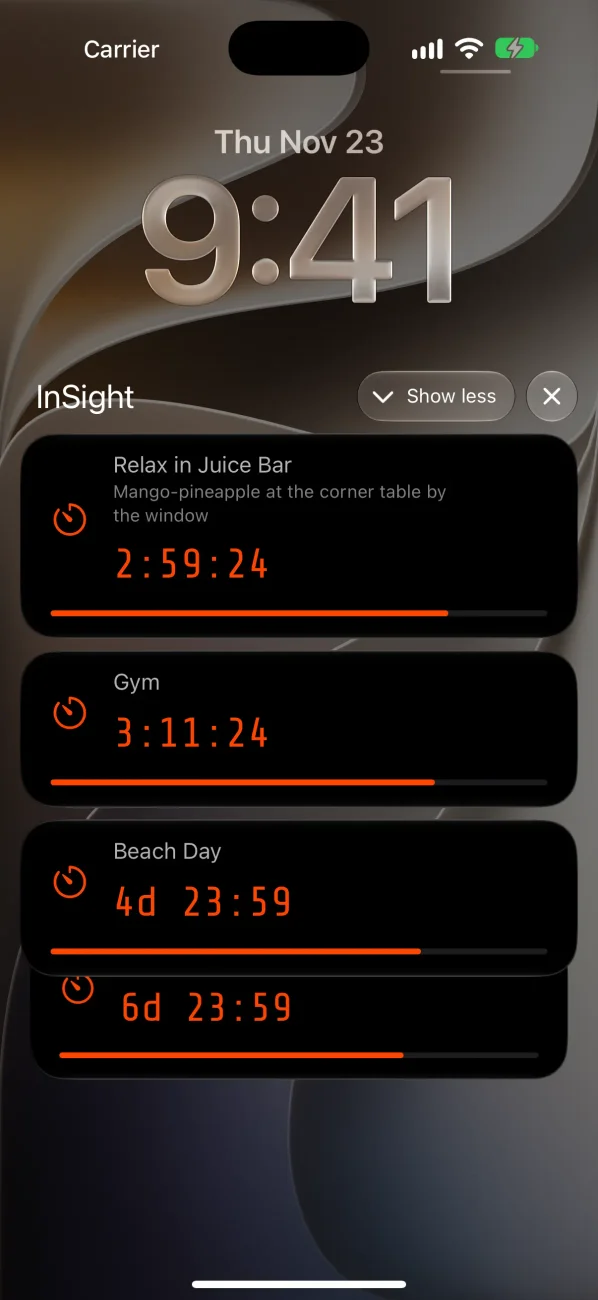
Show your countdowns as Live Activities on the Lock Screen and in the Dynamic Island. Choose per countdown when it appears.
• Doubles as an alarm across your devices
The instant a countdown hits zero, an alert breaks through silent mode and Focus — and on iOS 26 it rings until you dismiss it — or snooze it for five more minutes — so any countdown works as a full alarm. Add an early reminder (from 10 seconds to a day before), or ring the alarm up to 3 minutes ahead. A morning heads-up, at an hour you pick, names what's due that day. Because your countdowns sync through iCloud, the same alarm can ring on whichever device is with you.
• iPhone, iPad & Mac
The full-screen countdown adapts to any size and rotation — a phone in your pocket, an iPhone Duo closed or open, an iPad propped up as an always-on display, or a resizable Mac window. The controls fade away when you're not touching the screen, leaving just the countdown.
• Stays awake when you want
Optional screen-lock control keeps the display on — always or only while charging — so your countdown stays in sight.
Free. No account needed. Your countdowns are yours.
Novidades
Versão 1.3.0 · 26/11/2026
A heads-up every morning, so the day's countdown doesn't catch you out.
• New: a morning digest. On days when something is due, one notification names it — at an hour you choose, in Settings. Days with nothing due stay quiet. It's on by default, and the app asks once when you'd like it
• Lock Screen countdowns no longer vanish for good. iOS retires them after about eight hours; now opening the app brings them straight back
• On the Lock Screen, a countdown now shows its note under its name and a progress bar that fills as the moment comes closer
• Made for iPhone Duo: partly open, every layout splits along the fold — the digits on one half and the picture on the other, or one countdown per half. Open flat, the whole inner display is used; closed, everything fits the outer screen
• Turn your iPhone or iPad on its side and the picture stays: the digits now sit beside the visualization, filling their half of the screen, instead of shrinking it to a bar
• Bigger pictures: the font is now chosen with the arrows beside the digits, and the strip of other countdowns at the bottom steps aside when there are none to show — the visualization gets all the room that frees, and the globe is half again as large on iPhone
• Every countdown now shows its date and time above its note — on the full screen and in the Duo and grid layouts, where a long note also wraps onto a second line instead of being cut off
• "Remind before" now goes up to 2, 3 or 5 hours ahead, not just one — enough warning to move the rest of the day around
• Saving a countdown now takes it out of the archive by itself. Re-date a canceled event, save, and it's live again — no switch to remember, so nothing gets missed because a toggle was still on
• A repeating countdown now asks only for a time, since the repeat decides the day
• Globe Flight now shows the real continents turning under live weather — clouds that form and dissolve, spinning cyclones, clear anticyclones and an icy Antarctica — and the airliner's contrail grows from take-off as the flight goes on
• Serpentine Climb has a smooth winding road with rounded hairpins, a shaded mountain, turning wheels, exhaust puffs, a center line and a flag fluttering at the summit
• In Juice Bar the fruit ripens from green as the countdown runs, under a room light that slowly shifts
• Setting a countdown to a new duration now starts its picture over from the beginning
Privacidade do app
O que Aliaksandr Harbavets declara na App Store sobre como este app lida com os dados.
-
Dados não vinculados a você
Podem ser coletados, mas não são vinculados à sua identidade.
- Identificadores
- Dados de uso
As práticas de privacidade podem variar, por exemplo, com base nos recursos que você usa ou na sua idade.
Informações
- Vendedor
- Aliaksandr Harbavets
- Categoria
- Produtividade
- Versão
- 1.3.0
- Atualizado
- 26/11/2026
- Lançamento
- 23/07/2026
- Tamanho
- 9,7 MB
- Requer
- iOS 26.0 ou posterior
- Classificação etária
- 4+
- Preço
- Grátis
- Idiomas
- Inglês, Árabe, Belarusian, Francês, Alemão, Italiano, Japonês, Coreano, Polonês, Português, Russo, Chinês simplificado e mais 3
- Copyright
- © 2026 Aliaksandr Harbavets
Você também pode gostar
-
 Till Simple: ContagemO tempo que falta, em barras
-
 Day Glance Pro Calendar WidgetProdutividade
-
 Maple Note - Life OrganizerProdutividade
-
 Mellowake: Alarme suaveLembretes e hora de dormir
-
 Contagem Regressiva TDAHTempo restante sempre à vista
-
 Dashboard: Desk Clock & WidgetProdutividade
-
 SimpliFocusPomodoro & Session Tracker
-
 Glancelet: Your Daily HUDProdutividade
-
 Dayglow: Contagem RegressivaQuantos dias faltam? Widget
-
 Muslim Prayer Lock: AwwalProdutividade