- 対象年齢4+
- カテゴリミュージック
- 開発元Otoniel Perez
- 言語英語ほか1言語
- サイズ92.5 MB
App Storeの公式ページにリンクしています
Download.orgはLibreTracksのファイルを一切ホストしていません。ボタンを押すと、Otoniel Perezが公開しているApp Storeのアプリページが開きます。ページの最終確認:2026/11/18。
スクリーンショット

概要
開発元はこのテキストをお使いの言語で提供していません。
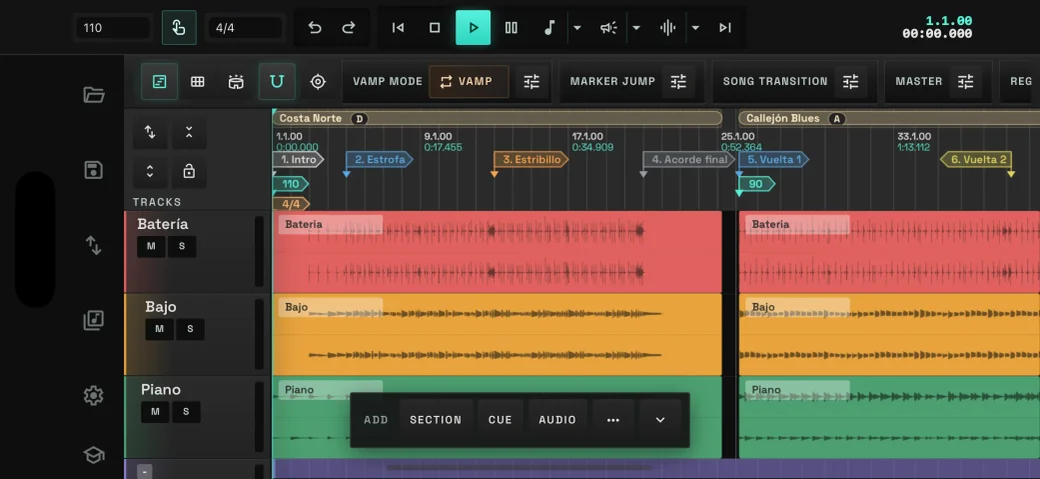
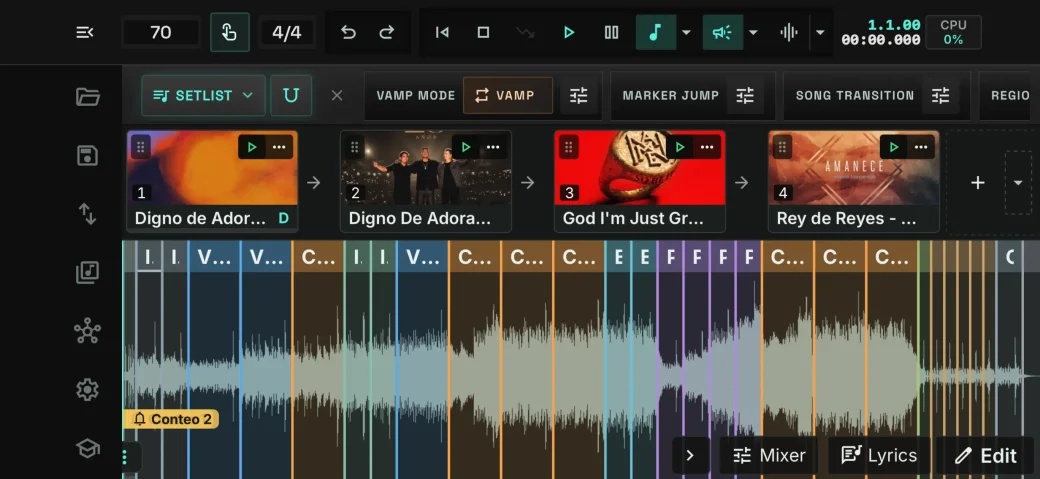
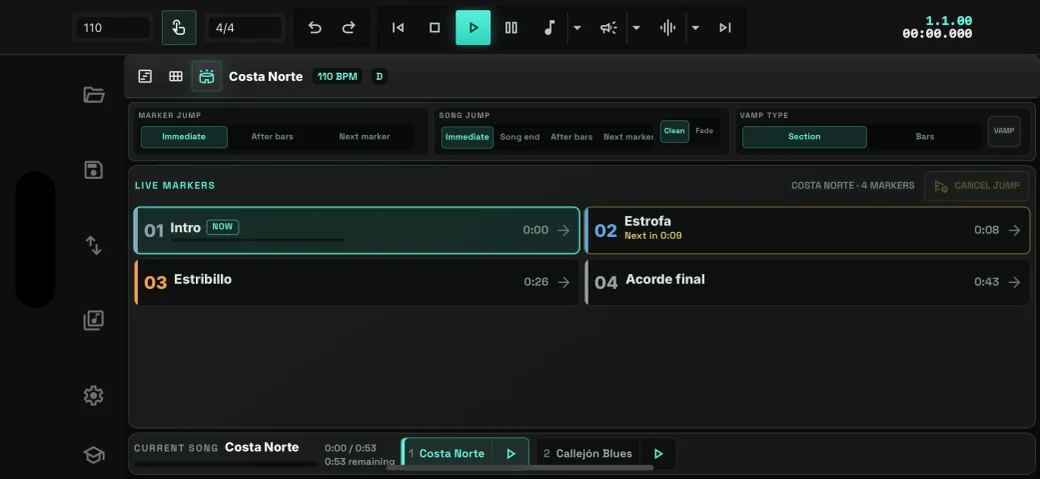
LibreTracks is a multitrack workstation for playing live. Load each song's stems, set up the sections, and on stage you just play.
LIVE PLAYBACK
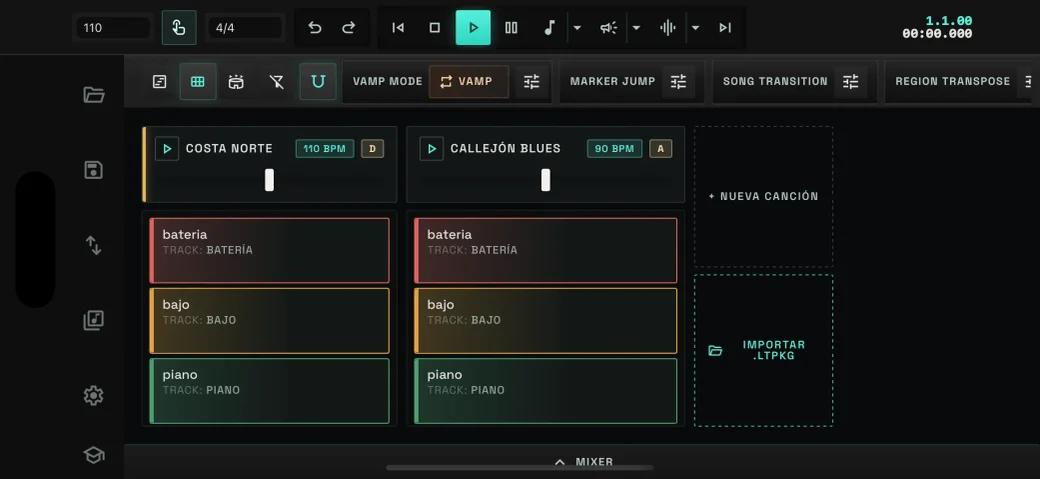
• Separate stems, each with its own level, mute and solo.
• Click and guide vocals on the output you choose.
• Ambient pads in each song's key.
• Section jumps, vamps and seamless transitions between songs.
PREPARING SONGS
• Import audio and sessions from the Files app: WAV, AIFF, MP3 and FLAC.
• Mark intro, verse, chorus and bridge, and jump between them with one tap.
• Change a song's key and tempo without touching the original files.
• Tempo, time signature and key per song, not per session.
BUILT FOR TOUCH
• Touch DAW view: tap to select, drag to move.
• Compact stage view with the mixer one tap away.
• Live view with only the essentials, big.
YOUR FILES STAY YOURS
• Everything works offline. No account, no subscription.
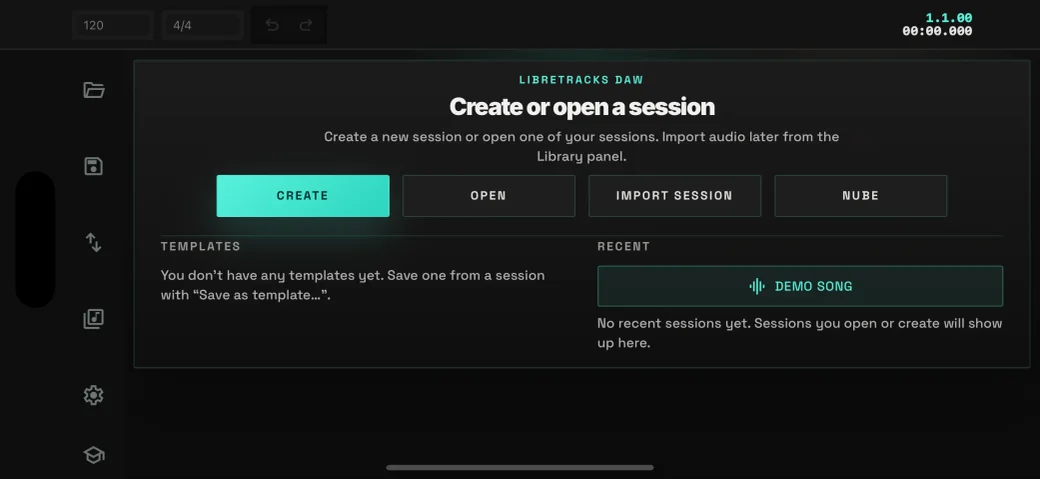
• Sessions are ordinary folders you can copy, export or open on a computer.
• Export and import through Google Drive to move sessions between your devices.
FREE AND OPEN SOURCE
LibreTracks is free software: no ads, no paid features, no data collection by default. Usage statistics are optional, anonymous and off unless you turn them on.
新機能
バージョン 1.17.1 · 2026/11/14
What's new in 1.17.1
Channels per track: each track can play in Stereo, Mono, Left only or Right only. If a song comes as a single audio file with the click and guide on one side, "Split L/R channels" turns it into two tracks without using more space. The waveform draws only the channel you hear, and "Analyze song" separates the click from the voice guide even when they share a track. How: select the track, three dots, "Channels".
Render with automations: when you render a song, the audio can follow its jumps, volume and pan ramps, mutes, scenes and click, guide and pad changes, just like live. How: long-press the song, "Render audio…", "Apply the automations".
A more comfortable mixer on iPad: bigger faders, M/S/T buttons and strips, the fader no longer jumps when you touch it near the cap, and in the Setlist view you can make the console taller by dragging its edge. The interface size goes up to 150%, and Settings, General, Interface, "Mixer size" makes only the mixer bigger.
Reorder songs: drag them in the DAW view and the others rearrange to show you the new order. "Move earlier" and "Move later" in the song's menu do the same.
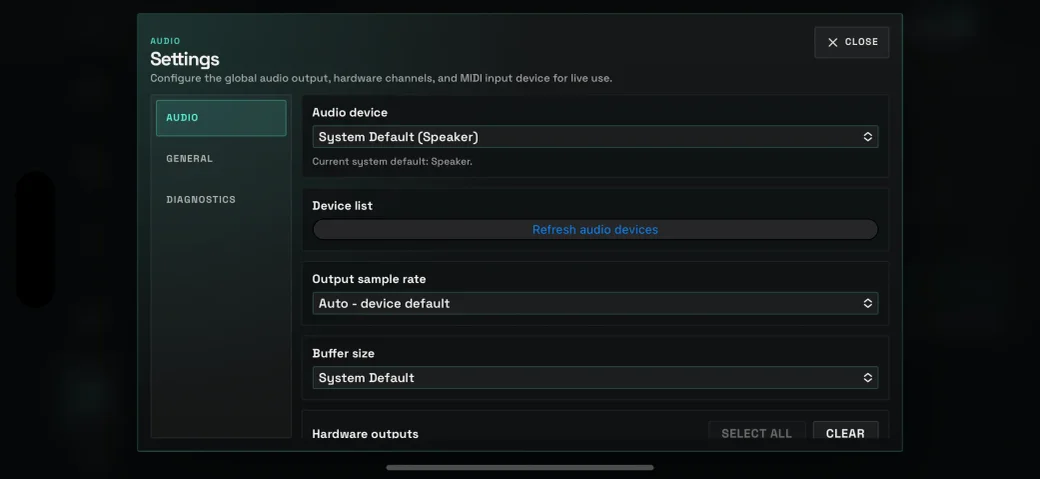
Startup view: choose the view your sessions open in, DAW, Setlist, Compact or Live, for example straight into Setlist to play. How: Settings, General, Interface, "Startup view".
Also, Settings are split into tabs, tempo and time signature come out right even when the spoken count-in plays over the click, and moving a song no longer misplaces the clips next to the following one.
アプリのプライバシー
このアプリのデータの取り扱いについて、Otoniel PerezがApp Storeで申告している内容です。
-
ユーザーに関連付けられないデータ
収集される場合がありますが、ユーザーの識別情報には関連付けられません。
- 使用状況データ
プライバシーの取り扱いは、ご利用の機能やお客様の年齢などに応じて異なる場合があります。
情報
- 販売元
- Otoniel Perez
- カテゴリ
- ミュージック
- バージョン
- 1.17.1
- 更新日
- 2026/11/14
- リリース
- 2026/9/24
- サイズ
- 92.5 MB
- 必要条件
- iOS 15.0以降
- 対象年齢
- 4+
- 価格
- 無料
- 言語
- 英語, スペイン語
- 著作権
- © 2026 Otoniel Pérez Velarde