
- 対象年齢4+
- カテゴリ仕事効率化
- 開発元DANIEL JOHN HOLMES
- 言語英語
- サイズ12.0 MB
App Storeの公式ページにリンクしています
Download.orgはLoopily: ADHD Routine Timerのファイルを一切ホストしていません。ボタンを押すと、DANIEL JOHN HOLMESが公開しているApp Storeのアプリページが開きます。ページの最終確認:2026/11/25。
スクリーンショット
概要
開発元はこのテキストをお使いの言語で提供していません。
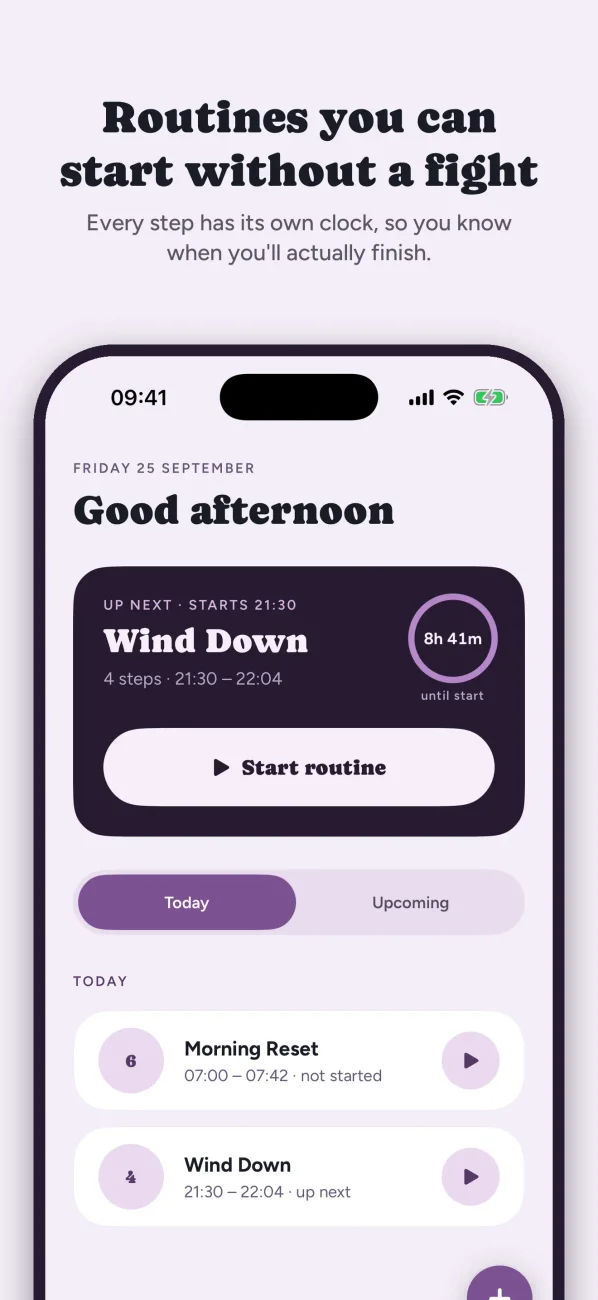
For ADHD brains dealing with Time Blindness and Executive Dysfunction, a to-do list isn't the problem. Knowing how long anything actually takes is. Loopily takes what you need to do out of your head, breaks it into steps, and gives every one its own countdown, so you always know where you are and how long you've got left.
HOW IT WORKS
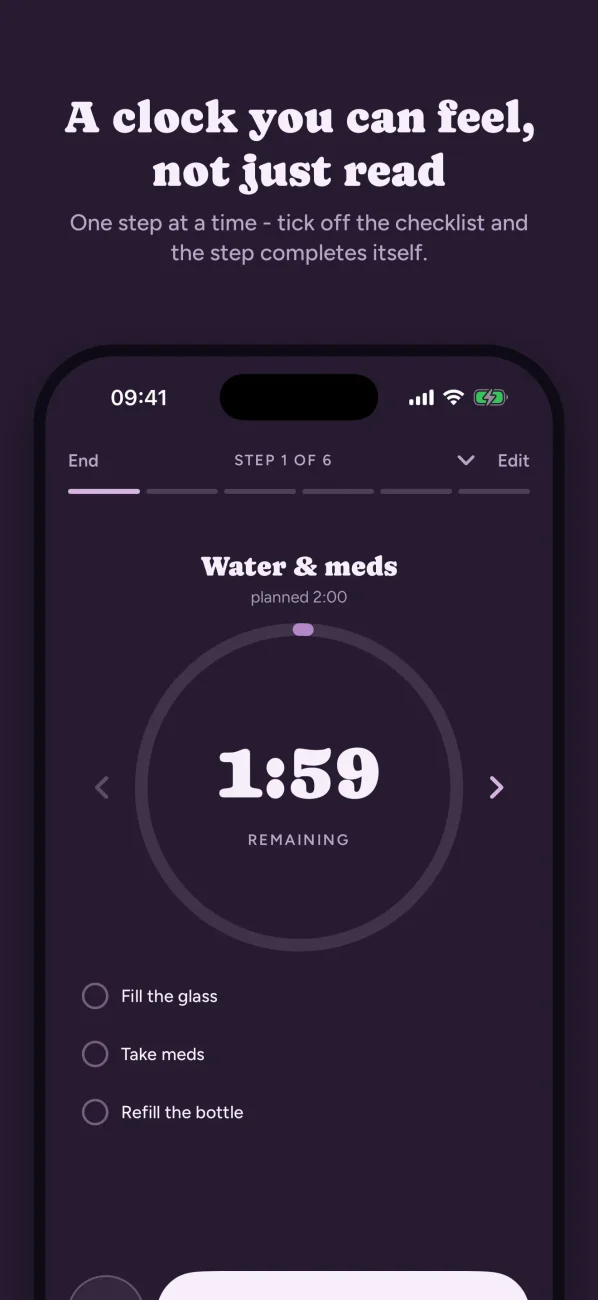
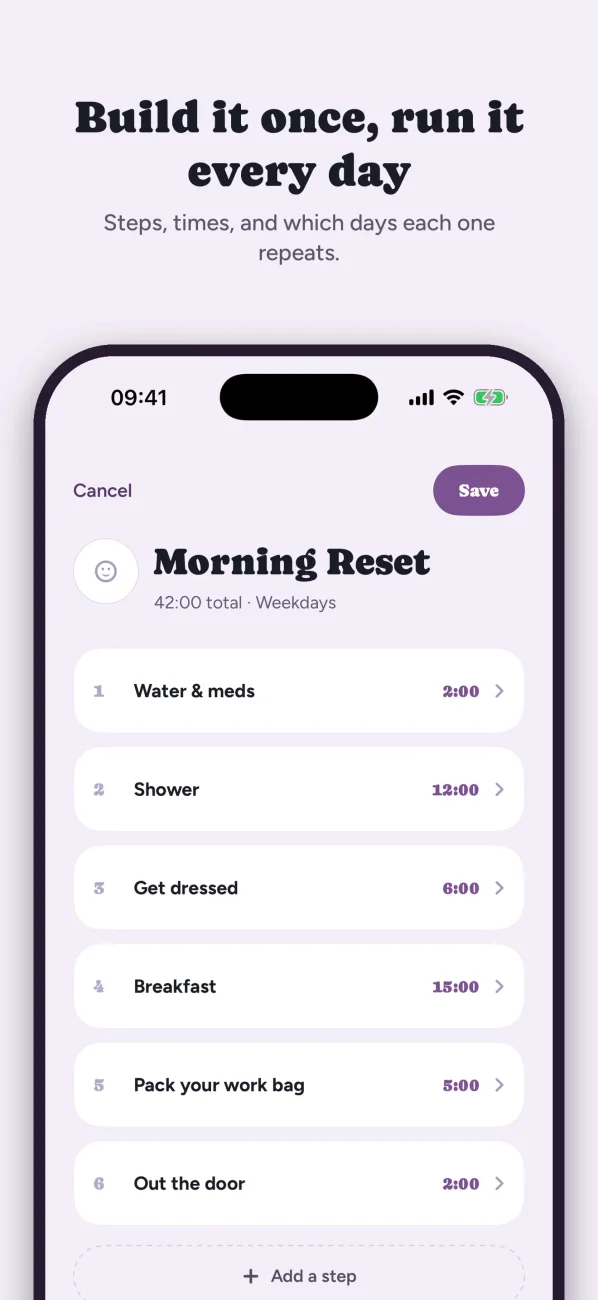
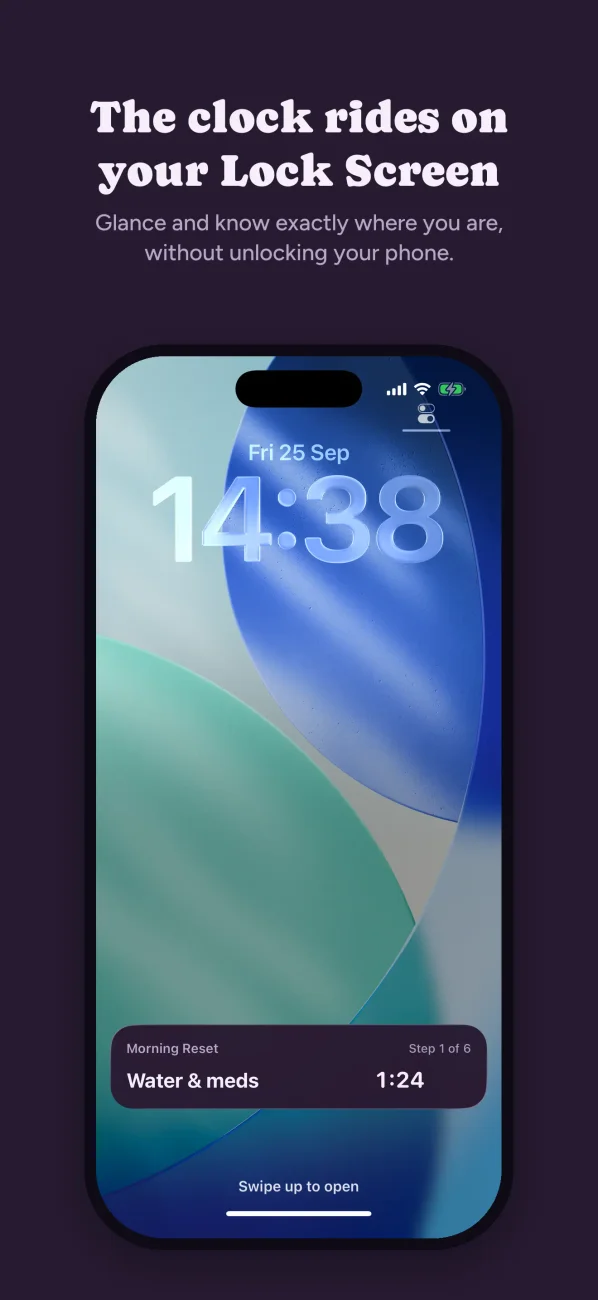
Write a routine as a list of steps, each with how long it takes. Loopily adds them up and tells you when you'll finish before you start. Run it one step at a time: a big countdown on screen, and a Live Activity on your Lock Screen so the clock is there when you put the phone down.
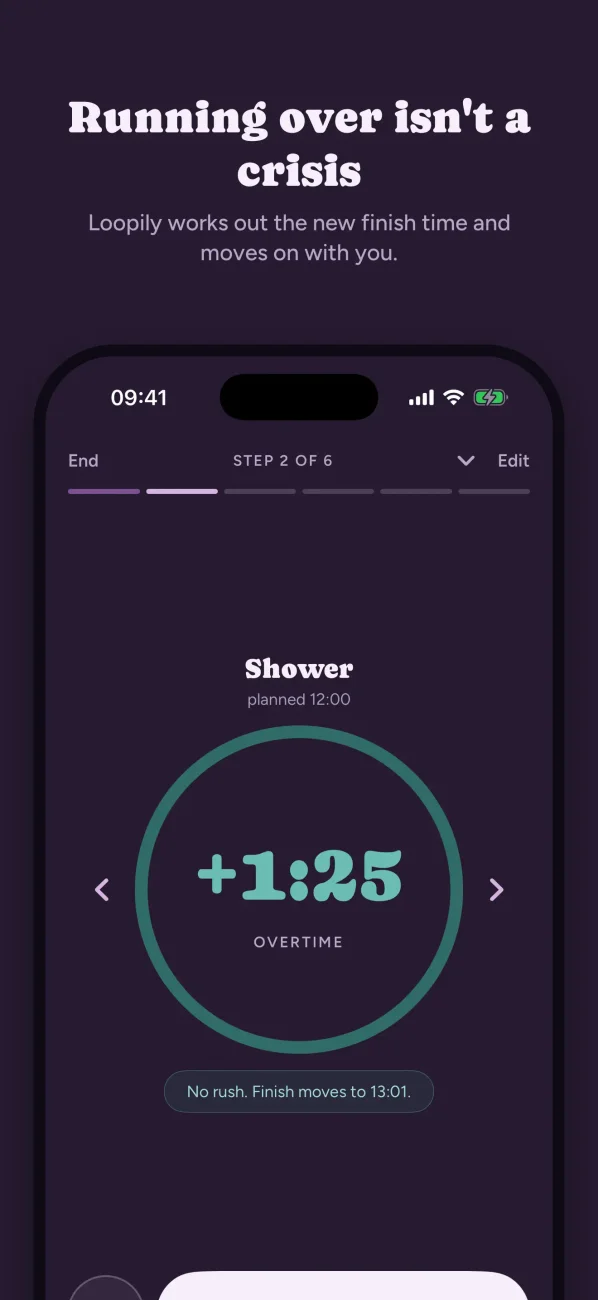
Run over on a step and the clock keeps counting. Loopily just moves your finish time. One soft chime by default. Turn it off, or make it repeat, in Settings.
Give a routine its days and a start time, and Loopily can remind you five minutes before. Switch on "Alarm at the start time" and a real alarm rings when it is due, even with the phone on silent (iOS 26 and later).
ONE ROUTINE, NOT SEVEN
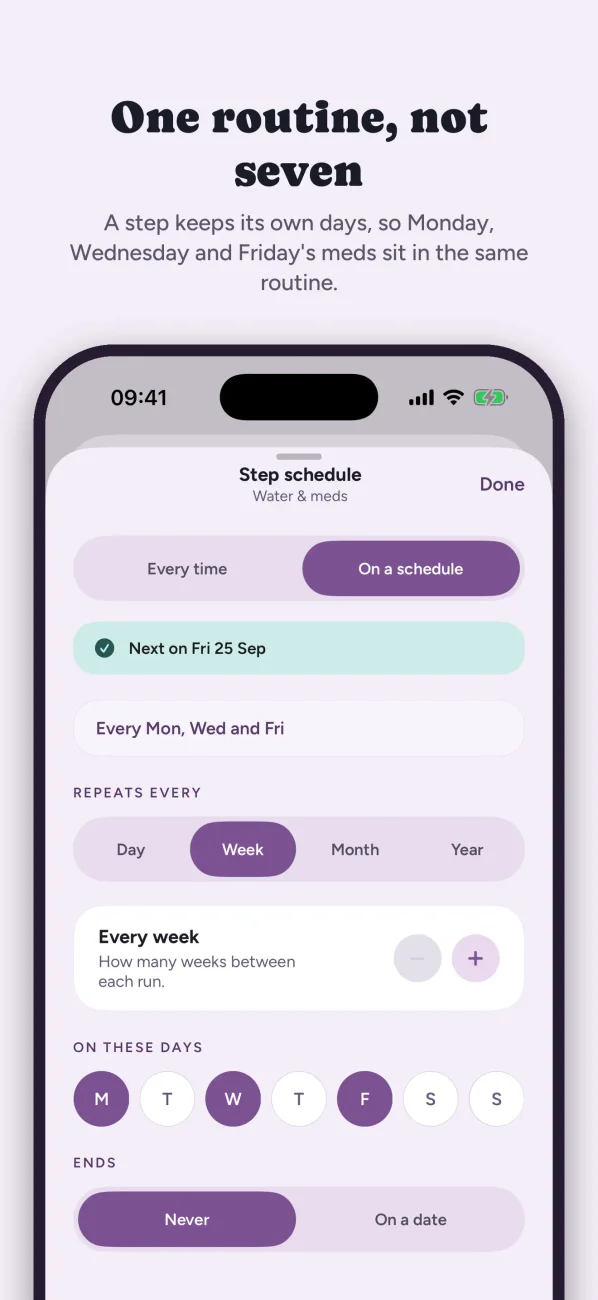
Most routine apps leave you two options: keep seven near-identical routines in step with each other, or skip the bits that don't apply today and hope you notice. In Loopily a step keeps its own days. Bins out on Tuesday, hair wash Monday and Thursday, the meds that are Monday, Wednesday and Friday: all in one routine, each appearing only when it applies. Individual checklist items can do it too, so the gym kit only shows up inside "pack the bag" on training days.
IT LEARNS YOUR REAL PACE
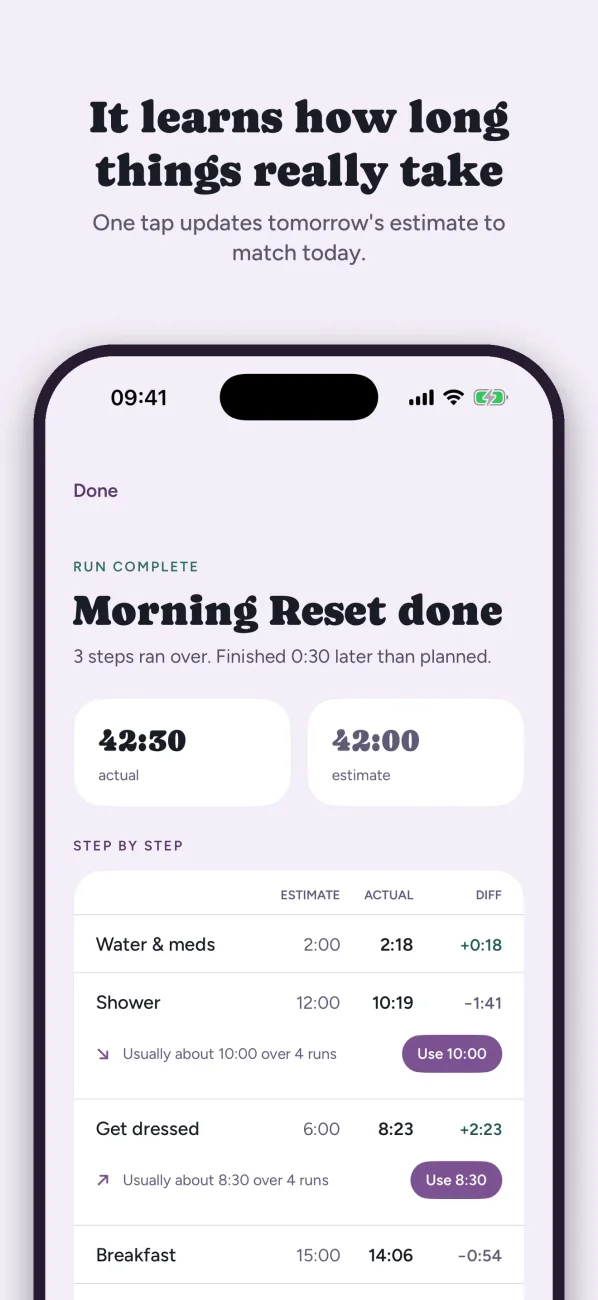
Every run is saved. After a few goes at a step, Loopily compares your estimate with what actually happened and offers a better one on the summary screen. Tap it and the next run starts smarter. Forgot to stop the clock in the shower? Correct the finished run, and the record and the suggestions follow.
The User Guide in Settings shows each feature in action, one short page at a time.
FREE
• Two saved routines, unlimited steps in each
• Checklists on any step, with auto-complete
• A reminder before a routine starts, and an alarm at its start time
• Live Activity on the Lock Screen and Dynamic Island
• A notification when a step's time is up
• The clock keeps running if you leave the app
• Past runs, with how long each step actually took
• Steps and checklist items that only happen on certain days
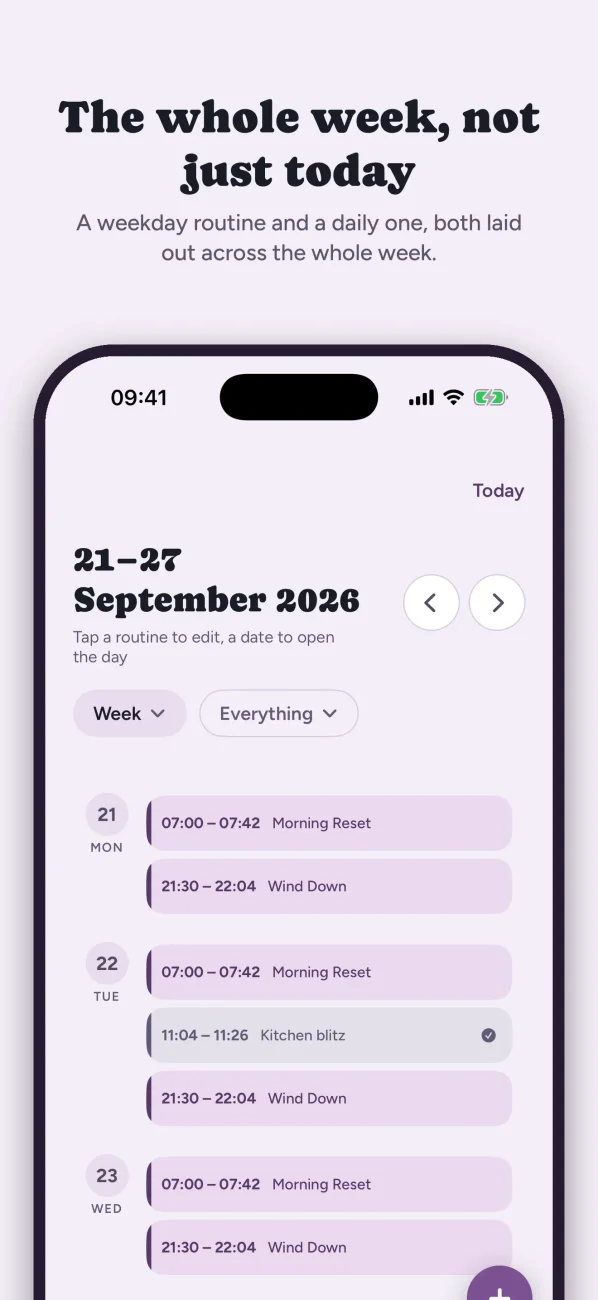
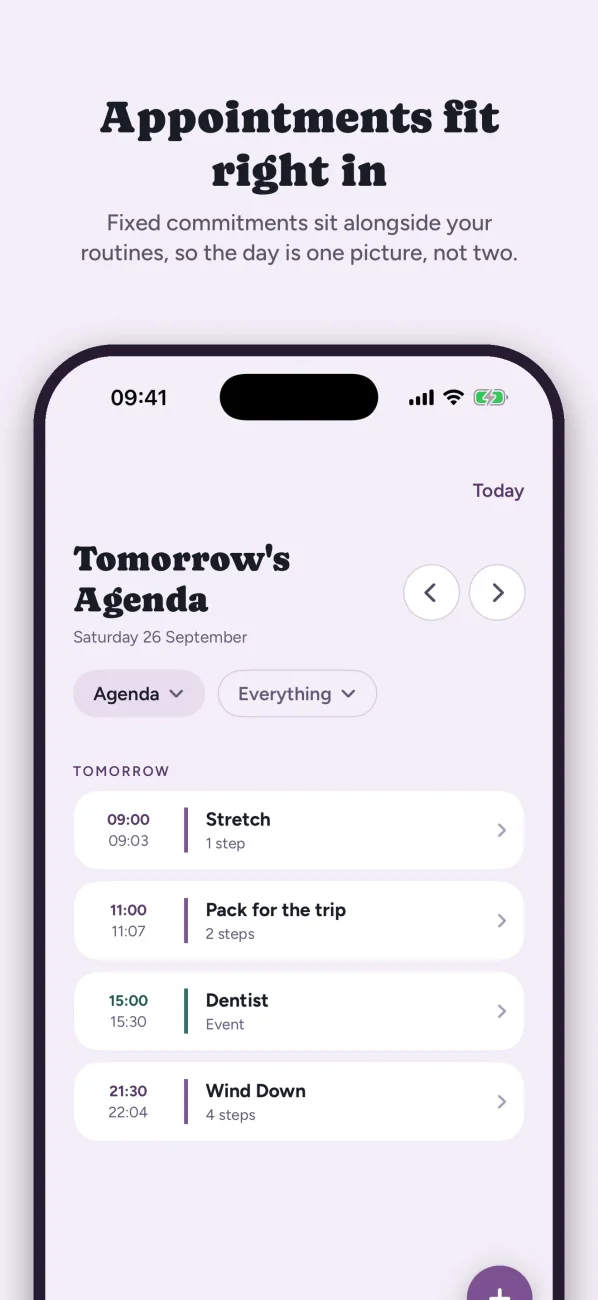
• The full calendar: day, week, month or agenda, with routines you can move to a new time in a tap
• Events, so appointments sit on the same schedule as your routines
• The Archive: anything you delete, back in one tap
LOOPILY PLUS
• Unlimited routines
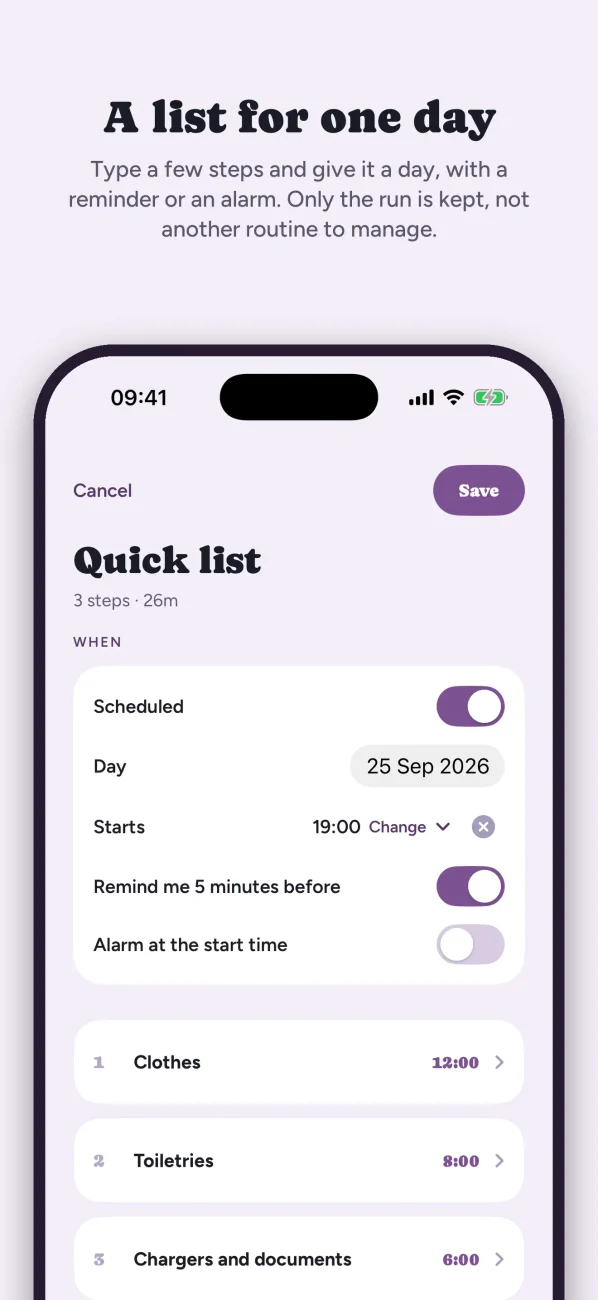
• Quick lists: type a few steps and start the clock, or put them on a day, with nothing to set up
• Family Sharing: one subscription for your whole family
One week free trial. Payment is charged to your Apple ID at confirmation of purchase. Subscriptions renew automatically unless cancelled at least 24 hours before the period ends. Manage or cancel in your App Store account settings.
PRIVACY
Loopily has no accounts, analytics or ads. Your routines are stored on your device and synced through your own iCloud. Nothing is sent to us.
Terms of Use: https://www.loopilyapp.com/terms
Privacy Policy: https://www.loopilyapp.com/privacy
新機能
バージョン 1.0.3 · 2026/11/24
The calendar, events and schedules on steps and checklist items are now free for everyone, so the free plan does everything for up to two routines. Loopily Plus takes the limit off and adds quick lists.
アプリのプライバシー
このアプリのデータの取り扱いについて、DANIEL JOHN HOLMESがApp Storeで申告している内容です。
-
ユーザーに関連付けられないデータ
収集される場合がありますが、ユーザーの識別情報には関連付けられません。
- ID
- 使用状況データ
プライバシーの取り扱いは、ご利用の機能やお客様の年齢などに応じて異なる場合があります。
情報
- 販売元
- DANIEL JOHN HOLMES
- カテゴリ
- 仕事効率化
- バージョン
- 1.0.3
- 更新日
- 2026/11/24
- リリース
- 2026/10/15
- サイズ
- 12.0 MB
- 必要条件
- iOS 17.0以降
- 対象年齢
- 4+
- 価格
- 無料
- アプリ内課金
- あり
- 言語
- 英語
- 著作権
- © 2026 Daniel Holmes
こちらもおすすめ
-
 HappyDay - Day Planner仕事効率化
-
 ADHD Planner – AI Task Manager仕事効率化
-
 Amble: ADHD Brain Dump+Planner仕事効率化
-
 Ontime: ADHD 時間管理・遅刻防止逆算タイマーで朝の支度をルーティン化
-
 Thought - Night ThoughtsStore ideas, relieve insomnia
-
 ADHD Lifesavers Shortcuts仕事効率化
-
 CafTrack: Optimize Caffeine仕事効率化
-
 習慣トラッカー & 目標設定: RippleEffectタスク管理・ルーチンプランナー・リマインダー・進捗追跡
-
 オンライン自習室・勉強タイマー EarlyBird一緒に集中できる作業部屋|ADHDにも
-
 AI Note Taker: SwiftNote仕事効率化