Loopily: ADHD Routine Timer
Steps that change by day
Được thiết kế cho iPhone, iPad
Miễn phí · Mua hàng trong ứng dụng
- Độ tuổi4+
- Danh mụcHiệu Suất
- Nhà phát triểnDANIEL JOHN HOLMES
- Ngôn ngữTiếng Anh
- Kích thước12,0 MB
Liên kết đến trang App Store chính thức
Download.org không lưu trữ tệp nào của Loopily: ADHD Routine Timer. Nút này mở trang ứng dụng trên App Store, nơi DANIEL JOHN HOLMES phát hành ứng dụng. Trang được kiểm tra lần cuối: 25/11/2026.
Ảnh chụp màn hình
Giới thiệu
Nhà phát triển chưa cung cấp nội dung này bằng ngôn ngữ của bạn.
For ADHD brains dealing with Time Blindness and Executive Dysfunction, a to-do list isn't the problem. Knowing how long anything actually takes is. Loopily takes what you need to do out of your head, breaks it into steps, and gives every one its own countdown, so you always know where you are and how long you've got left.
HOW IT WORKS
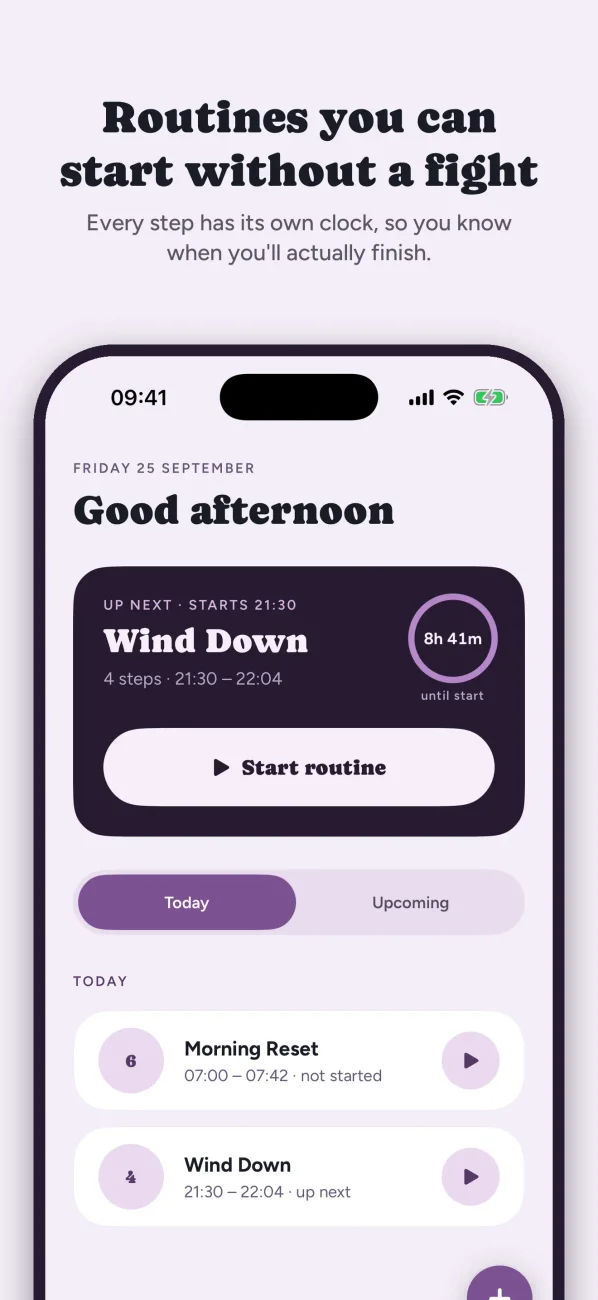
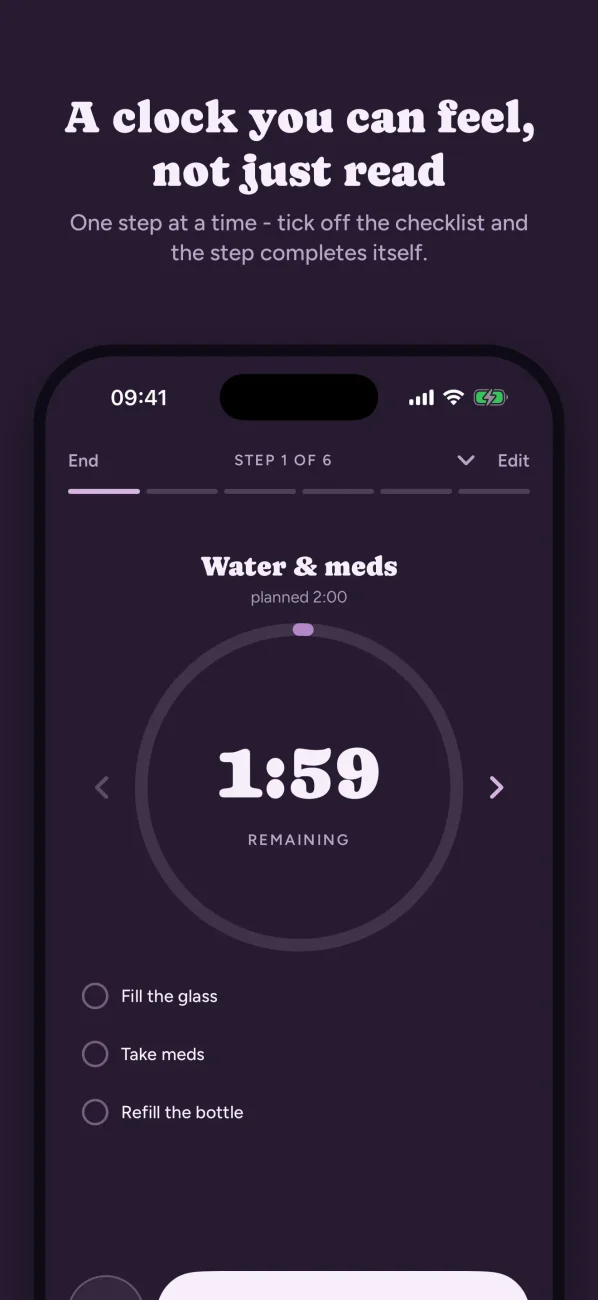
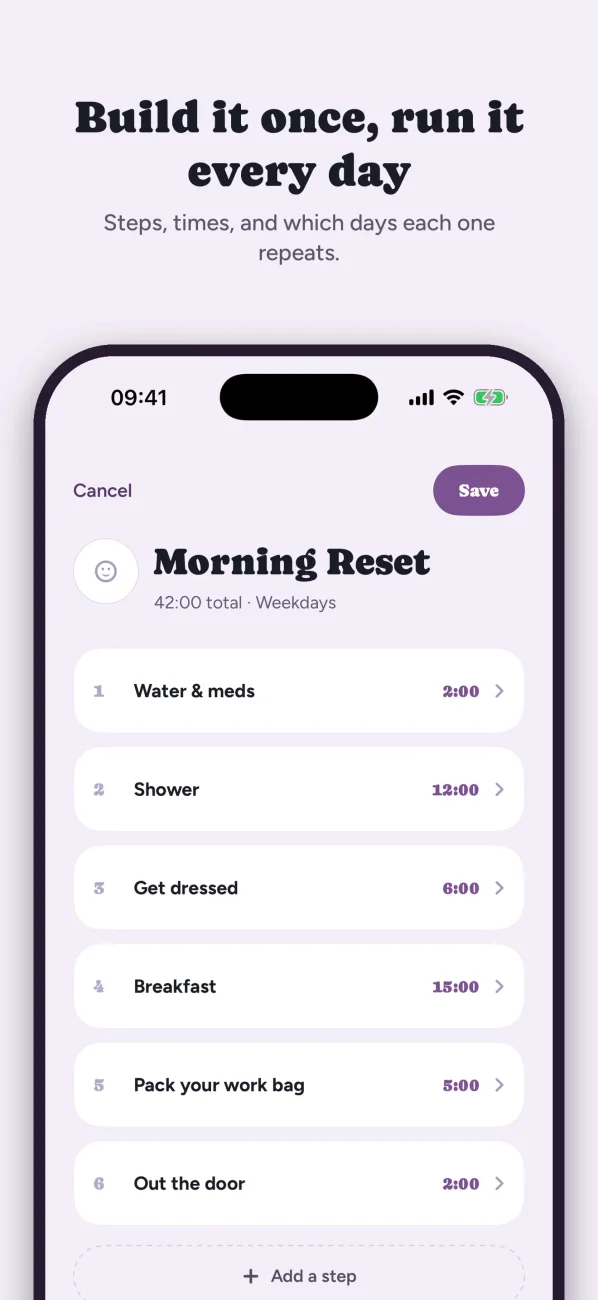
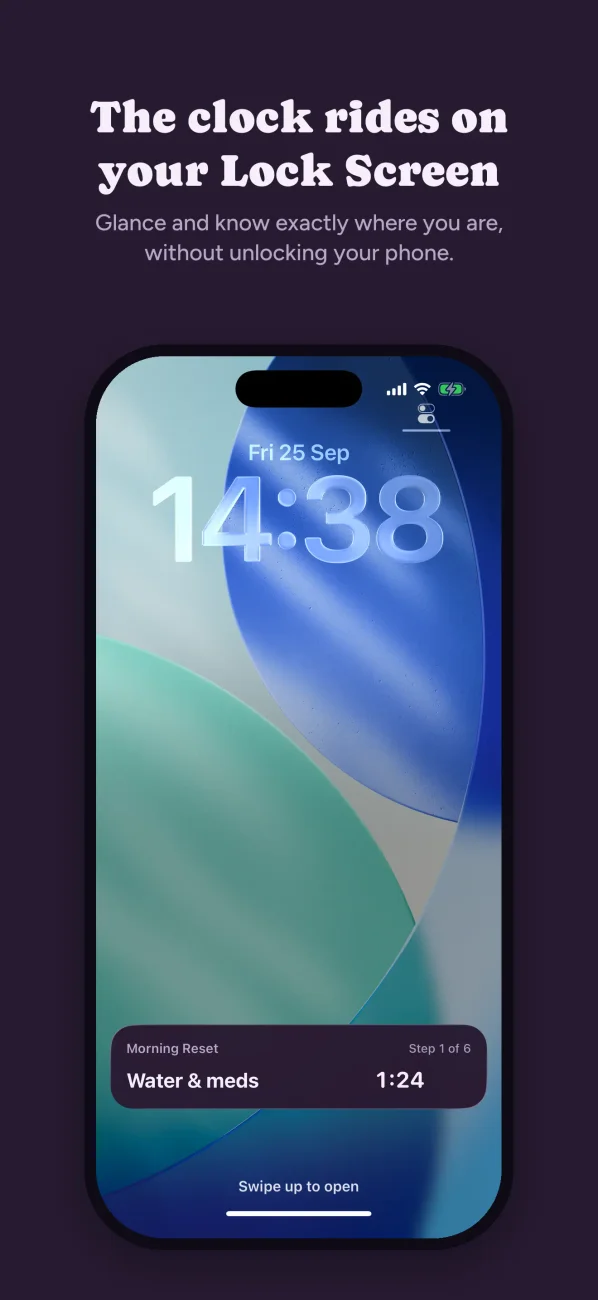
Write a routine as a list of steps, each with how long it takes. Loopily adds them up and tells you when you'll finish before you start. Run it one step at a time: a big countdown on screen, and a Live Activity on your Lock Screen so the clock is there when you put the phone down.
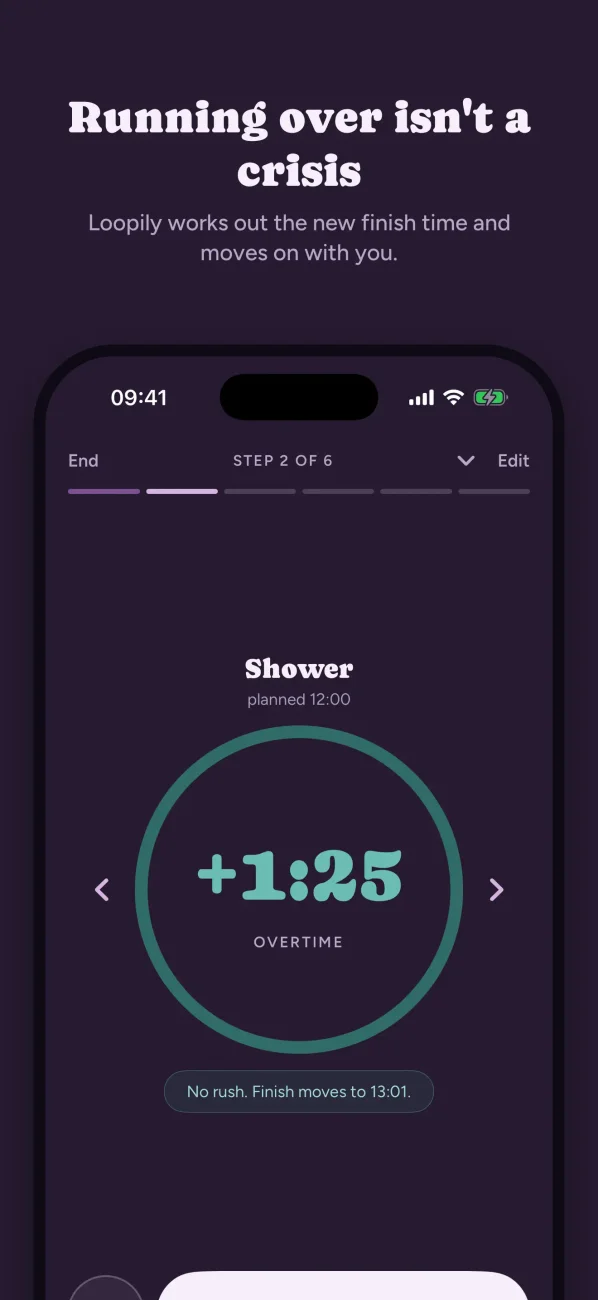
Run over on a step and the clock keeps counting. Loopily just moves your finish time. One soft chime by default. Turn it off, or make it repeat, in Settings.
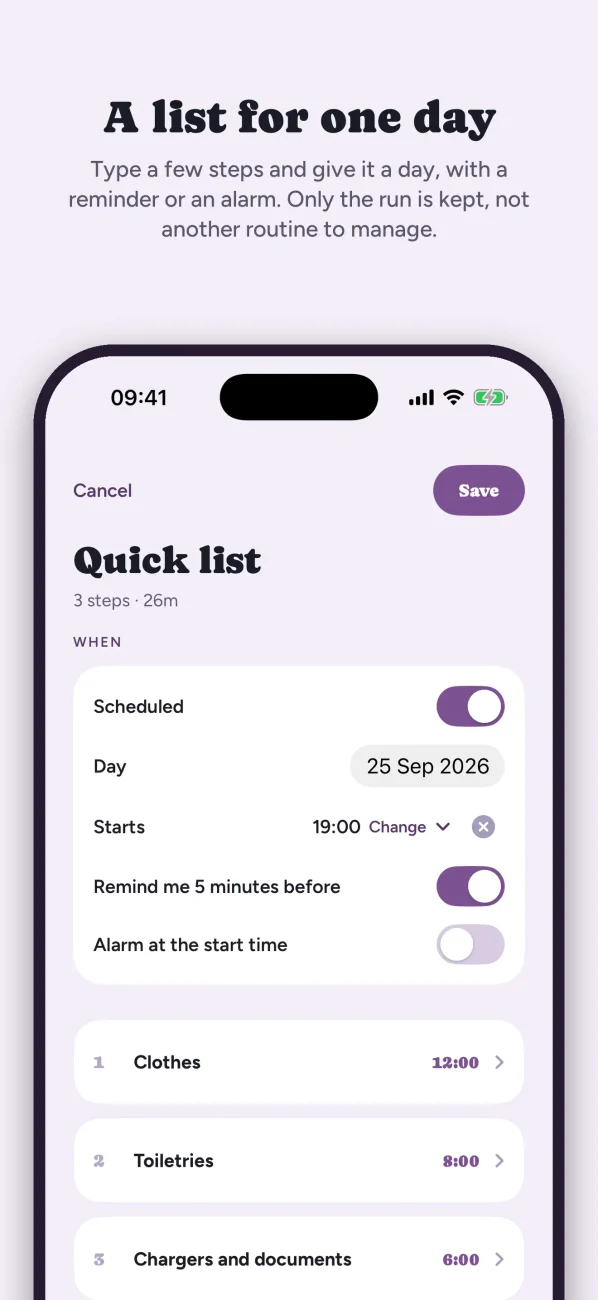
Give a routine its days and a start time, and Loopily can remind you five minutes before. Switch on "Alarm at the start time" and a real alarm rings when it is due, even with the phone on silent (iOS 26 and later).
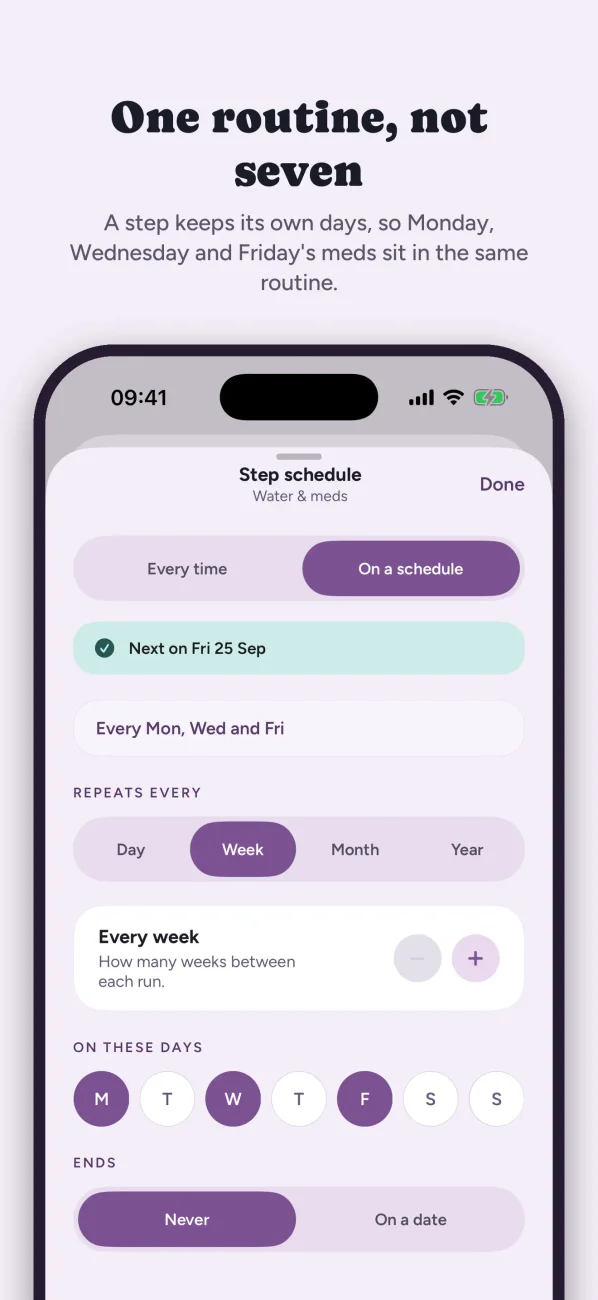
ONE ROUTINE, NOT SEVEN
Most routine apps leave you two options: keep seven near-identical routines in step with each other, or skip the bits that don't apply today and hope you notice. In Loopily a step keeps its own days. Bins out on Tuesday, hair wash Monday and Thursday, the meds that are Monday, Wednesday and Friday: all in one routine, each appearing only when it applies. Individual checklist items can do it too, so the gym kit only shows up inside "pack the bag" on training days.
IT LEARNS YOUR REAL PACE
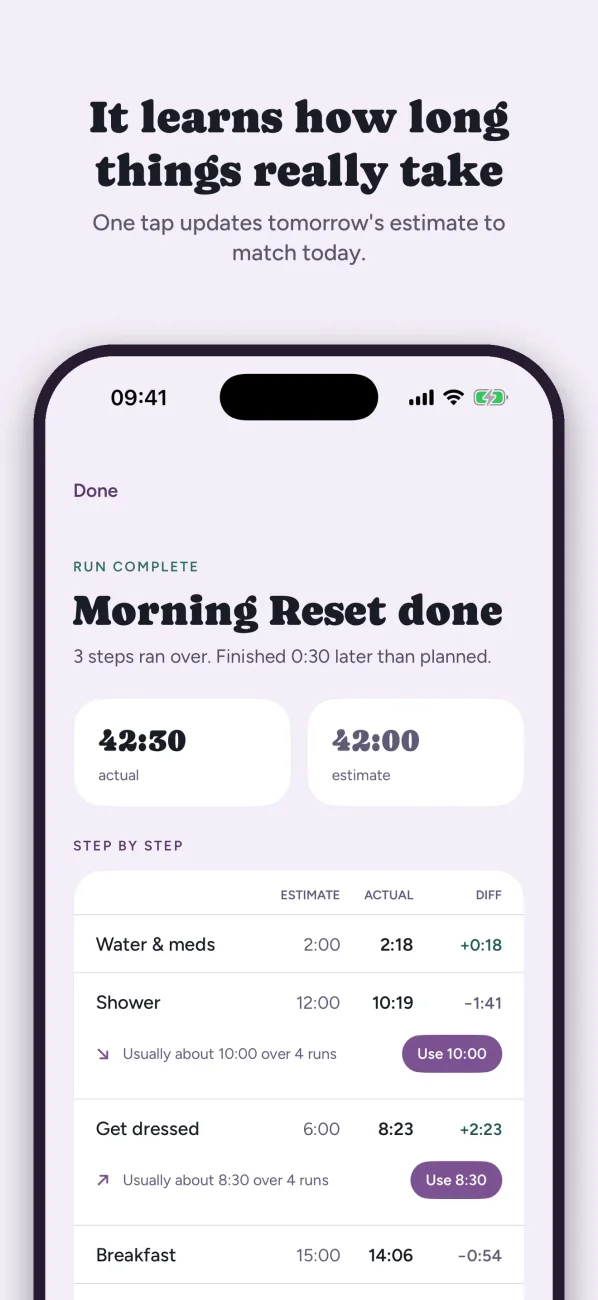
Every run is saved. After a few goes at a step, Loopily compares your estimate with what actually happened and offers a better one on the summary screen. Tap it and the next run starts smarter. Forgot to stop the clock in the shower? Correct the finished run, and the record and the suggestions follow.
The User Guide in Settings shows each feature in action, one short page at a time.
FREE
• Two saved routines, unlimited steps in each
• Checklists on any step, with auto-complete
• A reminder before a routine starts, and an alarm at its start time
• Live Activity on the Lock Screen and Dynamic Island
• A notification when a step's time is up
• The clock keeps running if you leave the app
• Past runs, with how long each step actually took
• Steps and checklist items that only happen on certain days
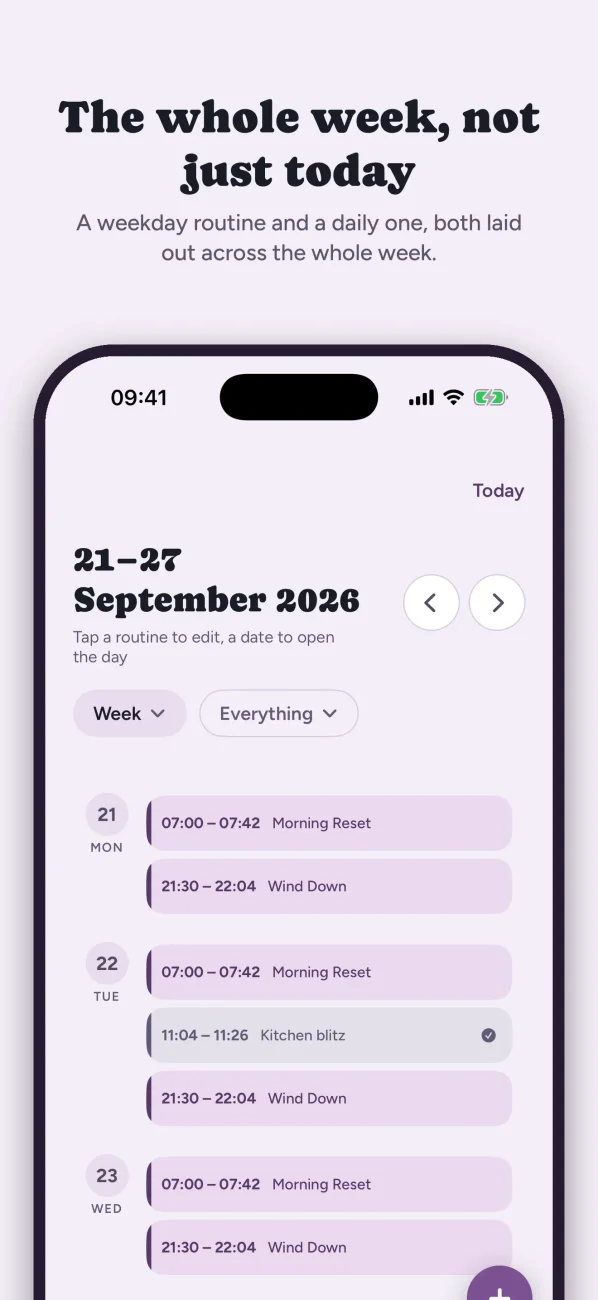
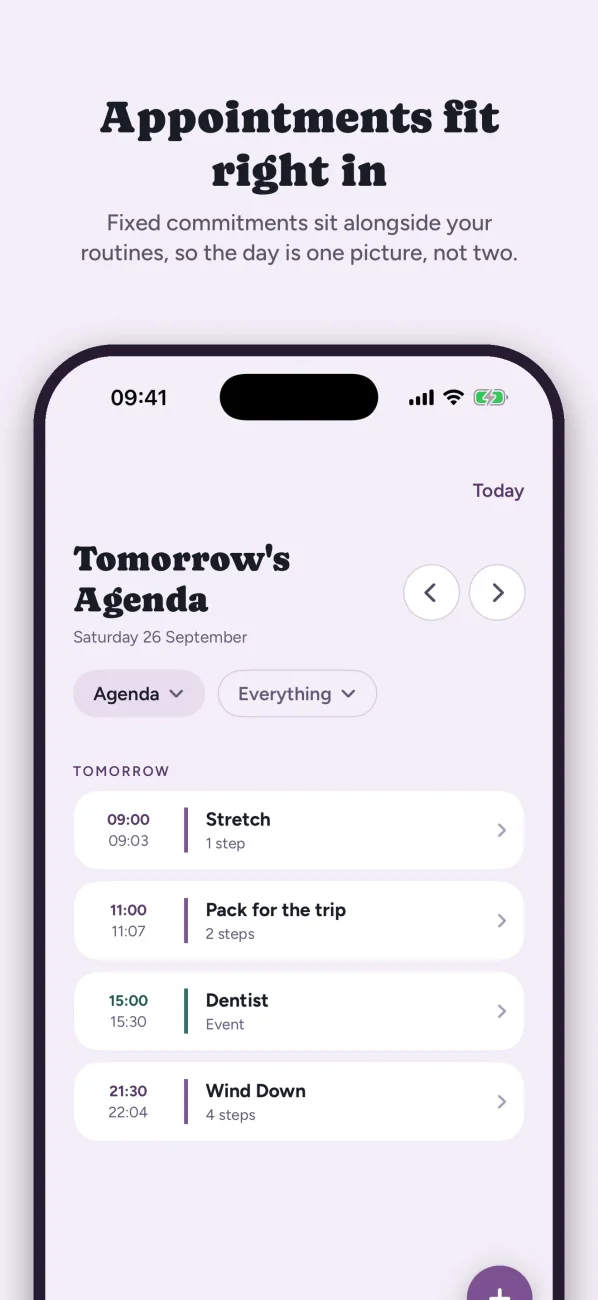
• The full calendar: day, week, month or agenda, with routines you can move to a new time in a tap
• Events, so appointments sit on the same schedule as your routines
• The Archive: anything you delete, back in one tap
LOOPILY PLUS
• Unlimited routines
• Quick lists: type a few steps and start the clock, or put them on a day, with nothing to set up
• Family Sharing: one subscription for your whole family
One week free trial. Payment is charged to your Apple ID at confirmation of purchase. Subscriptions renew automatically unless cancelled at least 24 hours before the period ends. Manage or cancel in your App Store account settings.
PRIVACY
Loopily has no accounts, analytics or ads. Your routines are stored on your device and synced through your own iCloud. Nothing is sent to us.
Terms of Use: https://www.loopilyapp.com/terms
Privacy Policy: https://www.loopilyapp.com/privacy
Có gì mới
Phiên bản 1.0.3 · 24/11/2026
The calendar, events and schedules on steps and checklist items are now free for everyone, so the free plan does everything for up to two routines. Loopily Plus takes the limit off and adds quick lists.
Quyền riêng tư của ứng dụng
Những gì DANIEL JOHN HOLMES khai báo trên App Store về cách ứng dụng này xử lý dữ liệu.
-
Dữ liệu không liên kết với bạn
Có thể được thu thập nhưng không liên kết với danh tính của bạn.
- Mã định danh
- Dữ liệu sử dụng
Phương thức đảm bảo quyền riêng tư có thể khác nhau, chẳng hạn như tuỳ theo các tính năng bạn sử dụng hoặc độ tuổi của bạn.
Thông tin
- Người bán
- DANIEL JOHN HOLMES
- Danh mục
- Hiệu Suất
- Phiên bản
- 1.0.3
- Cập nhật
- 24/11/2026
- Phát hành
- 15/10/2026
- Kích thước
- 12,0 MB
- Yêu cầu
- iOS 17.0 trở lên
- Độ tuổi
- 4+
- Giá
- Miễn phí
- Mua hàng trong ứng dụng
- Có
- Ngôn ngữ
- Tiếng Anh
- Bản quyền
- © 2026 Daniel Holmes
Có thể bạn cũng thích
-
 HappyDay - Day PlannerHiệu Suất
-
 ADHD Planner – AI Task ManagerHiệu Suất
-
 Amble: ADHD Brain Dump+PlannerHiệu Suất
-
 Ontime: ADHD & Time BlindnessHiệu Suất
-
 Lucid Mind: Brainstorm IdeasHiệu Suất
-
 ADHD Lifesavers ShortcutsHiệu Suất
-
 CafTrack: Optimize CaffeineHiệu Suất
-
 Habit Tracker - RippleEffectHiệu Suất
-
 Học Cùng Nhau: EarlyBirdHẹn giờ tập trung Pomodoro
-
 AI Note Taker: SwiftNoteHiệu Suất