Loopily: ADHD Routine Timer
Steps that change by day
Projetado para iPhone, iPad
Grátis · Compras no app
- Classificação etária4+
- CategoriaProdutividade
- DesenvolvedorDANIEL JOHN HOLMES
- IdiomasInglês
- Tamanho12,0 MB
Leva à página oficial na App Store
O Download.org não hospeda nenhum arquivo de Loopily: ADHD Routine Timer. O botão abre a página do app na App Store, onde DANIEL JOHN HOLMES o publica. Página verificada pela última vez em 25/11/2026.
Capturas de tela
Sobre
O desenvolvedor não forneceu este texto no seu idioma.
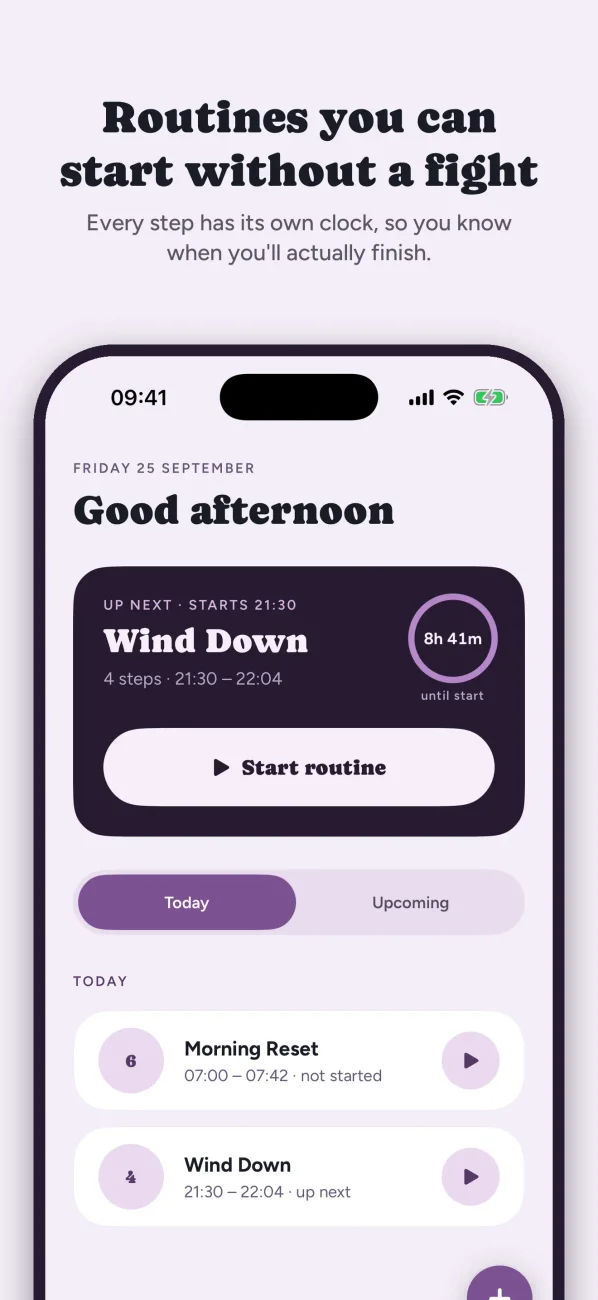
For ADHD brains dealing with Time Blindness and Executive Dysfunction, a to-do list isn't the problem. Knowing how long anything actually takes is. Loopily takes what you need to do out of your head, breaks it into steps, and gives every one its own countdown, so you always know where you are and how long you've got left.
HOW IT WORKS
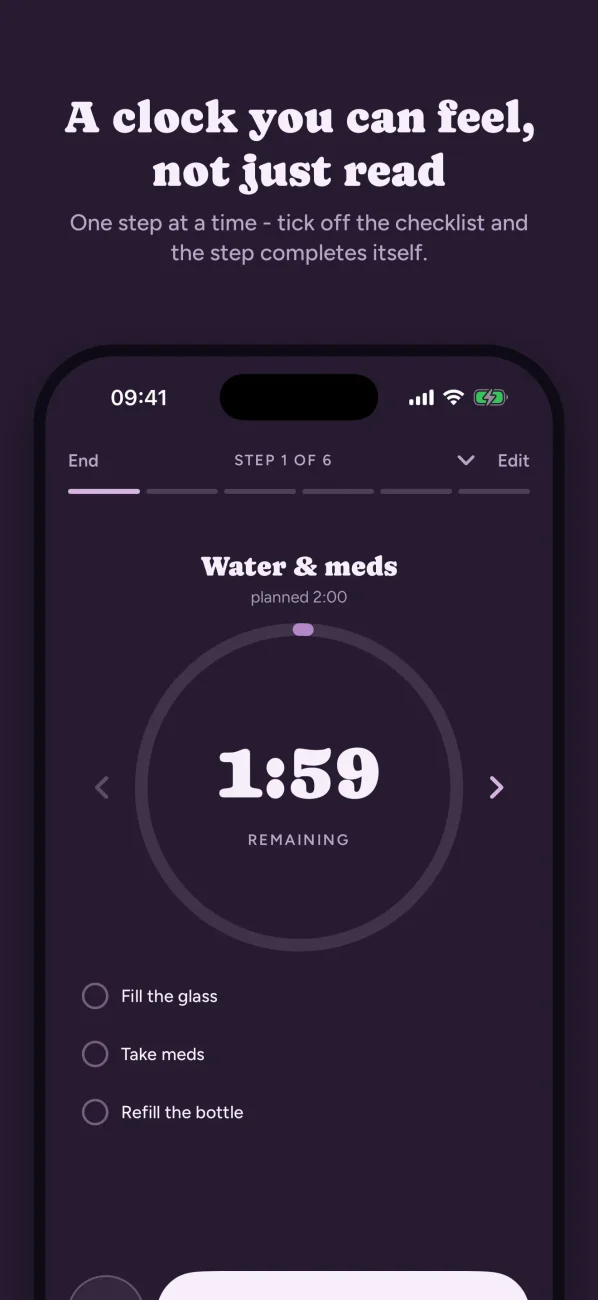
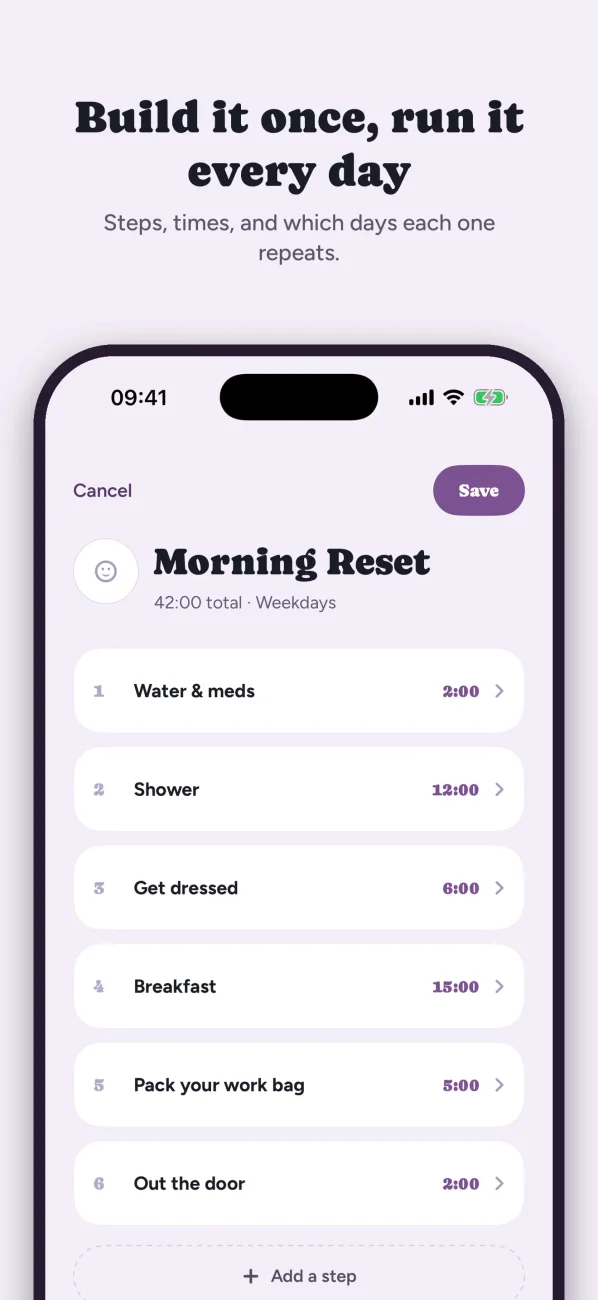
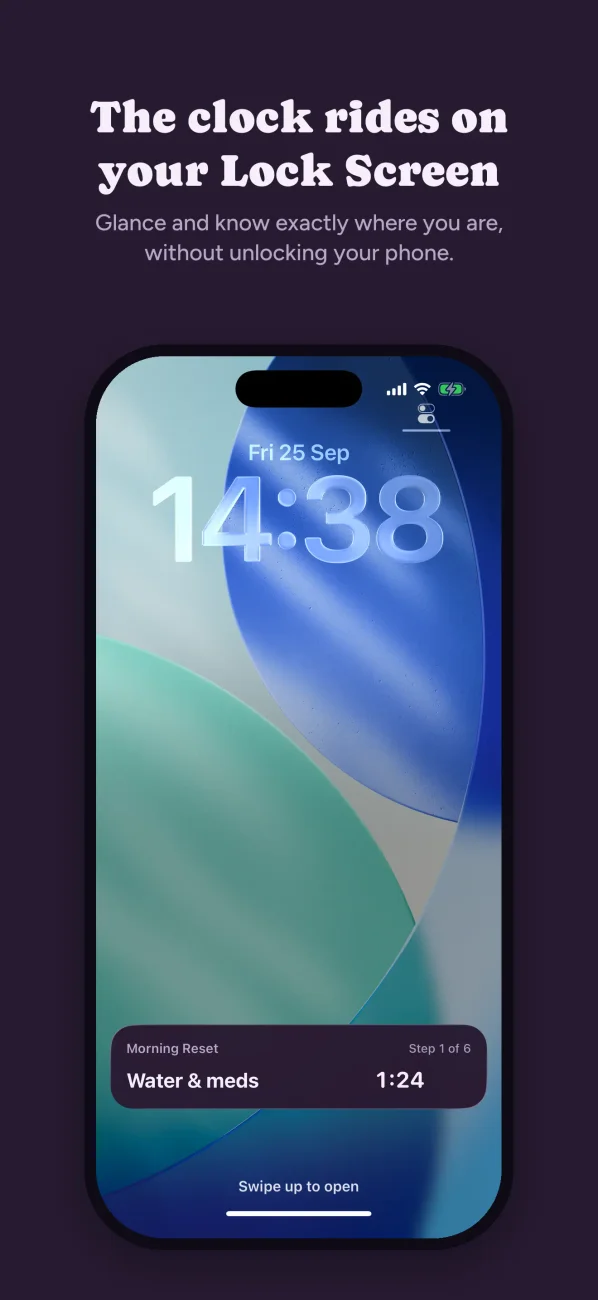
Write a routine as a list of steps, each with how long it takes. Loopily adds them up and tells you when you'll finish before you start. Run it one step at a time: a big countdown on screen, and a Live Activity on your Lock Screen so the clock is there when you put the phone down.
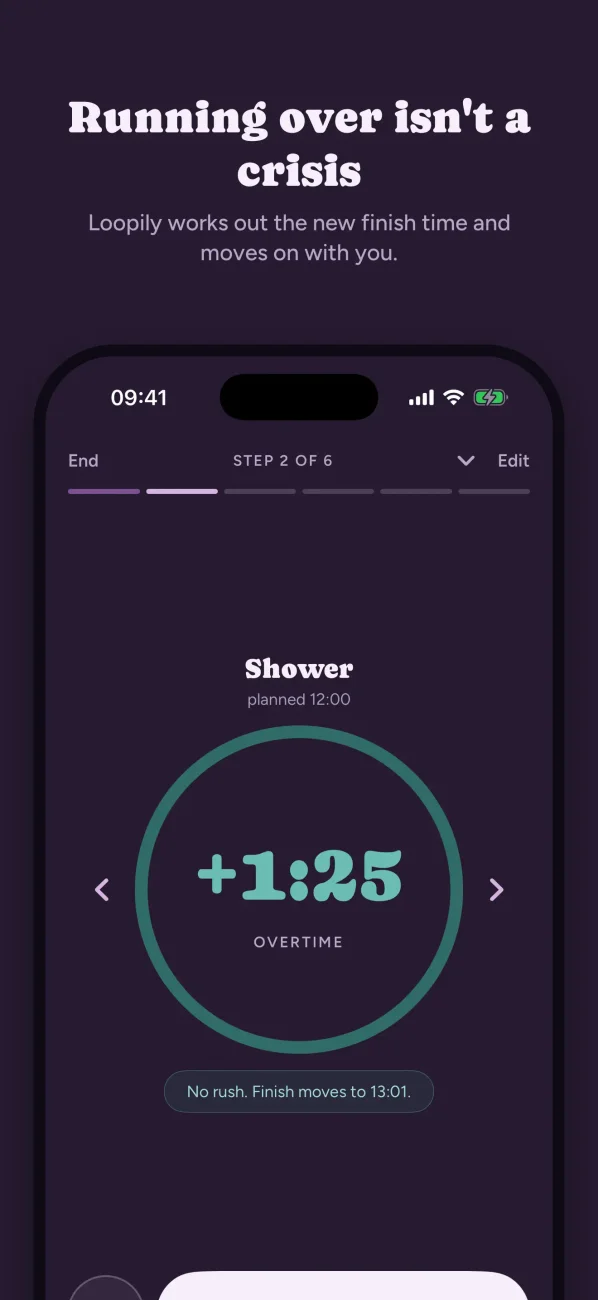
Run over on a step and the clock keeps counting. Loopily just moves your finish time. One soft chime by default. Turn it off, or make it repeat, in Settings.
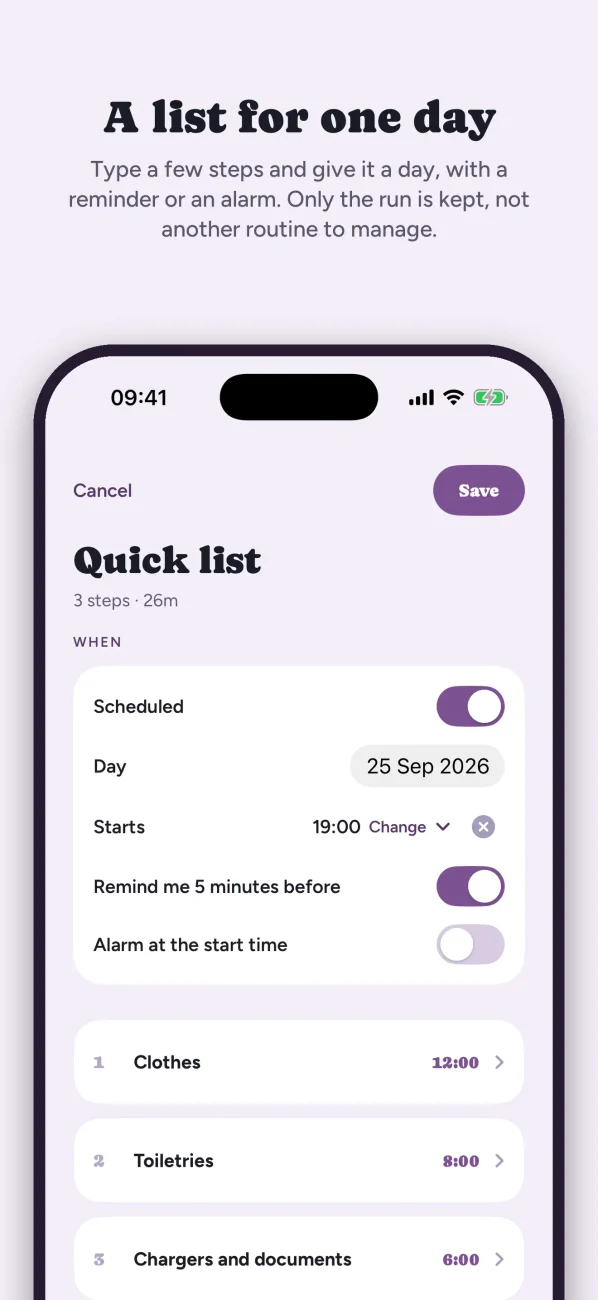
Give a routine its days and a start time, and Loopily can remind you five minutes before. Switch on "Alarm at the start time" and a real alarm rings when it is due, even with the phone on silent (iOS 26 and later).
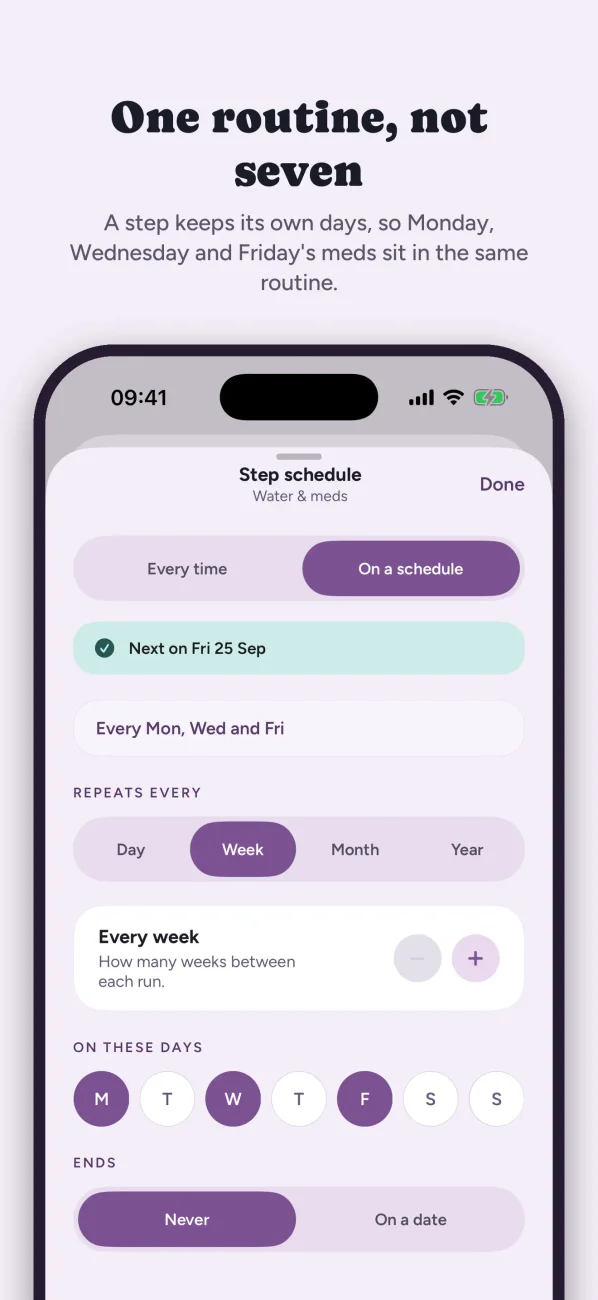
ONE ROUTINE, NOT SEVEN
Most routine apps leave you two options: keep seven near-identical routines in step with each other, or skip the bits that don't apply today and hope you notice. In Loopily a step keeps its own days. Bins out on Tuesday, hair wash Monday and Thursday, the meds that are Monday, Wednesday and Friday: all in one routine, each appearing only when it applies. Individual checklist items can do it too, so the gym kit only shows up inside "pack the bag" on training days.
IT LEARNS YOUR REAL PACE
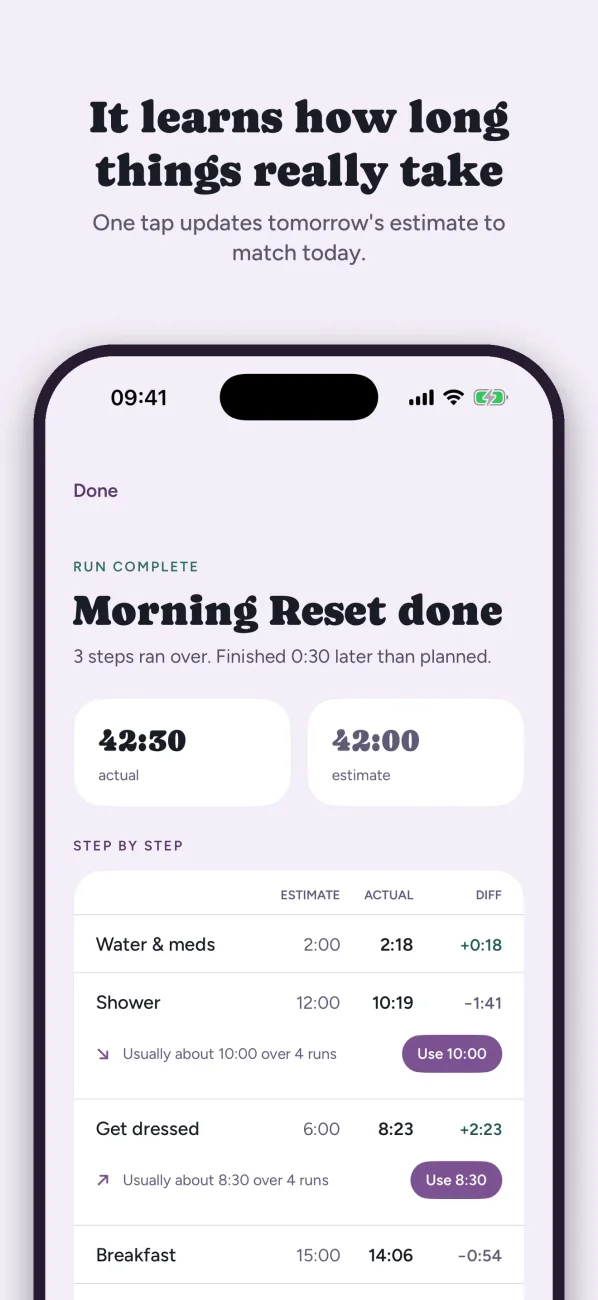
Every run is saved. After a few goes at a step, Loopily compares your estimate with what actually happened and offers a better one on the summary screen. Tap it and the next run starts smarter. Forgot to stop the clock in the shower? Correct the finished run, and the record and the suggestions follow.
The User Guide in Settings shows each feature in action, one short page at a time.
FREE
• Two saved routines, unlimited steps in each
• Checklists on any step, with auto-complete
• A reminder before a routine starts, and an alarm at its start time
• Live Activity on the Lock Screen and Dynamic Island
• A notification when a step's time is up
• The clock keeps running if you leave the app
• Past runs, with how long each step actually took
• Steps and checklist items that only happen on certain days
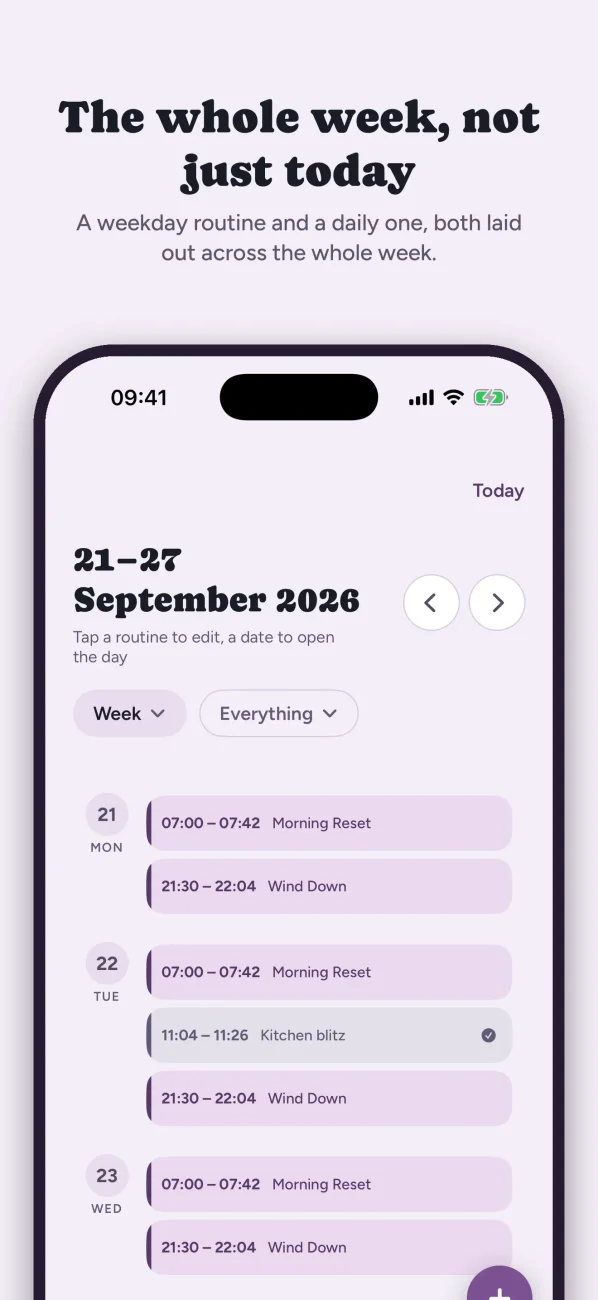
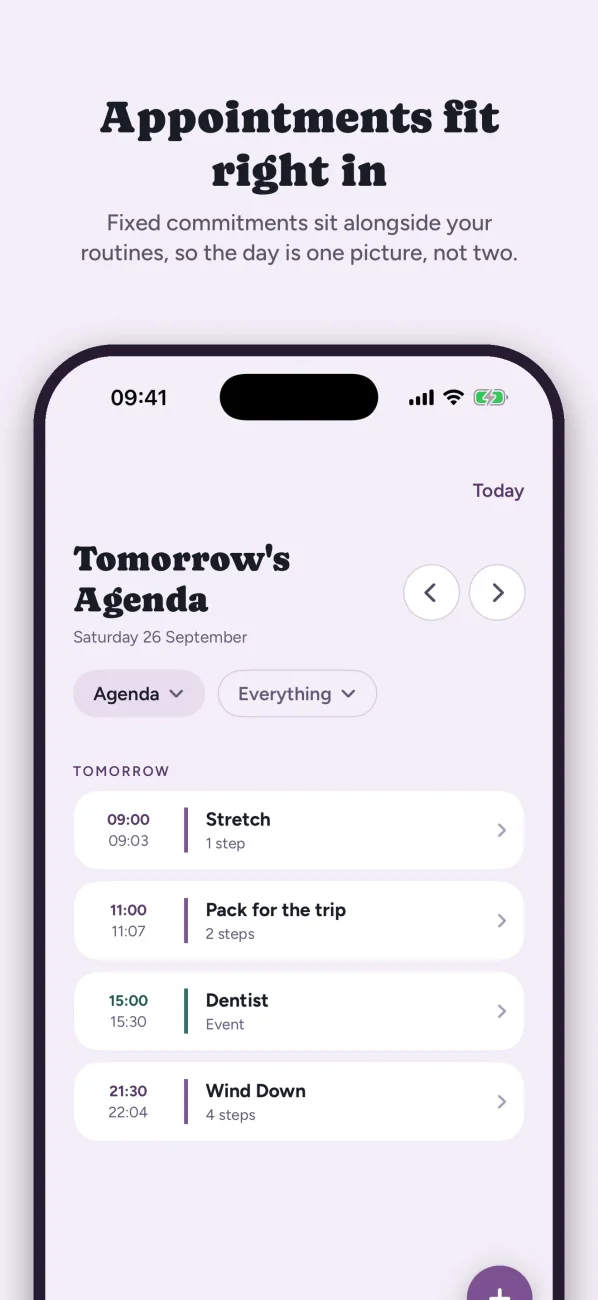
• The full calendar: day, week, month or agenda, with routines you can move to a new time in a tap
• Events, so appointments sit on the same schedule as your routines
• The Archive: anything you delete, back in one tap
LOOPILY PLUS
• Unlimited routines
• Quick lists: type a few steps and start the clock, or put them on a day, with nothing to set up
• Family Sharing: one subscription for your whole family
One week free trial. Payment is charged to your Apple ID at confirmation of purchase. Subscriptions renew automatically unless cancelled at least 24 hours before the period ends. Manage or cancel in your App Store account settings.
PRIVACY
Loopily has no accounts, analytics or ads. Your routines are stored on your device and synced through your own iCloud. Nothing is sent to us.
Terms of Use: https://www.loopilyapp.com/terms
Privacy Policy: https://www.loopilyapp.com/privacy
Novidades
Versão 1.0.3 · 24/11/2026
The calendar, events and schedules on steps and checklist items are now free for everyone, so the free plan does everything for up to two routines. Loopily Plus takes the limit off and adds quick lists.
Privacidade do app
O que DANIEL JOHN HOLMES declara na App Store sobre como este app lida com os dados.
-
Dados não vinculados a você
Podem ser coletados, mas não são vinculados à sua identidade.
- Identificadores
- Dados de uso
As práticas de privacidade podem variar, por exemplo, com base nos recursos que você usa ou na sua idade.
Informações
- Vendedor
- DANIEL JOHN HOLMES
- Categoria
- Produtividade
- Versão
- 1.0.3
- Atualizado
- 24/11/2026
- Lançamento
- 15/10/2026
- Tamanho
- 12,0 MB
- Requer
- iOS 17.0 ou posterior
- Classificação etária
- 4+
- Preço
- Grátis
- Compras no app
- Sim
- Idiomas
- Inglês
- Copyright
- © 2026 Daniel Holmes
Você também pode gostar
-
 HappyDay - Day PlannerProdutividade
-
 ADHD Planner – AI Task ManagerProdutividade
-
 Amble: ADHD Brain Dump+PlannerProdutividade
-
 Ontime: TDAH e rotina matinalTemporizador visual e alarme
-
 Lucid Mind - Night ThoughtsStore ideas, relieve insomnia
-
 ADHD Lifesavers ShortcutsProdutividade
-
 CafTrack: Optimize CaffeineProdutividade
-
 RippleEffect Lista de TarefasLembretes Metas, Organizador
-
 Estudar Junto: EarlyBirdBody Doubling: Foco para TDAH
-
 Notas de IA, PDF - SwiftNoteApp de anotações e lousa