
- 対象年齢4+
- カテゴリ仕事効率化
- 開発元joseph hamawi
- 言語英語
- サイズ14.9 MB
App Storeの公式ページにリンクしています
Download.orgはMarten: Markdown Code Notesのファイルを一切ホストしていません。ボタンを押すと、joseph hamawiが公開しているApp Storeのアプリページが開きます。ページの最終確認:2026/11/9。
スクリーンショット

概要
開発元はこのテキストをお使いの言語で提供していません。
Marten is a clean, distraction-free note app built for developers.
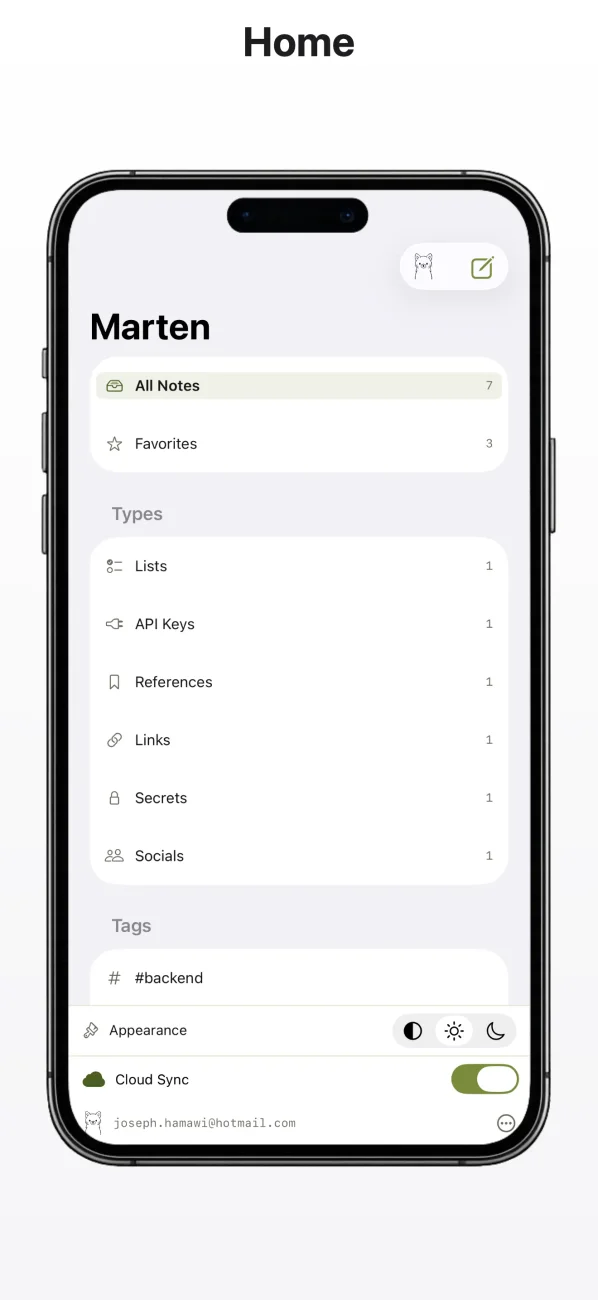
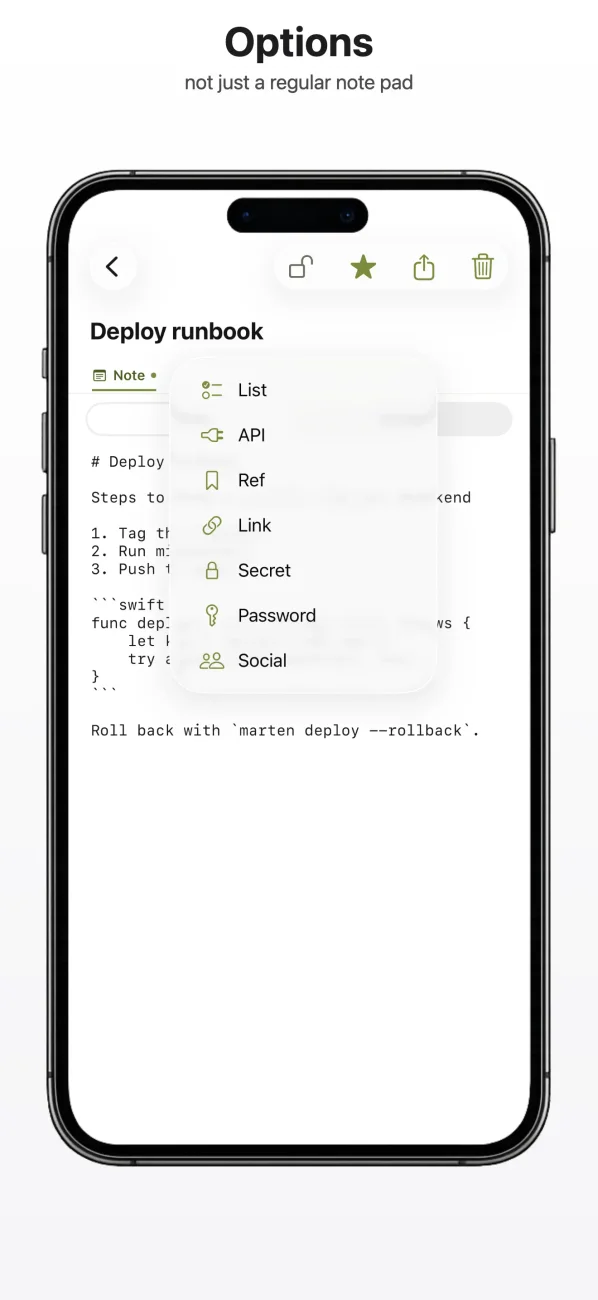
Write in Markdown with syntax-highlighted code blocks, then turn any note into a project with just the tabs you need. Keep a plain note, or add API keys, secrets, passwords, social logins, links, references, and checklists. Each filled tab becomes an item, so one note holds everything about a project.
FEATURES
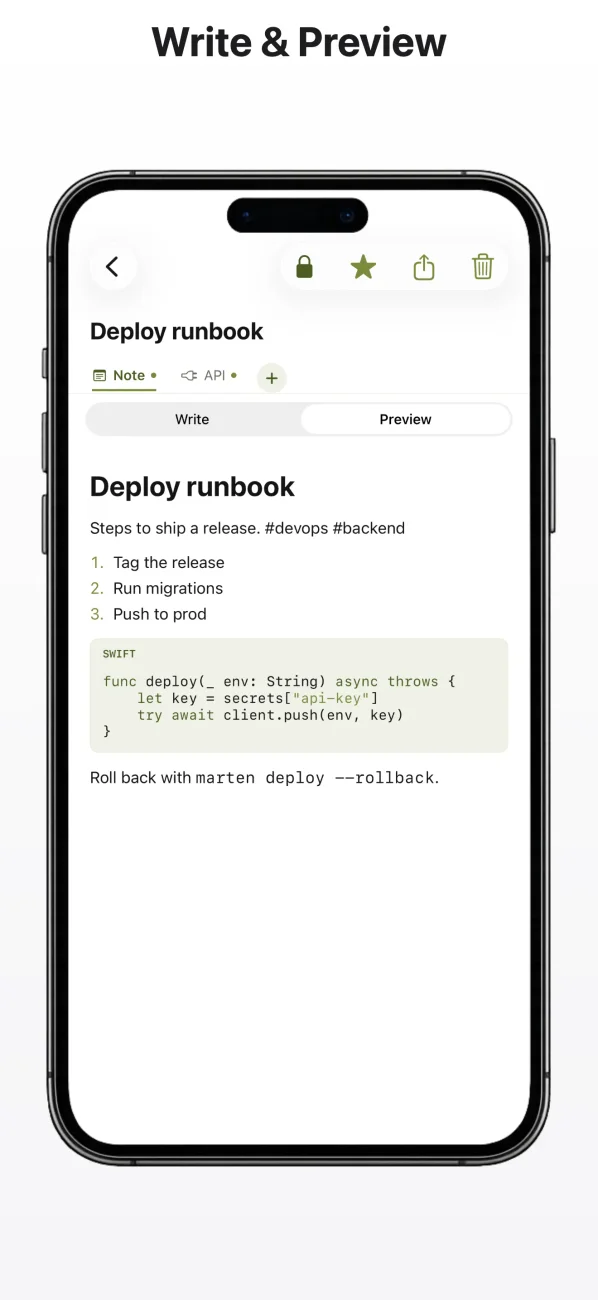
Markdown editor Fenced code blocks with an olive, editor-style highlight. Toggle a live preview anytime.
Project tabs Note, List, API, Ref, Link, Secret, Password, and Social. Add only the tabs you want with a tap.
Secrets vault Store API keys, passwords, and accounts with masked fields and a quick reveal.
Checklists Reminders-style lists with tap-to-complete items.
Tags and search Organize with #hashtags and find anything instantly with full-text search.
Sync, your way Local-first storage that works offline, with optional cloud sync across your devices. Turn sync on or off whenever you want.
Built for every screen A native app for iPhone, iPad, and Mac, with an adaptive three-column layout on iPad and Mac. Light and dark themes.
Private by design Your notes are yours. No ads, no tracking, and you can delete your account and all data from inside the app at any time.
Marketing URL: https://marten.kodefoundry.com
Privacy Policy URL: https://marten.kodefoundry.com/privacy
新機能
バージョン 1.0.3 · 2026/10/2
Sharing, exporting, and fixes:
• Share a note as Markdown, plain text, PDF, or a spreadsheet. The file now carries the whole project, not just its name: your note body plus every filled tab and field.
• API keys, secrets, and passwords are hidden in shared files by default. Flip "Include secret values" when you really do want to send them.
• Copying a key, secret, or password now shows a green confirmation, and credential notes got their own copy button.
• Deleting a note sticks. A note deleted on one device no longer reappears on another, and deletes made offline are applied as soon as you reconnect.
• Tap anywhere on a row to open a note, including the empty space around the title.
• Opening a note no longer moves it to the top of the list. Only a real edit does.
• Notes keep your line breaks exactly as you typed them when you switch from edit to preview.
• Small stability and layout improvements.
アプリのプライバシー
このアプリのデータの取り扱いについて、joseph hamawiがApp Storeで申告している内容です。
-
ユーザーに関連付けられたデータ
収集され、ユーザーの識別情報に関連付けられる場合があります。
- 連絡先情報
- ユーザーコンテンツ
- ID
プライバシーの取り扱いは、ご利用の機能やお客様の年齢などに応じて異なる場合があります。
情報
- 販売元
- joseph hamawi
- カテゴリ
- 仕事効率化
- バージョン
- 1.0.3
- 更新日
- 2026/10/2
- リリース
- 2026/6/25
- サイズ
- 14.9 MB
- 必要条件
- iOS 17.0以降
- 対象年齢
- 4+
- 価格
- 無料
- 言語
- 英語
- 著作権
- © 2025 Kode Foundry
こちらもおすすめ
-
 DKST Markdown Browser仕事効率化
-
 mrkdwn — マークダウンメモ・エディタオフラインで集中執筆、プライベート
-
 ScanLingua 写真文字翻訳オフラインOCR・対訳PDF出力
-
 git.md — MarkdownエディタGit対応の多機能Markdownエディタ
-
 Markdown A.I.仕事効率化
-
 Abox Note · Markdown Notes仕事効率化
-
 OpenRead: PDF Document Reader仕事効率化
-
 Nodino: ToDoリスト・リマインダー・目覚まし毎日のタスク管理・アラーム・予定表・買い物メモ
-
 Memo:オフライン文字起こしボイスレコーダー・音声をテキストに
-
 Ariv - Notes, PKM Second Brain仕事効率化