
Min: Time Blocking Planner
Plan today, push back in a tap
iPhone, iPad向けに設計
無料 · アプリ内課金
- 対象年齢4+
- カテゴリ仕事効率化
- 開発元IndieWay
- 言語韓国語ほか1言語
- サイズ18.9 MB
App Storeの公式ページにリンクしています
Download.orgはMin: Time Blocking Plannerのファイルを一切ホストしていません。ボタンを押すと、IndieWayが公開しているApp Storeのアプリページが開きます。ページの最終確認:2026/11/8。
スクリーンショット
概要
開発元はこのテキストをお使いの言語で提供していません。
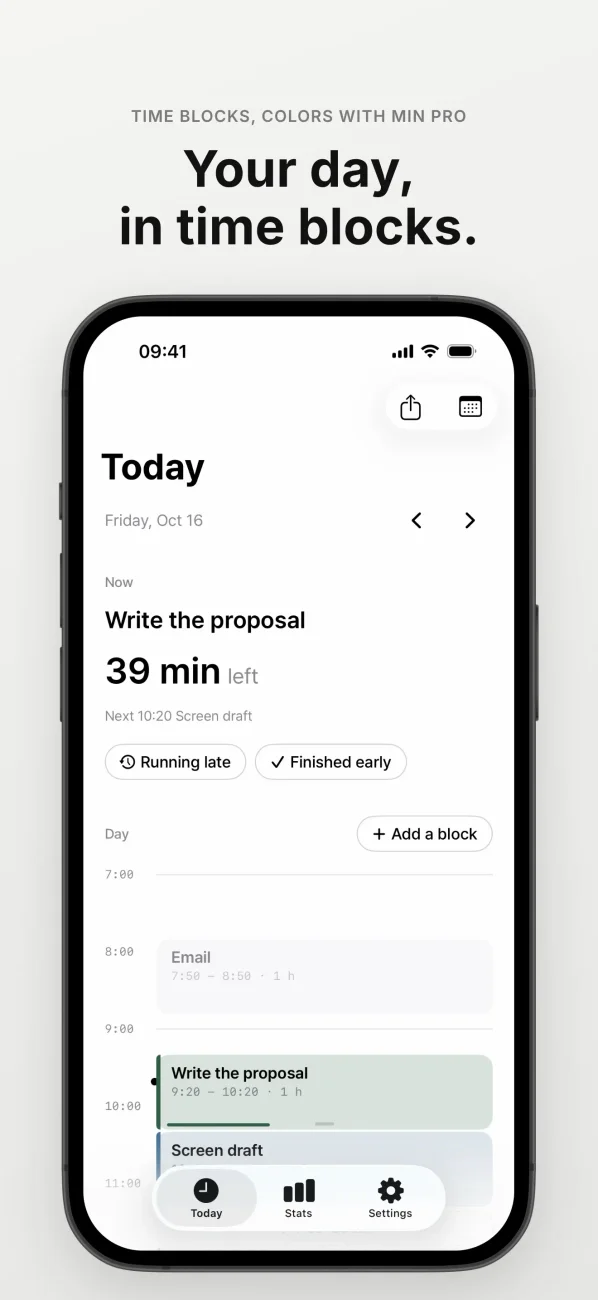
Min lays out your day in time blocks. In the morning, place what you'll do and for how long. During the day, Min shows just one thing: what's now, and how many minutes are left. When something runs long, push everything after it back in one tap.
- Three things per block
A name, a start, and a length. Min suggests the next free spot, so placing a block takes seconds. Recent names come back with their usual length.
- Drag to rearrange
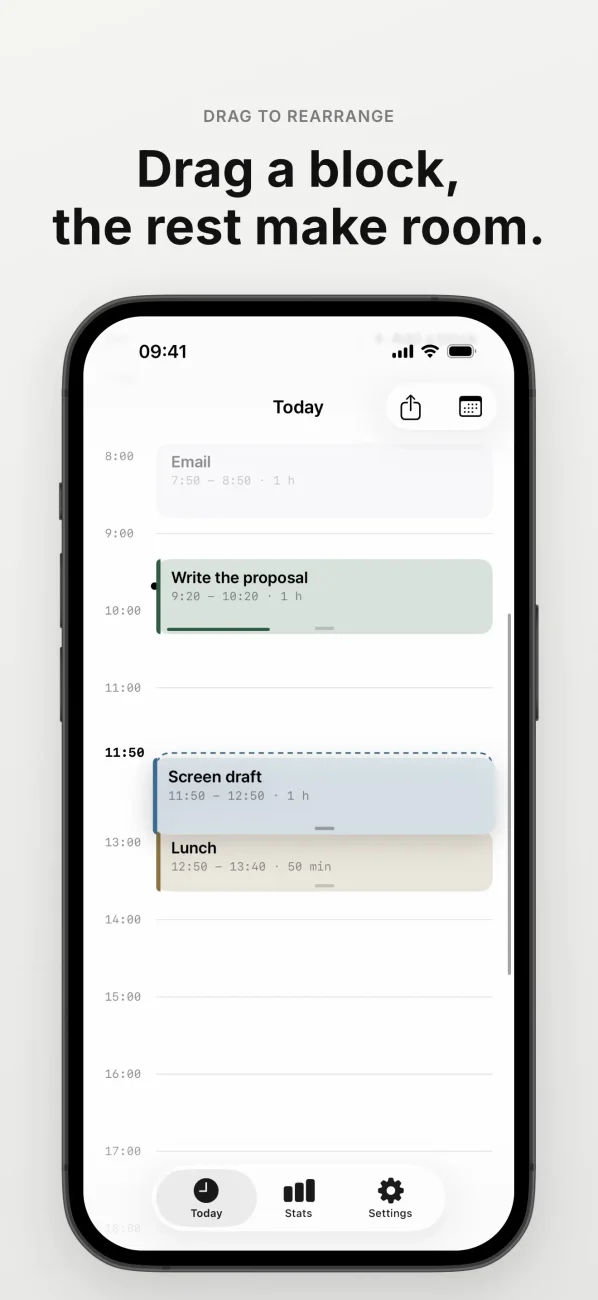
Your day is drawn to scale. Touch and hold a block to drag it, and the other blocks preview where they will land as they make room. Drag the bottom edge to change its length. Moved the wrong one? One tap undoes it.
- Running late? Push it back
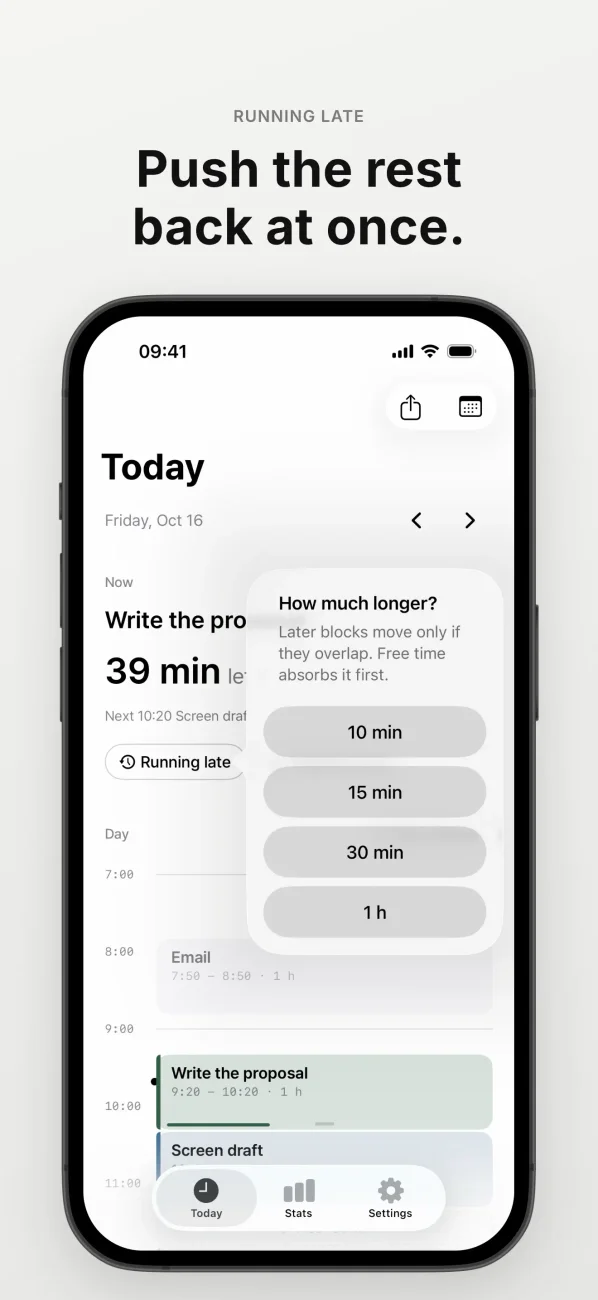
Tap Running late and pick 10, 15, 30, or 60 minutes. The current block gets longer and later blocks move only if they overlap, so free time absorbs the delay first. A push can be undone right away. Finished early? End the block and start the next one now.
- Now and minutes left
The Today screen leads with what's now and the minutes left, then the rest of your day. Free time shows up as gaps you can tap to fill.
- Yesterday, today, tomorrow
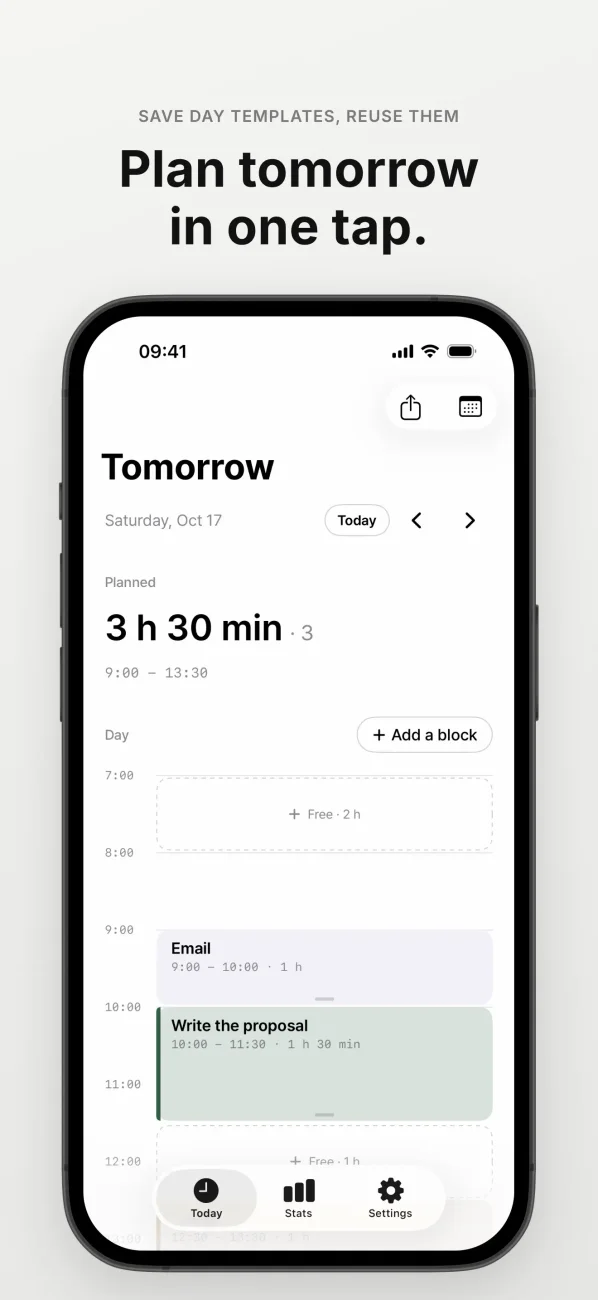
Step through days with the arrows on Today. Plan tomorrow the evening before, and look back at or fix past days.
- Stats
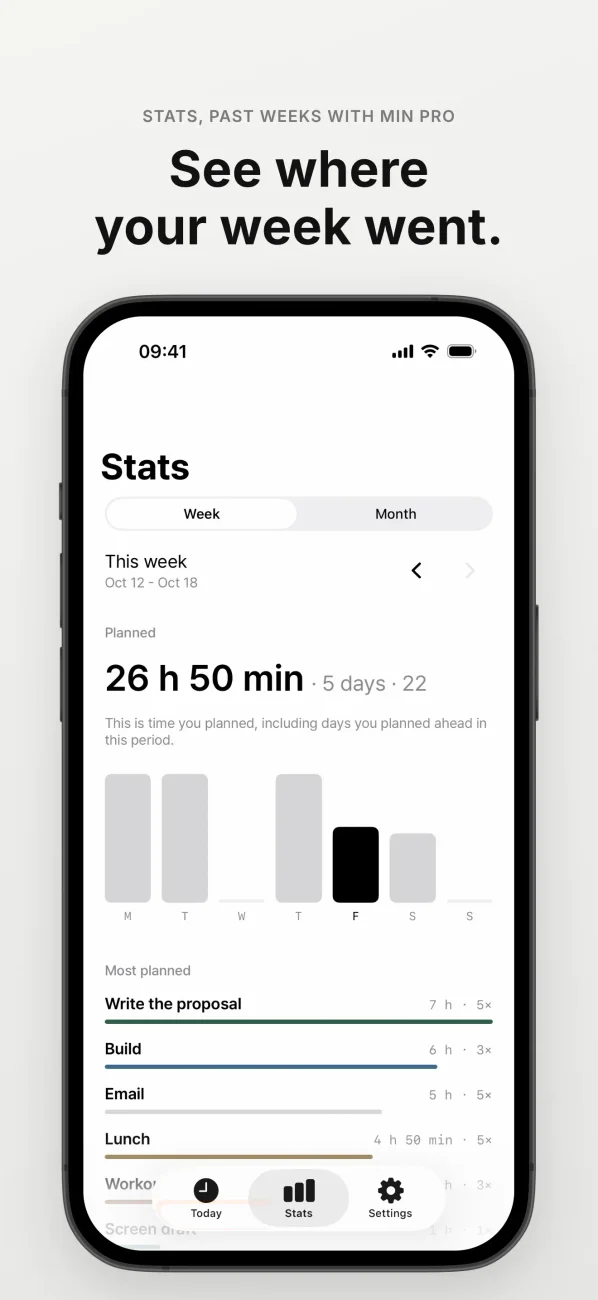
See where this week's planned hours went, day by day and by what you planned most.
- Templates
Save a day you repeat, like weekdays or weekends, and add it to an empty day in one tap. Pick weekdays to have it suggested on those days. Turn on Auto-place weekday templates and opening the app places that day's template on an empty today or tomorrow.
- Notifications and widgets
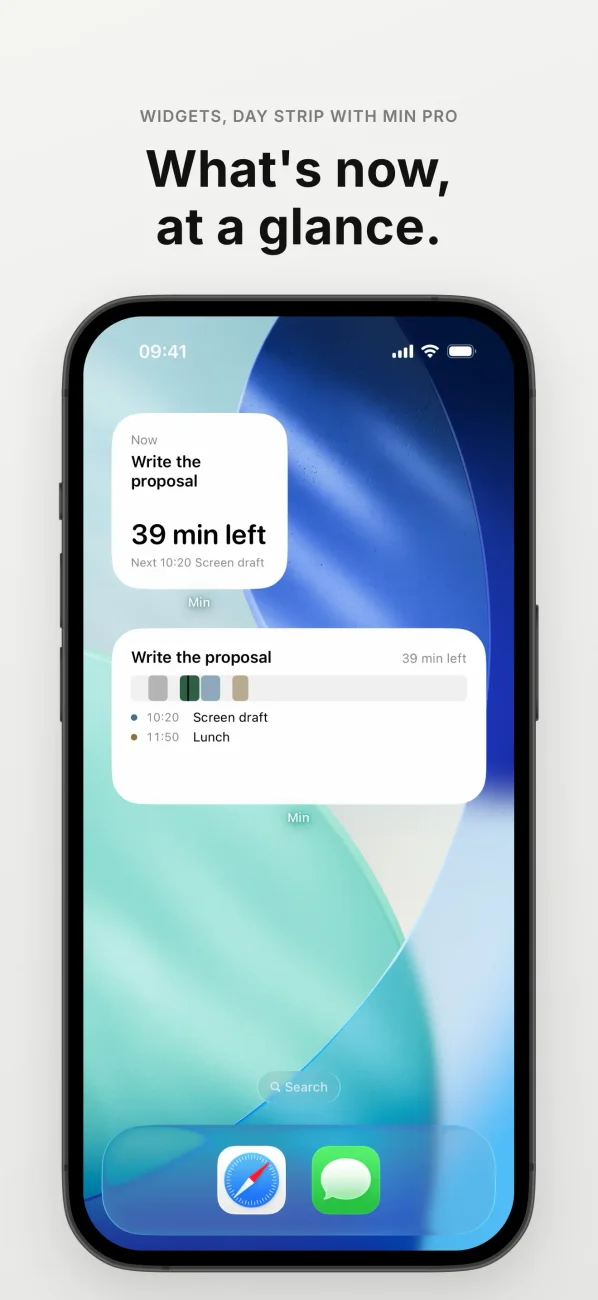
Get a notification when a block starts, a few minutes before, or when it ends, plus an optional morning nudge on empty days. See what's now and the time left on your Home Screen and Lock Screen.
- Yours, on this device
No account, no ads, no AI. Your plans stay on your device and in your device backup. Export them to a file and import them back anytime.
- Min Pro
Planning today and tomorrow, dragging blocks, pushing back, finishing early, one template, auto weekday templates, notifications, the small and Lock Screen widgets, past days, this week's stats, and export and import are free, with no limit on blocks. Min Pro (optional purchase: monthly, yearly, or one-time lifetime) adds planning up to 2 weeks ahead, unlimited templates, eight block colors, the medium and large day strip widgets, and stats for past weeks and months.
Terms of Use (EULA): https://www.apple.com/legal/internet-services/itunes/dev/stdeula/
Privacy Policy: https://indieway.xyz/en/apps/min/privacy
新機能
バージョン 1.1.1 · 2026/10/28
- Improved stability and usability.
アプリのプライバシー
このアプリのデータの取り扱いについて、IndieWayがApp Storeで申告している内容です。
-
ユーザーに関連付けられないデータ
収集される場合がありますが、ユーザーの識別情報には関連付けられません。
- 購入
プライバシーの取り扱いは、ご利用の機能やお客様の年齢などに応じて異なる場合があります。
情報
- 販売元
- IndieWay
- カテゴリ
- 仕事効率化
- バージョン
- 1.1.1
- 更新日
- 2026/10/28
- リリース
- 2026/10/19
- サイズ
- 18.9 MB
- 必要条件
- iOS 18.0以降
- 対象年齢
- 4+
- 価格
- 無料
- アプリ内課金
- あり
- 言語
- 韓国語, 英語
- 著作権
- © 2026. IndieWay Co. All rights reserved.
こちらもおすすめ
-
 目盛り - タイムスケジュール・時間管理・時間記録ロック画面で今のブロックを確認
-
 Sittally仕事効率化
-
 Daydrop: To-Do, Journal, Habit仕事効率化
-
 Apper: Save Apps as Ideasアプリ更新の追跡とアイデア保存
-
 HourBinder - AI 플래너仕事効率化
-
 DayPieces: Visual Day Plannerタイムブロック・習慣・集中スケジュール
-
 Presently - The Now Calendar仕事効率化
-
 Daywrap - やることリスト・手帳・カレンダーシールでデコる習慣化とタスク管理
-
 Passion Planner by Aaesha仕事効率化
-
 Hue Planタイムブロッキング 時間割プランナー