
Min: Time Blocking Planner
Plan today, push back in a tap
Được thiết kế cho iPhone, iPad
Miễn phí · Mua hàng trong ứng dụng
- Độ tuổi4+
- Danh mụcHiệu Suất
- Nhà phát triểnIndieWay
- Ngôn ngữTiếng Hàn+ 1 ngôn ngữ khác
- Kích thước18,9 MB
Liên kết đến trang App Store chính thức
Download.org không lưu trữ tệp nào của Min: Time Blocking Planner. Nút này mở trang ứng dụng trên App Store, nơi IndieWay phát hành ứng dụng. Trang được kiểm tra lần cuối: 08/11/2026.
Ảnh chụp màn hình
Giới thiệu
Nhà phát triển chưa cung cấp nội dung này bằng ngôn ngữ của bạn.
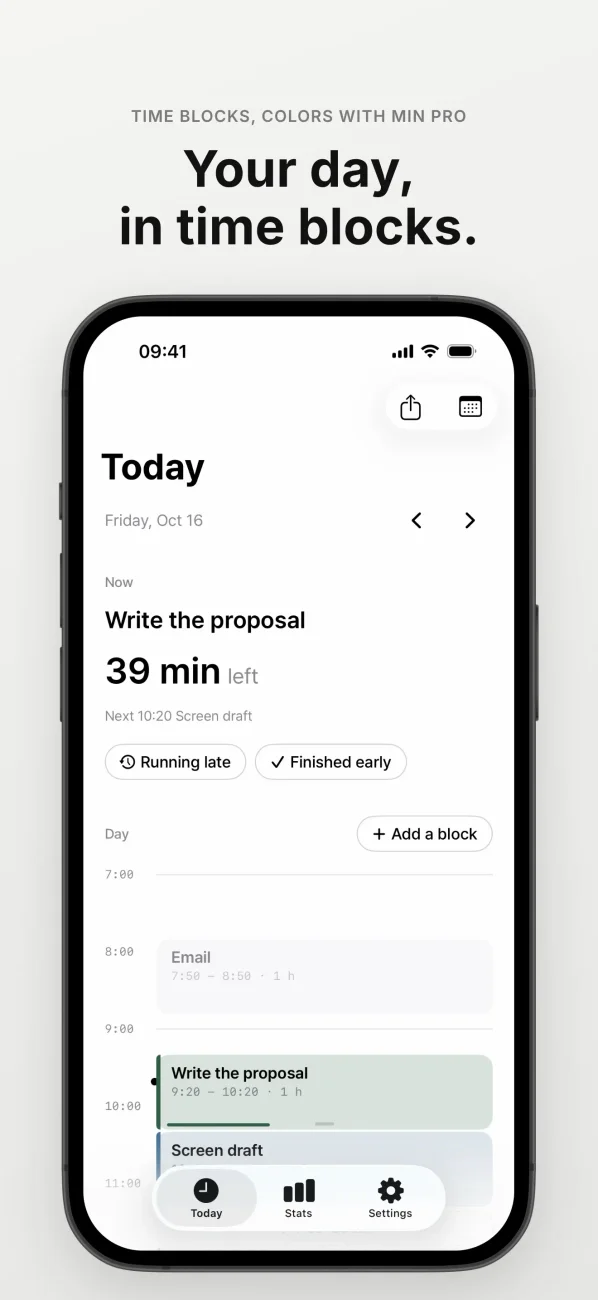
Min lays out your day in time blocks. In the morning, place what you'll do and for how long. During the day, Min shows just one thing: what's now, and how many minutes are left. When something runs long, push everything after it back in one tap.
- Three things per block
A name, a start, and a length. Min suggests the next free spot, so placing a block takes seconds. Recent names come back with their usual length.
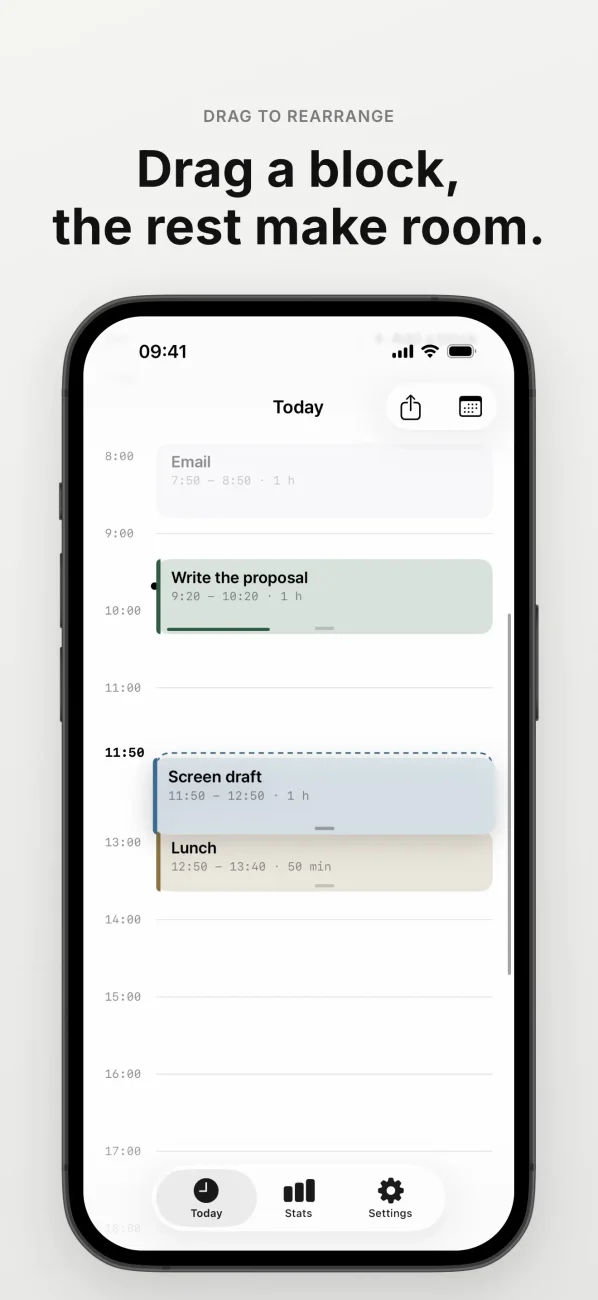
- Drag to rearrange
Your day is drawn to scale. Touch and hold a block to drag it, and the other blocks preview where they will land as they make room. Drag the bottom edge to change its length. Moved the wrong one? One tap undoes it.
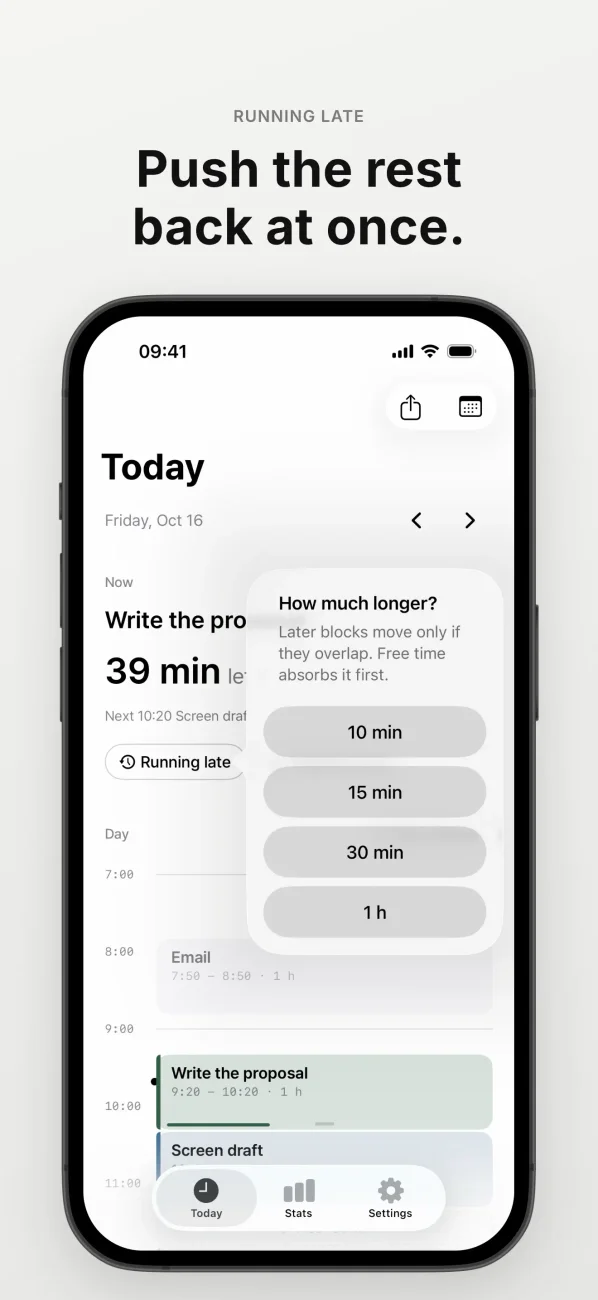
- Running late? Push it back
Tap Running late and pick 10, 15, 30, or 60 minutes. The current block gets longer and later blocks move only if they overlap, so free time absorbs the delay first. A push can be undone right away. Finished early? End the block and start the next one now.
- Now and minutes left
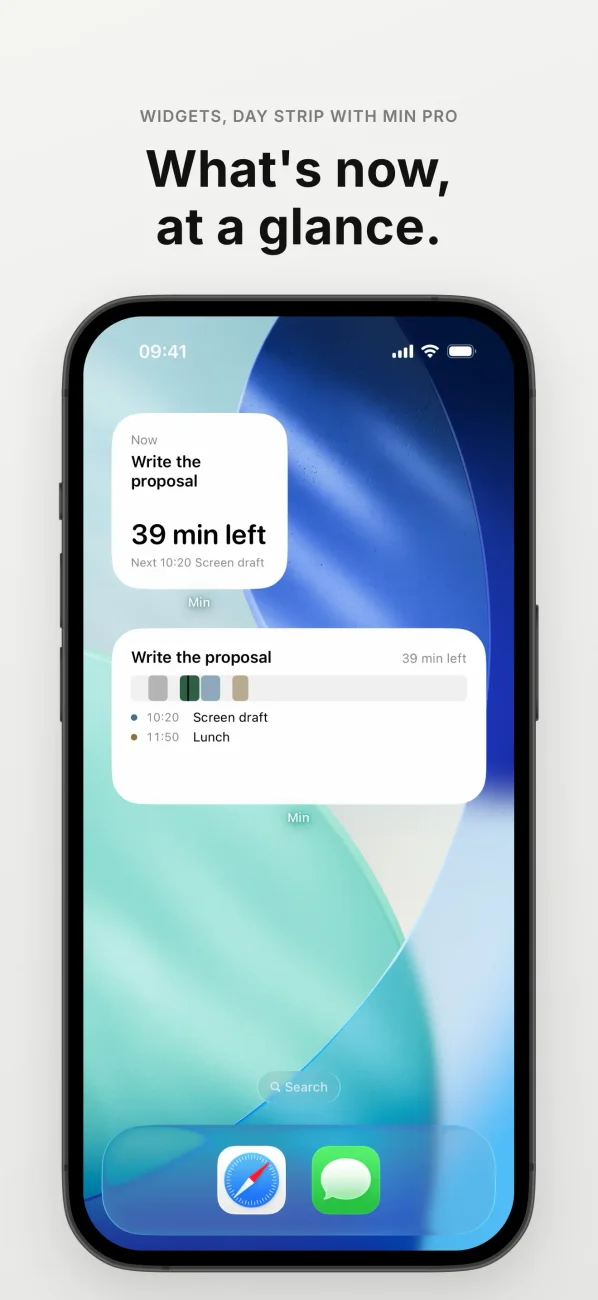
The Today screen leads with what's now and the minutes left, then the rest of your day. Free time shows up as gaps you can tap to fill.
- Yesterday, today, tomorrow
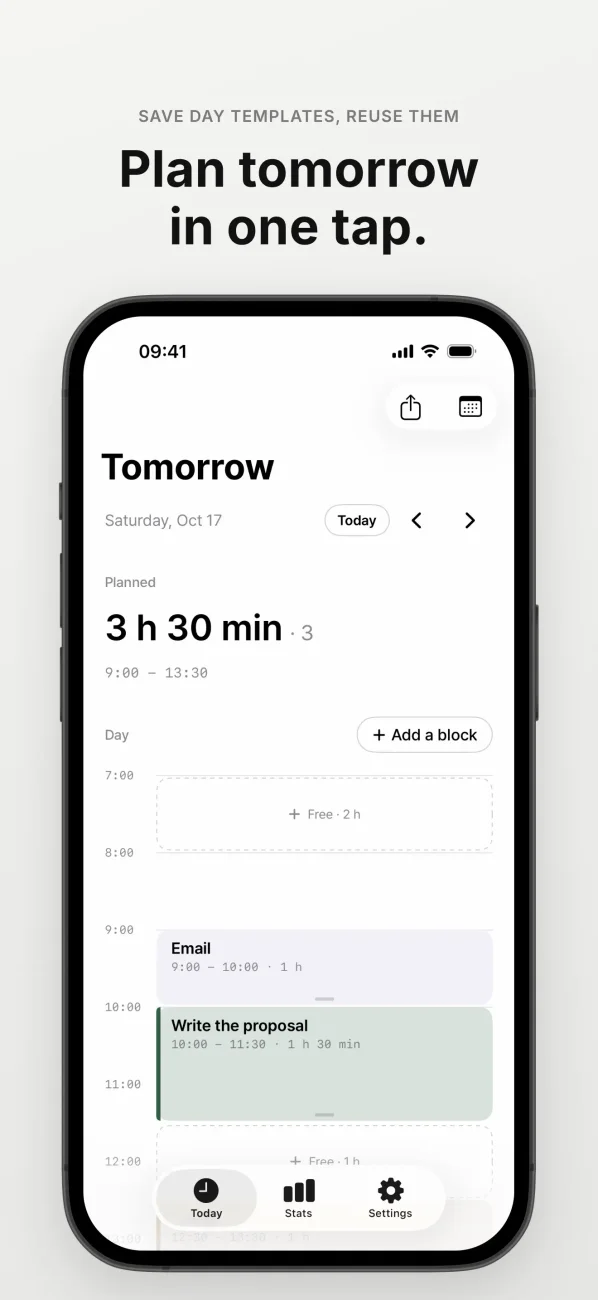
Step through days with the arrows on Today. Plan tomorrow the evening before, and look back at or fix past days.
- Stats
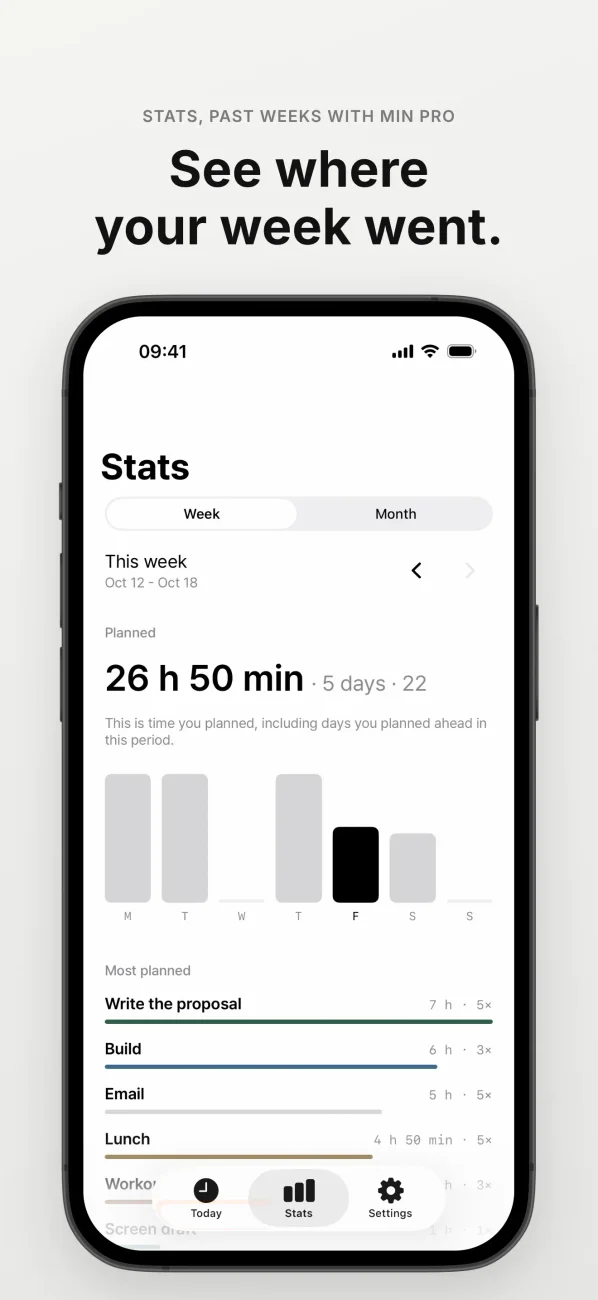
See where this week's planned hours went, day by day and by what you planned most.
- Templates
Save a day you repeat, like weekdays or weekends, and add it to an empty day in one tap. Pick weekdays to have it suggested on those days. Turn on Auto-place weekday templates and opening the app places that day's template on an empty today or tomorrow.
- Notifications and widgets
Get a notification when a block starts, a few minutes before, or when it ends, plus an optional morning nudge on empty days. See what's now and the time left on your Home Screen and Lock Screen.
- Yours, on this device
No account, no ads, no AI. Your plans stay on your device and in your device backup. Export them to a file and import them back anytime.
- Min Pro
Planning today and tomorrow, dragging blocks, pushing back, finishing early, one template, auto weekday templates, notifications, the small and Lock Screen widgets, past days, this week's stats, and export and import are free, with no limit on blocks. Min Pro (optional purchase: monthly, yearly, or one-time lifetime) adds planning up to 2 weeks ahead, unlimited templates, eight block colors, the medium and large day strip widgets, and stats for past weeks and months.
Terms of Use (EULA): https://www.apple.com/legal/internet-services/itunes/dev/stdeula/
Privacy Policy: https://indieway.xyz/en/apps/min/privacy
Có gì mới
Phiên bản 1.1.1 · 28/10/2026
- Improved stability and usability.
Quyền riêng tư của ứng dụng
Những gì IndieWay khai báo trên App Store về cách ứng dụng này xử lý dữ liệu.
-
Dữ liệu không liên kết với bạn
Có thể được thu thập nhưng không liên kết với danh tính của bạn.
- Mục mua
Phương thức đảm bảo quyền riêng tư có thể khác nhau, chẳng hạn như tuỳ theo các tính năng bạn sử dụng hoặc độ tuổi của bạn.
Thông tin
- Người bán
- IndieWay
- Danh mục
- Hiệu Suất
- Phiên bản
- 1.1.1
- Cập nhật
- 28/10/2026
- Phát hành
- 19/10/2026
- Kích thước
- 18,9 MB
- Yêu cầu
- iOS 18.0 trở lên
- Độ tuổi
- 4+
- Giá
- Miễn phí
- Mua hàng trong ứng dụng
- Có
- Ngôn ngữ
- Tiếng Hàn, Tiếng Anh
- Bản quyền
- © 2026. IndieWay Co. All rights reserved.
Có thể bạn cũng thích
-
 Tengrid - Time Block PlannerHiệu Suất
-
 SittallyHiệu Suất
-
 Daydrop: To-Do, Journal, HabitHiệu Suất
-
 Apper: Save Apps as IdeasHiệu Suất
-
 HourBinder - AI 플래너Hiệu Suất
-
 DayPieces: Visual Day PlannerHiệu Suất
-
 Presently - The Now CalendarHiệu Suất
-
 Daywrap: To Do List & CalendarHiệu Suất
-
 Passion Planner by AaeshaHiệu Suất
-
 Hue Plan: Time BlockingHiệu Suất