
- 対象年齢4+
- カテゴリ仕事効率化
- 開発元THOMAS SCHULZ
- 言語英語
- サイズ22.1 MB
App Storeの公式ページにリンクしています
Download.orgはMindz Orbit: Mind Mapのファイルを一切ホストしていません。ボタンを押すと、THOMAS SCHULZが公開しているApp Storeのアプリページが開きます。ページの最終確認:2026/11/13。
スクリーンショット
概要
開発元はこのテキストをお使いの言語で提供していません。
Mindz Orbit is a mind mapping app for iPhone and iPad, designed for mobile use. Instead of constantly zooming and panning across a large canvas, you move through your thoughts with your thumb.
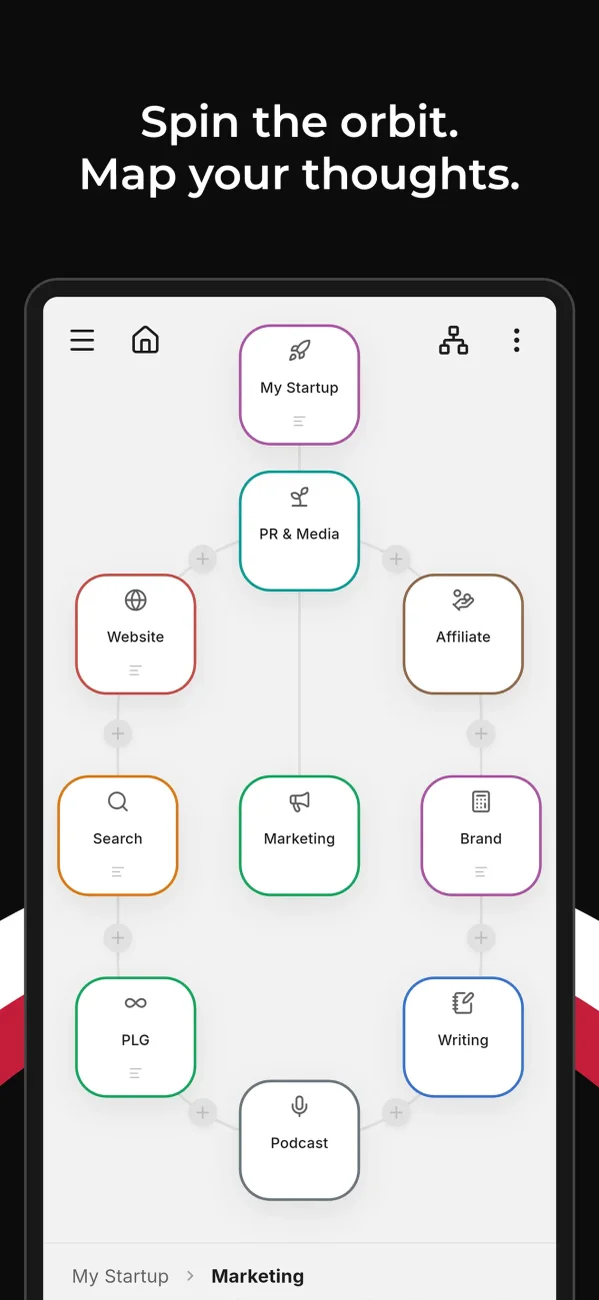
At the heart of Mindz Orbit is the Orbit Ring: your current node sits in the center, with its direct child nodes arranged around it. Rotate the ring with your thumb, tap a thought, and move one level deeper. You focus on one part of your map at a time instead of navigating a huge canvas.
FROM A SINGLE THOUGHT TO THE BIG PICTURE
Whenever you need an overview, switch directly from your current position to one of three full-map views:
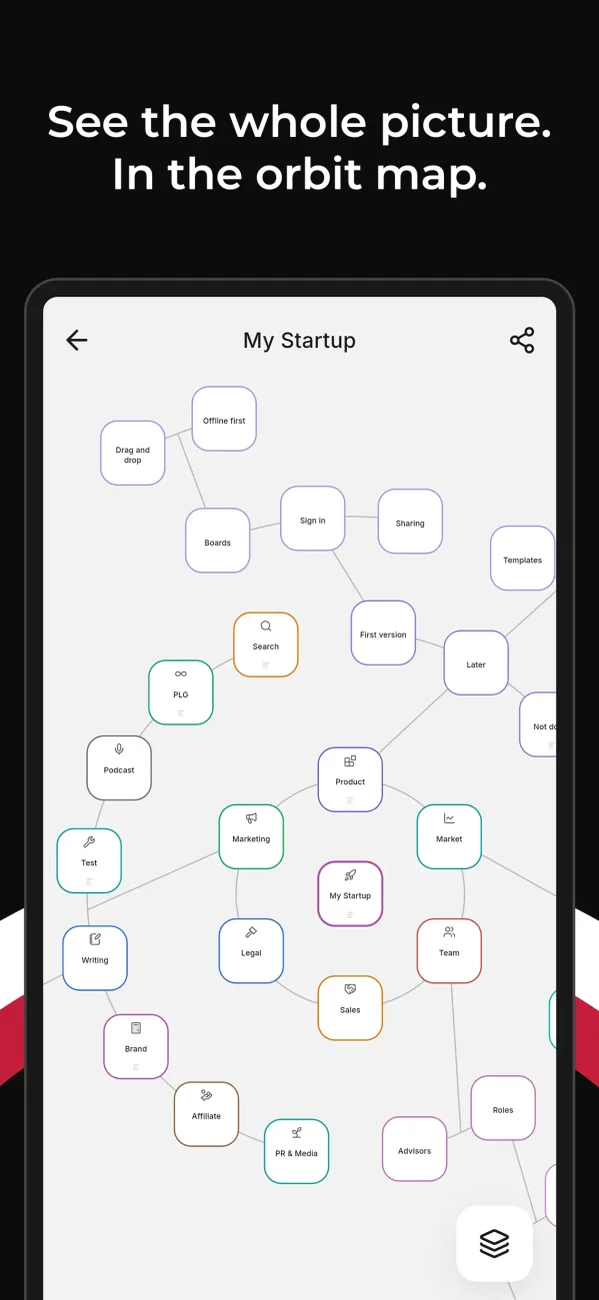
- Orbit: See your entire map and all its levels as one connected orbit structure.
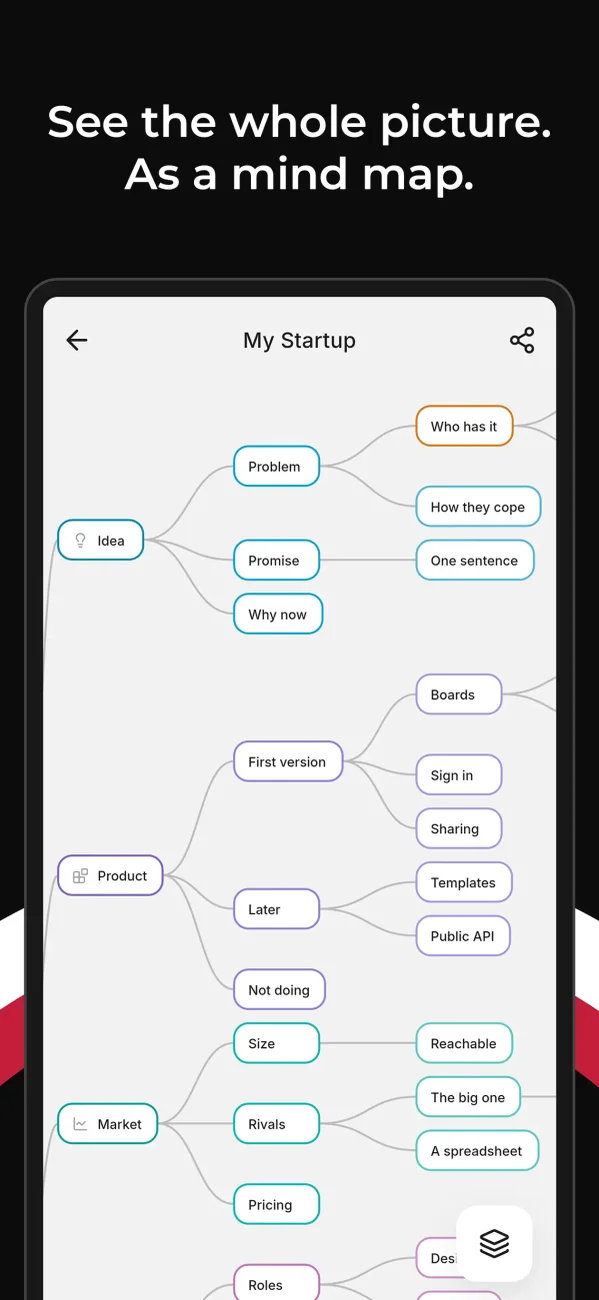
- Mind Map: View your thoughts as a classic left-to-right branching mind map.
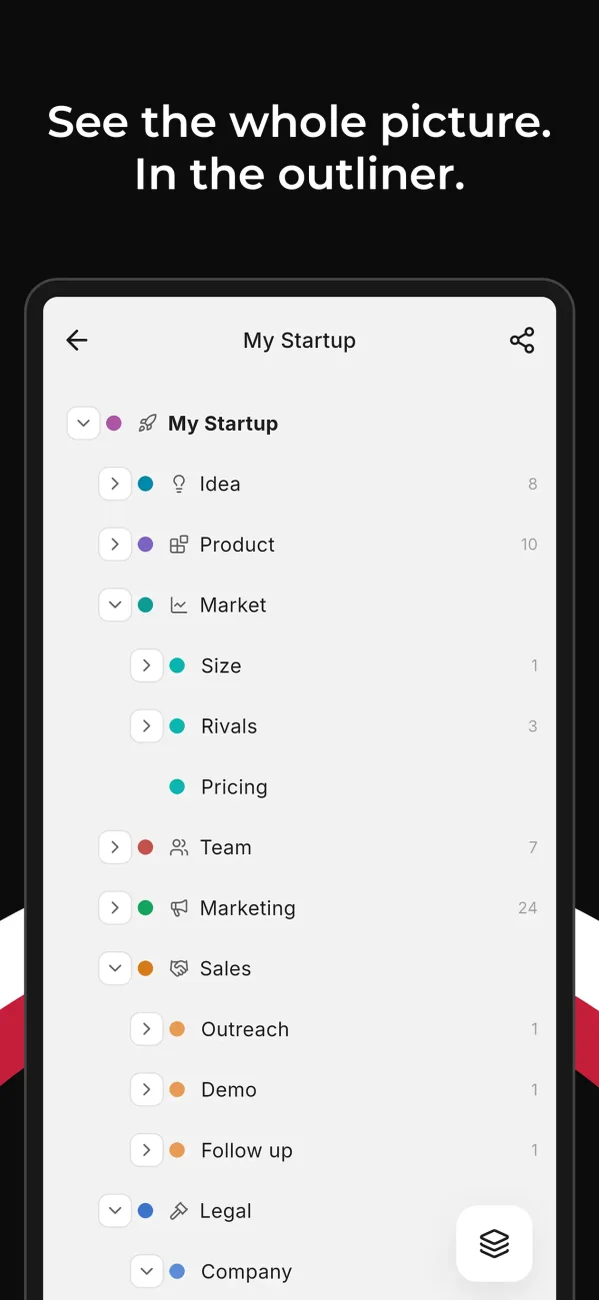
- Outliner: Read your entire structure as an expandable, collapsible outline.
The full-map views also let you navigate, share, and export your map.
CAPTURE AND ORGANIZE IDEAS
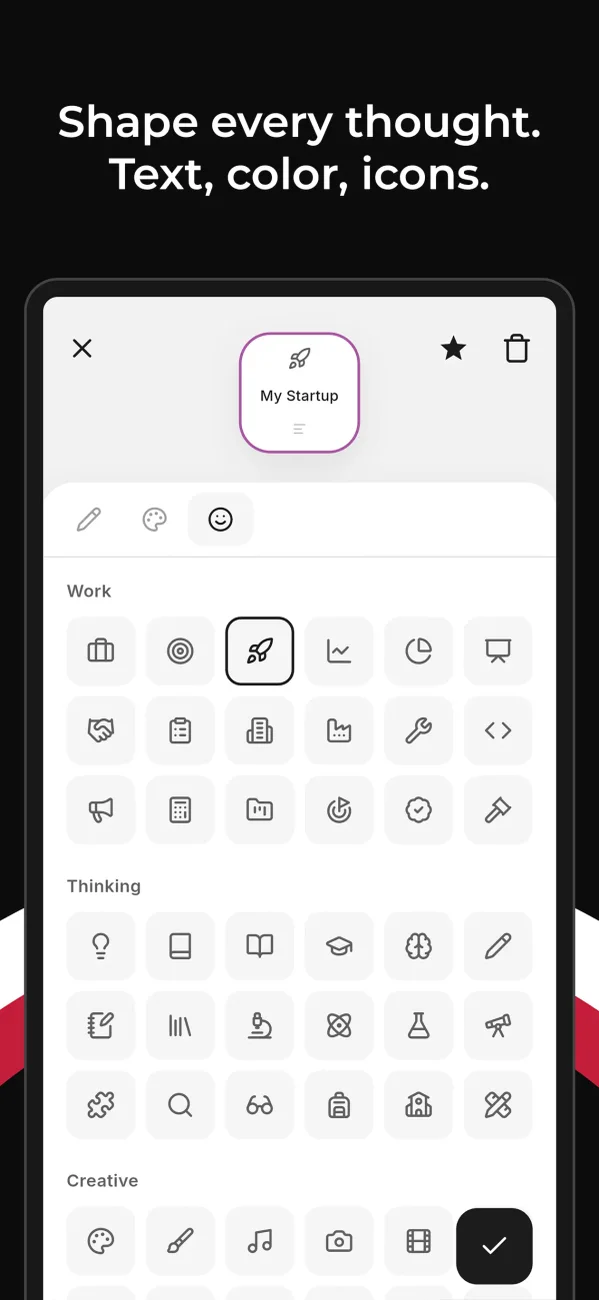
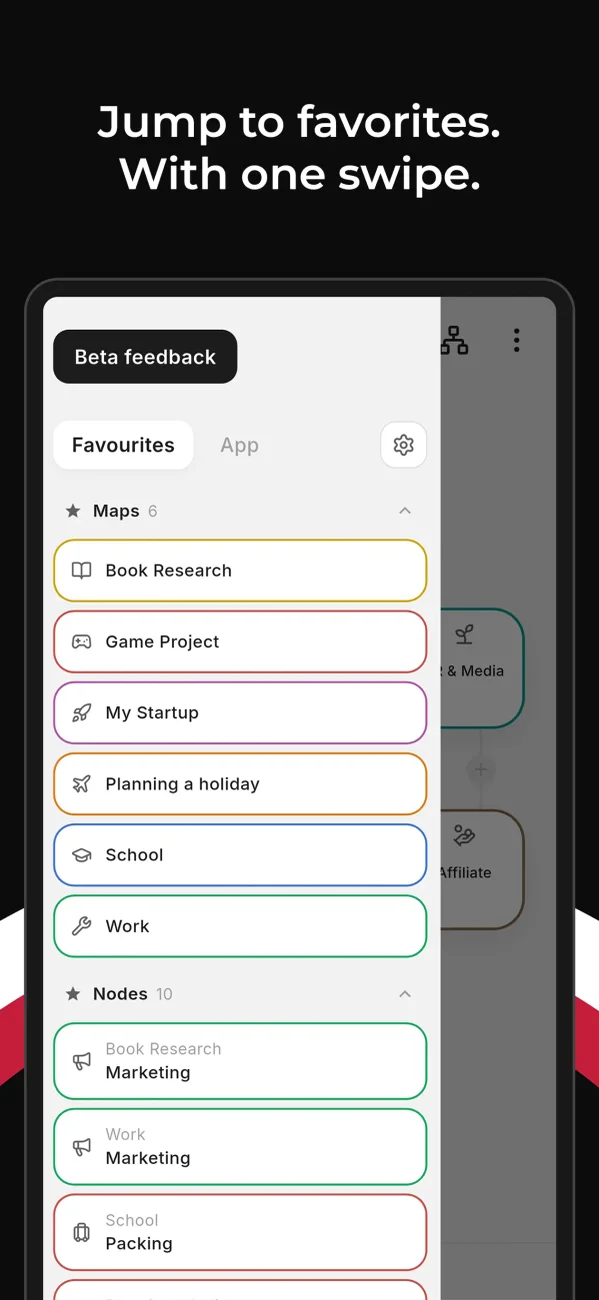
Each node can contain a title and detailed notes. Use colors and icons to add visual structure to your mind maps. Mark important maps or individual nodes as favorites so you can quickly find them again.
Nodes can also be moved or copied, letting you reorganize your map as your ideas develop.
SHARE AND EXPORT
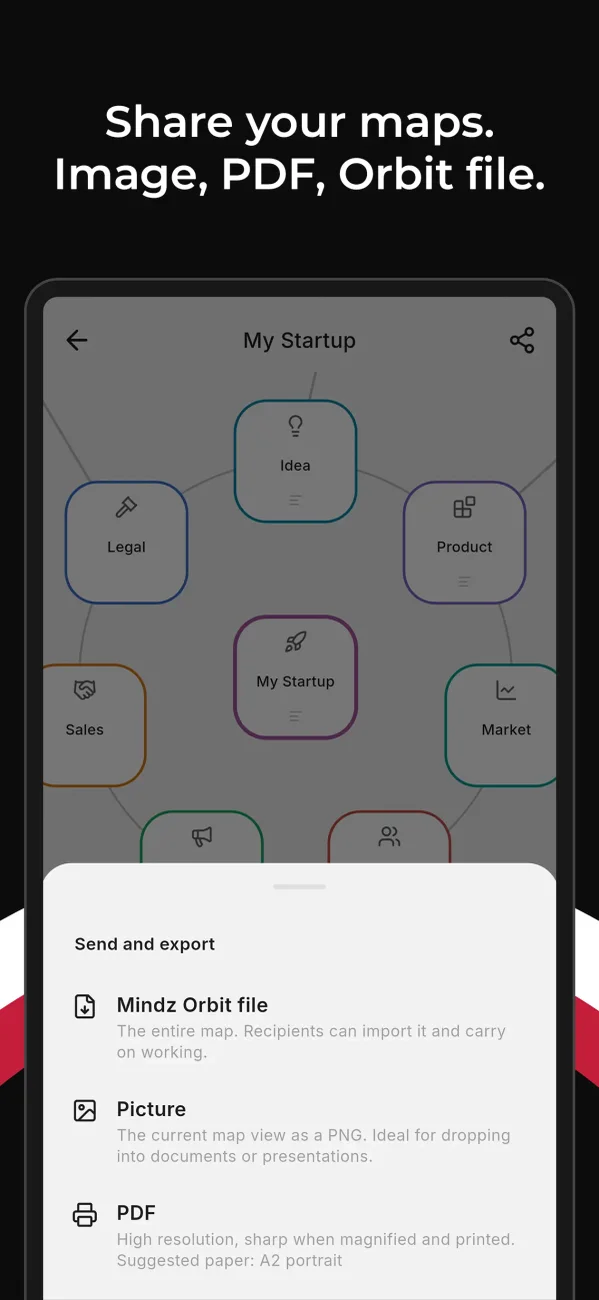
Export your maps as PNG images or high-resolution PDFs. For larger mind maps, Mindz Orbit recommends a suitable paper size. The Outliner view can also be exported as a multi-page text PDF.
Use the .orbit format to share a complete map and import it back into Mindz Orbit.
PRIVATE, OFFLINE, AND NO ACCOUNT
Mindz Orbit requires no registration or user account.
- No cloud
- No tracking
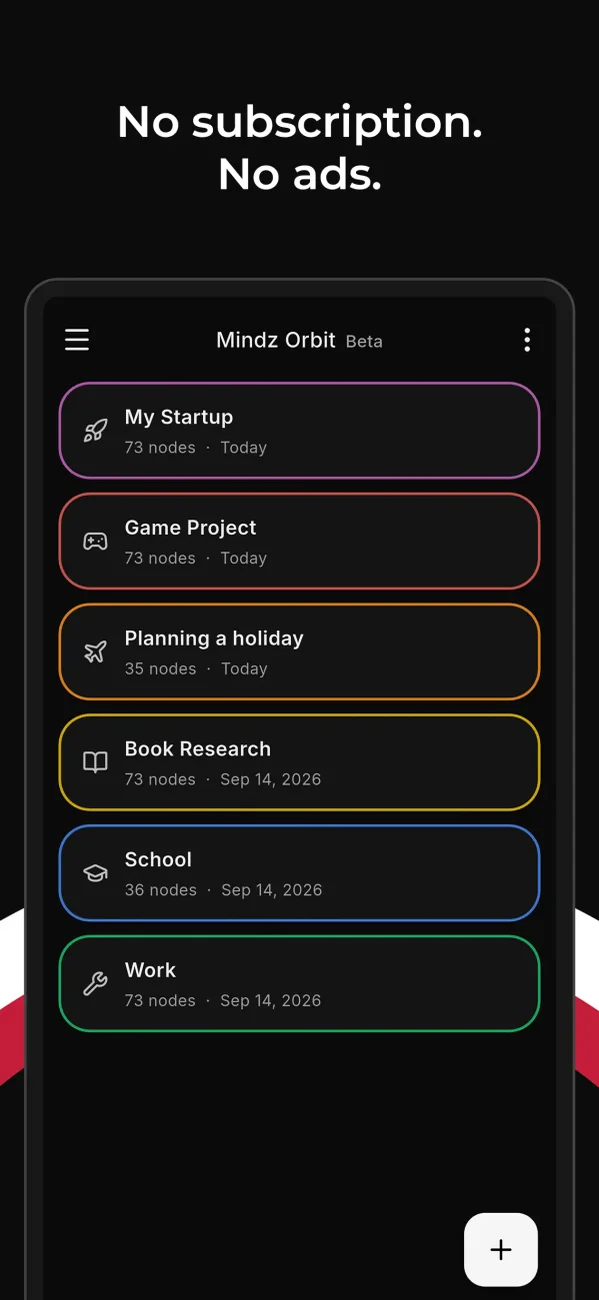
- No ads
- We send nothing to our servers
- Works offline
Your maps are stored locally on your device. Depending on your device settings, your system backup may include your app data.
TRY IT FIRST, GO PRO IF YOU NEED MORE
The free version lets you create up to 3 maps with up to 40 nodes each. All features and views are included.
Mindz Orbit Pro removes the limits on maps and nodes. Pro is a one-time in-app purchase – no subscription.
Mindz Orbit is independently developed by a solo developer. You can send questions, ideas, or bug reports directly from the app.
Great for planning projects, preparing trips, organizing study material, and structuring ideas and decisions.
新機能
バージョン 1.0.14 · 2026/11/5
• OPML import and export: exchange maps as outlines with other outliners and mind-map apps – including maps from the old Mindz app.
• "Export map" on the home screen now asks for the format: Mindz Orbit file or OPML.
• The editor asks before closing when there are unsaved changes.
• The plus on the ring is easier to hit.
Thanks for your feedback!
アプリのプライバシー
このアプリのデータの取り扱いについて、THOMAS SCHULZがApp Storeで申告している内容です。
-
データの収集なし
開発元はこのアプリからデータを収集しません。
プライバシーの取り扱いは、ご利用の機能やお客様の年齢などに応じて異なる場合があります。
情報
- 販売元
- THOMAS SCHULZ
- カテゴリ
- 仕事効率化
- バージョン
- 1.0.14
- 更新日
- 2026/11/5
- リリース
- 2026/10/26
- サイズ
- 22.1 MB
- 必要条件
- iOS 15.0以降
- 対象年齢
- 4+
- 価格
- 無料
- 言語
- 英語
- 著作権
- © 2026 Creative Robots
こちらもおすすめ
-
 Riskquarry: Delivery Odds仕事効率化
-
 Aravel アイデアメモ・整理ノートブレストと思考整理、関連図で次の一手
-
 PinShot: Smart Screenshots仕事効率化
-
 ADHD Task Outliner: FinishTrax仕事効率化
-
 Structured Outliner仕事効率化
-
 Bulletlist: Outliner仕事効率化
-
 Thoughtree: マインドマップ・思考整理アイデア発想・企画・アウトライン作成に
-
 Outliner by codediary仕事効率化
-
 Tendril Mindmap仕事効率化
-
 Intrs:小説執筆アプリあらすじ・推敲・伏線管理