- 対象年齢4+
- カテゴリユーティリティ
- 開発元MAHMOUD EL DADA
- 言語英語
- サイズ23.6 MB
App Storeの公式ページにリンクしています
Download.orgはNetwork TV Remoteのファイルを一切ホストしていません。ボタンを押すと、MAHMOUD EL DADAが公開しているApp Storeのアプリページが開きます。ページの最終確認:2026/11/20。
スクリーンショット
概要
開発元はこのテキストをお使いの言語で提供していません。
Network TV Remote turns your iPhone or iPad into a private,
remote control for compatible smart TVs on your local
Wi-Fi network. No accounts, no tracking, no cloud — your device
talks directly to your TV and nothing else.
Compatibility
- Designed for Philips smart TVs that expose the open JointSpace
HTTP API (v6) on their local network — most SAPHI-OS models
from 2020 onwards (for example the xxPUS7xxx and xxPUS8xxx
ranges, including the 50PUS7607).
What's inside
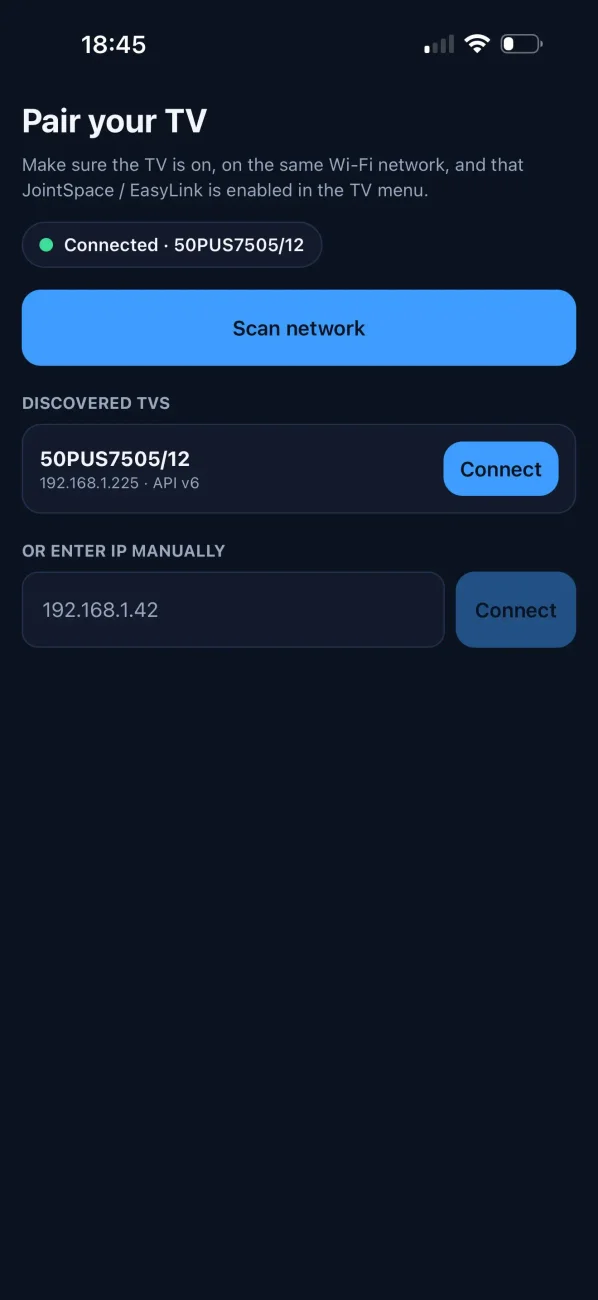
- Auto-discovery: scans your local Wi-Fi network for compatible
TVs in seconds.
- Manual IP fallback: if your network blocks discovery, type the
TV's address directly.
- Multiple saved TVs: switch between living-room, bedroom, or
office TVs with a single tap. Give each a nickname.
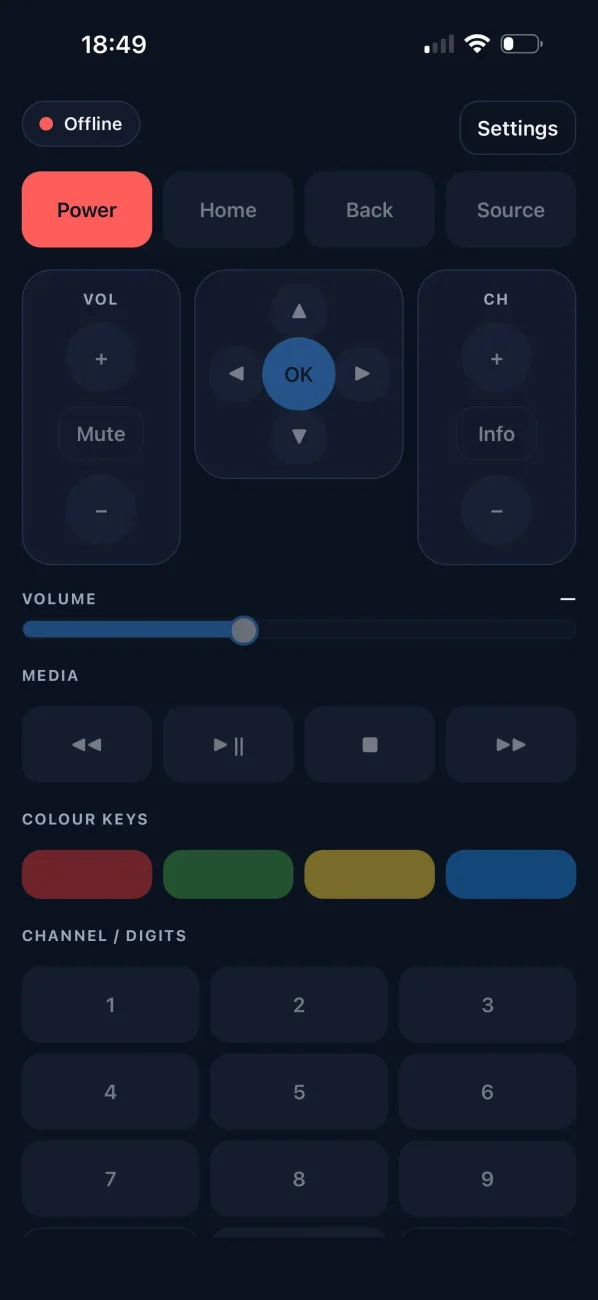
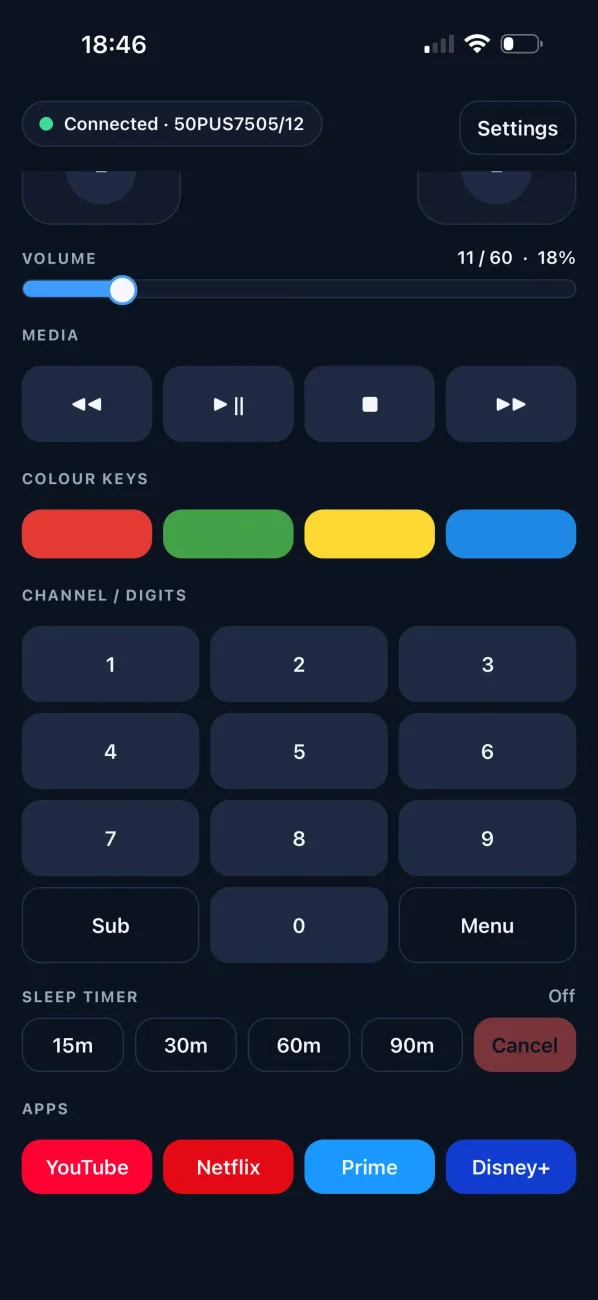
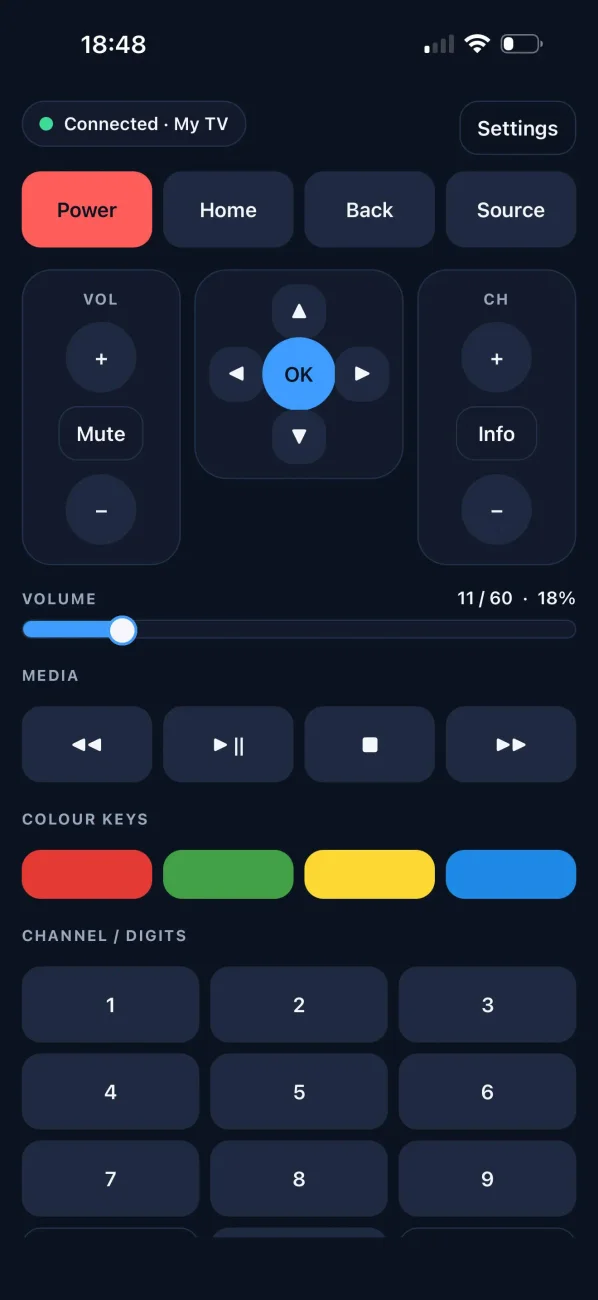
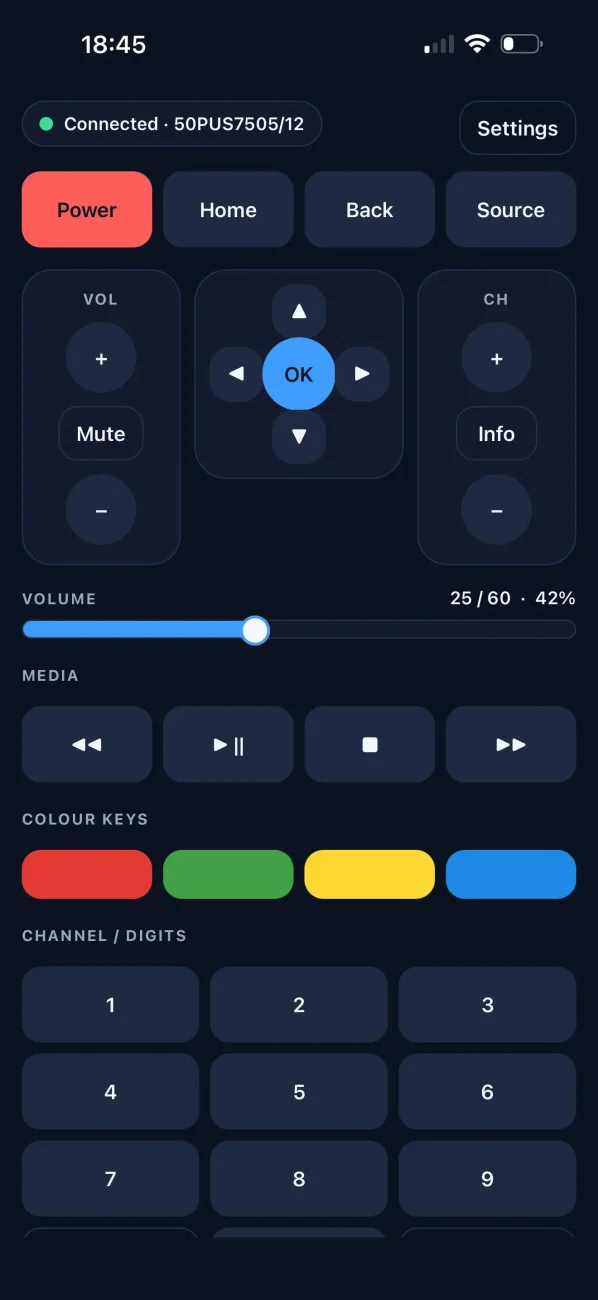
- Full remote layout: power, navigation pad with OK, Home, Back,
Source, media transport, live volume slider, numeric keypad,
red/green/yellow/blue colour keys, subtitle toggle.
- Sleep timer: 15 / 30 / 60 / 90-minute presets with a live
countdown that keeps running in the background.
- App shortcuts: launch Netflix, YouTube, Prime Video, Disney+
on the TV with one tap.
- Auto-reconnect: the last connected TV is restored on launch.
- Connection status: a clear badge tells you whether the app is
searching, connecting, or connected.
- Dark-mode-only design tuned for evening use.
Privacy first
- No accounts, no sign-ins, no profiles.
- No analytics, no tracking, no telemetry.
- No cloud: every command goes from your iPhone or iPad straight
to the TV on your own Wi-Fi network. Nothing else.
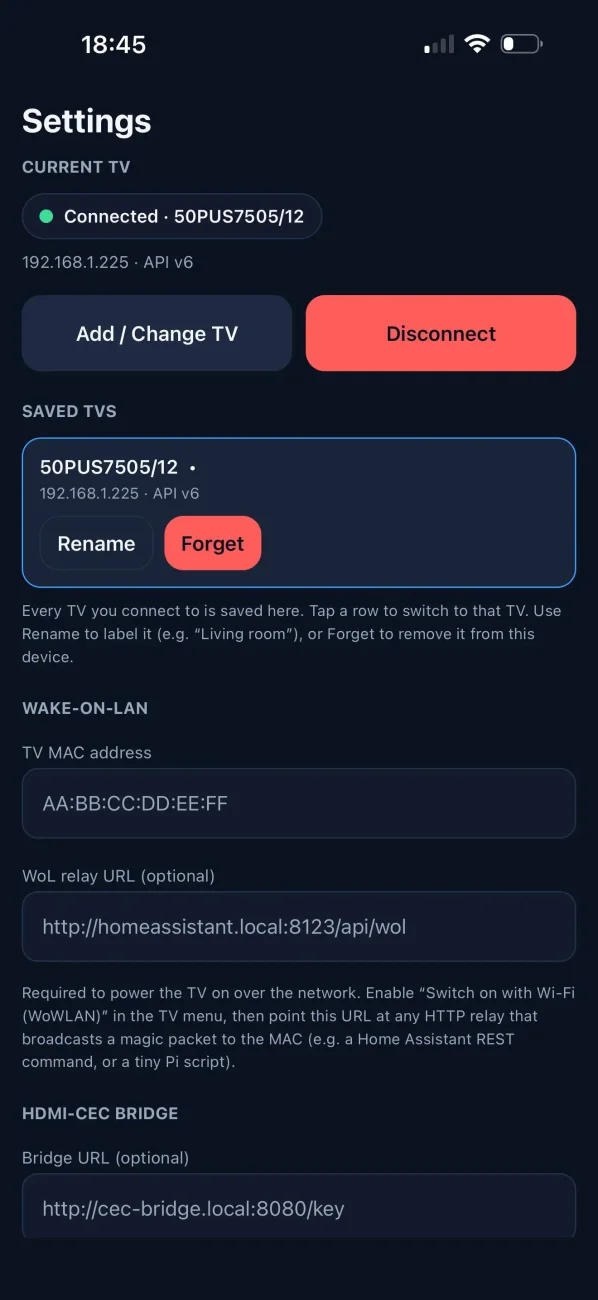
- Settings (TV addresses, nicknames, optional Wake-on-LAN URL)
are stored locally on your device and removed when you
uninstall.
Optional add-ons (you control them)
- Wake-on-LAN: power the TV on from cold by pointing the app at
a small HTTP relay on your home network (e.g. Home Assistant,
a tiny Pi script, or any always-on device).
- HDMI-CEC bridge: send fallback commands through a Chromecast
or Pi-CEC device on the same HDMI trunk if it exposes an HTTP
endpoint.
Setup is two minutes
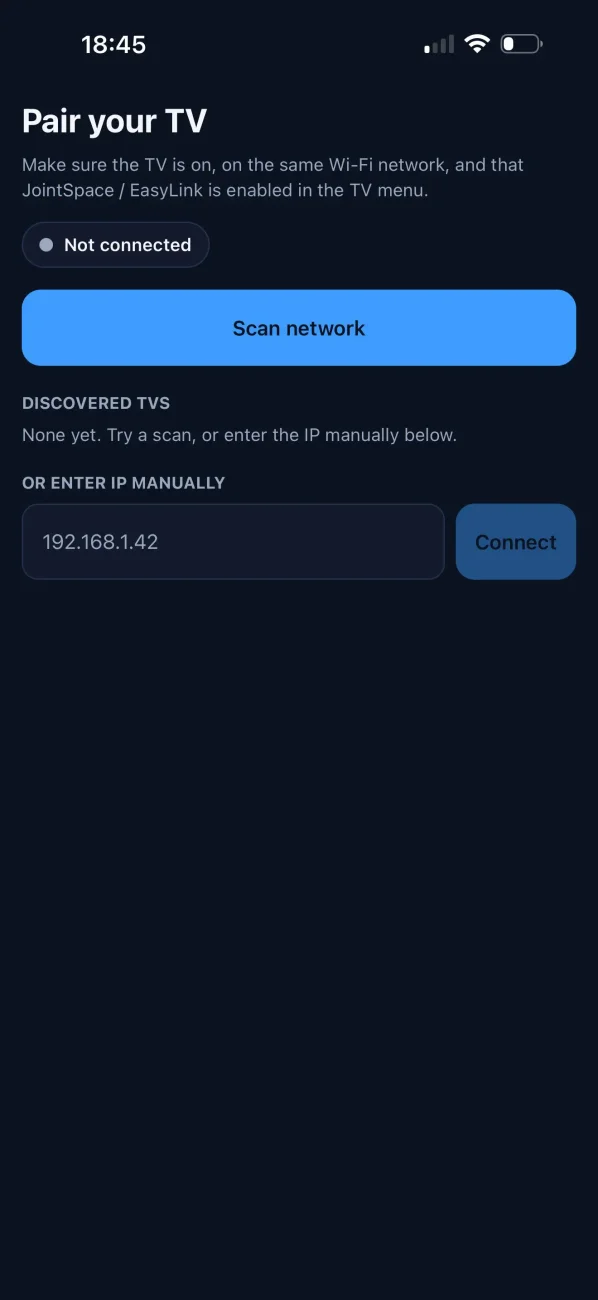
1. Make sure JointSpace / EasyLink is enabled in the TV's
network settings.
2. Open the app and tap Scan network — or type the TV's IP
address.
3. Tap Connect. That's it.
Network TV Remote is an independent project. It is not
affiliated with, endorsed by, or sponsored by Koninklijke
Philips N.V. or any television manufacturer. "Philips" and
similar product names are trademarks of their respective
owners and are referenced solely to describe device
compatibility.
アプリのプライバシー
このアプリのデータの取り扱いについて、MAHMOUD EL DADAがApp Storeで申告している内容です。
-
データの収集なし
開発元はこのアプリからデータを収集しません。
プライバシーの取り扱いは、ご利用の機能やお客様の年齢などに応じて異なる場合があります。
情報
- 販売元
- MAHMOUD EL DADA
- カテゴリ
- ユーティリティ
- バージョン
- 1.0
- 更新日
- 2026/6/24
- リリース
- 2026/6/24
- サイズ
- 23.6 MB
- 必要条件
- iOS 15.1以降
- 対象年齢
- 4+
- 価格
- 無料
- 言語
- 英語
- 著作権
- © 2026 Network TV Remote
こちらもおすすめ
-
 RemoteOne TV Remote ControllerSmart TV Remote for Top Brands
-
 Onx Remote TVユーティリティ
-
 Remoto - TV Remoteユーティリティ
-
 Remote for Philips Smart TVユーティリティ
-
 テレビリモコン:Remuttoソニー・パナソニック・Fire TV対応
-
 Classic TV Remote Controlユーティリティ
-
 Desk Remote: Mouse controlユーティリティ
-
 Remote - Smart TVAndroid TV用リモコン
-
 Beam – テレビ リモコンGoogle TV・Fire TV対応リモコン
-
 JointCloud 2.0ユーティリティ