Network TV Remote
Smart TV remote on Wi-Fi
Designed for iPhone, iPad, iPod touch
Free
- Age rating4+
- CategoryUtilities
- DeveloperMAHMOUD EL DADA
- LanguagesEnglish
- Size23.6 MB
Links to the official App Store page
Download.org hosts no file of Network TV Remote. The button opens its official App Store page, published by MAHMOUD EL DADA. Listing last checked on Nov 20, 2026.
Screenshots
About
Network TV Remote turns your iPhone or iPad into a private,
remote control for compatible smart TVs on your local
Wi-Fi network. No accounts, no tracking, no cloud — your device
talks directly to your TV and nothing else.
Compatibility
- Designed for Philips smart TVs that expose the open JointSpace
HTTP API (v6) on their local network — most SAPHI-OS models
from 2020 onwards (for example the xxPUS7xxx and xxPUS8xxx
ranges, including the 50PUS7607).
What's inside
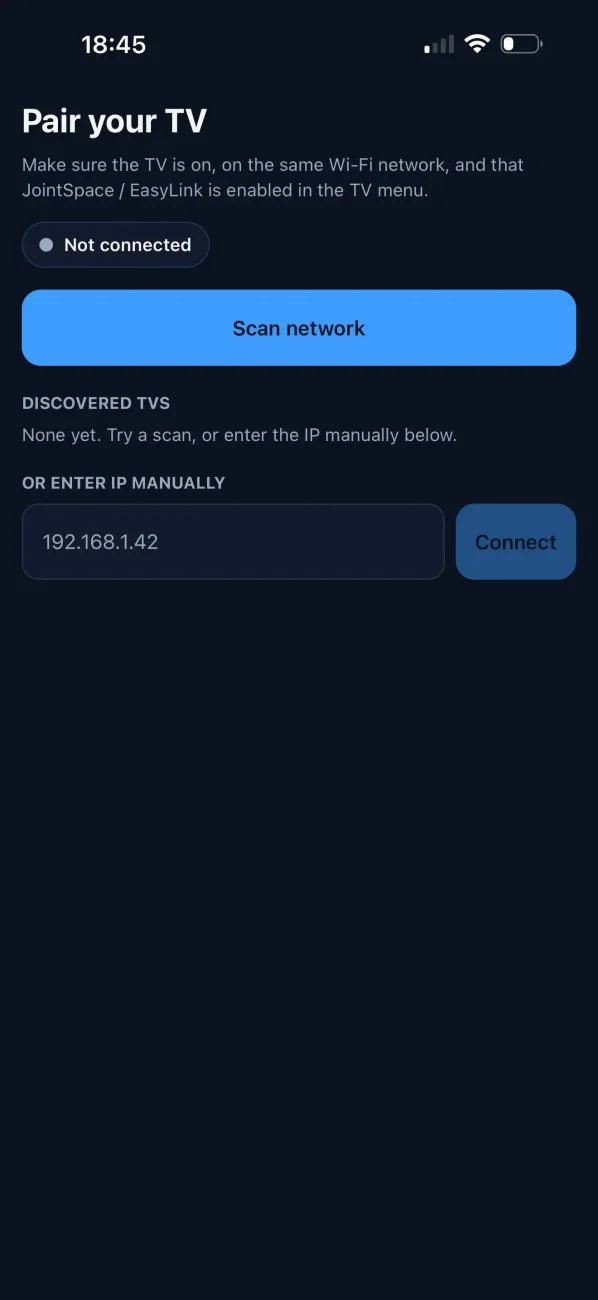
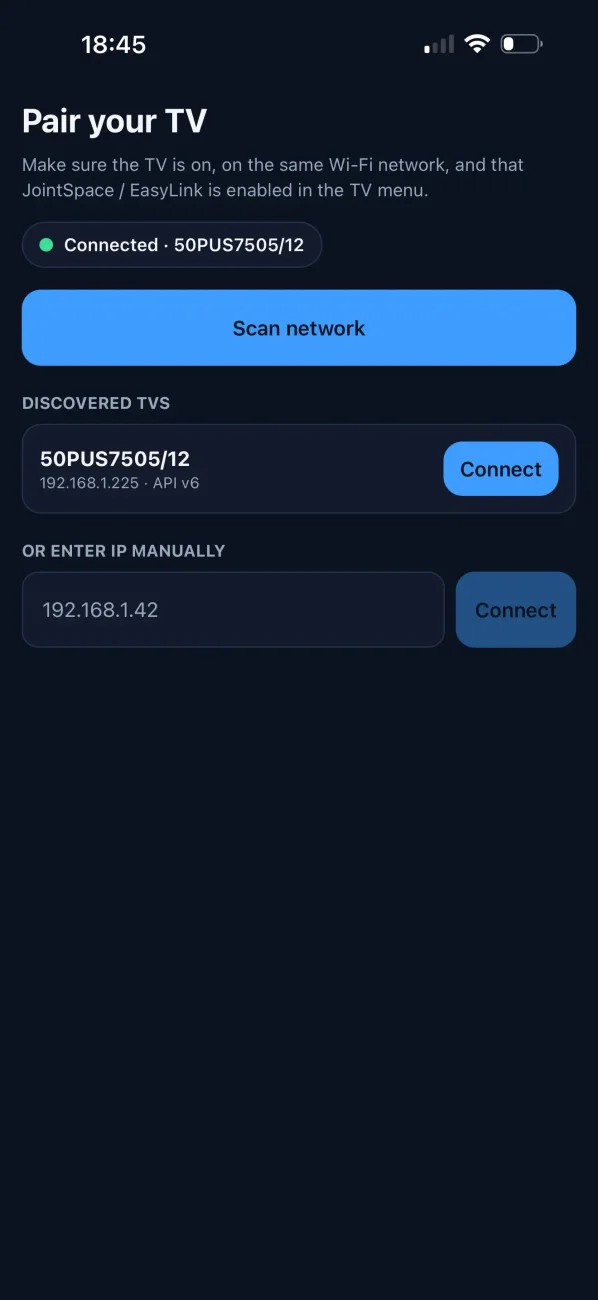
- Auto-discovery: scans your local Wi-Fi network for compatible
TVs in seconds.
- Manual IP fallback: if your network blocks discovery, type the
TV's address directly.
- Multiple saved TVs: switch between living-room, bedroom, or
office TVs with a single tap. Give each a nickname.
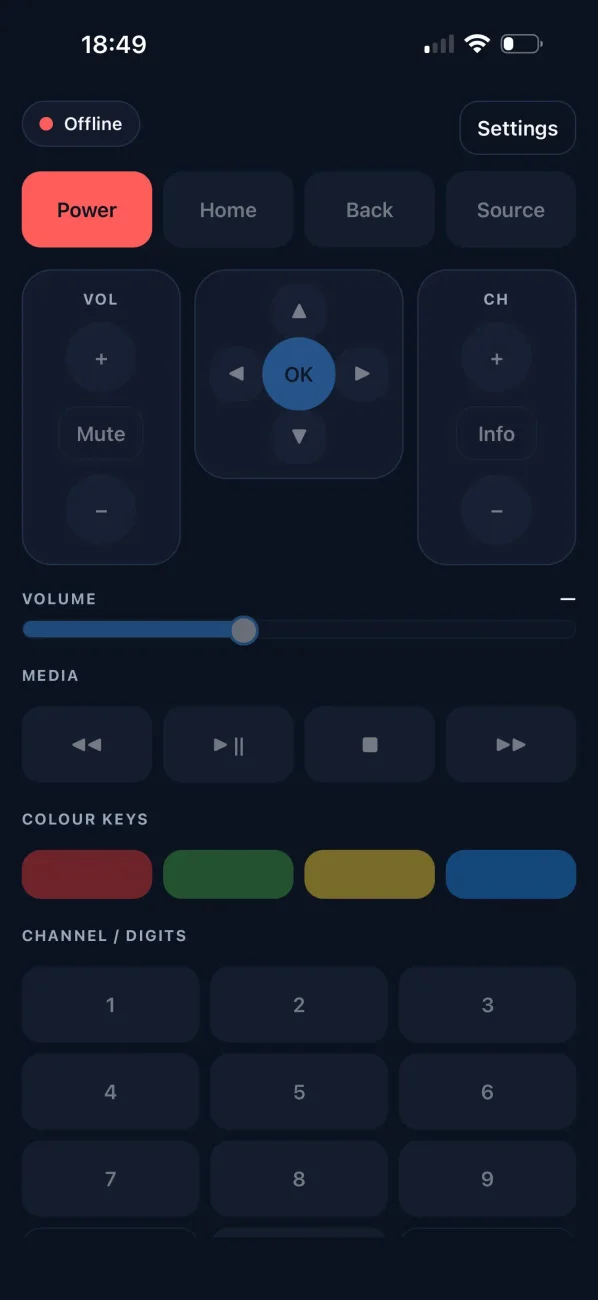
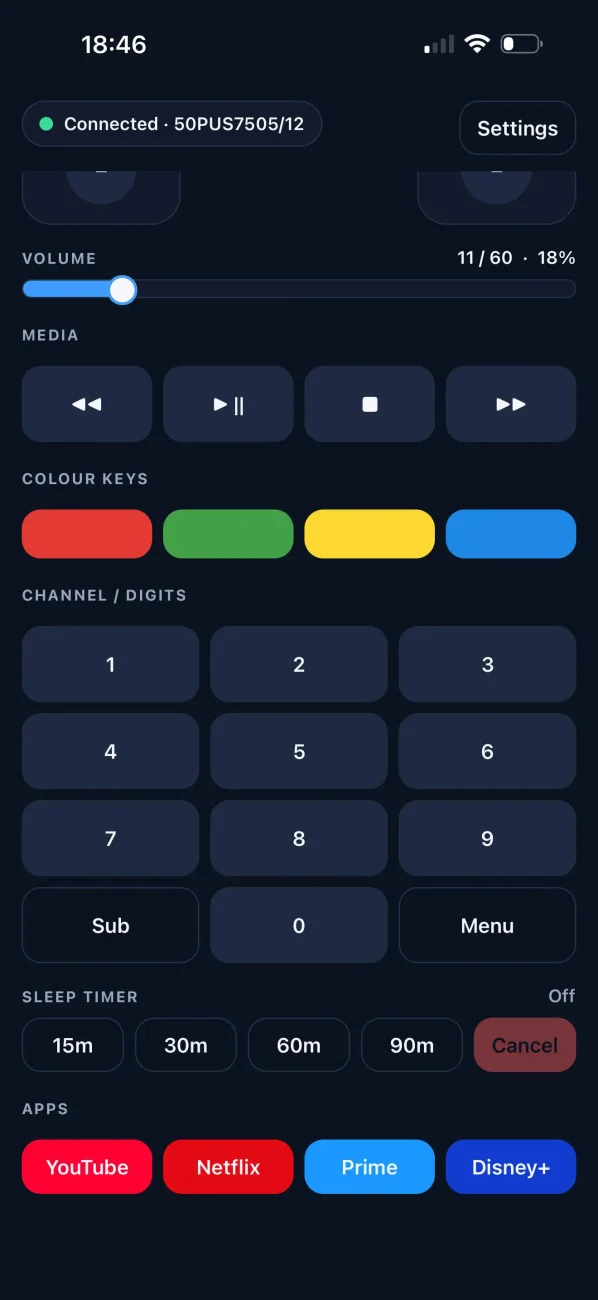
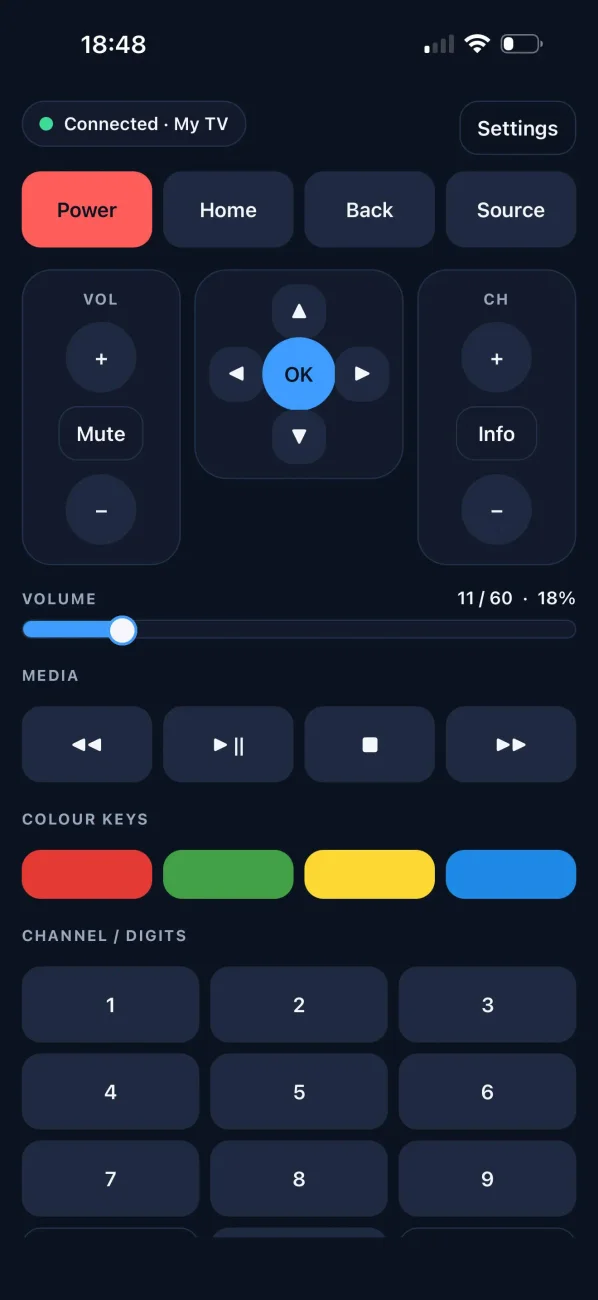
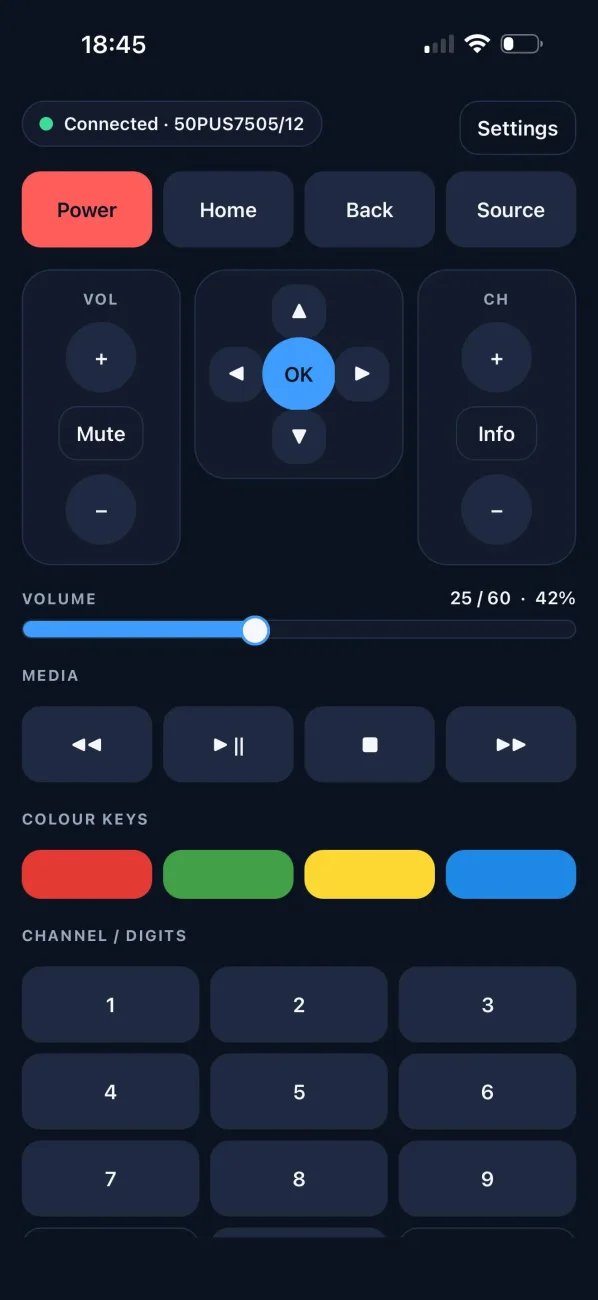
- Full remote layout: power, navigation pad with OK, Home, Back,
Source, media transport, live volume slider, numeric keypad,
red/green/yellow/blue colour keys, subtitle toggle.
- Sleep timer: 15 / 30 / 60 / 90-minute presets with a live
countdown that keeps running in the background.
- App shortcuts: launch Netflix, YouTube, Prime Video, Disney+
on the TV with one tap.
- Auto-reconnect: the last connected TV is restored on launch.
- Connection status: a clear badge tells you whether the app is
searching, connecting, or connected.
- Dark-mode-only design tuned for evening use.
Privacy first
- No accounts, no sign-ins, no profiles.
- No analytics, no tracking, no telemetry.
- No cloud: every command goes from your iPhone or iPad straight
to the TV on your own Wi-Fi network. Nothing else.
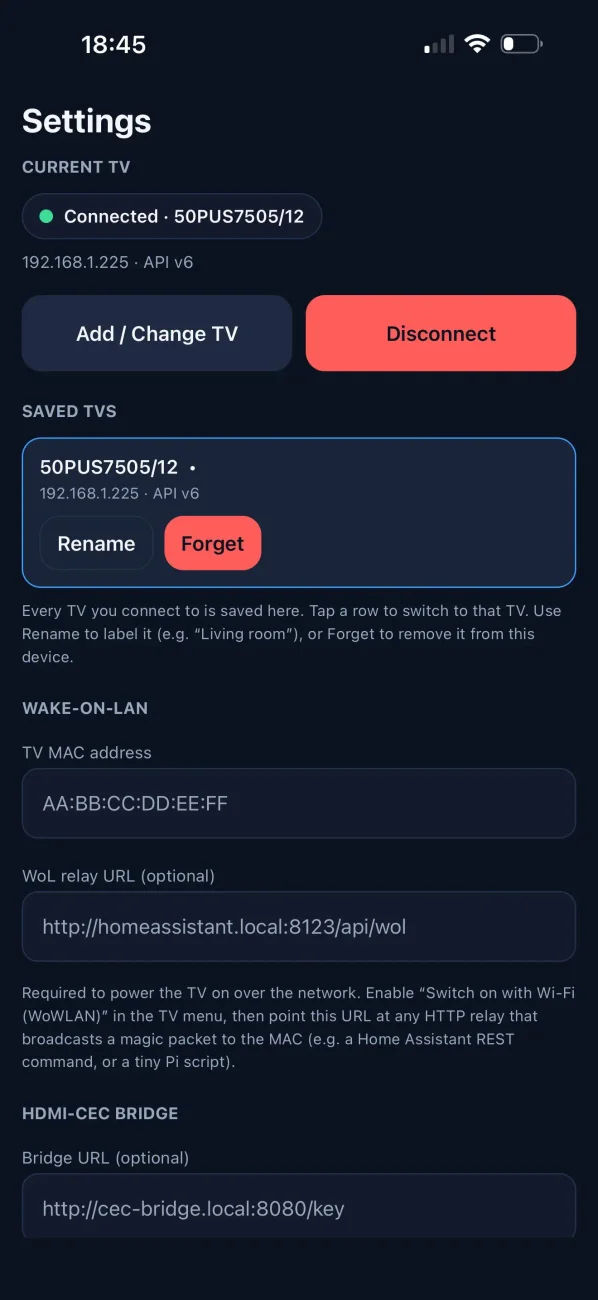
- Settings (TV addresses, nicknames, optional Wake-on-LAN URL)
are stored locally on your device and removed when you
uninstall.
Optional add-ons (you control them)
- Wake-on-LAN: power the TV on from cold by pointing the app at
a small HTTP relay on your home network (e.g. Home Assistant,
a tiny Pi script, or any always-on device).
- HDMI-CEC bridge: send fallback commands through a Chromecast
or Pi-CEC device on the same HDMI trunk if it exposes an HTTP
endpoint.
Setup is two minutes
1. Make sure JointSpace / EasyLink is enabled in the TV's
network settings.
2. Open the app and tap Scan network — or type the TV's IP
address.
3. Tap Connect. That's it.
Network TV Remote is an independent project. It is not
affiliated with, endorsed by, or sponsored by Koninklijke
Philips N.V. or any television manufacturer. "Philips" and
similar product names are trademarks of their respective
owners and are referenced solely to describe device
compatibility.
App privacy
What MAHMOUD EL DADA declares on the App Store about how this app handles data.
-
Data not collected
The developer does not collect any data from this app.
Privacy practices may vary, for example with the features you use or your age.
Information
- Seller
- MAHMOUD EL DADA
- Category
- Utilities
- Version
- 1.0
- Updated
- Jun 24, 2026
- Released
- Jun 24, 2026
- Size
- 23.6 MB
- Requires
- iOS 15.1 or later
- Age rating
- 4+
- Price
- Free
- Languages
- English
- Copyright
- © 2026 Network TV Remote
You might also like
-
 RemoteOne TV Remote ControllerSmart TV Remote for Top Brands
-
 Onx Remote TVUniversal Smart TV Control
-
 Remoto - TV RemoteNo Ads. TV Remote
-
 Remote for Philips Smart TVAmbilight Control & Keyboard
-
 Smart TV Remote: RemuttoSamsung, LG, Roku, Fire TV
-
 Classic TV Remote ControlSmart TV remote for 7 brands
-
 Desk Remote: Mouse controlTrackpad & Keyboard for Mac
-
 Remote - Smart TVRemote for Android TV
-
 Beam – Universal TV RemoteRemote for Roku, Samsung & LG
-
 JointCloud 2.0久通云2.0