- 対象年齢4+
- カテゴリ仕事効率化
- 開発元ADAM JIANG LAI
- 言語英語
- サイズ5.5 MB
App Storeの公式ページにリンクしています
Download.orgはNubble Notes: Mind Map & Ideasのファイルを一切ホストしていません。ボタンを押すと、ADAM JIANG LAIが公開しているApp Storeのアプリページが開きます。ページの最終確認:2026/11/14。
スクリーンショット

概要
開発元はこのテキストをお使いの言語で提供していません。
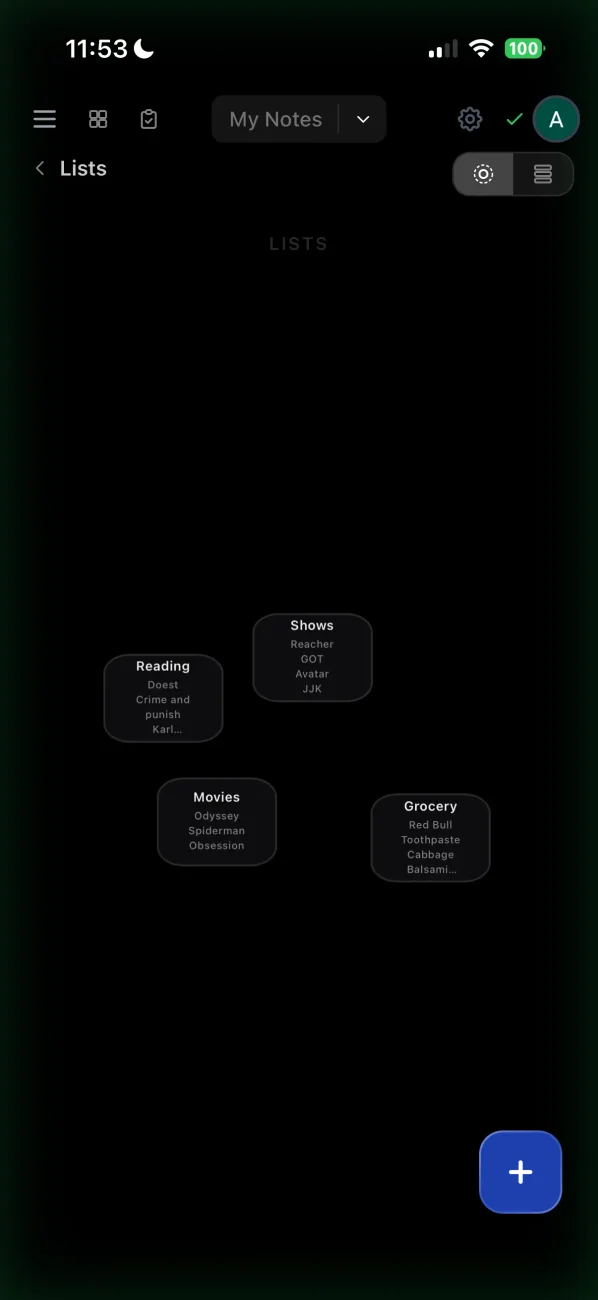
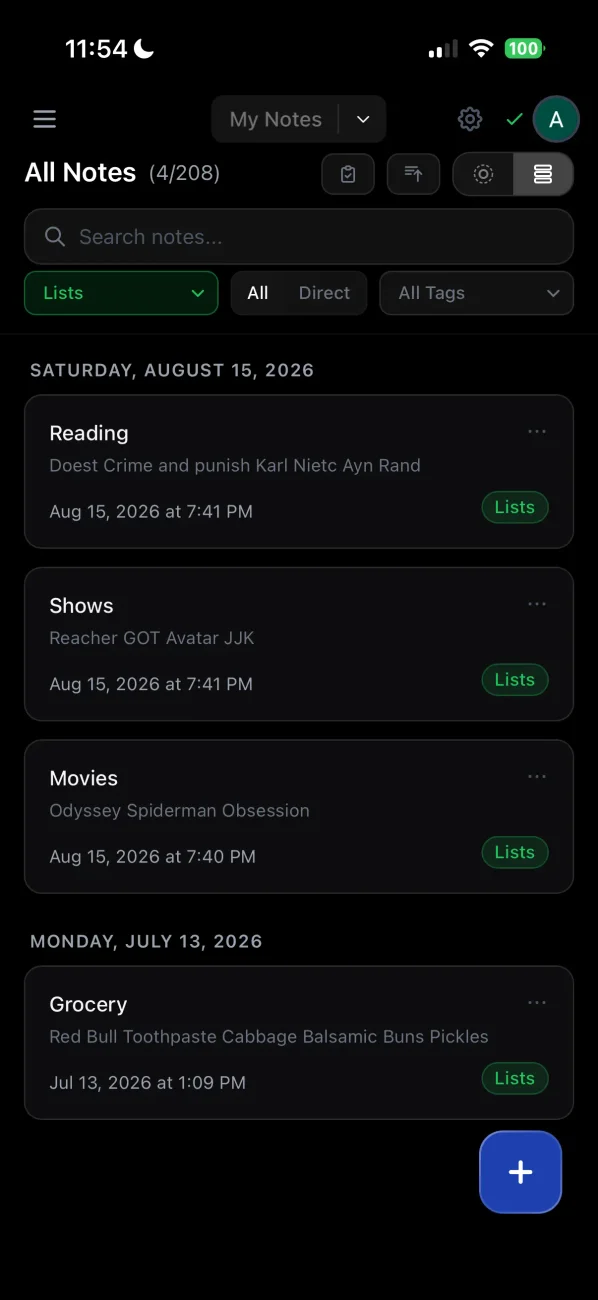
Nubble organizes your thoughts in visual bubbles. Create notes, nest them inside your bubbles, tag them by how sure you are, and link related ideas — so your notes reflect how you actually think, not just when you wrote them down.
Most notes apps ask you to decide on a structure before you have anything to put in it. Nubble lets the pile exist, then makes it something you can see and move around.
Features:
Visual bubble organization — bubbles hold notes and other bubbles, as deep as you like
One note can live in several bubbles at once, no duplicates
Drag and drop to rearrange, with pages that grow as you do
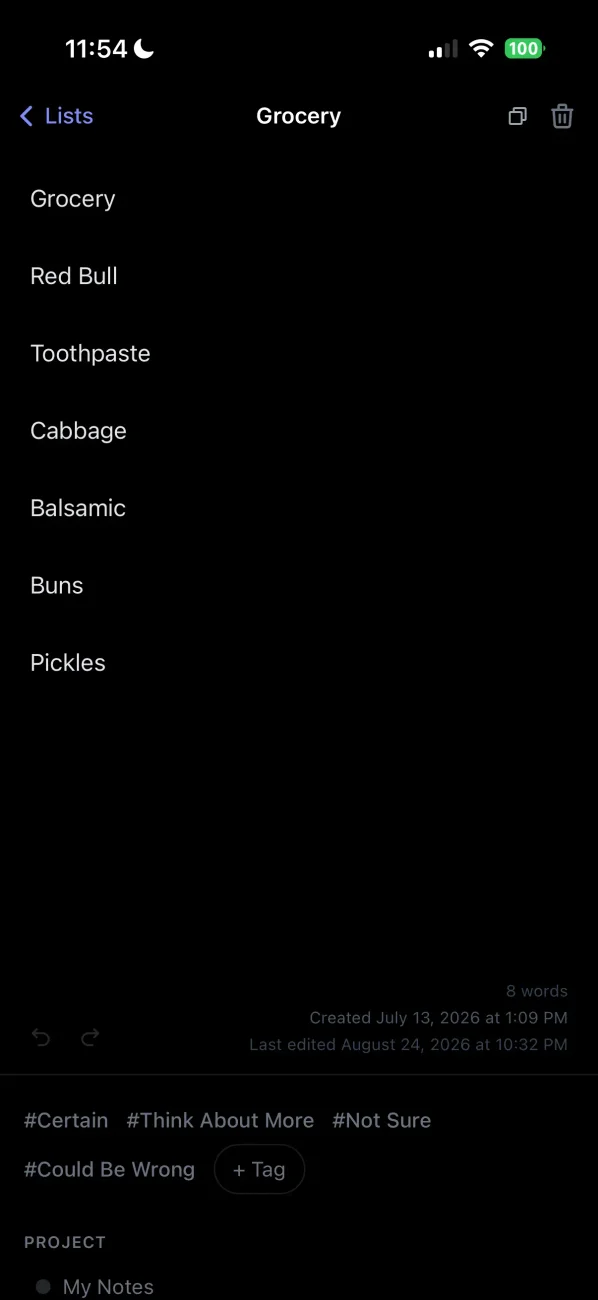
Confidence tags: Certain, Think About More, Not Sure, Could Be Wrong — or make your own
Link notes with typed connections and jump between them
Lock private bubbles behind a password
Search, sort, filter, and pin
Import existing notes from text or by pasting
Dark and light mode
Free to use. Start as a guest with everything stored on your device, or sign in to sync across devices.
新機能
バージョン 1.6 · 2026/10/30
Quick Access
Swipe left from your canvas to reach Quick Access — a page for the notes you’re working on right now. Keep anything there with the bookmark, arrange it however you like, and take notes out when you’re done.
A new way to move between pages
The switcher at the top now shows Quick Access, your canvas, and All Notes in one place. Tap to jump, or swipe and watch it follow.
Faster
Typing, the All Notes list, and dragging on busy pages are all noticeably smoother.
Fixes
Buttons no longer stay highlighted after you tap or hold them
Controls no longer flicker when swiping into Quick Access
Pinned notes you move in Quick Access stay where you put them
Many smaller layout and stability fixes
On the web
A redesigned desktop layout with a single toolbar and a framed sidebar, bigger notes and labels on large screens, note windows with a docked details panel, and drag back from All Notes with the mouse.
アプリのプライバシー
このアプリのデータの取り扱いについて、ADAM JIANG LAIがApp Storeで申告している内容です。
-
ユーザーに関連付けられたデータ
収集され、ユーザーの識別情報に関連付けられる場合があります。
- 連絡先情報
- ID
プライバシーの取り扱いは、ご利用の機能やお客様の年齢などに応じて異なる場合があります。
情報
- 販売元
- ADAM JIANG LAI
- カテゴリ
- 仕事効率化
- バージョン
- 1.6
- 更新日
- 2026/10/30
- リリース
- 2026/8/20
- サイズ
- 5.5 MB
- 必要条件
- iOS 16.0以降
- 対象年齢
- 4+
- 価格
- 無料
- 言語
- 英語
- 著作権
- © 2026 Adam Lai