Nubble Notes: Mind Map & Ideas
Organize thoughts in bubbles
iPhone, iPad için tasarlandı
Ücretsiz
- Yaş sınırı4+
- KategoriÜretkenlik
- GeliştiriciADAM JIANG LAI
- Dillerİngilizce
- Boyut5,5 MB
Resmi App Store sayfasına bağlanır
Download.org, Nubble Notes: Mind Map & Ideas için hiçbir dosya barındırmaz. Düğme, uygulamanın App Store üzerindeki sayfasını açar; uygulamayı orada ADAM JIANG LAI yayınlar. Sayfanın son kontrolü: 14.11.2026.
Ekran görüntüleri

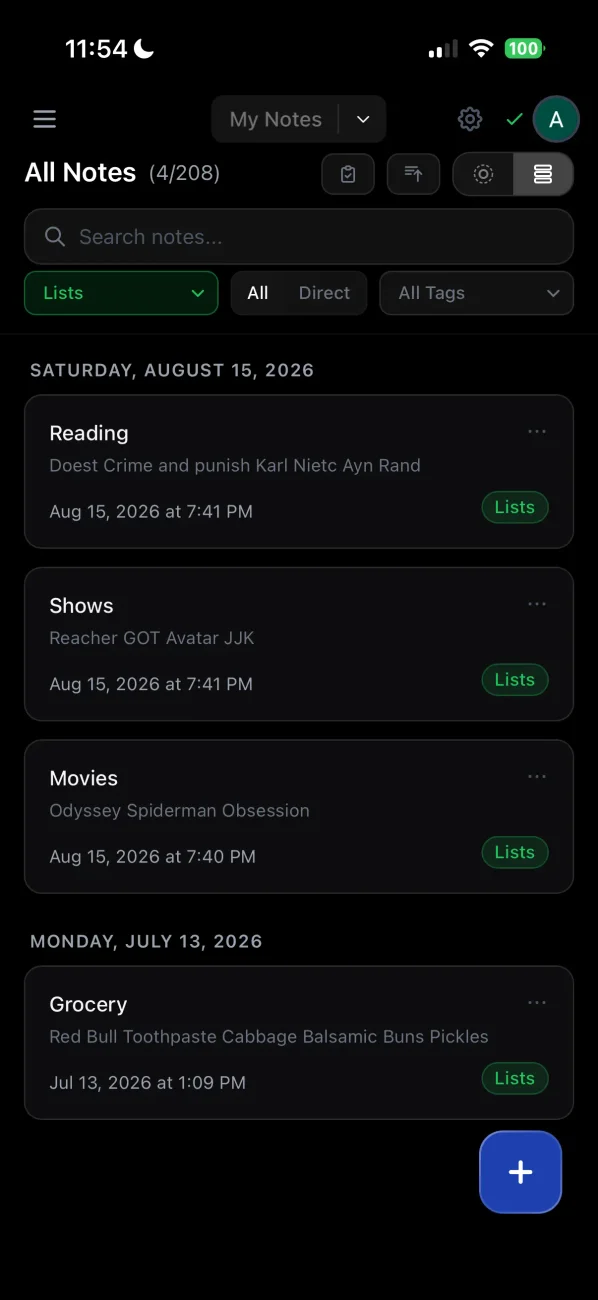
Hakkında
Geliştirici bu metni dilinizde sunmamış.
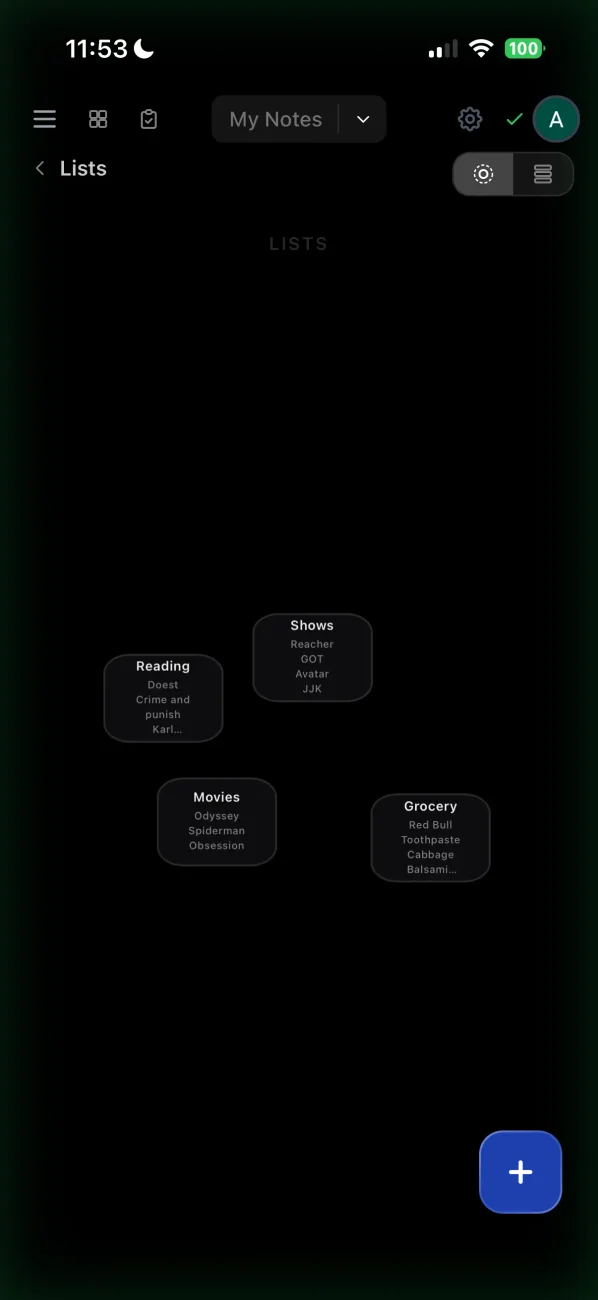
Nubble organizes your thoughts in visual bubbles. Create notes, nest them inside your bubbles, tag them by how sure you are, and link related ideas — so your notes reflect how you actually think, not just when you wrote them down.
Most notes apps ask you to decide on a structure before you have anything to put in it. Nubble lets the pile exist, then makes it something you can see and move around.
Features:
Visual bubble organization — bubbles hold notes and other bubbles, as deep as you like
One note can live in several bubbles at once, no duplicates
Drag and drop to rearrange, with pages that grow as you do
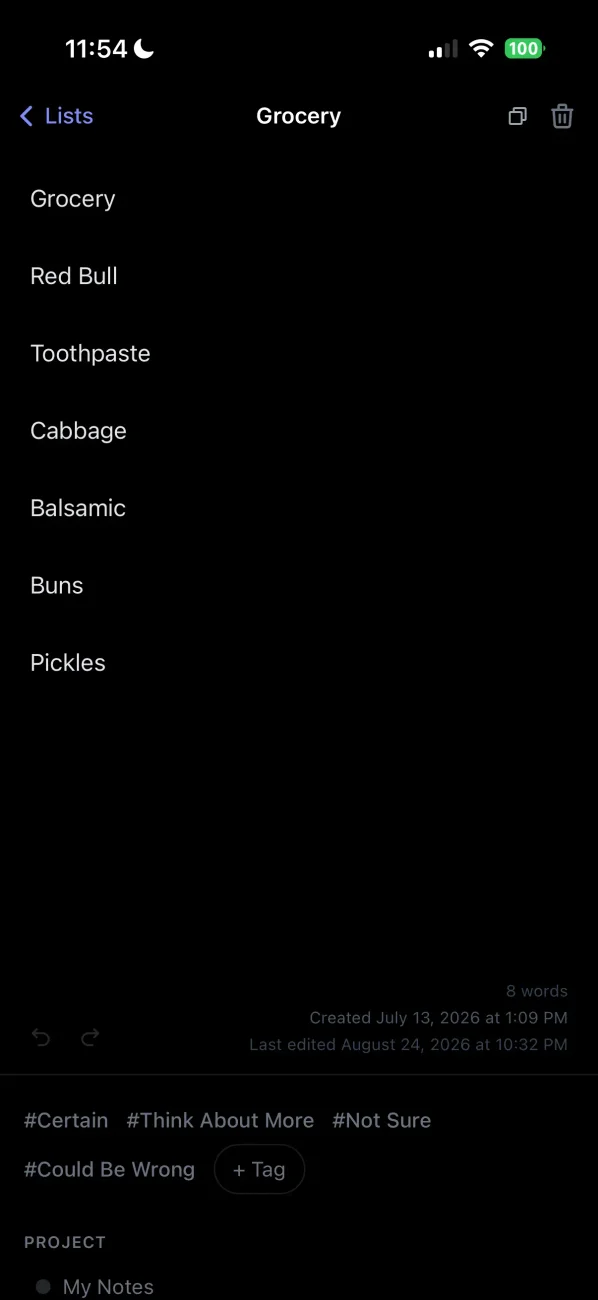
Confidence tags: Certain, Think About More, Not Sure, Could Be Wrong — or make your own
Link notes with typed connections and jump between them
Lock private bubbles behind a password
Search, sort, filter, and pin
Import existing notes from text or by pasting
Dark and light mode
Free to use. Start as a guest with everything stored on your device, or sign in to sync across devices.
Yenilikler
Sürüm 1.6 · 30.10.2026
Quick Access
Swipe left from your canvas to reach Quick Access — a page for the notes you’re working on right now. Keep anything there with the bookmark, arrange it however you like, and take notes out when you’re done.
A new way to move between pages
The switcher at the top now shows Quick Access, your canvas, and All Notes in one place. Tap to jump, or swipe and watch it follow.
Faster
Typing, the All Notes list, and dragging on busy pages are all noticeably smoother.
Fixes
Buttons no longer stay highlighted after you tap or hold them
Controls no longer flicker when swiping into Quick Access
Pinned notes you move in Quick Access stay where you put them
Many smaller layout and stability fixes
On the web
A redesigned desktop layout with a single toolbar and a framed sidebar, bigger notes and labels on large screens, note windows with a docked details panel, and drag back from All Notes with the mouse.
Uygulama gizliliği
Bu uygulamanın verileri nasıl işlediği hakkında ADAM JIANG LAI tarafından App Store üzerinde yapılan beyan.
-
Sizinle ilişkilendirilen veriler
Toplanabilir ve kimliğinizle ilişkilendirilebilir.
- İletişim bilgileri
- Tanımlayıcılar
Gizlilik uygulamaları, örneğin kullandığınız özelliklere veya yaşınıza göre değişiklik gösterebilir.
Bilgiler
- Satıcı
- ADAM JIANG LAI
- Kategori
- Üretkenlik
- Sürüm
- 1.6
- Güncellendi
- 30.10.2026
- Yayın tarihi
- 20.08.2026
- Boyut
- 5,5 MB
- Gereksinim
- iOS 16.0 veya sonrası
- Yaş sınırı
- 4+
- Fiyat
- Ücretsiz
- Diller
- İngilizce
- Telif hakkı
- © 2026 Adam Lai