
- 対象年齢4+
- カテゴリユーティリティ
- 開発元eFUSION Co., Ltd.
- 言語英語
- サイズ1.0 MB
App Storeの公式ページにリンクしています
Download.orgはPassKeysのファイルを一切ホストしていません。ボタンを押すと、eFUSION Co., Ltd.が公開しているApp Storeのアプリページが開きます。ページの最終確認:2026/11/23。
スクリーンショット

概要
開発元はこのテキストをお使いの言語で提供していません。
PassKeys is a custom keyboard with built-in AI.
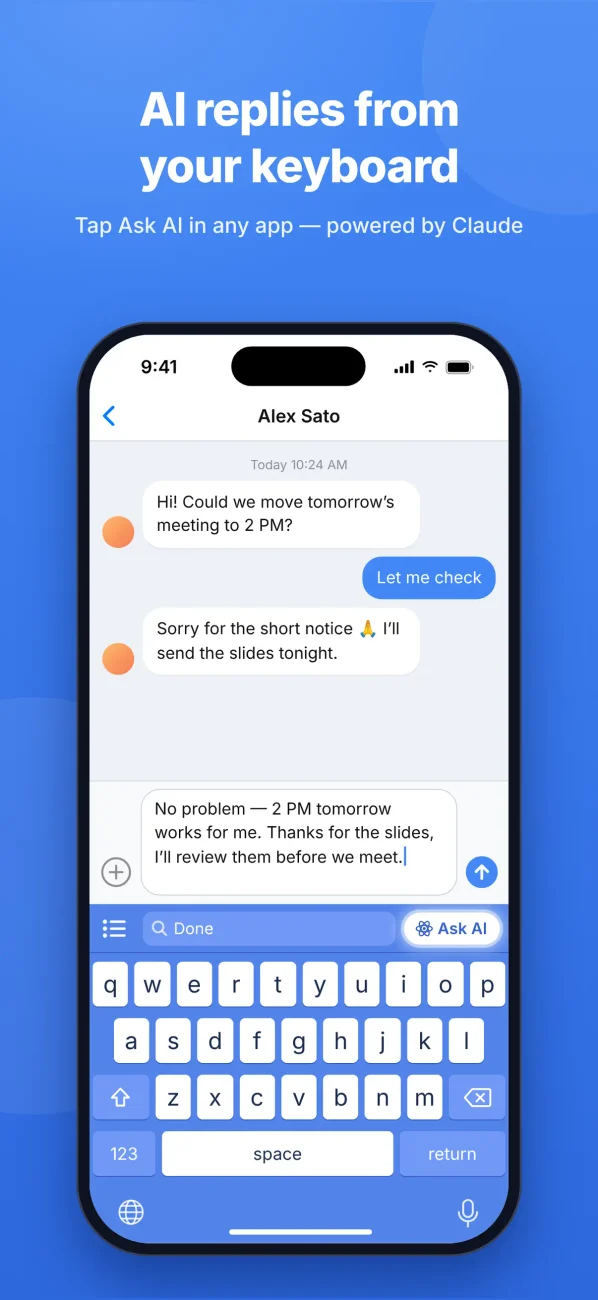
In any app where you type, such as messages, email or social media, you can ask the AI to write a reply or polish your text without leaving the keyboard.
- AI REPLIES FROM YOUR KEYBOARD
Type, then tap Ask AI. PassKeys uses the text before the cursor, or the text you selected, and puts the AI's reply right into the text field.
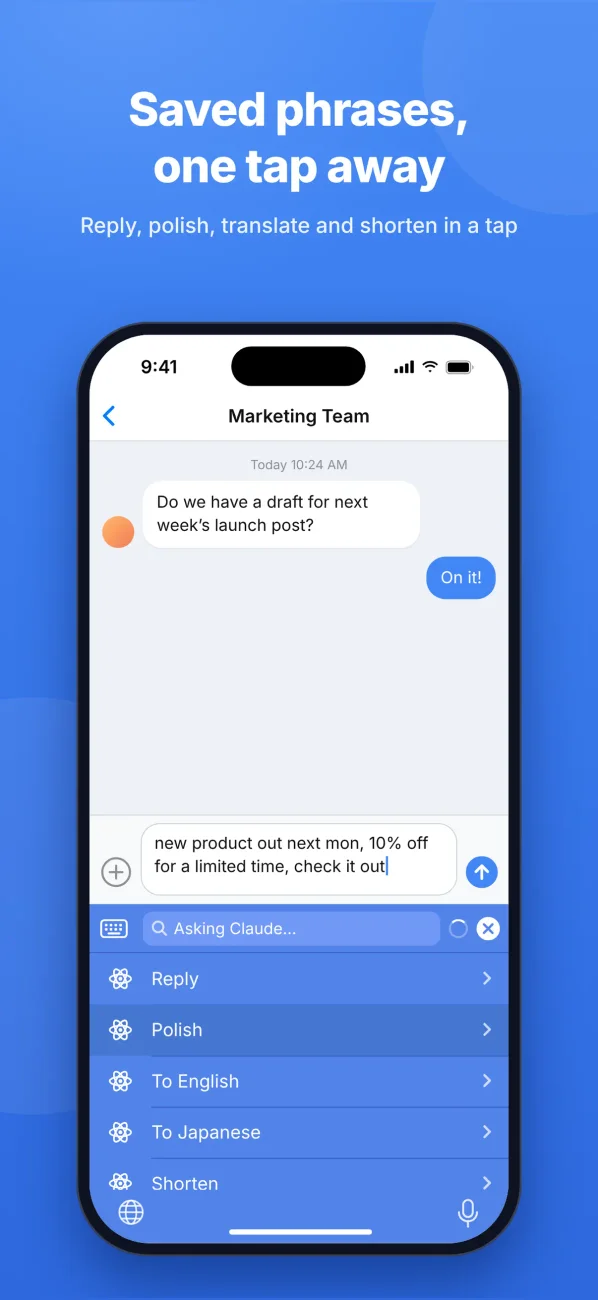
- SAVED PHRASES, ONE TAP AWAY
Open the phrase list on the keyboard and tap Reply, Polish, To English, To Japanese, Shorten or Polite.
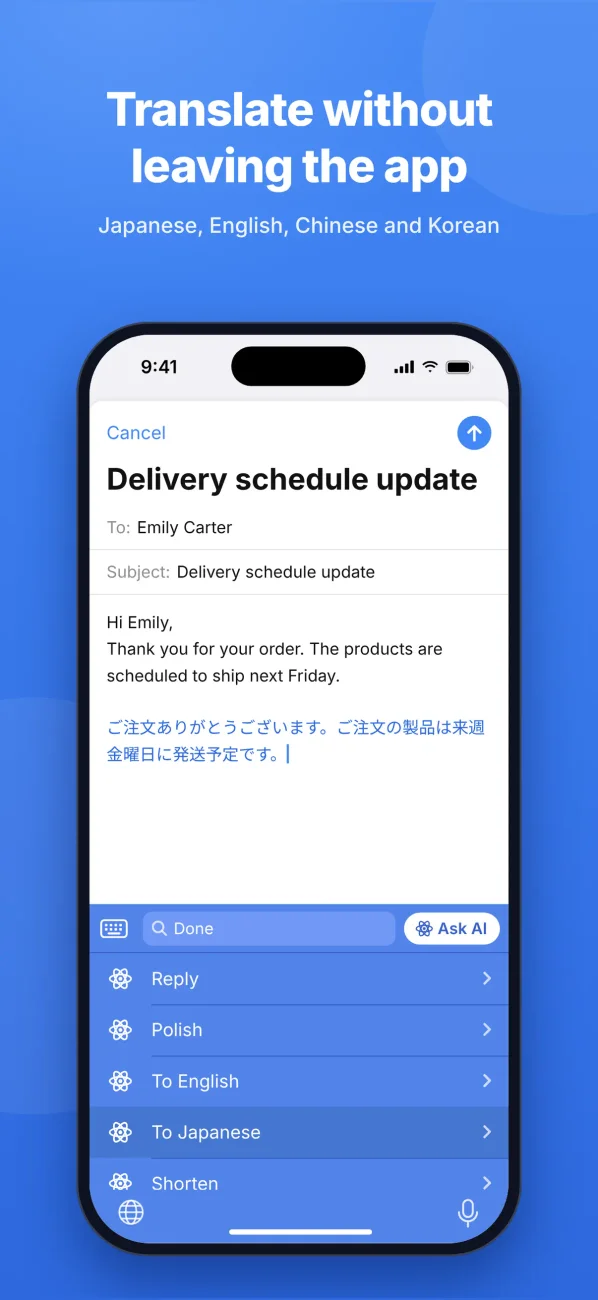
- TRANSLATE WITHOUT SWITCHING APPS
Translate between Japanese, English, Chinese and Korean, right where you type.
- YOUR TONE, YOUR LANGUAGE
Choose from five reply styles: Natural, Polite, Casual, Concise and Business. Set the reply language, and choose whether the AI replaces your text or adds its reply after it.
Add a system prompt with instructions you always want followed, such as "Sign emails as Tanaka".
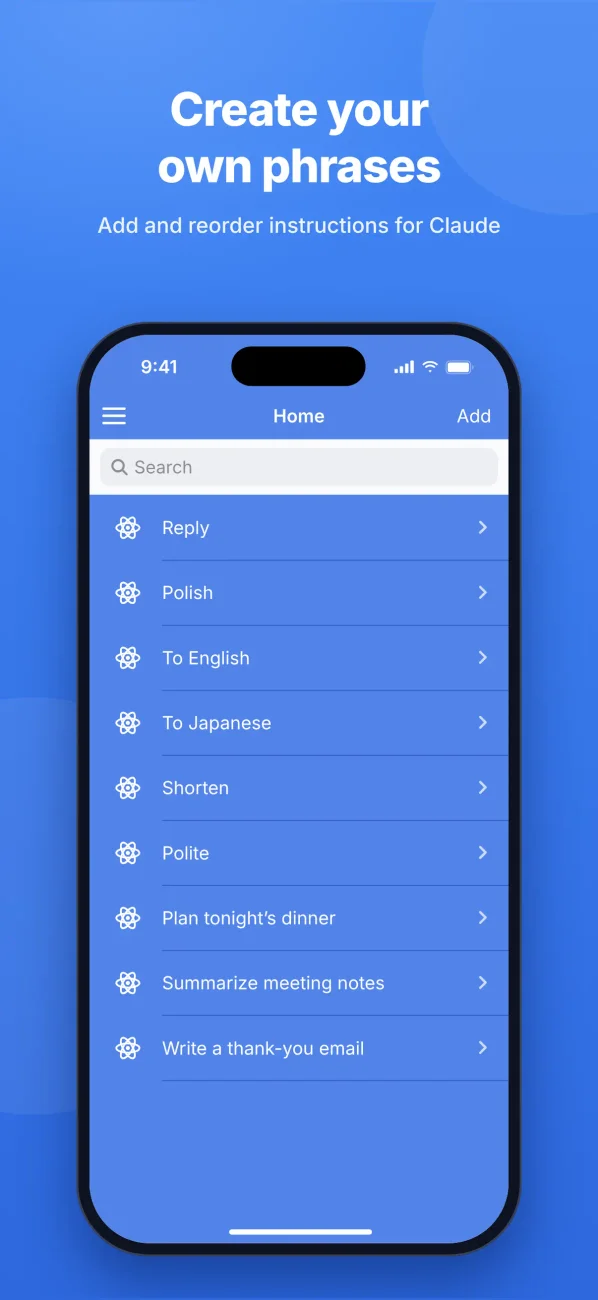
- CREATE YOUR OWN PHRASES
Add, edit and reorder your own instructions for the AI, such as "Plan tonight's dinner" or "Summarize meeting notes in 3 lines".
- PRIVACY
Text is sent to the AI only when you tap Ask AI or a phrase. Your normal keystrokes are never sent.
The AI features require "Allow Full Access" for the keyboard. Typing works without it.
- SETUP
1. Go to Settings › General › Keyboard › Keyboards › Add New Keyboard and add PassKeys.
2. Tap PassKeys and turn on Allow Full Access.
3. While typing, use the globe key to switch to PassKeys.
- SUBSCRIPTION
The AI features require an auto-renewing subscription (monthly or yearly plan).
- Payment is charged to your Apple ID account when you confirm the purchase.
- The subscription renews automatically unless auto-renew is turned off at least 24 hours before the end of the current period.
- The renewal is charged within 24 hours before the end of the current period.
- You can manage the subscription and turn off auto-renew in your App Store account settings after purchase.
Terms of Use: https://www.apple.com/legal/internet-services/itunes/dev/stdeula/
Privacy Policy: https://www.efusion.co.jp/passkeys/privacy
新機能
バージョン 2.0 · 2026/11/17
PassKeys 2.0 is a new AI keyboard: reply, polish and translate text in any app with one tap. Choose your tone and language, and save your own phrases.
アプリのプライバシー
このアプリのデータの取り扱いについて、eFUSION Co., Ltd.がApp Storeで申告している内容です。
-
データの収集なし
開発元はこのアプリからデータを収集しません。
プライバシーの取り扱いは、ご利用の機能やお客様の年齢などに応じて異なる場合があります。
情報
- 販売元
- eFUSION
- カテゴリ
- ユーティリティ
- バージョン
- 2.0
- 更新日
- 2026/11/17
- リリース
- 2015/2/13
- サイズ
- 1.0 MB
- 必要条件
- iOS 17.0以降
- 対象年齢
- 4+
- 価格
- 無料
- アプリ内課金
- あり
- 言語
- 英語
- 著作権
- © eFUSION Co. Ltd.
こちらもおすすめ
-
 FillPass - パスワードの管理Manage password, passkey
-
 KeyPass - PassKeys & Passwordsユーティリティ
-
 Password Generatorユーティリティ
-
 認証アプリ: 2FA & Passkey2FA, OTP, MFA, パスキーでログイン
-
 Passkey Generatorユーティリティ
-
 Secure - パスワードマネジャーと秘密フォルダ最も安全なパスワードマネジャー
-
 SecurityKey NFCユーティリティ
-
 Authenticator App†ユーティリティ
-
 Password Manager Authenticatorオーセンティケータとパスワードマネージャワンタイムパスワード
-
 PassKeyboard - password manageユーティリティ