
PassKeys
AI Reply & Translate Keyboard
iPhone için tasarlandı
Ücretsiz · Uygulama içi satın alma
- Yaş sınırı4+
- KategoriYardımcılar
- GeliştiricieFUSION Co., Ltd.
- Dillerİngilizce
- Boyut1,0 MB
Resmi App Store sayfasına bağlanır
Download.org, PassKeys için hiçbir dosya barındırmaz. Düğme, uygulamanın App Store üzerindeki sayfasını açar; uygulamayı orada eFUSION Co., Ltd. yayınlar. Sayfanın son kontrolü: 23.11.2026.
Ekran görüntüleri

Hakkında
Geliştirici bu metni dilinizde sunmamış.
PassKeys is a custom keyboard with built-in AI.
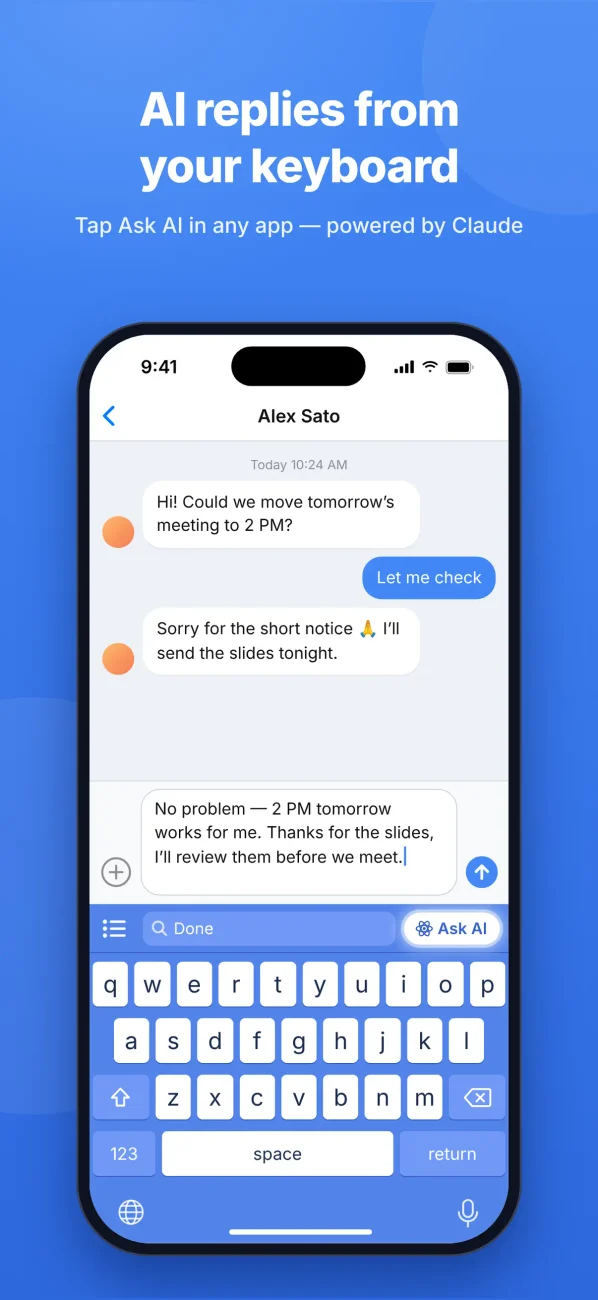
In any app where you type, such as messages, email or social media, you can ask the AI to write a reply or polish your text without leaving the keyboard.
- AI REPLIES FROM YOUR KEYBOARD
Type, then tap Ask AI. PassKeys uses the text before the cursor, or the text you selected, and puts the AI's reply right into the text field.
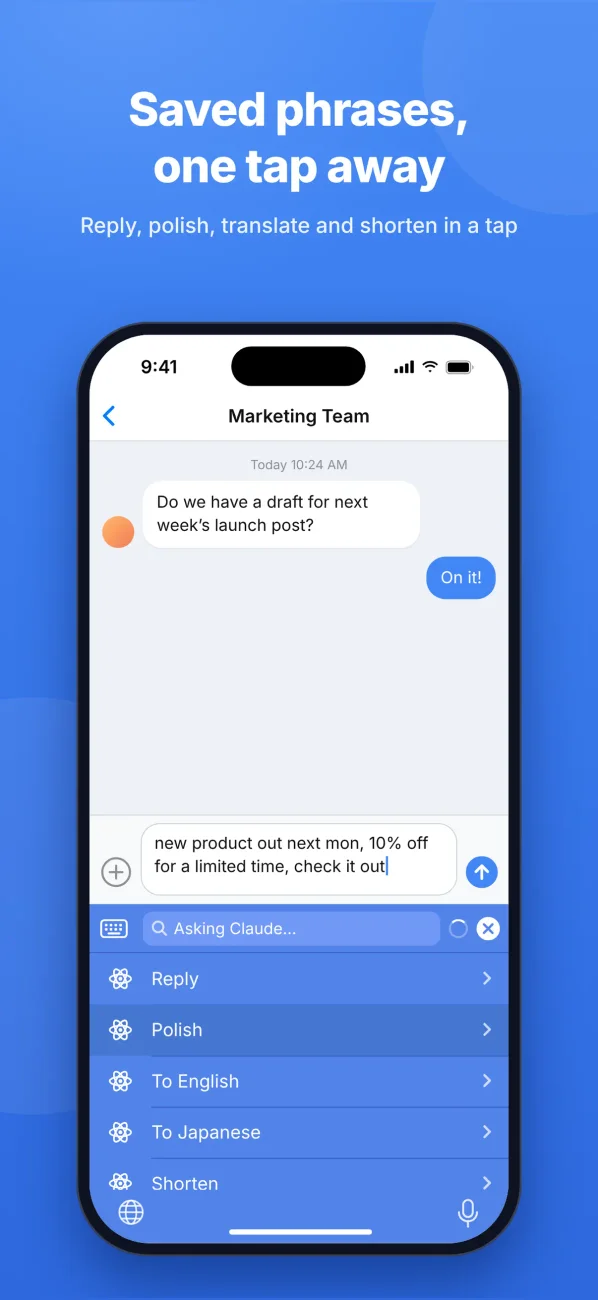
- SAVED PHRASES, ONE TAP AWAY
Open the phrase list on the keyboard and tap Reply, Polish, To English, To Japanese, Shorten or Polite.
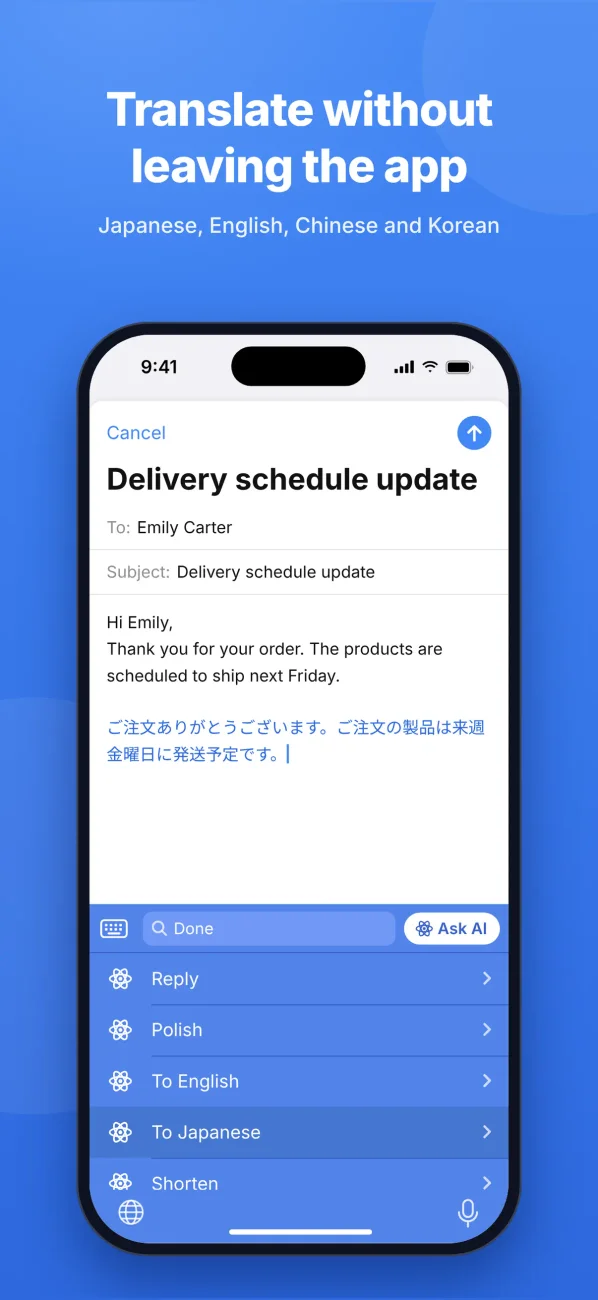
- TRANSLATE WITHOUT SWITCHING APPS
Translate between Japanese, English, Chinese and Korean, right where you type.
- YOUR TONE, YOUR LANGUAGE
Choose from five reply styles: Natural, Polite, Casual, Concise and Business. Set the reply language, and choose whether the AI replaces your text or adds its reply after it.
Add a system prompt with instructions you always want followed, such as "Sign emails as Tanaka".
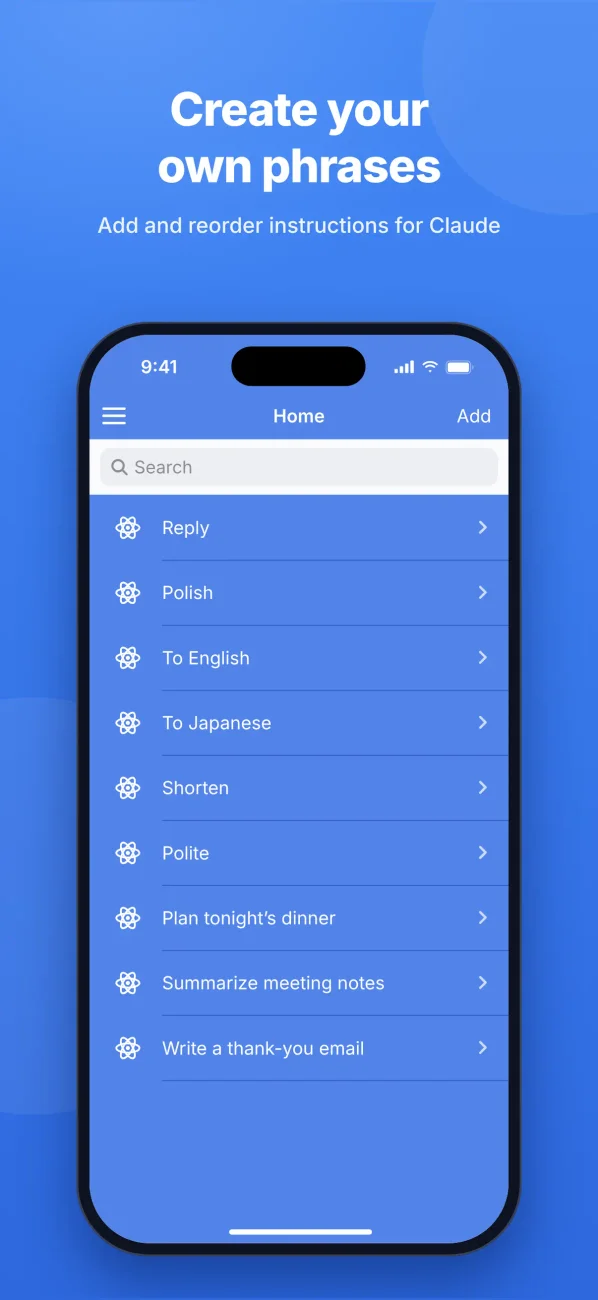
- CREATE YOUR OWN PHRASES
Add, edit and reorder your own instructions for the AI, such as "Plan tonight's dinner" or "Summarize meeting notes in 3 lines".
- PRIVACY
Text is sent to the AI only when you tap Ask AI or a phrase. Your normal keystrokes are never sent.
The AI features require "Allow Full Access" for the keyboard. Typing works without it.
- SETUP
1. Go to Settings › General › Keyboard › Keyboards › Add New Keyboard and add PassKeys.
2. Tap PassKeys and turn on Allow Full Access.
3. While typing, use the globe key to switch to PassKeys.
- SUBSCRIPTION
The AI features require an auto-renewing subscription (monthly or yearly plan).
- Payment is charged to your Apple ID account when you confirm the purchase.
- The subscription renews automatically unless auto-renew is turned off at least 24 hours before the end of the current period.
- The renewal is charged within 24 hours before the end of the current period.
- You can manage the subscription and turn off auto-renew in your App Store account settings after purchase.
Terms of Use: https://www.apple.com/legal/internet-services/itunes/dev/stdeula/
Privacy Policy: https://www.efusion.co.jp/passkeys/privacy
Yenilikler
Sürüm 2.0 · 17.11.2026
PassKeys 2.0 is a new AI keyboard: reply, polish and translate text in any app with one tap. Choose your tone and language, and save your own phrases.
Uygulama gizliliği
Bu uygulamanın verileri nasıl işlediği hakkında eFUSION Co., Ltd. tarafından App Store üzerinde yapılan beyan.
-
Veri toplanmıyor
Geliştirici bu uygulamadan hiçbir veri toplamıyor.
Gizlilik uygulamaları, örneğin kullandığınız özelliklere veya yaşınıza göre değişiklik gösterebilir.
Bilgiler
- Satıcı
- eFUSION
- Kategori
- Yardımcılar
- Sürüm
- 2.0
- Güncellendi
- 17.11.2026
- Yayın tarihi
- 13.02.2015
- Boyut
- 1,0 MB
- Gereksinim
- iOS 17.0 veya sonrası
- Yaş sınırı
- 4+
- Fiyat
- Ücretsiz
- Uygulama içi satın alma
- Evet
- Diller
- İngilizce
- Telif hakkı
- © eFUSION Co. Ltd.
Bunları da beğenebilirsiniz
-
 FillPass - Şifreyi yönetManage password, passkey
-
 KeyPass - PassKeys & PasswordsYardımcılar
-
 Password GeneratorYardımcılar
-
 Doğrulayıcı: 2FA & Passkey2FA, OTP, MFA, Passkey Girişi
-
 Passkey GeneratorYardımcılar
-
 Password Manager - SecureYardımcılar
-
 SecurityKey NFCYardımcılar
-
 Authenticator App†Yardımcılar
-
 Şifre Yöneticisi AuthenticatorSAASPASS Password Manager 2FA
-
 PassKeyboard - password manageYardımcılar