
PassKeys
AI Reply & Translate Keyboard
Được thiết kế cho iPhone
Miễn phí · Mua hàng trong ứng dụng
- Độ tuổi4+
- Danh mụcTiện Ích
- Nhà phát triểneFUSION Co., Ltd.
- Ngôn ngữTiếng Anh
- Kích thước1,0 MB
Liên kết đến trang App Store chính thức
Download.org không lưu trữ tệp nào của PassKeys. Nút này mở trang ứng dụng trên App Store, nơi eFUSION Co., Ltd. phát hành ứng dụng. Trang được kiểm tra lần cuối: 23/11/2026.
Ảnh chụp màn hình

Giới thiệu
Nhà phát triển chưa cung cấp nội dung này bằng ngôn ngữ của bạn.
PassKeys is a custom keyboard with built-in AI.
In any app where you type, such as messages, email or social media, you can ask the AI to write a reply or polish your text without leaving the keyboard.
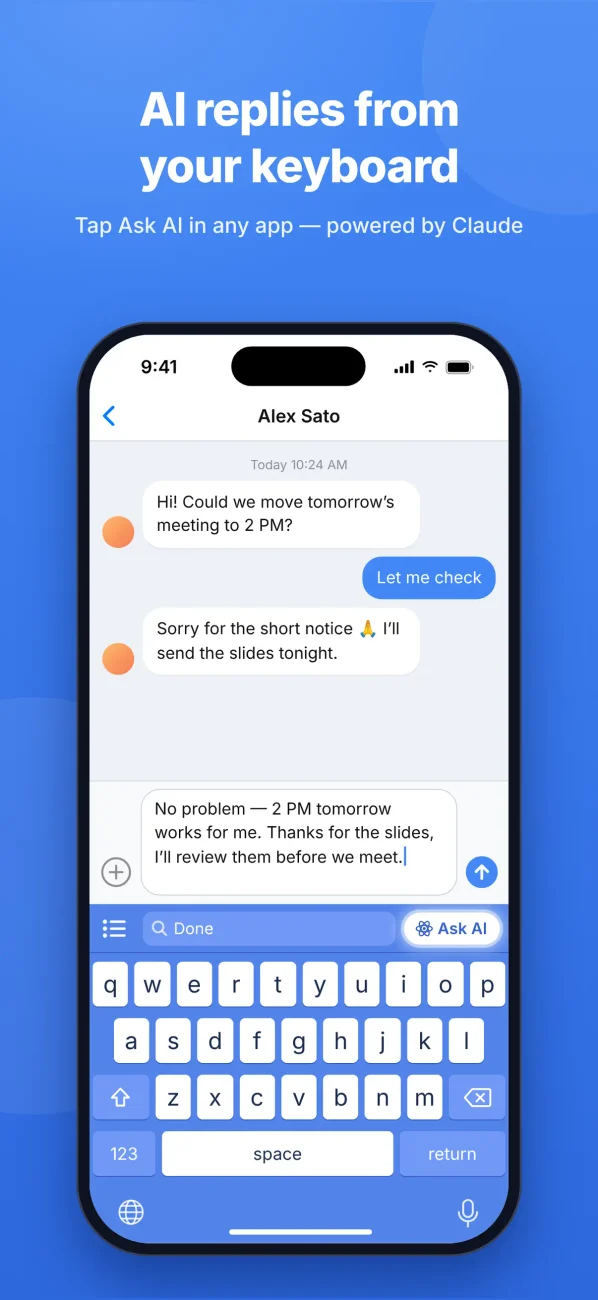
- AI REPLIES FROM YOUR KEYBOARD
Type, then tap Ask AI. PassKeys uses the text before the cursor, or the text you selected, and puts the AI's reply right into the text field.
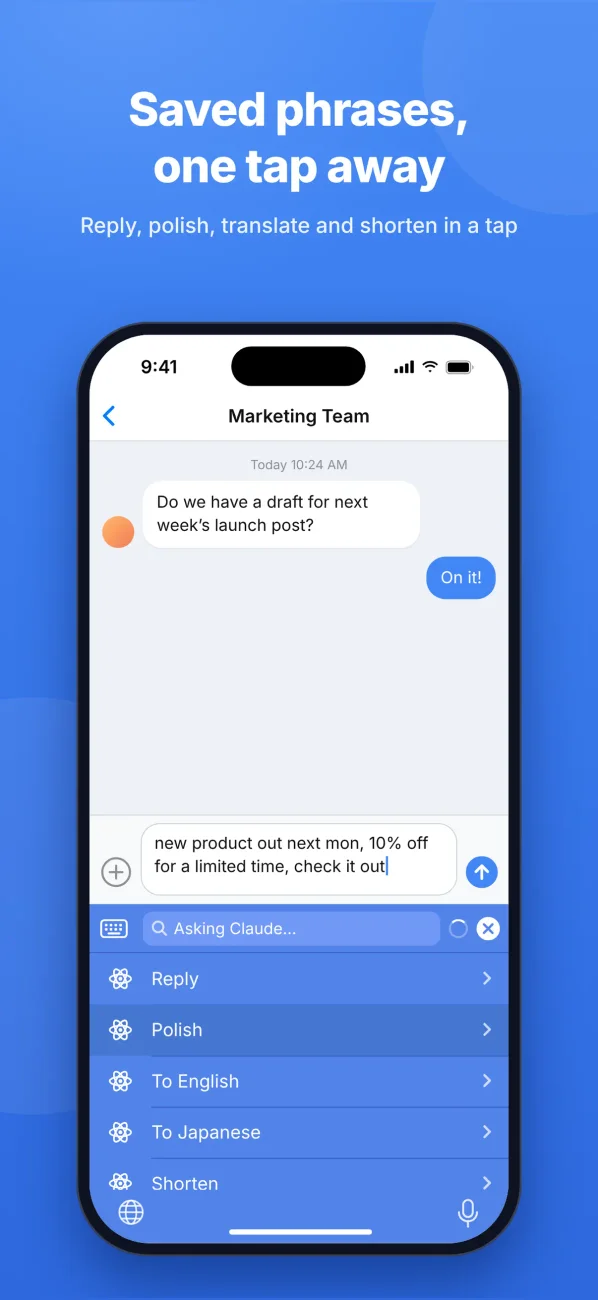
- SAVED PHRASES, ONE TAP AWAY
Open the phrase list on the keyboard and tap Reply, Polish, To English, To Japanese, Shorten or Polite.
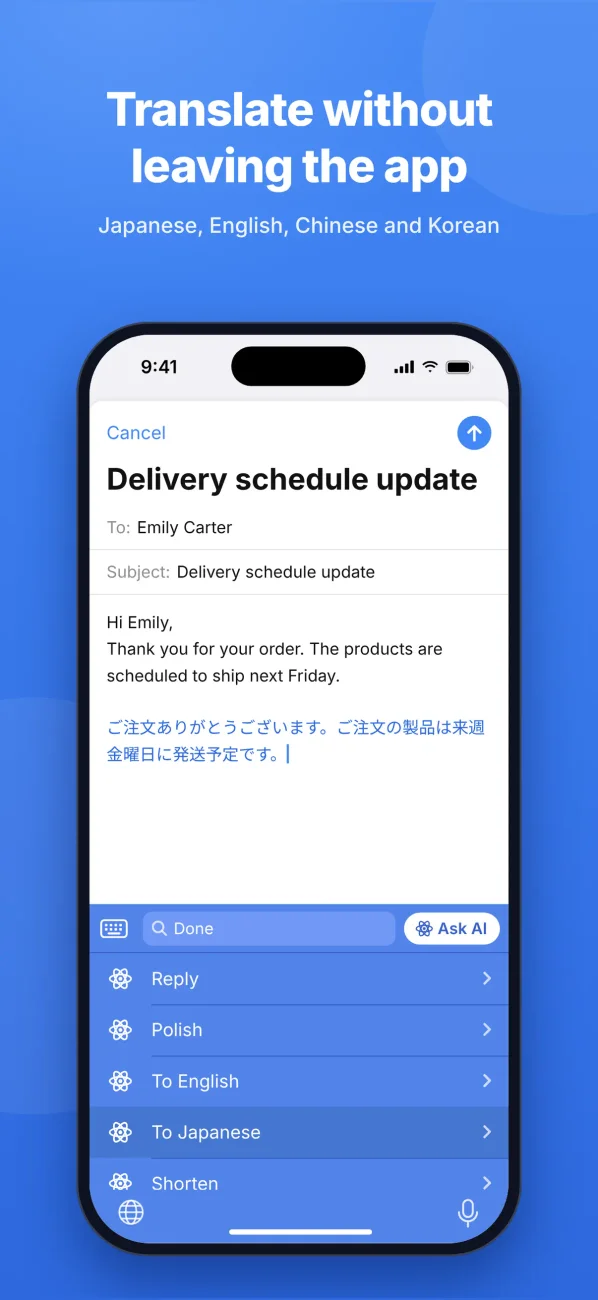
- TRANSLATE WITHOUT SWITCHING APPS
Translate between Japanese, English, Chinese and Korean, right where you type.
- YOUR TONE, YOUR LANGUAGE
Choose from five reply styles: Natural, Polite, Casual, Concise and Business. Set the reply language, and choose whether the AI replaces your text or adds its reply after it.
Add a system prompt with instructions you always want followed, such as "Sign emails as Tanaka".
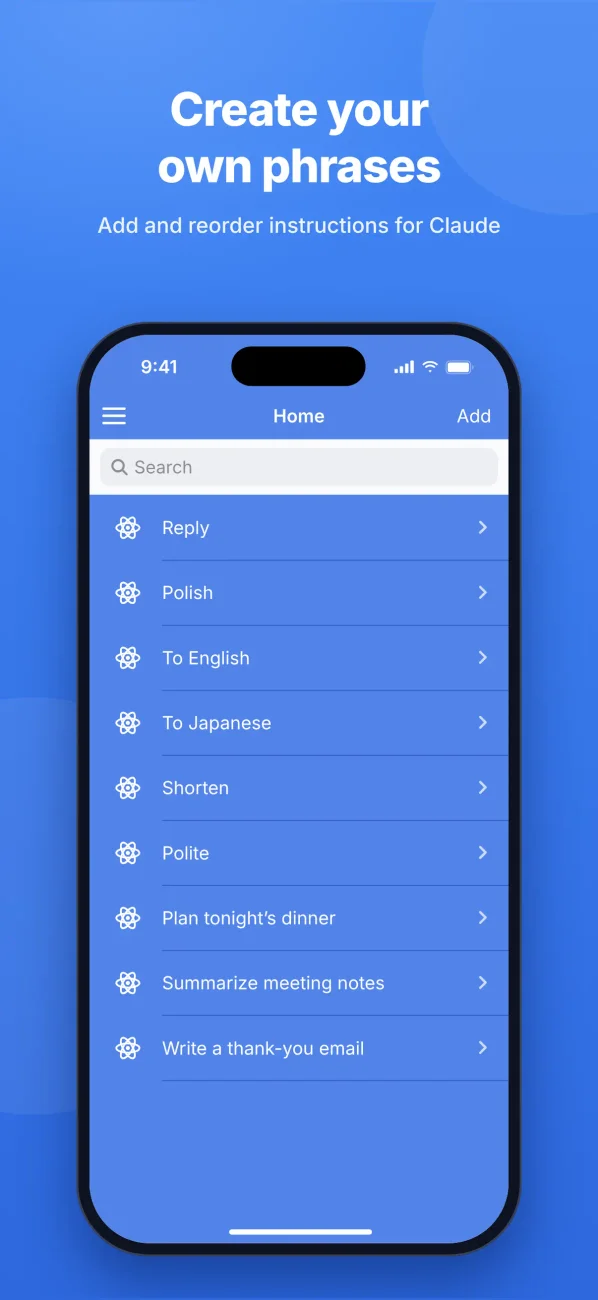
- CREATE YOUR OWN PHRASES
Add, edit and reorder your own instructions for the AI, such as "Plan tonight's dinner" or "Summarize meeting notes in 3 lines".
- PRIVACY
Text is sent to the AI only when you tap Ask AI or a phrase. Your normal keystrokes are never sent.
The AI features require "Allow Full Access" for the keyboard. Typing works without it.
- SETUP
1. Go to Settings › General › Keyboard › Keyboards › Add New Keyboard and add PassKeys.
2. Tap PassKeys and turn on Allow Full Access.
3. While typing, use the globe key to switch to PassKeys.
- SUBSCRIPTION
The AI features require an auto-renewing subscription (monthly or yearly plan).
- Payment is charged to your Apple ID account when you confirm the purchase.
- The subscription renews automatically unless auto-renew is turned off at least 24 hours before the end of the current period.
- The renewal is charged within 24 hours before the end of the current period.
- You can manage the subscription and turn off auto-renew in your App Store account settings after purchase.
Terms of Use: https://www.apple.com/legal/internet-services/itunes/dev/stdeula/
Privacy Policy: https://www.efusion.co.jp/passkeys/privacy
Có gì mới
Phiên bản 2.0 · 17/11/2026
PassKeys 2.0 is a new AI keyboard: reply, polish and translate text in any app with one tap. Choose your tone and language, and save your own phrases.
Quyền riêng tư của ứng dụng
Những gì eFUSION Co., Ltd. khai báo trên App Store về cách ứng dụng này xử lý dữ liệu.
-
Dữ liệu không được thu thập
Nhà phát triển không thu thập bất kỳ dữ liệu nào từ ứng dụng này.
Phương thức đảm bảo quyền riêng tư có thể khác nhau, chẳng hạn như tuỳ theo các tính năng bạn sử dụng hoặc độ tuổi của bạn.
Thông tin
- Người bán
- eFUSION
- Danh mục
- Tiện Ích
- Phiên bản
- 2.0
- Cập nhật
- 17/11/2026
- Phát hành
- 13/02/2015
- Kích thước
- 1,0 MB
- Yêu cầu
- iOS 17.0 trở lên
- Độ tuổi
- 4+
- Giá
- Miễn phí
- Mua hàng trong ứng dụng
- Có
- Ngôn ngữ
- Tiếng Anh
- Bản quyền
- © eFUSION Co. Ltd.
Có thể bạn cũng thích
-
 FillPass - Quản lý mật khẩuManage password, passkey
-
 KeyPass - PassKeys & PasswordsTiện Ích
-
 Password GeneratorTiện Ích
-
 Trình xác thực: 2FA & Passkey2FA, OTP, MFA, Passkey
-
 Passkey GeneratorTiện Ích
-
 Password Manager - SecureTiện Ích
-
 SecurityKey NFCTiện Ích
-
 Authenticator App†Tiện Ích
-
 Password Manager AuthenticatorTrình quản lý mật khẩu 2FA MFA
-
 PassKeyboard - password manageTiện Ích