PDF Scanner , Document Scanner
Scanner, Image to PDF with OCR
iPhone, iPad, iPod touch向けに設計
無料 · アプリ内課金
- 対象年齢4+
- カテゴリビジネス
- 開発元Ahmet Bacak
- 言語英語ほか30言語
- サイズ20.9 MB
App Storeの公式ページにリンクしています
Download.orgはPDF Scanner , Document Scannerのファイルを一切ホストしていません。ボタンを押すと、Ahmet Bacakが公開しているApp Storeのアプリページが開きます。ページの最終確認:2026/11/14。
スクリーンショット
概要
開発元はこのテキストをお使いの言語で提供していません。
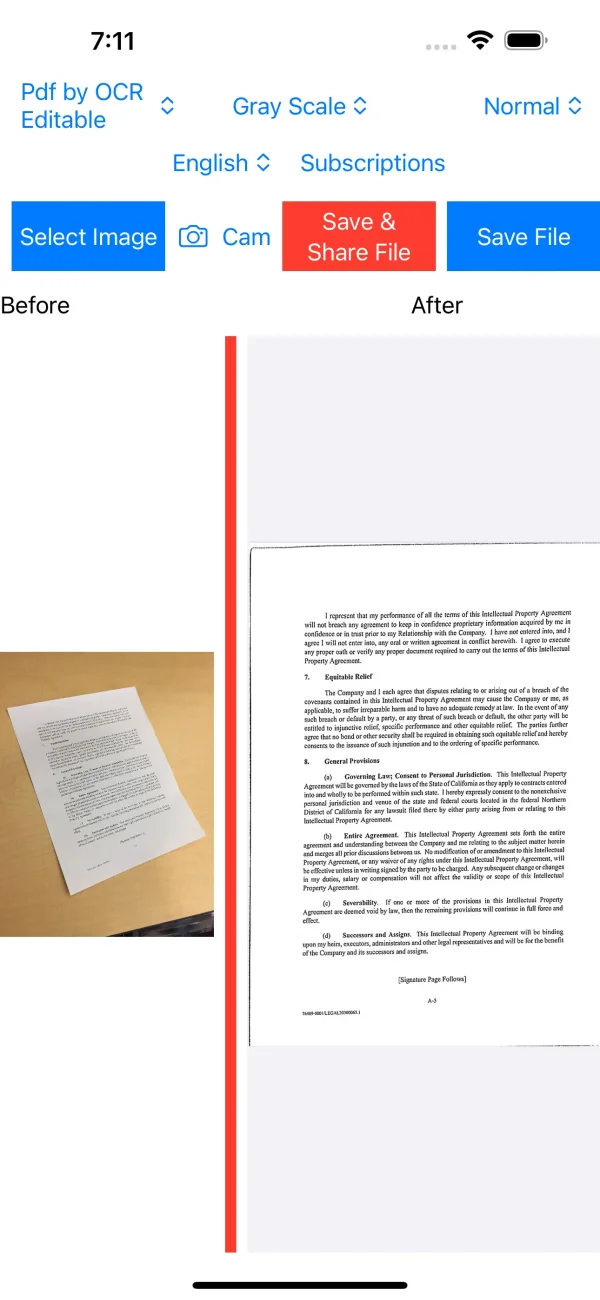
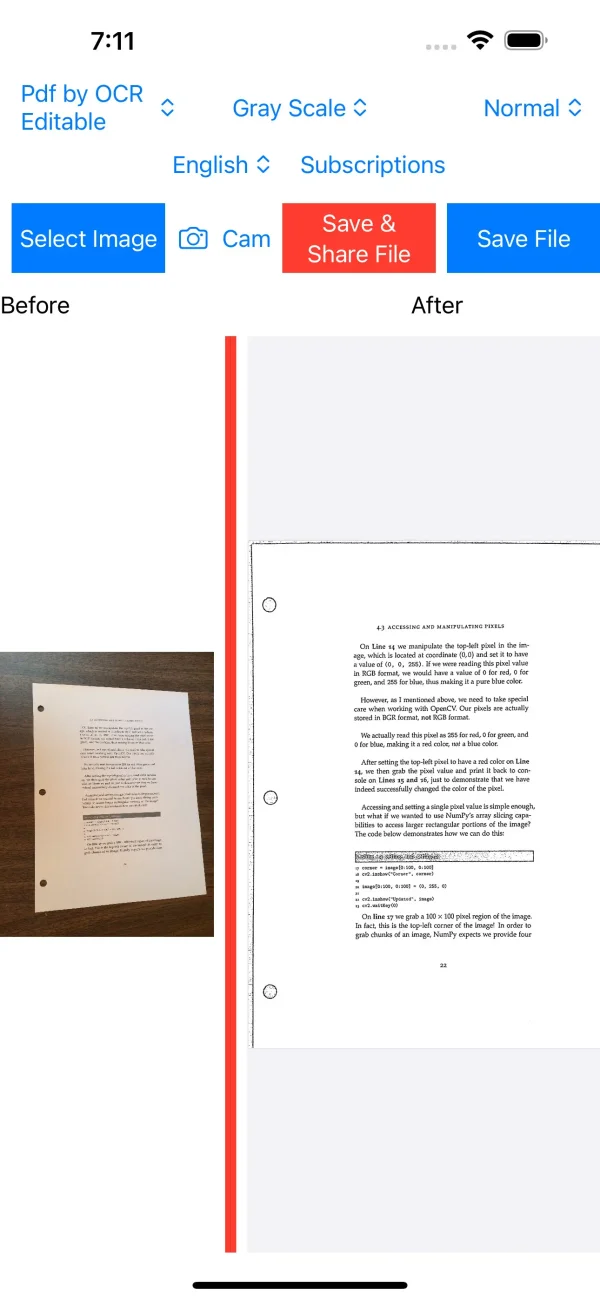
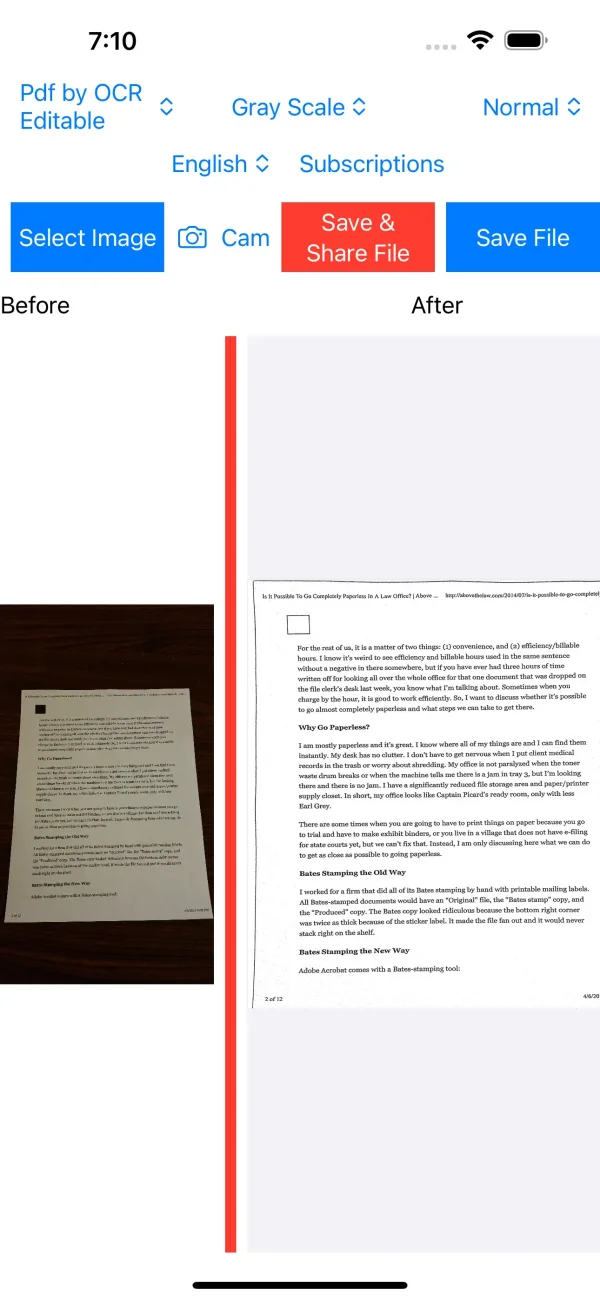
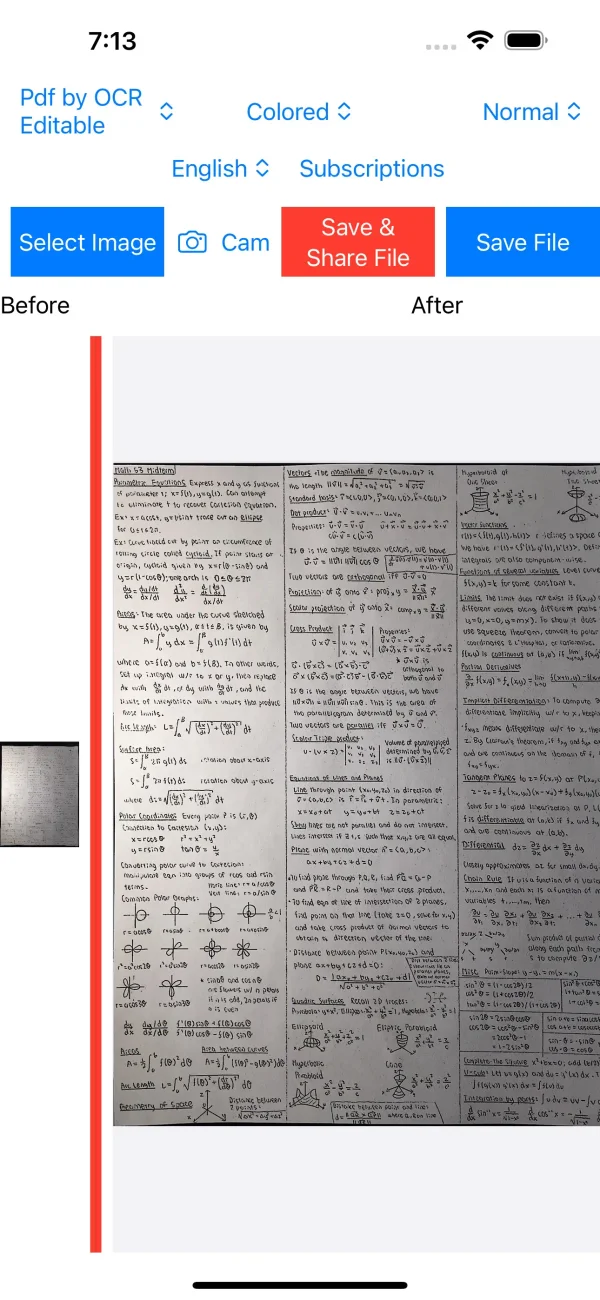
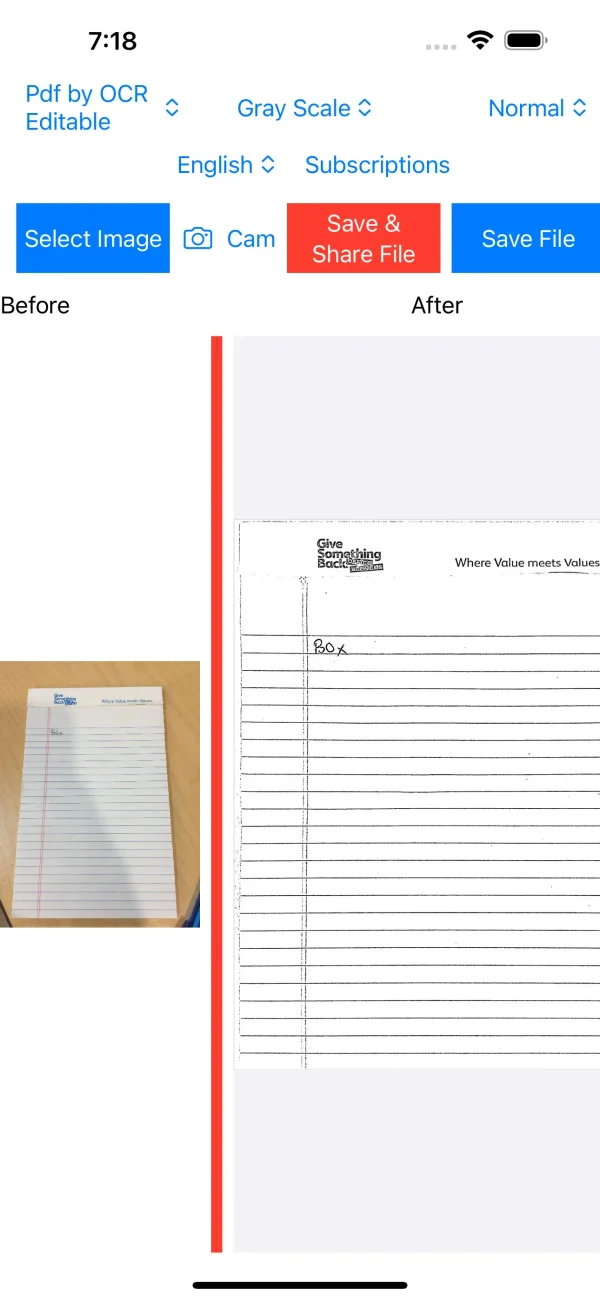
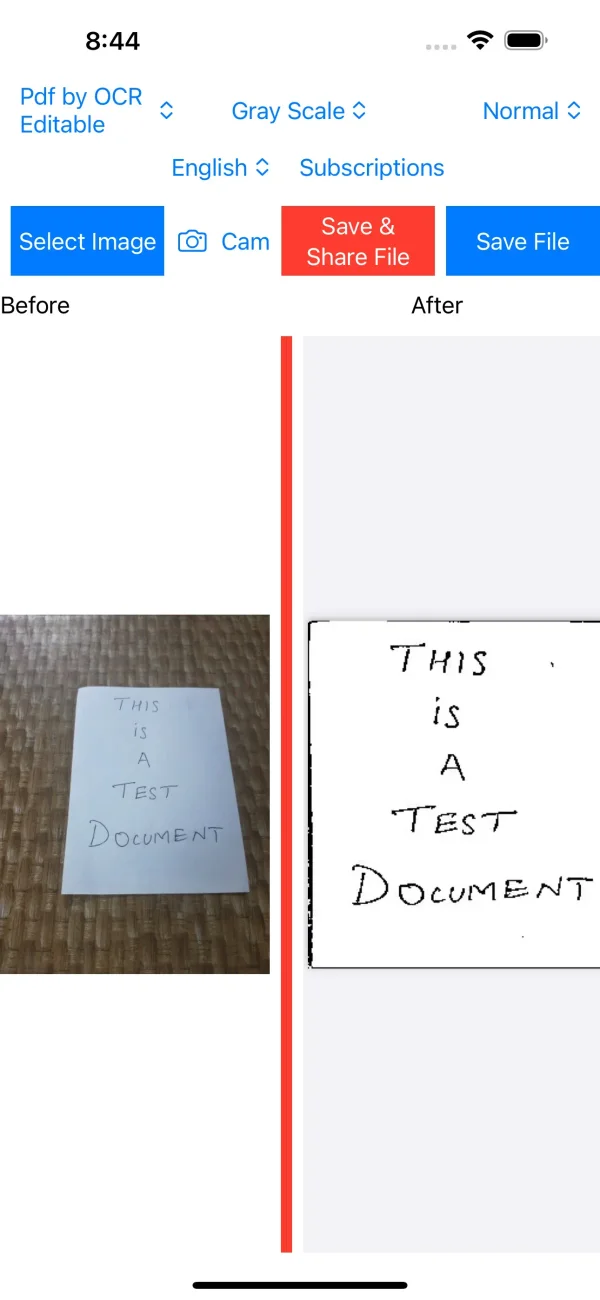
PDF Scanner & Document Scanner to correct image perspective, sharpen handwritten or printed text, and remove glare and shadows
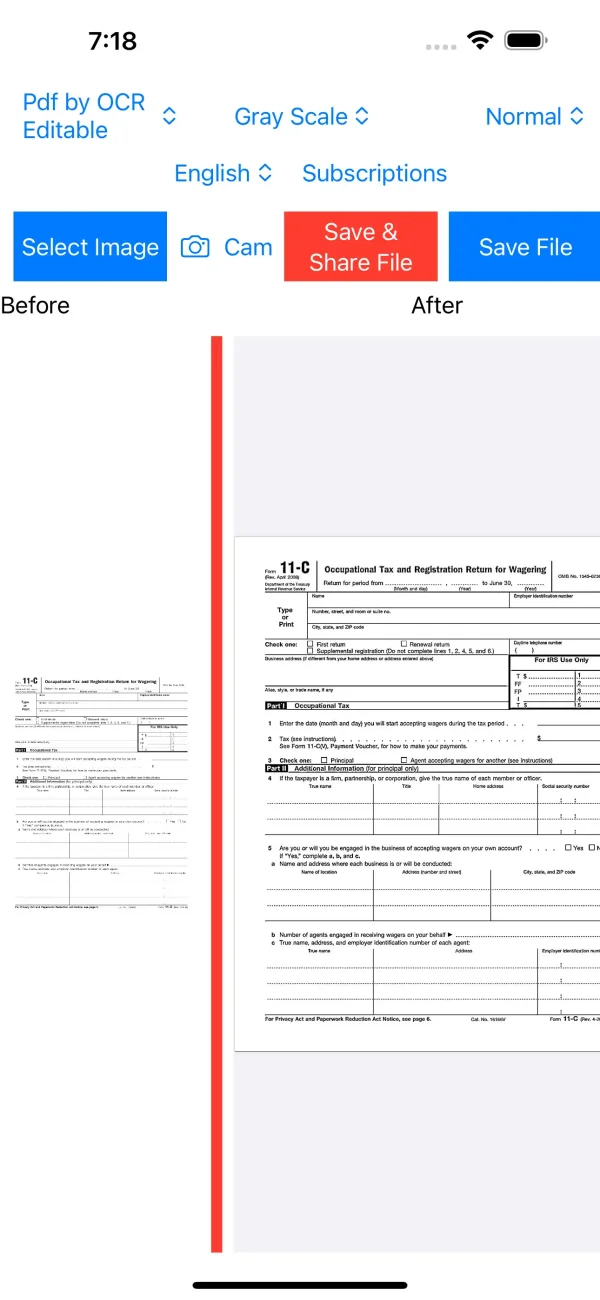
It uses artificial intelligence and Image processing. With OCR image to text technology, editable pdf is created using both text content and format.
Welcome PDF scanning and document digitization tool - PDF Scanner & Document Scanner with OCR app! If you've been on the lookout for a versatile and robust PDF scanner that effortlessly converts physical documents, images, and photos into high-quality PDFs, your search concludes right here.
Key Features:
PDF Scanner with OCR :
This PDF Scanner is equipped OCR technology, enabling you to convert scanned documents into fully editable PDFs. Easily extract text from your scanned documents, making it simple to find and edit your content.
Image to PDF Converter:
With the Image to PDF feature, you can transform photos and images from your gallery into PDF files. Whether it's receipts, or sketches, this app can convert them all into easily shareable PDF documents.
JPG to PDF & PNG to PDF Conversion:
Convert your JPG and PNG files to PDF effortlessly. While preserving image quality, with this PDF conversion tool.
Gray Scale or Colored Scanner Mode
You can scan images as PDF in both colored and gray scale mode.
Different Output Format:
You can obtain document scanning results in 3 formats: PDF with OCR (editable), Image and PDF No OCR .
OCR Multi-Language Support: PDF Converter & PDF Scanner with OCR app recognizes text in more than 100 languages around the world and extracts text and formats from the image and converts pdf files. You can instantly obtain your pdf with editable by choosing different languages according to your needs. English, Spanish, French, Portuguese, German, Japanese, Korean, Arabic, Russian, Turkish, Bengali, Chinese, Croatian, Danish, Dutch, Hebrew, Hindi, Indonesian, Italian, Latvian, It also supports common languages such as Lithuanian, Marathi, Norwegian, Polish, Romanian, Slovak, Slovenian, Tamil, Telugu, Urdu, Vietnamese.
Scan PDF & Scan Document:
Scan any type of document, be it a text document, receipt, or handwritten note. This scanner provides high-quality results with automatic edge detection and perspective correction.
Lightning-Fast Processing:
Experience lightning-fast scanning and processing speeds, ensuring that you can digitize your documents.
Easy Sharing Options:
Share your scanned PDFs and documents directly from the app. Email, print, or share them with just a few taps.
Download the PDF Scanner & Document Scanner with OCR app now and unlock the full potential of your mobile device. Simplify your life, improve your productivity, and make the most of every document with this powerful scanning and PDF conversion tool.
If you have any questions , feedback, or suggestions about PDF Scanner & Document Scanner, please contact this support team at smartmobileappdeveloper@gmail.com
Get the PDF Scanner & Document Scanner with OCR app today and experience the transformation firsthand!
Free Version Features:
• Only 20 Image Scans per month
Pro Version Features (includes Free Version Features):
• Unlimited Scanning
• PDF with OCR output
• 100 languages OCR
• Scanning with Camera
• Color Scanning, QR-Scanner.
Upgrade to the Pro Version to unlock all premium features.
Weekly, monthly, 2 monthly, 3 monthly, 6 monthly and annual (12 monthly) subscription packages are available. There is also a One-Time Purchase for the Pro Version.
Trials and subscriptions can be cancelled anytime. To avoid being charged, cancellation at least 24 hours before the renewal date is recommended.
Terms of Use: https://www.apple.com/legal/internet-services/itunes/dev/stdeula/
新機能
バージョン 9.7 · 2026/8/12
Minor updates
アプリのプライバシー
このアプリのデータの取り扱いについて、Ahmet BacakがApp Storeで申告している内容です。
-
ユーザーのトラッキングに使用されるデータ
他社のアプリやウェブサイトを横断してユーザーをトラッキングする目的で使用される場合があります。
- ID
-
ユーザーに関連付けられないデータ
収集される場合がありますが、ユーザーの識別情報には関連付けられません。
- 購入
- 位置情報
- ユーザーコンテンツ
- ID
- 診断
プライバシーの取り扱いは、ご利用の機能やお客様の年齢などに応じて異なる場合があります。
情報
- 販売元
- Ahmet Bacak
- カテゴリ
- ビジネス
- バージョン
- 9.7
- 更新日
- 2026/8/12
- リリース
- 2023/9/19
- サイズ
- 20.9 MB
- 必要条件
- iOS 15.0以降
- 対象年齢
- 4+
- 価格
- 無料
- アプリ内課金
- あり
- 言語
- 英語, アラビア語, クロアチア語, チェコ語, デンマーク語, オランダ語, フィンランド語, フランス語, ドイツ語, ギリシャ語, ヘブライ, ヒンディー語 ほか19言語
- 著作権
- © 2026 Ahmet Bacak
こちらもおすすめ
-
 PDF スキャン: フォトスキャン, キャムスキャナースキャナーアプリ - 写真をPDFに変換, テキストスキャン
-
 Scanner PDF スキャンスキャナー 書類、写真、画像
-
 写真をpdfに変換 ・ 書類スキャンスキャンアプリ
-
 PDF 変換: PDFをwordに変換る文書あなたはできるマージ,分割 そして変換 すべてのファイル
-
 SuperScan - PDF Scanner Appビジネス
-
 FineReader: PDF Scanner & OCRビジネス
-
 PDF変換 -画像文字とドキュメント変 換- JPEG 変換PDF化と 書類 作成 - 写 真 pdf 変 換とメーカー
-
 Office Word Editor:Docs, Share仕事効率化
-
 compress pdf + 圧縮 + オフラインPDFドキュメントを一括圧縮
-
 スキャナーアプリ: ドキュメントをPDFでスキャンドキュメントスキャナー。 PDFスキャン