
- 対象年齢4+
- カテゴリ仕事効率化
- 開発元Daniel Witt
- 言語ドイツ語ほか1言語
- サイズ3.3 MB
App Storeの公式ページにリンクしています
Download.orgはPDF Text Includeのファイルを一切ホストしていません。ボタンを押すと、Daniel Wittが公開しているApp Storeのアプリページが開きます。ページの最終確認:2026/11/12。
スクリーンショット
概要
開発元はこのテキストをお使いの言語で提供していません。
PDF Text Includer is a simple to use Mac, iPhone and iPad app that adds text to images within your PDF files.
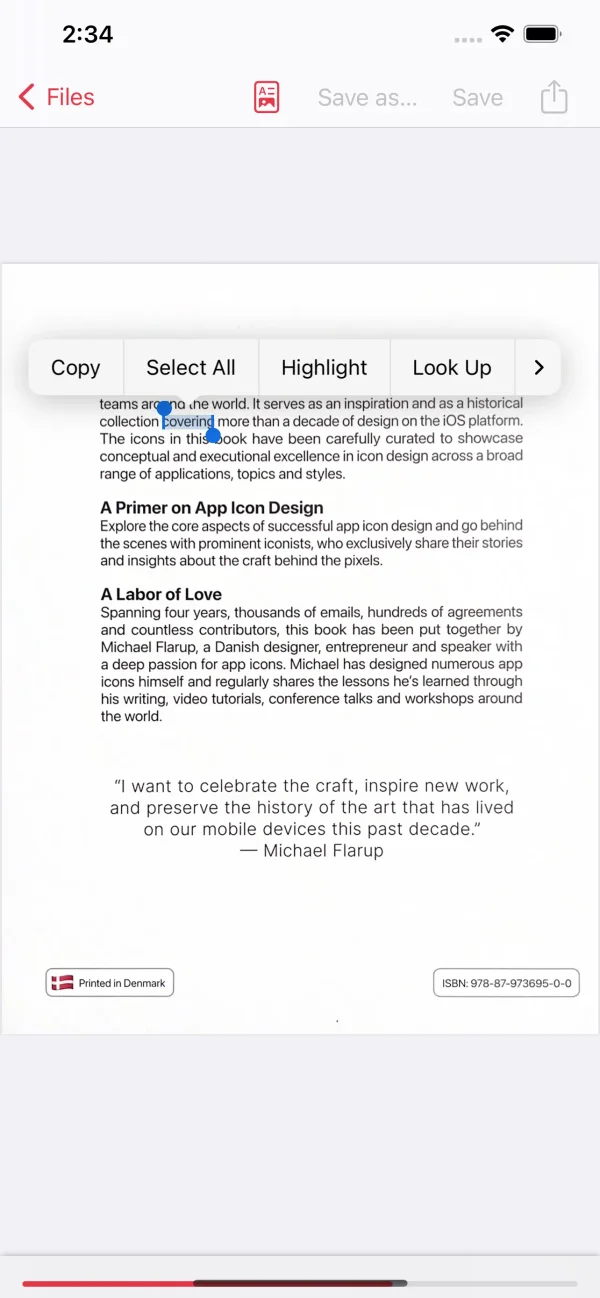
With PDF Text Includer you can add a text layer to PDF files in no time and completely automatically. Thus, scanned documents have selectable text that can be copied and searched. Documents are much easier to find if, for example, you use the Spotlight search for terms that appear in images of a particular file. Whether typed or handwritten, PDF Text Includer recognizes 29 languages and dialects using modern machine learning.
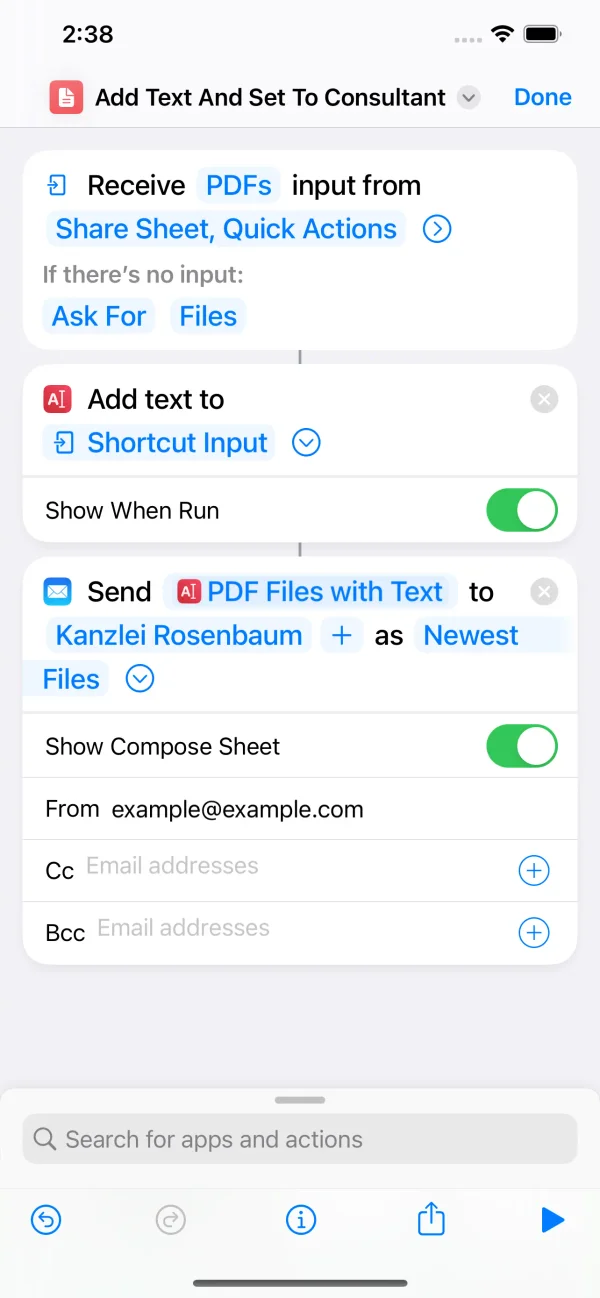
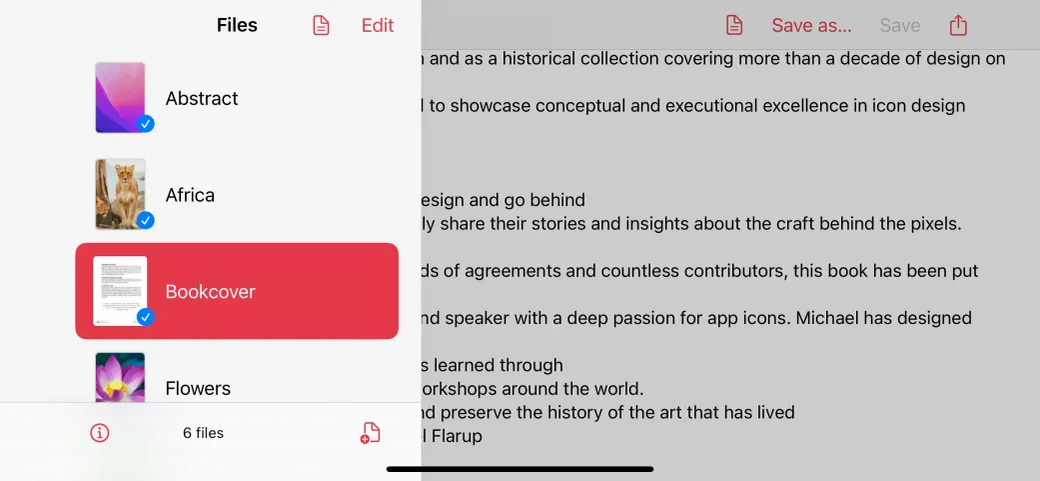
After you have opened one or more PDF files with PDF Text Includer they will be processed immediately. With just one more click you can replace the originals with the variant improved by the app. Found text can also be exported directly and with the integrated Shortcut action, the app functions can be added to your own personal workflow.
To shorten further detours PDF Text Includer includes a scanner function. On the iPhone or iPad, the integrated camera is used to generate PDF files. On macOS, you can wirelessly access the camera of your iPhone or iPad. The scanned file is processed directly by the app and is ready for further use.
KEY FEATURES
• Drop it like it’s hot: Drag and drop your file into the application window or on the app icon
• The more the merrier: Batch process multiple files or contents of folders
• Intelligent character recognition (ICR): Files are being processed using advanced optical character recognition (OCR)
• Scan your documents: Import any PDF files or use your iPhone or iPad to scan a new document - even on the Mac using Continuity Camera
• Automate your workflow: Make use of the included Shortcuts actions and easily integrate character recognition into your workflow
• Share, replace or export: You can either share the converted PDF file directly from within the app, replace the original file or export the file content as text
• Typed or handwritten: Recognizes all kinds of fonts including handwritten text using modern machine learning
• Privacy: Everything is being processed entirely on your device, no internet connection is required
新機能
バージョン 1.2 · 2024/6/27
NEW: Enhanced accessibility with VoiceOver support throughout the entire app.
NEW: Now you can save and overwrite a file (or multiple files) with one tap instead of just making a copy through the share button.
NEW: The buttons below the list of files are now disabled when in edit mode and no file is selected.
NEW: You can now tap on the number of files below the file list to share, save or remove all processed files at once.
FIX: Adding new files may repeated the processing of files that had already finished processing.
FIX: The progress indicator may show an incorrect value.
アプリのプライバシー
このアプリのデータの取り扱いについて、Daniel WittがApp Storeで申告している内容です。
-
ユーザーに関連付けられたデータ
収集され、ユーザーの識別情報に関連付けられる場合があります。
- 診断
プライバシーの取り扱いは、ご利用の機能やお客様の年齢などに応じて異なる場合があります。
情報
- 販売元
- Daniel Witt
- カテゴリ
- 仕事効率化
- バージョン
- 1.2
- 更新日
- 2024/6/27
- リリース
- 2022/10/23
- サイズ
- 3.3 MB
- 必要条件
- iOS 16.0以降
- 対象年齢
- 4+
- 価格
- ¥350
- 言語
- ドイツ語, 英語
- 著作権
- © 2022 - 2024 Daniel Witt
こちらもおすすめ
-
 PdfTOImageS - PDFを画像へPDFを画像へ。オフライン・パスワードPDF・品質/DPI・
-
 Saved Links仕事効率化
-
 Pdf Craft Tools仕事効率化
-
 ライタープロ : 作家のためのマークダウン仕事効率化
-
 MDViewer - Markdown Reader仕事効率化
-
 SendScan: Scanner + Automation仕事効率化
-
 Clippo - Clipboard Manager仕事効率化
-
 Blitztext – Voice Keyboard仕事効率化
-
 PDF to JPG - Converter仕事効率化
-
 Outspoken: 音声入力どこでも音声をテキストに