
PDF Text Include
Add text to PDF files
Được thiết kế cho iPhone, iPad, Mac
64.000đ
- Độ tuổi4+
- Danh mụcHiệu Suất
- Nhà phát triểnDaniel Witt
- Ngôn ngữTiếng Đức+ 1 ngôn ngữ khác
- Kích thước3,3 MB
Liên kết đến trang App Store chính thức
Download.org không lưu trữ tệp nào của PDF Text Include. Nút này mở trang ứng dụng trên App Store, nơi Daniel Witt phát hành ứng dụng. Trang được kiểm tra lần cuối: 12/11/2026.
Ảnh chụp màn hình
Giới thiệu
Nhà phát triển chưa cung cấp nội dung này bằng ngôn ngữ của bạn.
PDF Text Includer is a simple to use Mac, iPhone and iPad app that adds text to images within your PDF files.
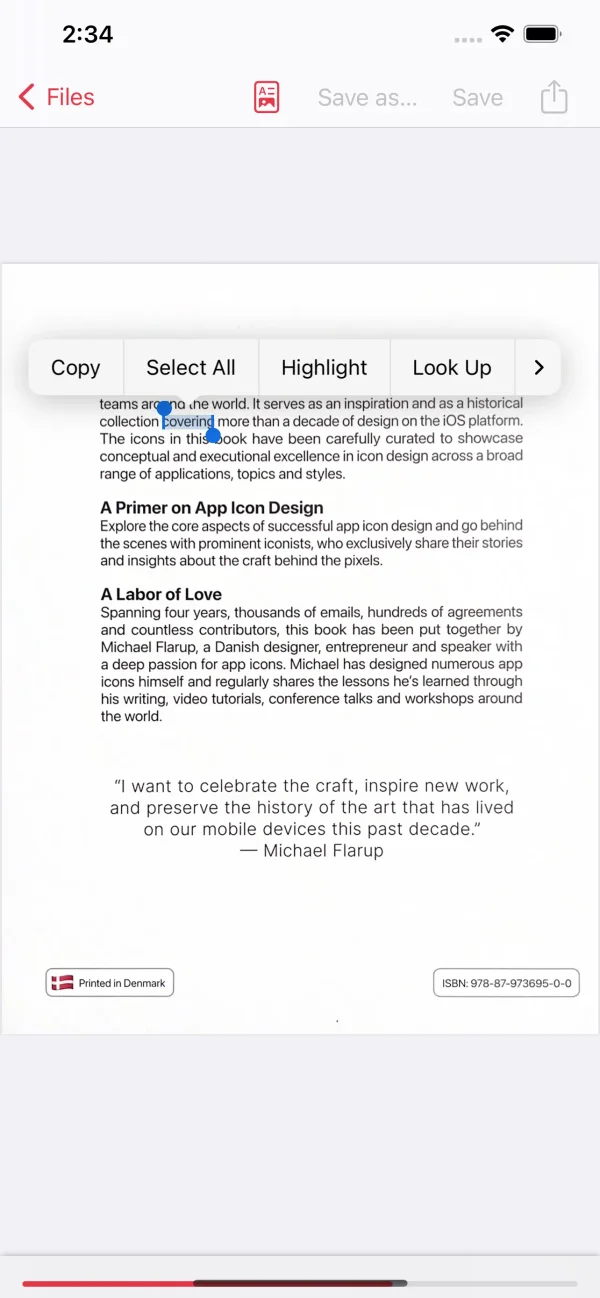
With PDF Text Includer you can add a text layer to PDF files in no time and completely automatically. Thus, scanned documents have selectable text that can be copied and searched. Documents are much easier to find if, for example, you use the Spotlight search for terms that appear in images of a particular file. Whether typed or handwritten, PDF Text Includer recognizes 29 languages and dialects using modern machine learning.
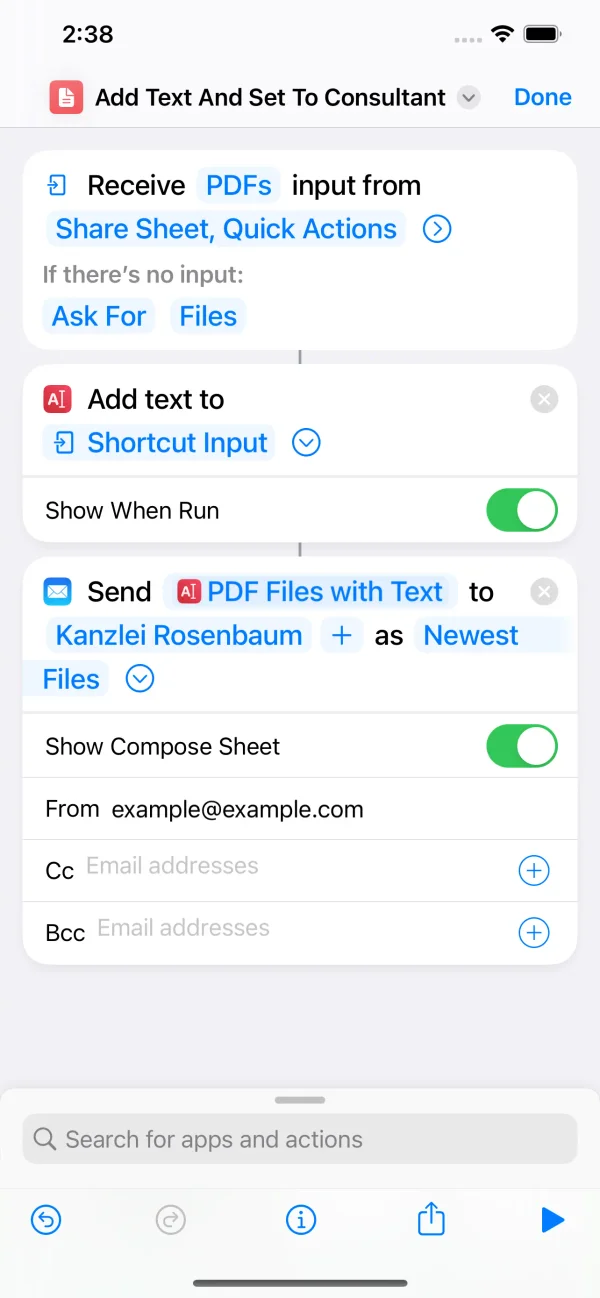
After you have opened one or more PDF files with PDF Text Includer they will be processed immediately. With just one more click you can replace the originals with the variant improved by the app. Found text can also be exported directly and with the integrated Shortcut action, the app functions can be added to your own personal workflow.
To shorten further detours PDF Text Includer includes a scanner function. On the iPhone or iPad, the integrated camera is used to generate PDF files. On macOS, you can wirelessly access the camera of your iPhone or iPad. The scanned file is processed directly by the app and is ready for further use.
KEY FEATURES
• Drop it like it’s hot: Drag and drop your file into the application window or on the app icon
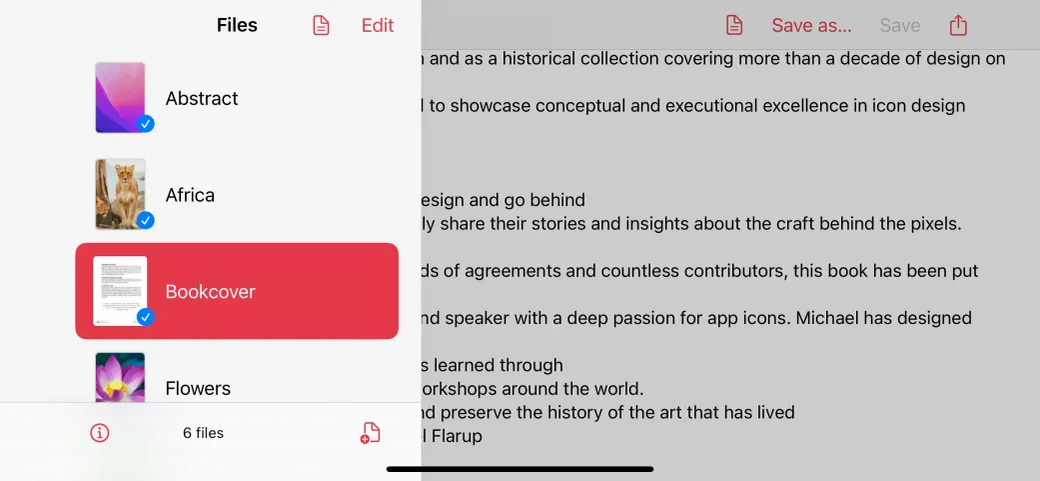
• The more the merrier: Batch process multiple files or contents of folders
• Intelligent character recognition (ICR): Files are being processed using advanced optical character recognition (OCR)
• Scan your documents: Import any PDF files or use your iPhone or iPad to scan a new document - even on the Mac using Continuity Camera
• Automate your workflow: Make use of the included Shortcuts actions and easily integrate character recognition into your workflow
• Share, replace or export: You can either share the converted PDF file directly from within the app, replace the original file or export the file content as text
• Typed or handwritten: Recognizes all kinds of fonts including handwritten text using modern machine learning
• Privacy: Everything is being processed entirely on your device, no internet connection is required
Có gì mới
Phiên bản 1.2 · 27/06/2024
NEW: Enhanced accessibility with VoiceOver support throughout the entire app.
NEW: Now you can save and overwrite a file (or multiple files) with one tap instead of just making a copy through the share button.
NEW: The buttons below the list of files are now disabled when in edit mode and no file is selected.
NEW: You can now tap on the number of files below the file list to share, save or remove all processed files at once.
FIX: Adding new files may repeated the processing of files that had already finished processing.
FIX: The progress indicator may show an incorrect value.
Quyền riêng tư của ứng dụng
Những gì Daniel Witt khai báo trên App Store về cách ứng dụng này xử lý dữ liệu.
-
Dữ liệu liên kết với bạn
Có thể được thu thập và liên kết với danh tính của bạn.
- Chẩn đoán
Phương thức đảm bảo quyền riêng tư có thể khác nhau, chẳng hạn như tuỳ theo các tính năng bạn sử dụng hoặc độ tuổi của bạn.
Thông tin
- Người bán
- Daniel Witt
- Danh mục
- Hiệu Suất
- Phiên bản
- 1.2
- Cập nhật
- 27/06/2024
- Phát hành
- 23/10/2022
- Kích thước
- 3,3 MB
- Yêu cầu
- iOS 16.0 trở lên
- Độ tuổi
- 4+
- Giá
- 64.000đ
- Ngôn ngữ
- Tiếng Đức, Tiếng Anh
- Bản quyền
- © 2022 - 2024 Daniel Witt
Có thể bạn cũng thích
-
 PdfTOImageS-Convert PDFtoImageHiệu Suất
-
 Saved LinksHiệu Suất
-
 Pdf Craft ToolsHiệu Suất
-
 Write.r - Markdown FlowCapture signal for next step
-
 MDViewer - Markdown ReaderHiệu Suất
-
 SendScan: Scanner + AutomationHiệu Suất
-
 Clippo - Clipboard ManagerHiệu Suất
-
 Blitztext – Voice KeyboardHiệu Suất
-
 PDF to JPG - ConverterHiệu Suất
-
 Outspoken: Voice DictationHiệu Suất