
PDF Text Include
Add text to PDF files
iPhone, iPad, Mac için tasarlandı
₺49,99
- Yaş sınırı4+
- KategoriÜretkenlik
- GeliştiriciDaniel Witt
- DillerAlmanca+ 1 dil daha
- Boyut3,3 MB
Resmi App Store sayfasına bağlanır
Download.org, PDF Text Include için hiçbir dosya barındırmaz. Düğme, uygulamanın App Store üzerindeki sayfasını açar; uygulamayı orada Daniel Witt yayınlar. Sayfanın son kontrolü: 12.11.2026.
Ekran görüntüleri
Hakkında
Geliştirici bu metni dilinizde sunmamış.
PDF Text Includer is a simple to use Mac, iPhone and iPad app that adds text to images within your PDF files.
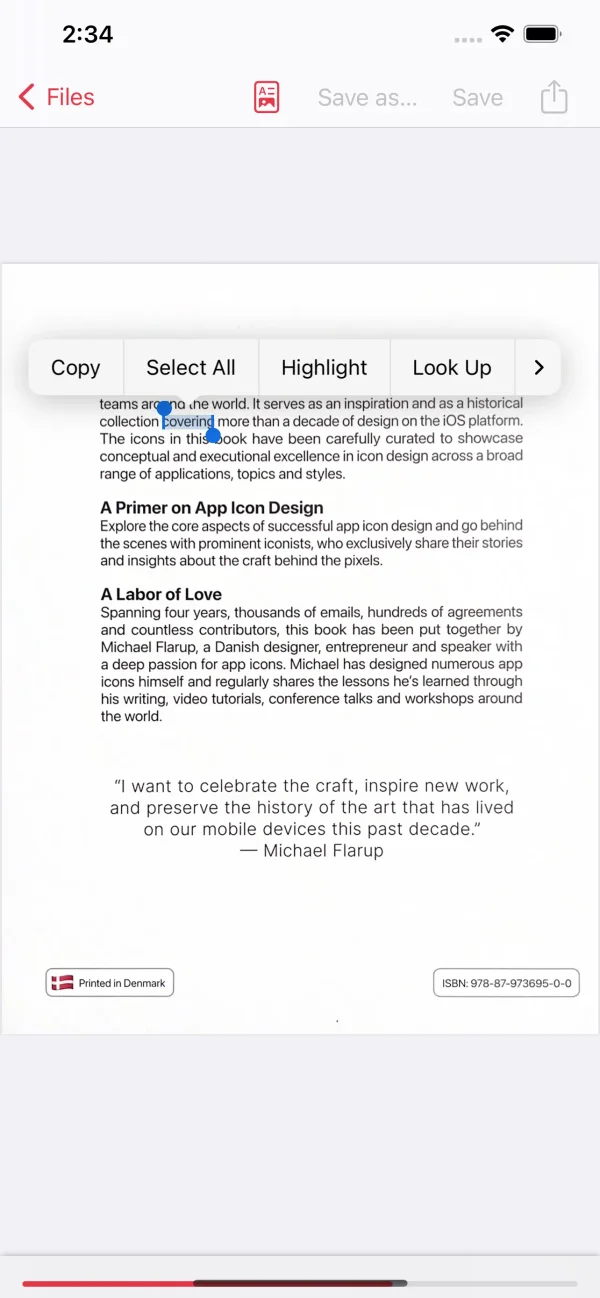
With PDF Text Includer you can add a text layer to PDF files in no time and completely automatically. Thus, scanned documents have selectable text that can be copied and searched. Documents are much easier to find if, for example, you use the Spotlight search for terms that appear in images of a particular file. Whether typed or handwritten, PDF Text Includer recognizes 29 languages and dialects using modern machine learning.
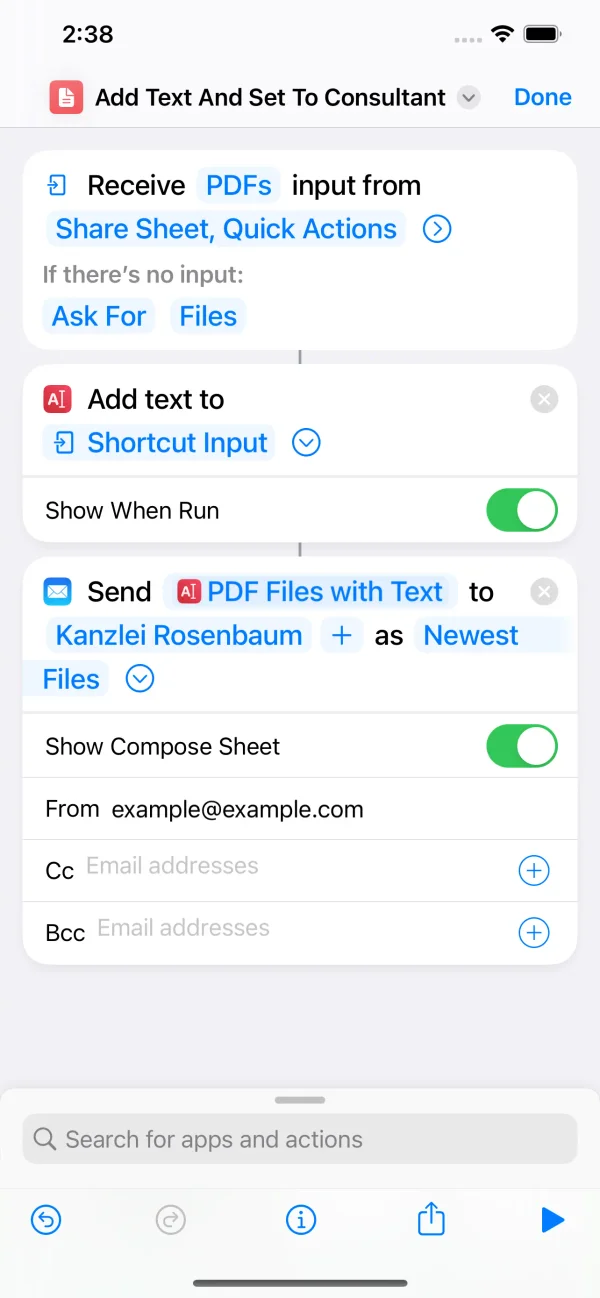
After you have opened one or more PDF files with PDF Text Includer they will be processed immediately. With just one more click you can replace the originals with the variant improved by the app. Found text can also be exported directly and with the integrated Shortcut action, the app functions can be added to your own personal workflow.
To shorten further detours PDF Text Includer includes a scanner function. On the iPhone or iPad, the integrated camera is used to generate PDF files. On macOS, you can wirelessly access the camera of your iPhone or iPad. The scanned file is processed directly by the app and is ready for further use.
KEY FEATURES
• Drop it like it’s hot: Drag and drop your file into the application window or on the app icon
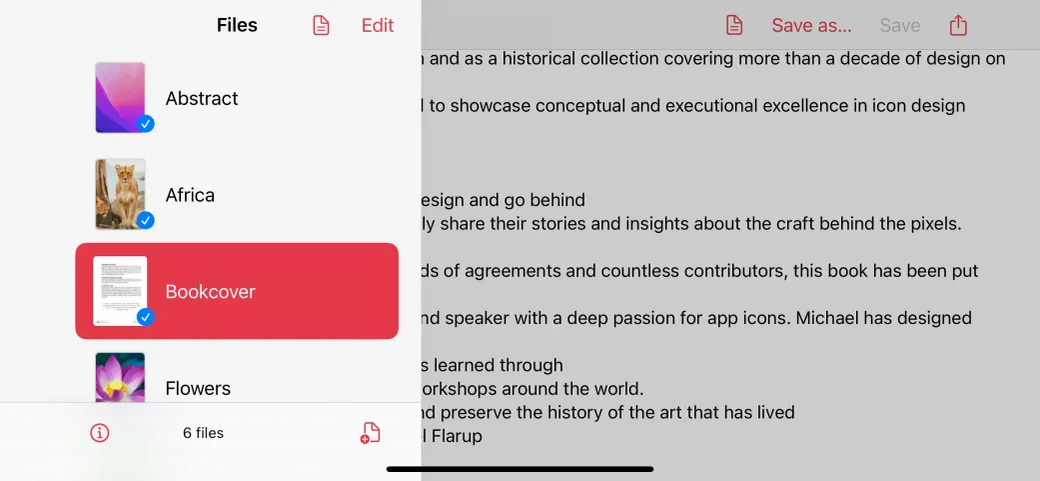
• The more the merrier: Batch process multiple files or contents of folders
• Intelligent character recognition (ICR): Files are being processed using advanced optical character recognition (OCR)
• Scan your documents: Import any PDF files or use your iPhone or iPad to scan a new document - even on the Mac using Continuity Camera
• Automate your workflow: Make use of the included Shortcuts actions and easily integrate character recognition into your workflow
• Share, replace or export: You can either share the converted PDF file directly from within the app, replace the original file or export the file content as text
• Typed or handwritten: Recognizes all kinds of fonts including handwritten text using modern machine learning
• Privacy: Everything is being processed entirely on your device, no internet connection is required
Yenilikler
Sürüm 1.2 · 27.06.2024
NEW: Enhanced accessibility with VoiceOver support throughout the entire app.
NEW: Now you can save and overwrite a file (or multiple files) with one tap instead of just making a copy through the share button.
NEW: The buttons below the list of files are now disabled when in edit mode and no file is selected.
NEW: You can now tap on the number of files below the file list to share, save or remove all processed files at once.
FIX: Adding new files may repeated the processing of files that had already finished processing.
FIX: The progress indicator may show an incorrect value.
Uygulama gizliliği
Bu uygulamanın verileri nasıl işlediği hakkında Daniel Witt tarafından App Store üzerinde yapılan beyan.
-
Sizinle ilişkilendirilen veriler
Toplanabilir ve kimliğinizle ilişkilendirilebilir.
- Tanılama
Gizlilik uygulamaları, örneğin kullandığınız özelliklere veya yaşınıza göre değişiklik gösterebilir.
Bilgiler
- Satıcı
- Daniel Witt
- Kategori
- Üretkenlik
- Sürüm
- 1.2
- Güncellendi
- 27.06.2024
- Yayın tarihi
- 23.10.2022
- Boyut
- 3,3 MB
- Gereksinim
- iOS 16.0 veya sonrası
- Yaş sınırı
- 4+
- Fiyat
- ₺49,99
- Diller
- Almanca, İngilizce
- Telif hakkı
- © 2022 - 2024 Daniel Witt
Bunları da beğenebilirsiniz
-
 PdfTOImageS-Convert PDFtoImageÜretkenlik
-
 Saved LinksÜretkenlik
-
 Pdf Craft ToolsÜretkenlik
-
 Write.r - Idea DraftÜretkenlik
-
 MDViewer - Markdown ReaderÜretkenlik
-
 SendScan: Scanner + AutomationÜretkenlik
-
 Clippo - Clipboard ManagerÜretkenlik
-
 Blitztext – Voice KeyboardÜretkenlik
-
 PDF to JPG - ConverterÜretkenlik
-
 Outspoken: Voice DictationÜretkenlik