- 対象年齢4+
- カテゴリユーティリティ
- 開発元KMWorks
- 言語英語
- サイズ5.0 MB
App Storeの公式ページにリンクしています
Download.orgはReach Remoteのファイルを一切ホストしていません。ボタンを押すと、KMWorksが公開しているApp Storeのアプリページが開きます。ページの最終確認:2026/11/20。
スクリーンショット


概要
開発元はこのテキストをお使いの言語で提供していません。
Reach Remote is a remote desktop viewer for your own computer.
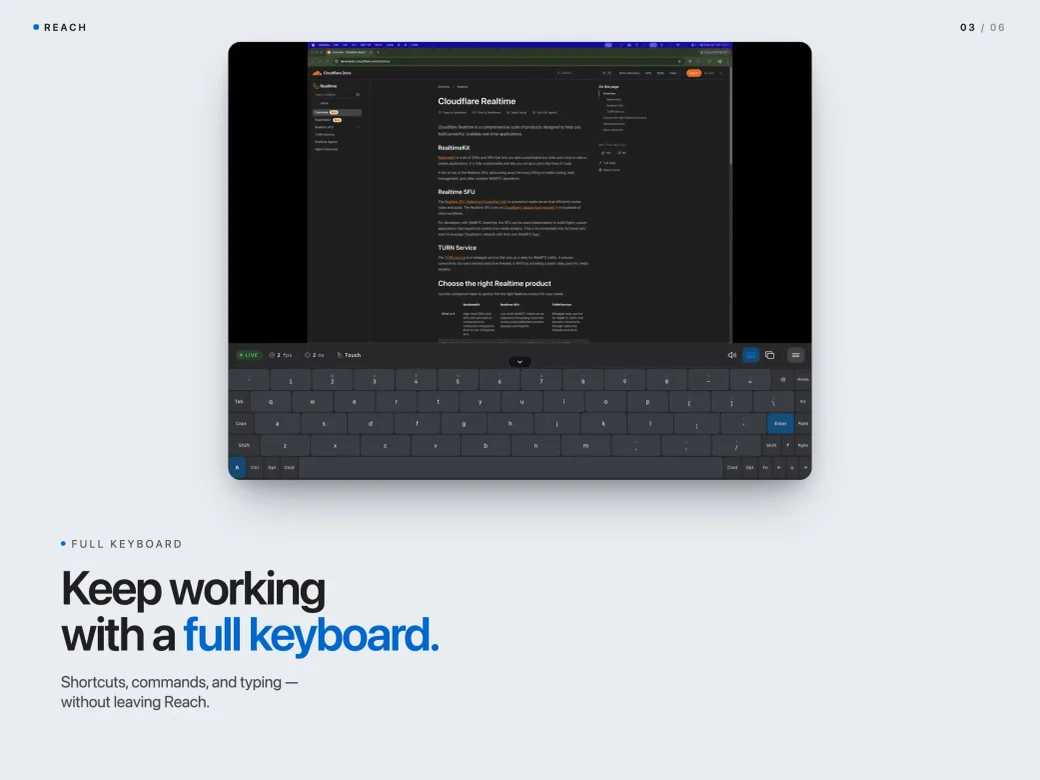
Install the Reach Host desktop companion on your computer, pair once on the same network, then start a secure low-latency session with video, touch, keyboard, pointer control, and system audio.
QUICK START
1. On your computer, download Reach Host from:
https://reachremote.app
2. Open the installer and move Reach Host to your Applications folder.
3. Launch Reach Host and grant the requested system permissions for screen capture and input control.
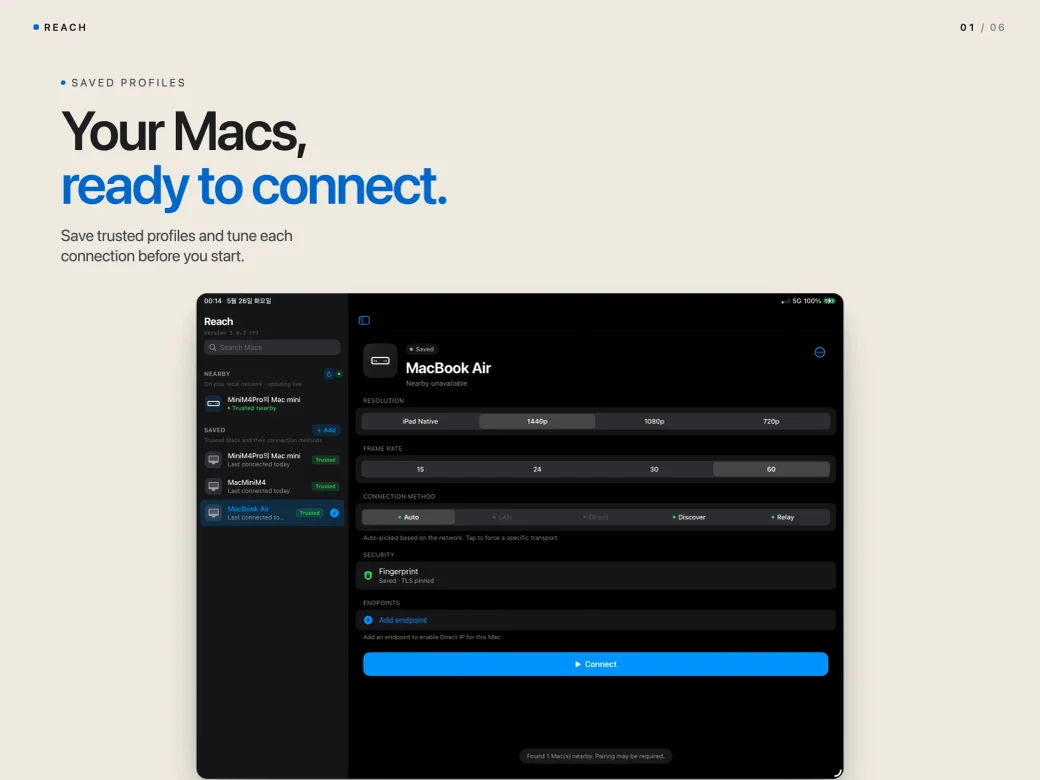
4. Open Reach Remote on your tablet. Your computer appears under Nearby when both devices are on the same Wi-Fi network.
5. Tap your computer, confirm the pairing code, choose a display, and start streaming.
KEY FEATURES
Remote Desktop Viewer
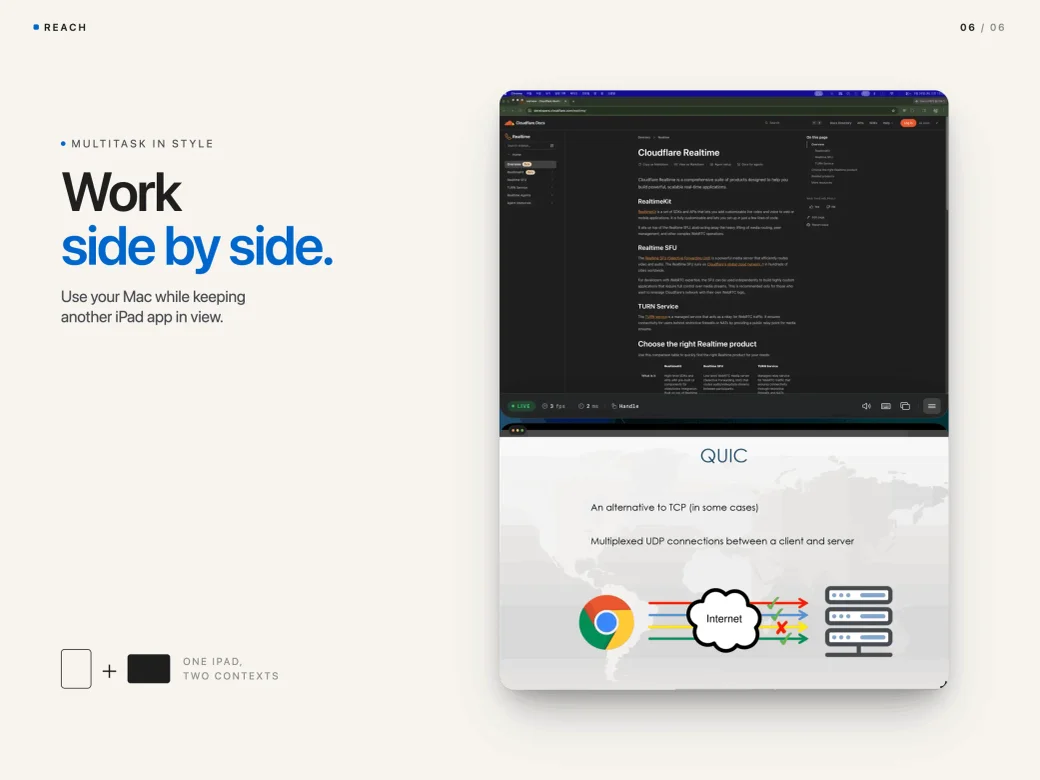
View and control your own desktop for work, monitoring, browsing, coding, design, and everyday access.
Display Picker
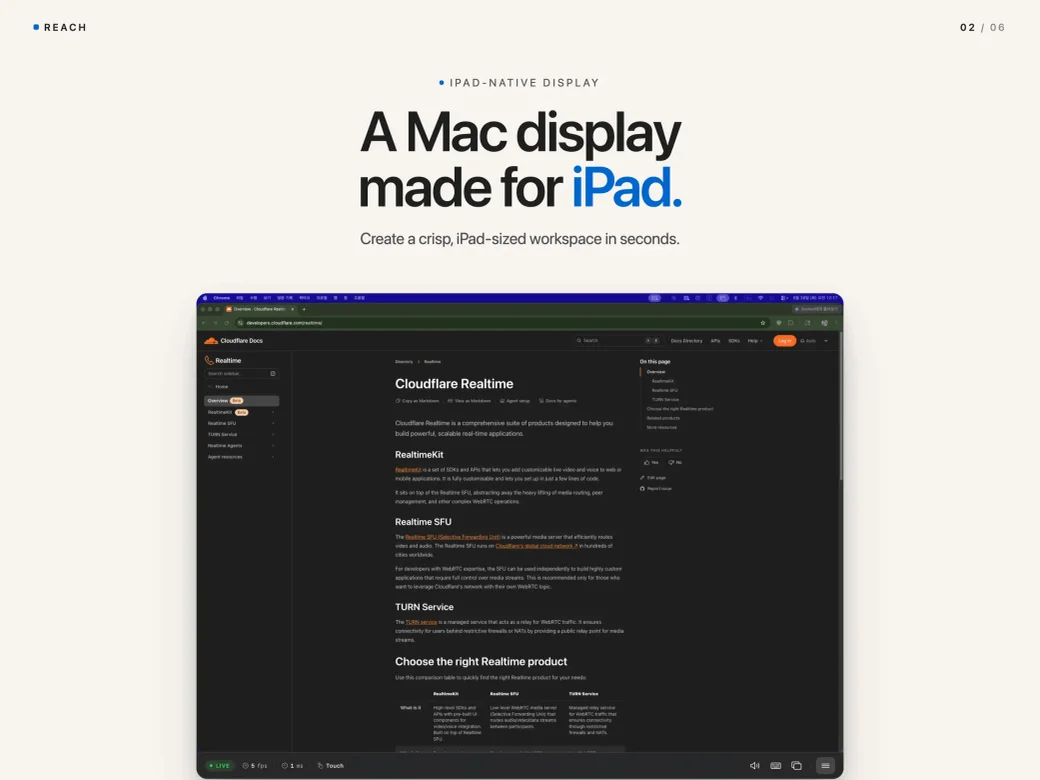
Choose an available display, reuse a tablet-sized display, or create a new virtual display for a clean extra workspace.
Touch, Keyboard, and Pointer Control
Tap, drag, type, use a hardware keyboard, and enable the cursor handle for more precise pointer movement.
System Audio
Hear system audio during an active remote session when audio sharing is enabled.
Low-Latency Streaming
Hardware-accelerated H.264/HEVC video, adaptive bitrate, and QUIC transport for responsive local and remote sessions.
Local and Remote Connections
Connect on the same network with Nearby discovery, save a Direct profile for known addresses, use Discover to find an internet path, or use Relay when direct connectivity is blocked.
Secure Pairing
Direct and relay sessions use TLS over QUIC with certificate pinning. Pairing helps ensure your device reconnects to the same trusted host.
No Reach Account
No signup, no subscriptions, and no tracking.
ABOUT REACH HOST
Reach Host is the desktop companion app for your computer. It is signed and notarized by the developer and is available at:
https://reachremote.app
It is distributed separately because remote desktop control requires system-level permissions for screen capture and input control.
SUPPORT
Setup guide:
https://reachremote.app/guide?lang=en
Troubleshooting and support:
https://reachremote.app/support
Privacy policy:
https://reachremote.app/privacy
新機能
バージョン 1.1.0 · 2026/5/25
Reach Remote 1.1.0 improves remote connection setup, diagnostics, and pointer control.
- Added a cursor handle for more precise pointer movement during remote sessions.
- Added separate scroll direction settings for touch and trackpad input.
- Improved Relay and connection profile handling for restrictive networks.
- Improved connection status, failure reports, and troubleshooting details.
- Updated saved host cards to show last connected status more clearly.
- Fixed impossible A/V offset values in the connection status panel.
- Improved onboarding and setup copy for the desktop companion app.
アプリのプライバシー
このアプリのデータの取り扱いについて、KMWorksがApp Storeで申告している内容です。
-
ユーザーに関連付けられたデータ
収集され、ユーザーの識別情報に関連付けられる場合があります。
- 連絡先情報
- ID
- 使用状況データ
- 診断
- その他のデータ
プライバシーの取り扱いは、ご利用の機能やお客様の年齢などに応じて異なる場合があります。
情報
- 販売元
- KMWORKS, INC.
- カテゴリ
- ユーティリティ
- バージョン
- 1.1.0
- 更新日
- 2026/5/25
- リリース
- 2026/5/6
- サイズ
- 5.0 MB
- 必要条件
- iOS 17.0以降
- 対象年齢
- 4+
- 価格
- 無料
- 言語
- 英語
- 著作権
- © KMWorks, Inc
こちらもおすすめ
-
 GaLinkユーティリティ
-
 BaseCalc HVAC Calculatorユーティリティ
-
 BorgLensユーティリティ
-
 Remote Desktop - by Threadmarkユーティリティ
-
 Network Monitor: WiFi Scannerユーティリティ
-
 Bookmark PRO: Link Managerユーティリティ
-
 HVAC & Sheet Metal Calculatorユーティリティ
-
 QuickRemote - Desktop Manager高速VNC、RDP&画面共有
-
 UpVPN - Serverless VPNユーティリティ
-
 ALClient - Alist File Managerユーティリティ