Shot Clock – Billiards Timer
Shot time, breaks & extensions
iPhone, iPad, iPod touch向けに設計
無料
- 対象年齢4+
- カテゴリスポーツ
- 開発元Daniel Sorger
- 言語英語ほか1言語
- サイズ51.4 MB
App Storeの公式ページにリンクしています
Download.orgはShot Clock – Billiards Timerのファイルを一切ホストしていません。ボタンを押すと、Daniel Sorgerが公開しているApp Storeのアプリページが開きます。ページの最終確認:2026/11/15。
スクリーンショット
概要
開発元はこのテキストをお使いの言語で提供していません。
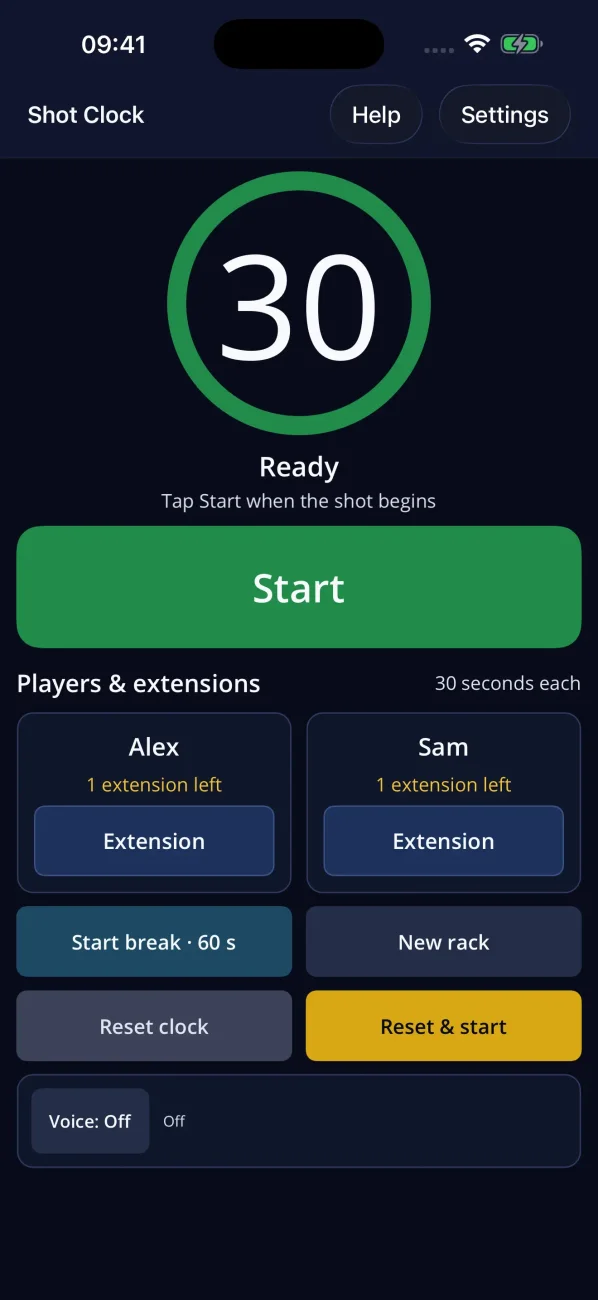
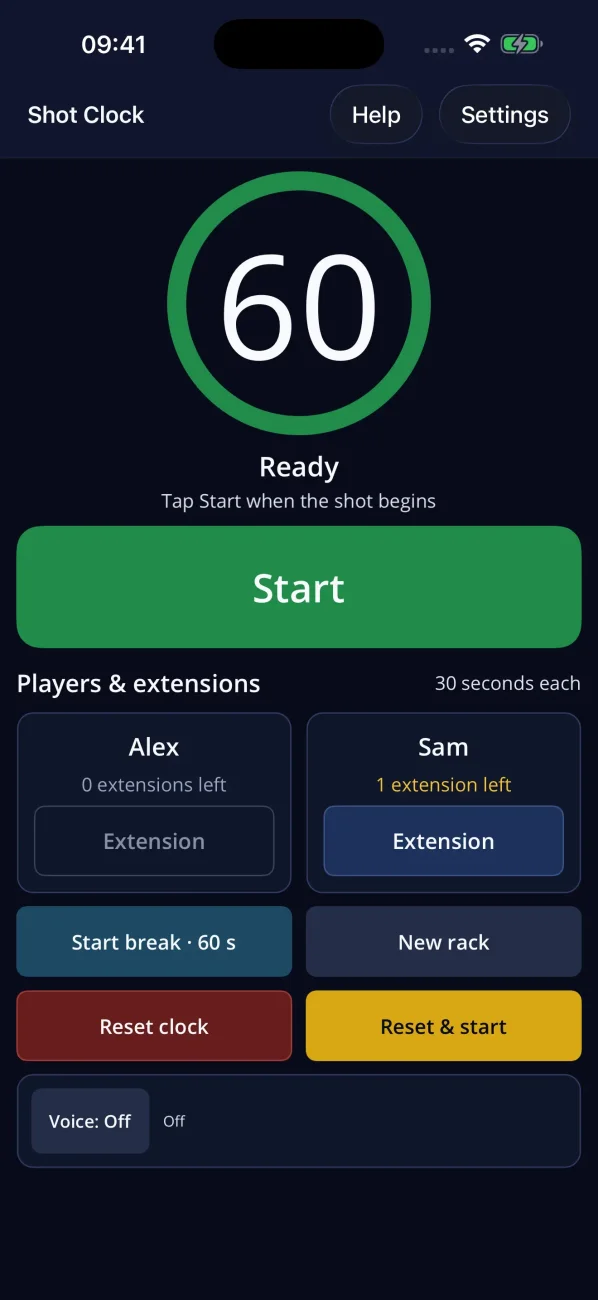
Shot Clock gives every billiards shot a clear time limit, whether you are practising or playing at the table with another player.
YOUR TIME AT THE TABLE
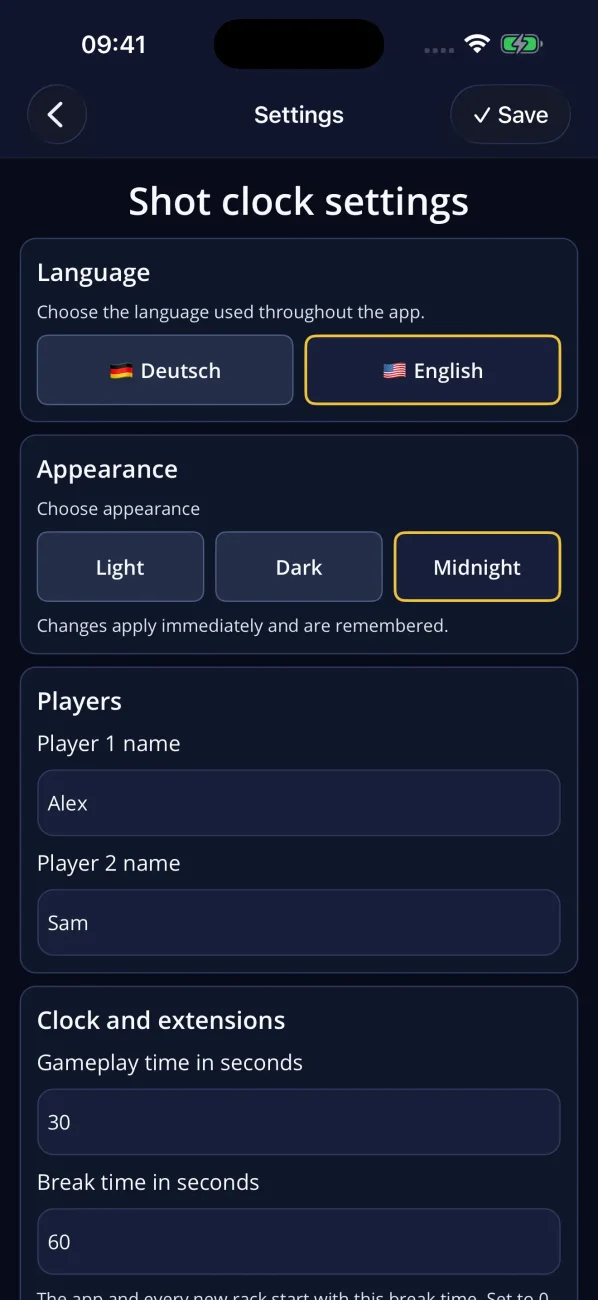
• Set your shot time and break countdown
• Start, pause and resume the clock
• Reset and immediately start the next shot
• Choose each extension’s duration and how many each player receives
• Personalise player names and restore extensions for a new rack
SEE AND HEAR THE COUNTDOWN
A large countdown and coloured ring show the remaining time. Signals sound at 10 seconds, during the final 5 seconds and when time expires. On iPhone and iPad, the countdown and signals continue when you switch apps or lock the screen.
LIVE ACTIVITIES
See the remaining time on the Lock Screen and in the Dynamic Island on compatible iPhones. From iOS 17.2, pause, resume, use either player’s extension, or reset and start the normal shot time from the Live Activity. iOS controls when the display updates; use the in-app buttons for the most immediate response.
OPTIONAL VOICE CONTROL
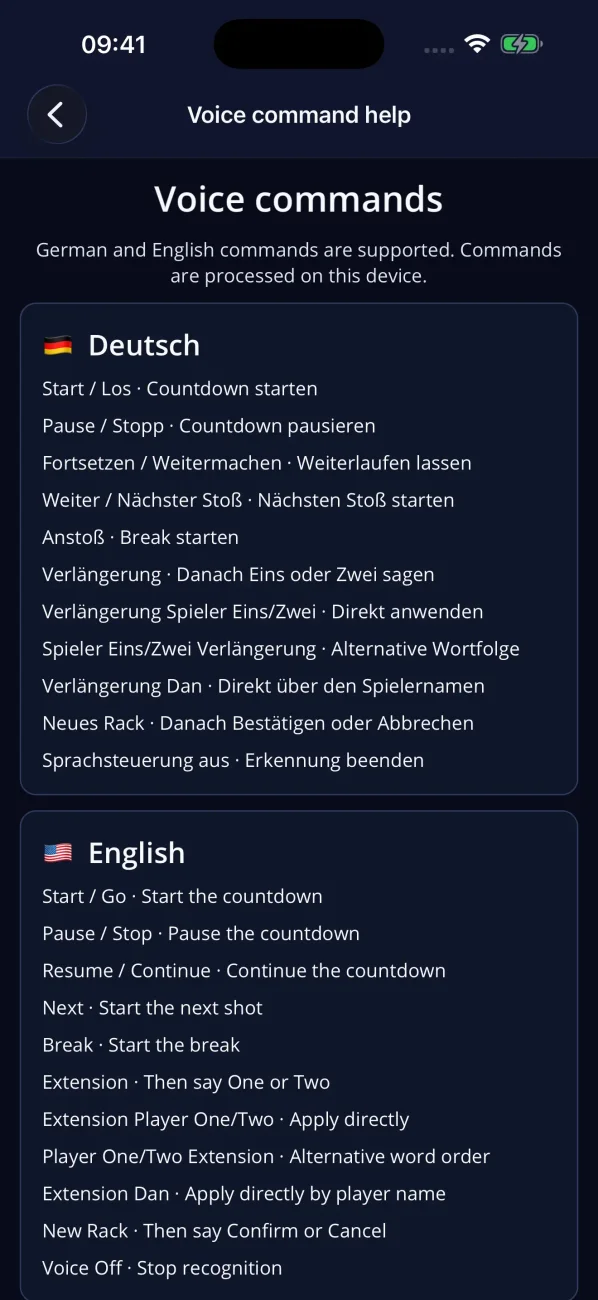
Control the clock in English or German with commands such as “Start”, “Pause”, “Resume” or “Extension Player One”. Recognition runs on the device and requires compatible local speech recognition plus microphone and speech permissions. The app must be active for voice control. Manual controls remain available without voice support.
YOUR STYLE
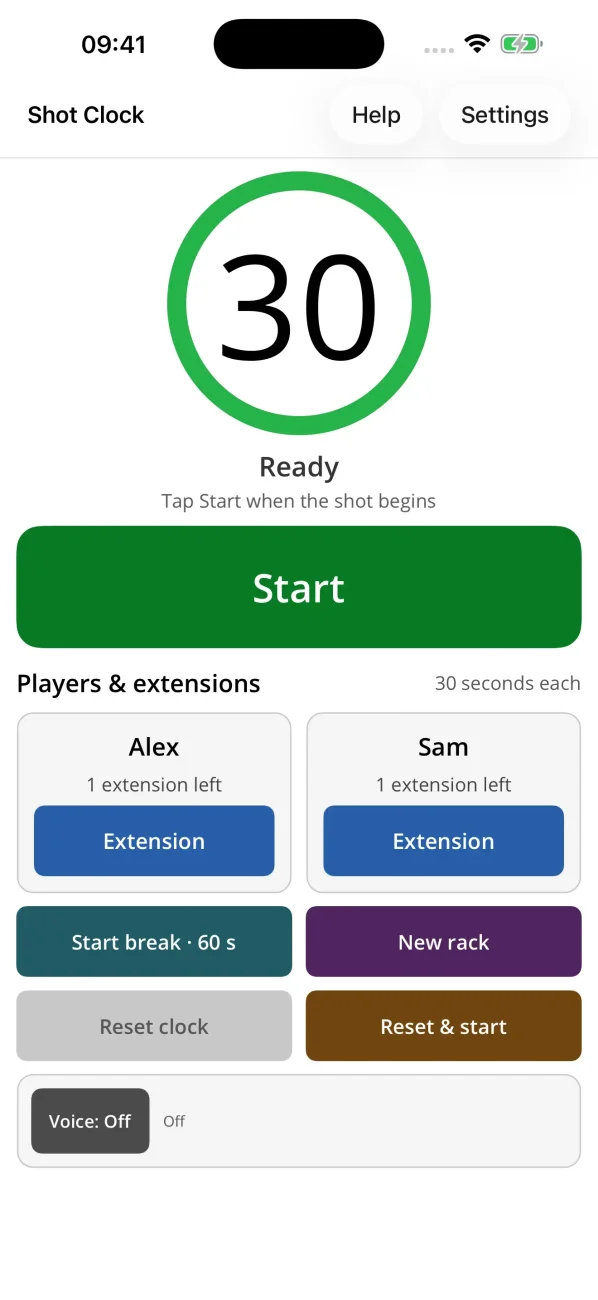
Choose English or German and a Light, Dark or Midnight appearance. Shot Clock supports iPhone and iPad in portrait and landscape.
NO ACCOUNT NEEDED
No account, advertising or in-app purchases. Settings stay local. The app does not save voice recordings or upload speech data to its own server.
PLEASE NOTE
Live Activities require iOS 16.2 or later; Dynamic Island requires a compatible iPhone. Signal sounds use media volume and the selected audio output. Audio interruptions pause the clock. Fully quitting the app stops playback; a fresh launch does not restore a running countdown.
Support: shotclock@danielsorger.de
アプリのプライバシー
このアプリのデータの取り扱いについて、Daniel SorgerがApp Storeで申告している内容です。
-
データの収集なし
開発元はこのアプリからデータを収集しません。
プライバシーの取り扱いは、ご利用の機能やお客様の年齢などに応じて異なる場合があります。
情報
- 販売元
- Daniel Sorger
- カテゴリ
- スポーツ
- バージョン
- 1.0
- 更新日
- 2026/9/29
- リリース
- 2026/9/29
- サイズ
- 51.4 MB
- 必要条件
- iOS 15.0以降
- 対象年齢
- 4+
- 価格
- 無料
- 言語
- 英語, ドイツ語
- 著作権
- © 2026 Daniel Sorger