
- 対象年齢4+
- カテゴリユーティリティ
- 開発元Appsipaja Oy
- 言語英語
- サイズ8.9 MB
App Storeの公式ページにリンクしています
Download.orgはShwidgetのファイルを一切ホストしていません。ボタンを押すと、Appsipaja Oyが公開しているApp Storeのアプリページが開きます。ページの最終確認:2026/11/23。
スクリーンショット
概要
開発元はこのテキストをお使いの言語で提供していません。
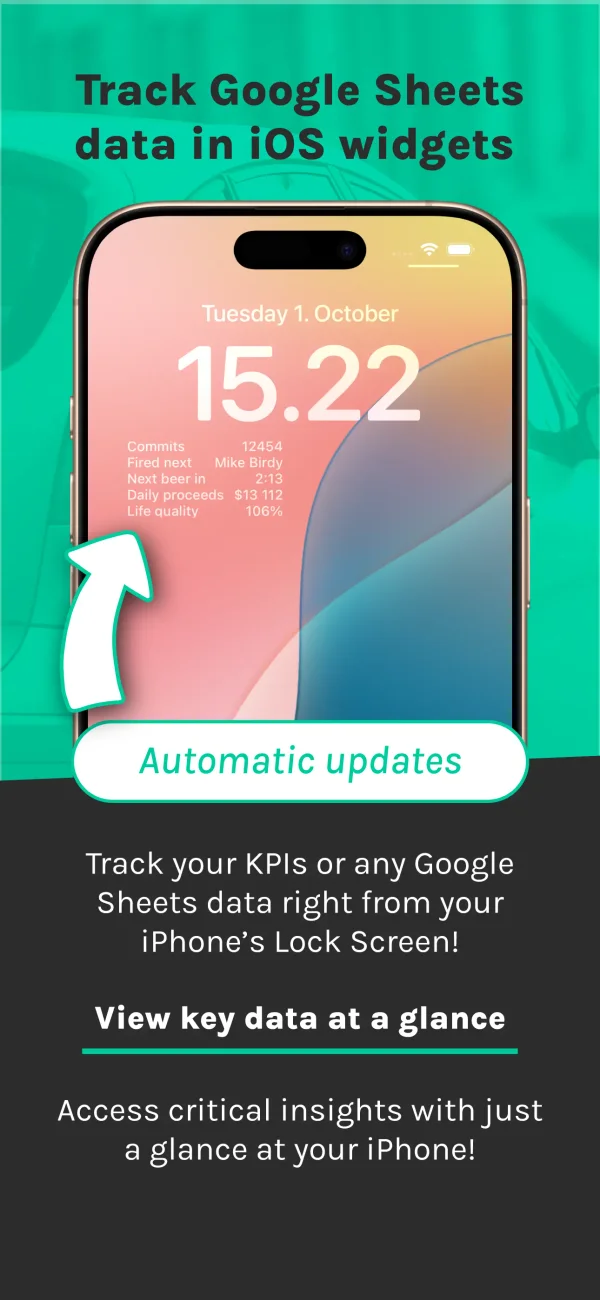
Keep your important Google Sheets values on your Home Screen, Lock Screen, or Apple Watch.
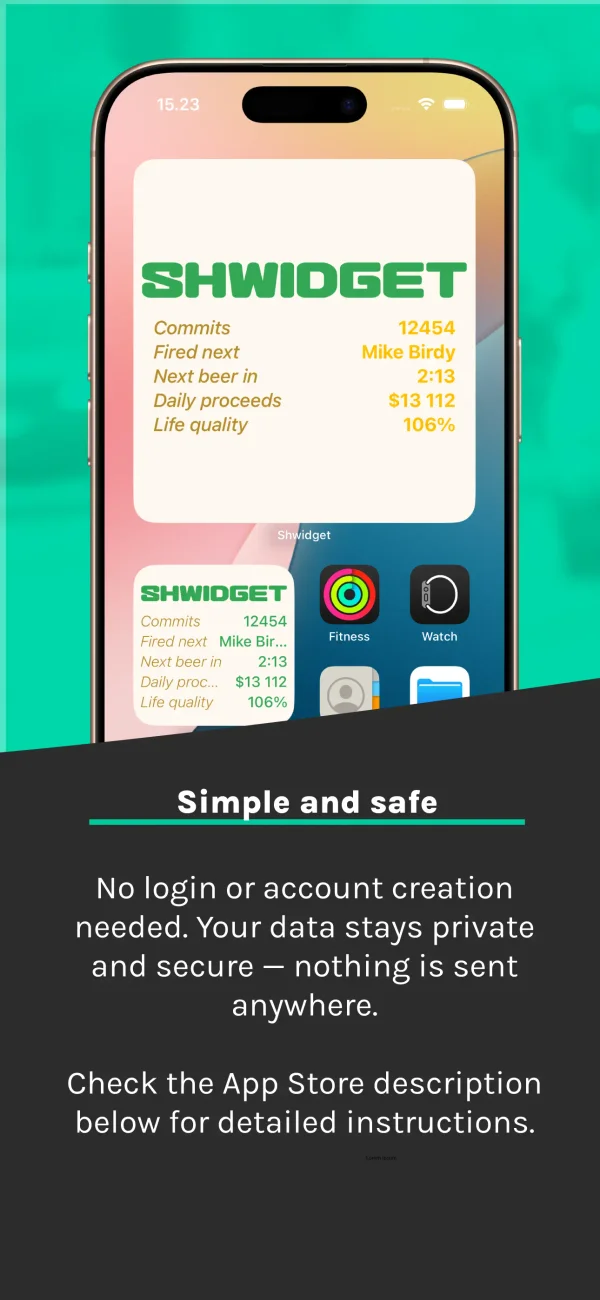
Shwidget displays values from your Google Sheets cells in widgets and Apple Watch complications. Follow KPIs, sales figures, project progress, or any other values without opening the Sheets app.
KEY FEATURES
• Home Screen widgets in multiple sizes.
• Lock Screen widgets for a quick glance at your data.
• Apple Watch complications to display values on your watch face.
• Apple Watch Smart Stack widgets.
• Automatic refreshes managed by iOS and watchOS.
• Optional titles to make your values easy to identify.
• No Shwidget account required.
Refresh timing is controlled by iOS and watchOS. Updates are periodic, and changes in your spreadsheet may not appear immediately.
GETTING STARTED
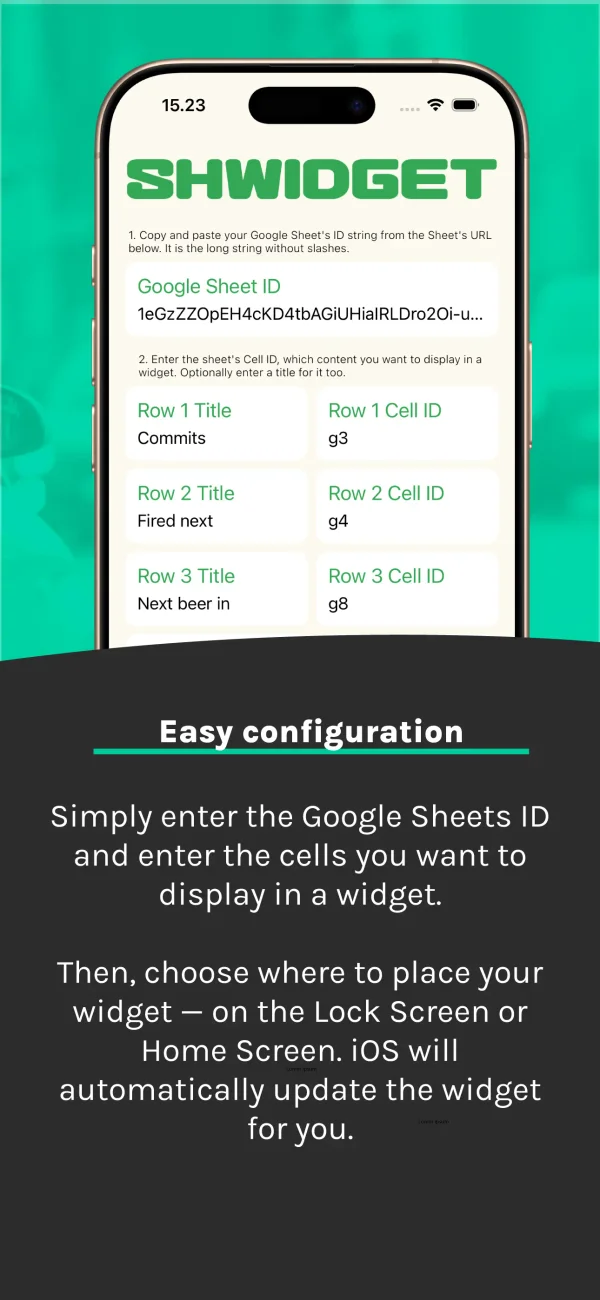
1. Open your Google spreadsheet and copy its spreadsheet ID from the URL. This is the text between “/d/” and the next slash. Keep all characters, including hyphens and underscores.
2. In the spreadsheet’s sharing settings, set General access to “Anyone with the link” and the role to “Viewer”.
3. Enter the spreadsheet ID and the cell references you want to display, such as D1 or D2, in Shwidget. Add optional titles for your values.
4. Add a Shwidget widget to your Home Screen or Lock Screen, or use Shwidget on your Apple Watch.
FINDING YOUR SPREADSHEET ID
For this URL:
https://docs.google.com/spreadsheets/d/1CMvaCWBAsrAftZjT5nXlntTUsnmkkZDlxMkXhAd_sBs/
The spreadsheet ID is:
1CMvaCWBAsrAftZjT5nXlntTUsnmkkZDlxMkXhAd_sBs
Paste only the ID into Shwidget, not the entire URL.
TROUBLESHOOTING
If your widget displays “ERROR empty cell?”, check that:
• The selected cell contains a value.
• The spreadsheet is shared with “Anyone with the link” as a Viewer.
• The spreadsheet ID and cell reference are correct.
SHARING AND SENSITIVE DATA
Anyone with your spreadsheet’s link can view it when this sharing setting is enabled. Avoid using it for spreadsheets containing confidential information.
To share only selected values, create a separate spreadsheet and use Google Sheets’ IMPORTRANGE function to bring in the cells you want to display. Use that separate spreadsheet with Shwidget and enable link sharing only for that spreadsheet.
TRY AN EXAMPLE
Use this spreadsheet ID:
1CMvaCWBAsrAftZjT5nXlntTUsnmkkZDlxMkXhAd_sBs
Try individual cell references such as D1, D2, D3, or E1 through E7. Open the example spreadsheet to compare the values with your widget.
FREE AND PRO
The free version lets you display one data field per widget.
The KPI Lover subscription unlocks additional rows per widget and lets you remove the Shwidget logo from Home Screen widgets and the branding text from Lock Screen widgets.
Questions or feedback? Contact me at mikko_a_appsipaja.fi.
Cheers,
Mikko
Terms of Use — Apple’s Standard EULA:
https://www.apple.com/legal/internet-services/itunes/dev/stdeula/
新機能
バージョン 1.4 · 2026/11/18
Support for Apple Watch Complications and Stacks.
アプリのプライバシー
このアプリのデータの取り扱いについて、Appsipaja OyがApp Storeで申告している内容です。
-
ユーザーに関連付けられないデータ
収集される場合がありますが、ユーザーの識別情報には関連付けられません。
- ID
- 診断
プライバシーの取り扱いは、ご利用の機能やお客様の年齢などに応じて異なる場合があります。
情報
- 販売元
- Appsipaja Oy
- カテゴリ
- ユーティリティ
- バージョン
- 1.4
- 更新日
- 2026/11/18
- リリース
- 2023/9/27
- サイズ
- 8.9 MB
- 必要条件
- iOS 16.1以降
- 対象年齢
- 4+
- 価格
- 無料
- アプリ内課金
- あり
- 言語
- 英語
- 著作権
- © Appsipaja Oy
こちらもおすすめ
-
 Sheets Widgetsシートウィジェットをホーム画面に
-
 SheetWidget スプレッドシートウィジェット表・グラフ・家計簿をホーム画面とロック画面に
-
 Tally • Quick Counterユーティリティ
-
 Screens 5: VNCリモートデスクトップ高速で安全なコンピュータアクセス
-
 ntfyユーティリティ
-
 Sticky Widgetsホーム・ロック画面のメモ帳
-
 Desktop Browserデスクトップウェブサイトに切り替える
-
 Pushcut: Shortcuts Automationユーティリティ
-
 カウントダウン・あと何日 Pretty Progress記念日・ウィジェット・カレンダー・タイマー・日数計算
-
 Sticky Notes Widgetユーティリティ