
- 対象年齢4+
- カテゴリグラフィック/デザイン
- 開発元Achim Braml
- 言語英語ほか3言語
- サイズ4.7 MB
App Storeの公式ページにリンクしています
Download.orgはSketchlineのファイルを一切ホストしていません。ボタンを押すと、Achim Bramlが公開しているApp Storeのアプリページが開きます。ページの最終確認:2026/11/13。
スクリーンショット

概要
開発元はこのテキストをお使いの言語で提供していません。
Sketchline is a drawing app that makes your iPad feel like real paper — and every detail shows it.
Pressure, tilt, azimuth, barrel roll, and hover distance flow directly into each brushstroke. The result is a drawing experience that feels analogue, not digital: your pencil behaves like a real pencil, your watercolor like real watercolor, your crayon like a real crayon.
NINE BRUSHES, EACH UNIQUE
Sketchline ships with nine carefully tuned brushes: pencil, pen, marker, monoline, fountain pen, watercolor, crayon, eraser, and selection. Each one translates the physical properties of your Apple Pencil into a distinct stroke character — not just a different texture applied on top of a generic line.
APPLE PENCIL PRO, FULLY SUPPORTED
Hover previews the cursor before ink touches the screen. Barrel roll rotates the brush angle in real time, making calligraphy and hatching feel natural. Double-tap switches tools instantly. Squeeze activates the eraser. Haptic feedback confirms every path completion and tool change, closing the gap between digital and physical.
YOUR DRAWINGS, YOUR FORMAT
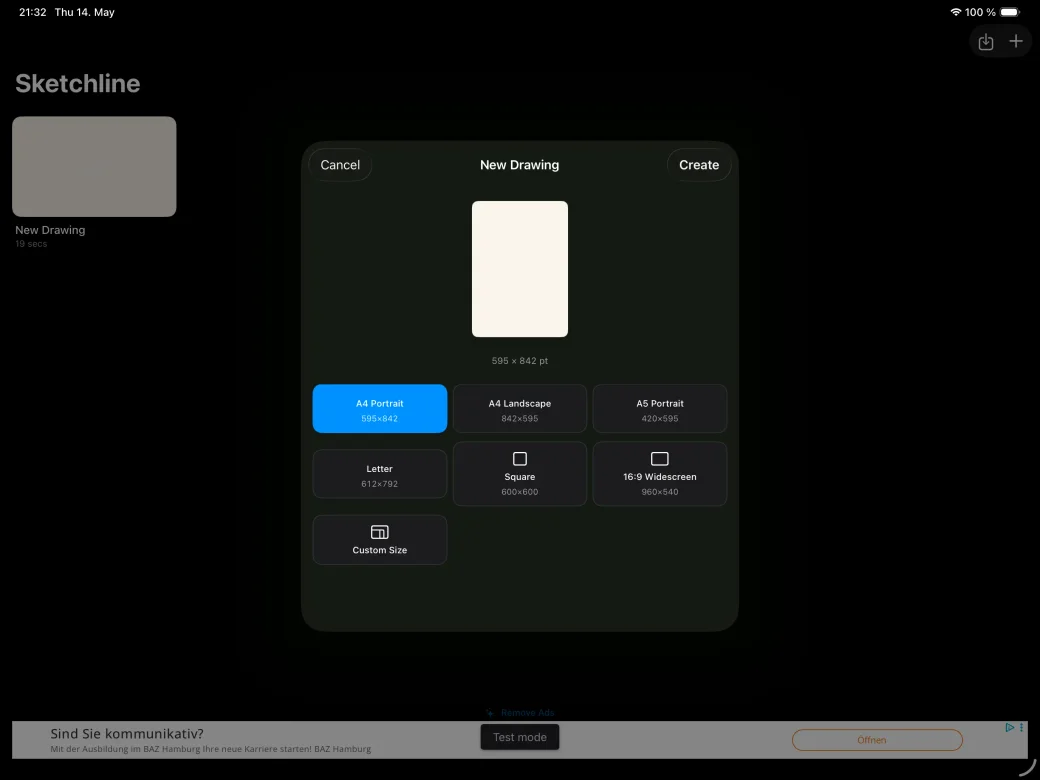
Create canvases in any size — portrait, landscape, square, or custom dimensions. The paper is a warm cream tone that reduces eye strain and makes colors read more accurately. Pinch to zoom up to 5× for fine detail work.
BRING YOUR PHOTOS IN
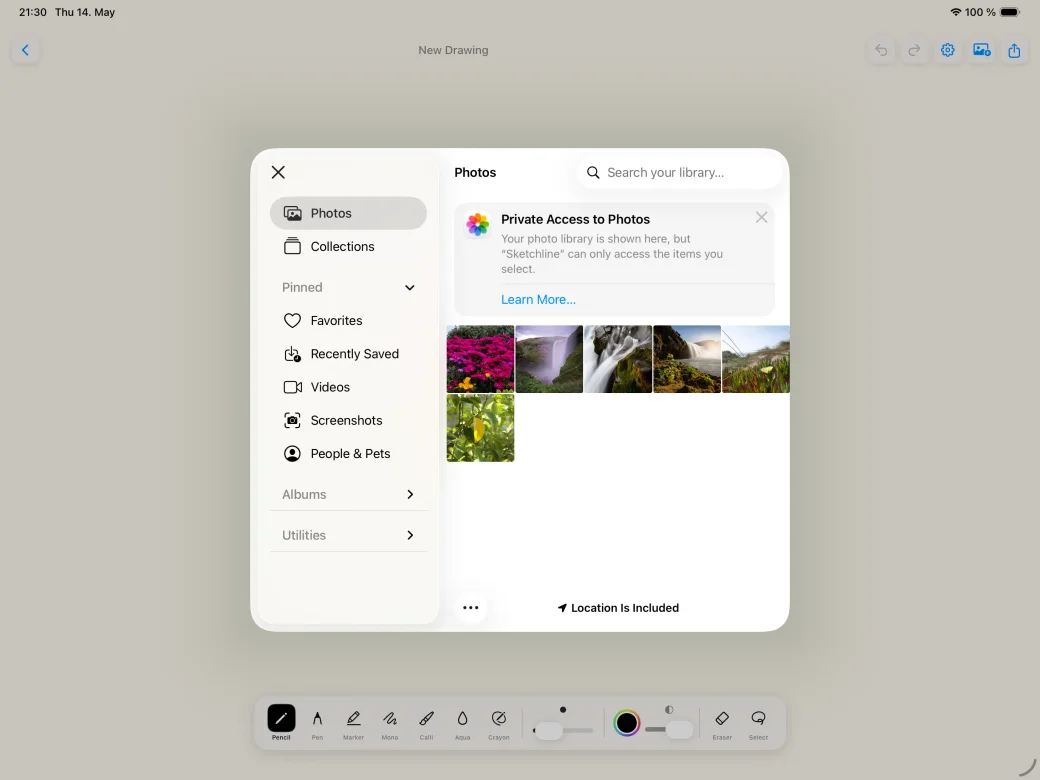
Import any photo from your library and place it on the canvas. Sketchline uses on-device machine learning to remove the background with one tap — no account, no cloud, no subscription required for this feature.
SAVE AND EXPORT EVERYWHERE
Every stroke is saved automatically. Export your work as PNG or PDF, or save it directly to your Photos library. Sketchline also uses a native .sketchline file format that preserves full drawing fidelity, background images, and canvas settings — open it from Files, share it with collaborators, or archive it for later.
GALLERY THAT GROWS WITH YOU
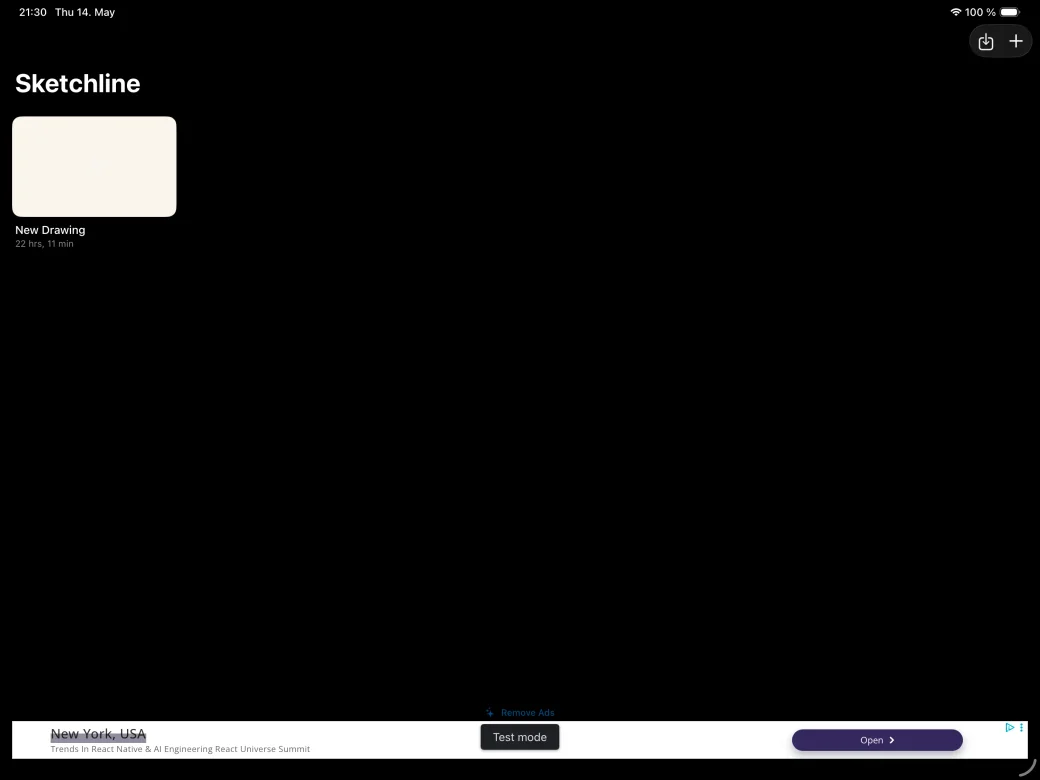
All your drawings live in a clean grid gallery sorted by last modified. Rename, duplicate, or delete with a long press. Everything is stored on-device with SwiftData — fast, private, no account needed.
FREE TO USE
Sketchline is free. A small banner ad appears at the bottom of the canvas. Once per day, a brief interstitial may appear when returning to the gallery. A one-time subscription removes all ads permanently — no other features are locked.
Sketchline requires iPadOS 17 or later. Apple Pencil Pro, Apple Pencil (2nd generation), or Apple Pencil (USB-C) recommended.
Terms of Use (EULA): https://www.apple.com/legal/internet-services/itunes/dev/stdeula/
アプリのプライバシー
このアプリのデータの取り扱いについて、Achim BramlがApp Storeで申告している内容です。
-
ユーザーのトラッキングに使用されるデータ
他社のアプリやウェブサイトを横断してユーザーをトラッキングする目的で使用される場合があります。
- 位置情報
- ID
- 使用状況データ
-
ユーザーに関連付けられないデータ
収集される場合がありますが、ユーザーの識別情報には関連付けられません。
- 位置情報
- ID
- 使用状況データ
- 診断
プライバシーの取り扱いは、ご利用の機能やお客様の年齢などに応じて異なる場合があります。
情報
- 販売元
- Achim Braml
- カテゴリ
- グラフィック/デザイン
- バージョン
- 1.2.3
- 更新日
- 2026/5/30
- リリース
- 2026/5/30
- サイズ
- 4.7 MB
- 必要条件
- iOS 26.0以降
- 対象年齢
- 4+
- 価格
- 無料
- アプリ内課金
- あり
- 言語
- 英語, フランス語, ドイツ語, スペイン語
- 著作権
- © 2025–2026 Achim Braml. All rights reserved.
こちらもおすすめ
-
 Gridline: Grid & Value Studyデッサン・模写用グリッドと明暗
-
 Studio Grid: Drawing Gridグラフィック/デザイン
-
 Drawing Grid Maker: GridValueグラフィック/デザイン
-
 refs.グラフィック/デザイン
-
 Chiser: Photo to Sketch AIグラフィック/デザイン
-
 Artivate — Draw with Friendsグラフィック/デザイン
-
 Grid Maker 写真にグリッド・模写マス目で比率を確認、紙に描くための参考画像
-
 Exsto: Concept Art Sketchingグラフィック/デザイン
-
 Das Brush3Dで描こう!
-
 AR Drawing: Trace, Draw Sketchグラフィック/デザイン