- 対象年齢9+
- カテゴリ写真/ビデオ
- 開発元鼎一 陈
- 言語英語ほか1言語
- サイズ30.1 MB
App Storeの公式ページにリンクしています
Download.orgはHideCutのファイルを一切ホストしていません。ボタンを押すと、鼎一 陈が公開しているApp Storeのアプリページが開きます。ページの最終確認:2026/11/17。
スクリーンショット
概要
開発元はこのテキストをお使いの言語で提供していません。
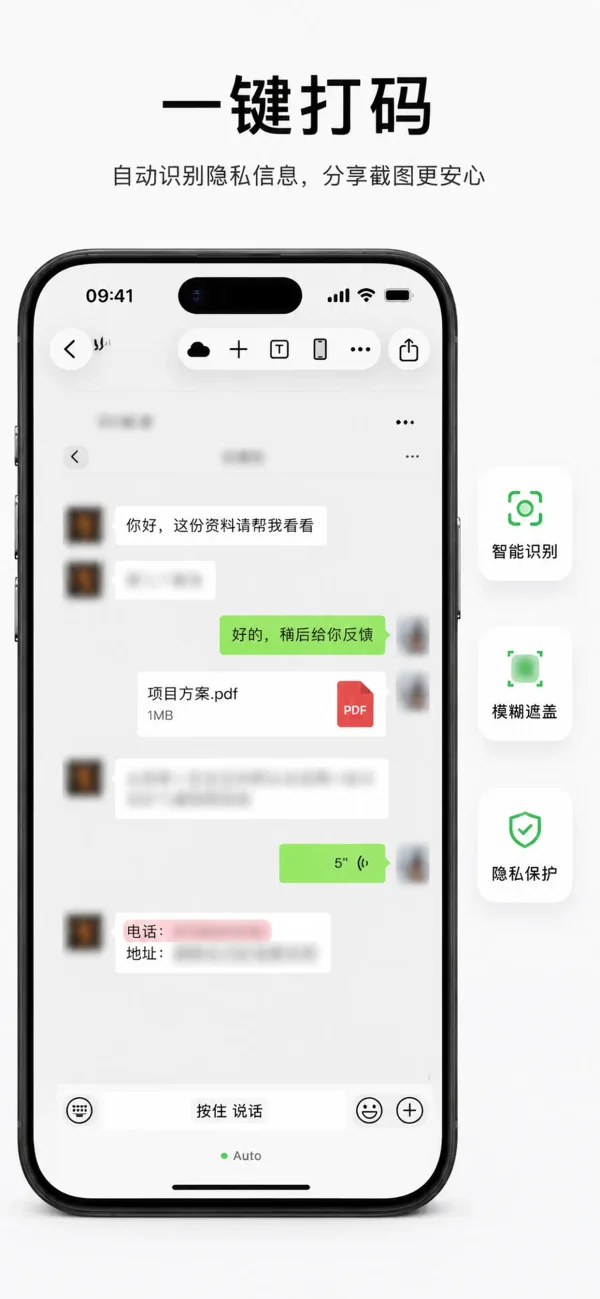
HideCut is a privacy editor made for chat screenshots. Import screenshots from your photo library or clipboard, hide the parts you do not want to share, then save or send a cleaner image.
Main Features
- Detect chat message areas to reduce manual selection
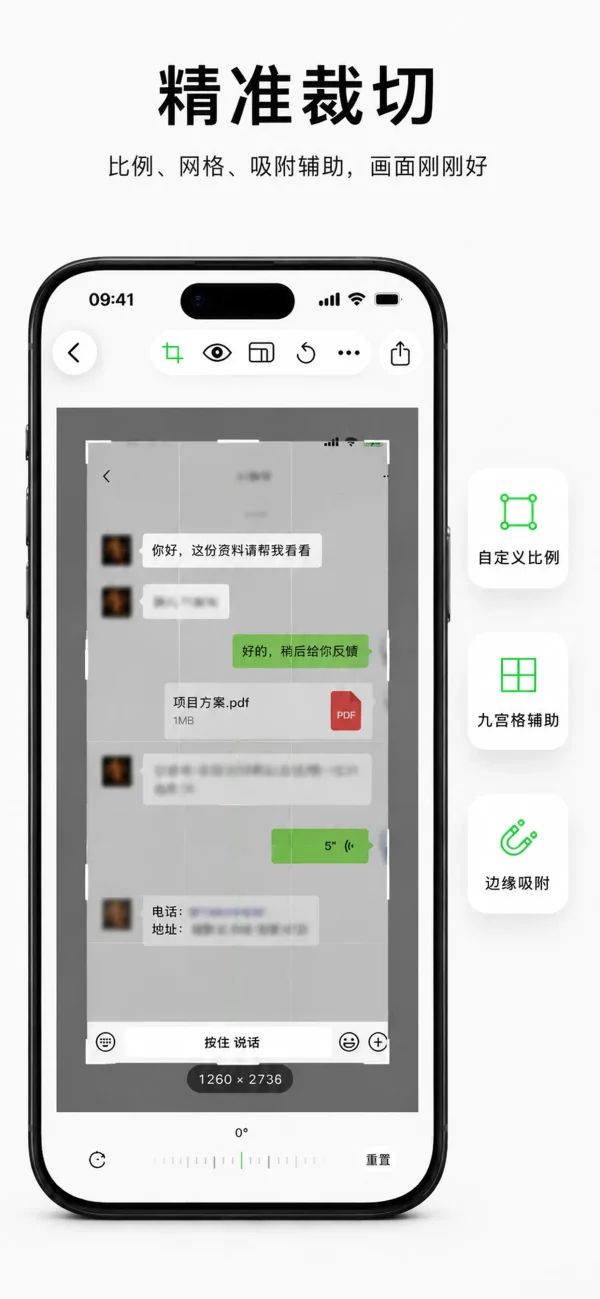
- Tap or drag to select the conversation content you want to edit
- Redact with pixelate, blur, solid color, or mosaic styles
- Crop selected messages into a focused share image
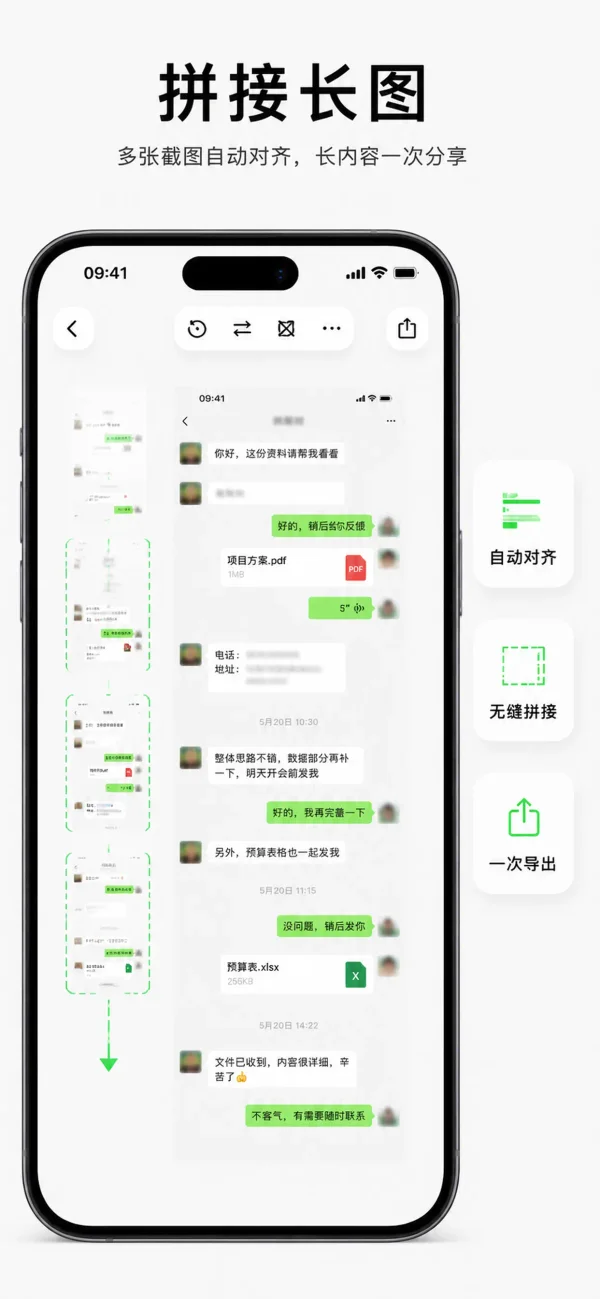
- Stitch multiple continuous chat screenshots into one long screenshot
- Create collage-style exports with background, spacing, separators, and device frames
- Remove EXIF and location metadata when exporting images
Long Screenshots and Collages
When a conversation is split across multiple screenshots, HideCut helps turn them into one more readable long image. You can hide sensitive details first, then stitch and arrange the screenshots for sharing.
Privacy by Design
HideCut does not require an account and does not upload your chat screenshots, recognition results, crop areas, redaction edits, collage layouts, or exported images to HideCut servers. Recognition, privacy scanning, redaction, cropping, stitching, and exporting happen on your device.
Useful For
- Hiding names, addresses, amounts, and other sensitive details before sharing chats
- Cropping key parts of a conversation into a clean image
- Turning multiple chat screenshots into a long screenshot or collage
- Checking and covering private details before posting screenshots online
Automatic detection and stitching can be affected by screenshot clarity, fonts, backgrounds, languages, and overlapping scroll areas. Please review your image before sharing and manually adjust selected areas when needed.
新機能
バージョン 1.0.1 · 2026/6/11
HideCut brings enhanced long screenshot stitching in this update:
• Upgraded intelligent stitching algorithm
It can accurately identify overlapping areas on pages with decorative backgrounds and translucent cards (e.g., fitness and health apps), delivering reliable automatic deduplication.
• Improved stitching seams
Eliminates residual artifacts from floating buttons and bottom tab bars at stitching lines for cleaner, more complete long images.
• Fixed export issues for extra-long collages
Resolved the problem where stitched screenshots would export as pure black images. Extra-long collages can now be saved and shared normally.
• Optimized in-app purchase page experience
Fixed incorrect price display before product content loads, ensuring accurate pricing information.
• Various minor optimizations and stability improvements
アプリのプライバシー
このアプリのデータの取り扱いについて、鼎一 陈がApp Storeで申告している内容です。
-
データの収集なし
開発元はこのアプリからデータを収集しません。
プライバシーの取り扱いは、ご利用の機能やお客様の年齢などに応じて異なる場合があります。
情報
- 販売元
- 鼎一 陈
- カテゴリ
- 写真/ビデオ
- バージョン
- 1.0.1
- 更新日
- 2026/6/11
- リリース
- 2026/6/10
- サイズ
- 30.1 MB
- 必要条件
- iOS 17.0以降
- 対象年齢
- 9+
- 価格
- 無料
- アプリ内課金
- あり
- 言語
- 英語, 簡体字中国語
- 著作権
- © 2026 wollaws