- 対象年齢4+
- カテゴリグラフィック/デザイン
- 開発元Jing Zhe Lim
- 言語英語
- サイズ69.2 MB
App Storeの公式ページにリンクしています
Download.orgはStickeredのファイルを一切ホストしていません。ボタンを押すと、Jing Zhe Limが公開しているApp Storeのアプリページが開きます。ページの最終確認:2026/11/17。
スクリーンショット


概要
開発元はこのテキストをお使いの言語で提供していません。
Turn any photo into a transparent-background sticker in a few taps — add your own text, then arrange your stickers into a Scene. All on your device.
MAKE A STICKER
1. Capture a photo or import one from your library.
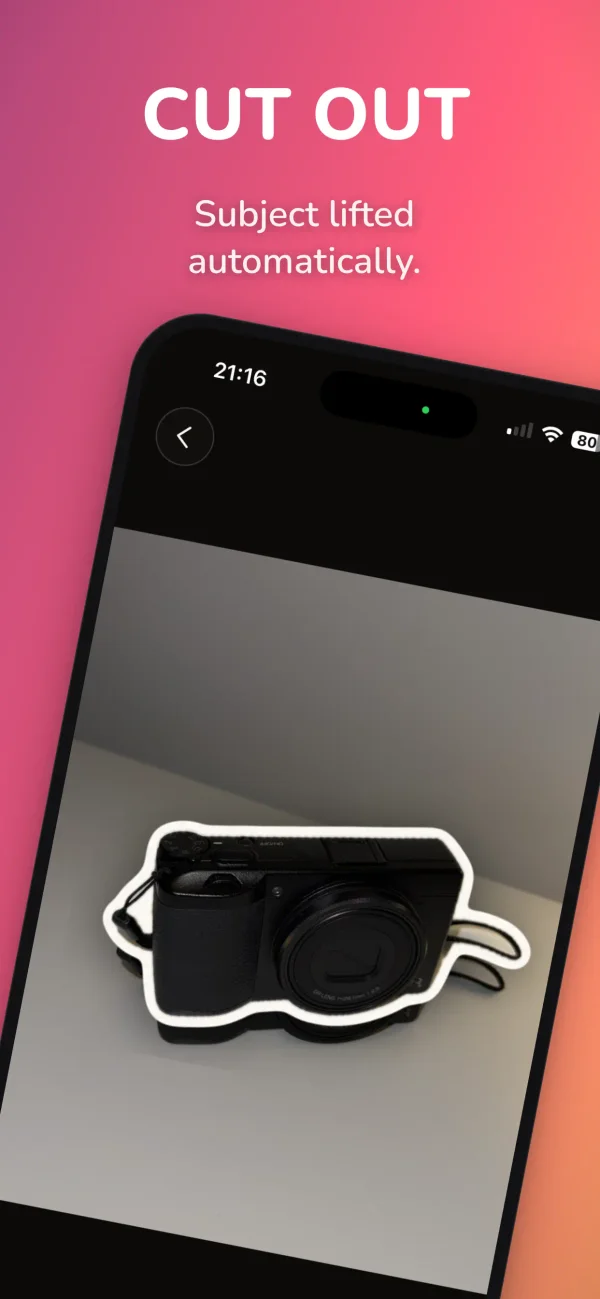
2. Auto-cutout lifts the subject — clean edges, no green screen, no fuss.
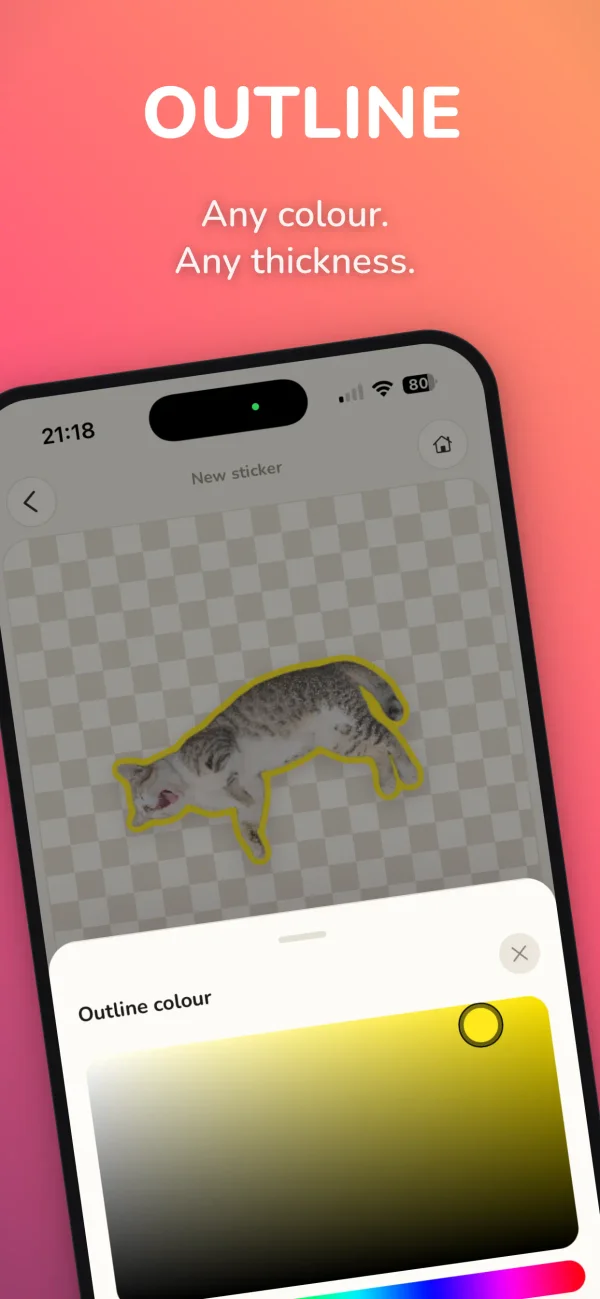
3. Add an Outline. Set the thickness and colour for that classic die-cut look.
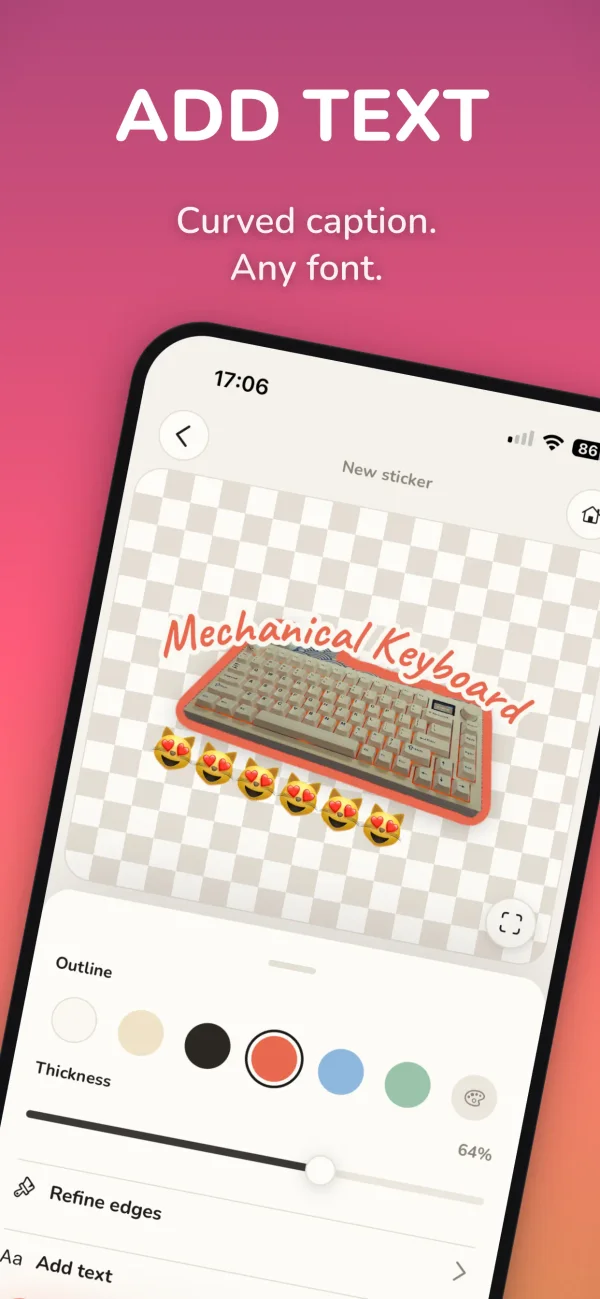
4. Add text — straight or curved — in the font and colour you want.
5. Fine-tune edges by hand with the Refine brush. Pan, pinch to zoom, two-finger tap to undo.
6. Save to your on-device Library, or share to Messages, Instagram, AirDrop, or Files.
BUILD A SCENE (new)
Drop several stickers onto a background and arrange them into one image — a wallpaper, a collage, a layout. Add text, layer elements front to back, and pick a background: a solid colour, a gradient, or one of your own photos. Export the whole Scene as a single image.
MADE FOR
- Journalers and scrapbookers who want stickers from their own photos.
- Anyone who's ever wanted a sticker of their dog, their plant, or their breakfast — with a caption.
- People who care that their photos stay private.
FREE, FOREVER
- On-device subject detection — no cloud, no upload, no account.
- Adjustable Outline: any thickness, any colour.
- Refine brush for pixel-perfect edges.
- One text element with our free font set.
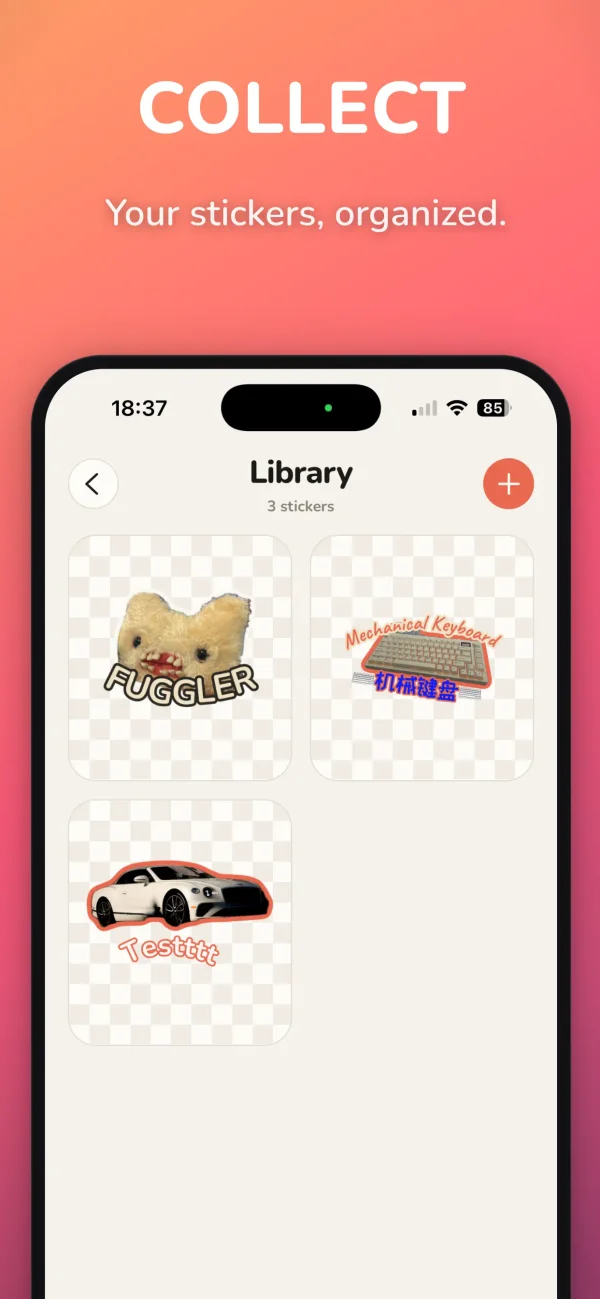
- On-device Library. No watermark. No usage cap. No ads.
- Start building Scenes right away.
STICKERED PRO — ONE-TIME UNLOCK, NO SUBSCRIPTION
- Multiple text elements per sticker.
- Curved / arc text (emoji included).
- Per-element text outline.
- The full premium font catalogue — 20+ fonts, including 9 Simplified Chinese styles.
- Re-open and re-edit any sticker you've saved.
- Scene extras: gradient and photo backgrounds.
Buy once, keep every Pro feature we add in future updates.
PRIVACY
Your photos never leave your device. Stickered does not upload, transmit, or store your photos on any server. No accounts. No tracking. Optional anonymous usage stats (never your photos or text) help us decide what to build next — turn them off anytime in Settings.
Privacy policy: https://jzlim.github.io/stickered-privacy/
REQUIREMENTS
iPhone on iOS 17 or later. Subject detection uses Apple's on-device Vision framework.
新機能
バージョン 1.4.1 · 2026/11/14
Fixes a crash when making a sticker from several subjects in one photo. Under the hood: a newer app engine with lower memory use, for smoother editing.
アプリのプライバシー
このアプリのデータの取り扱いについて、Jing Zhe LimがApp Storeで申告している内容です。
-
ユーザーに関連付けられないデータ
収集される場合がありますが、ユーザーの識別情報には関連付けられません。
- ID
- 使用状況データ
- 診断
プライバシーの取り扱いは、ご利用の機能やお客様の年齢などに応じて異なる場合があります。
情報
- 販売元
- Jing Zhe Lim
- カテゴリ
- グラフィック/デザイン
- バージョン
- 1.4.1
- 更新日
- 2026/11/14
- リリース
- 2026/6/25
- サイズ
- 69.2 MB
- 必要条件
- iOS 17.0以降
- 対象年齢
- 4+
- 価格
- 無料
- アプリ内課金
- あり
- 言語
- 英語
- 著作権
- © 2026 Jing Zhe Lim
こちらもおすすめ
-
 StickerCut Studioグラフィック/デザイン
-
 切り抜き Cutout Sticker Maker端末内の透過PNGと一括縁取り
-
 Cropcut: ステッカー作成切り抜き&背景消しゴム
-
 Pipday: 写真ステッカーとコラージュ切り抜き写真でつくる、自分だけのスクラップブック
-
 Cutmoji:ステッカー作成背景透過・GIF・写真加工
-
 Glypho: Stickers & Fontsグラフィック/デザイン
-
 VectoSolveグラフィック/デザイン
-
 Stiki: Stickers for Messengerグラフィック/デザイン
-
 StickerVerse: AI Sticker Makerグラフィック/デザイン