
- 対象年齢17+
- カテゴリヘルスケア/フィットネス
- 開発元TRACKTEAM PTY LTD
- 言語英語
- サイズ1.2 MB
App Storeの公式ページにリンクしています
Download.orgはTeam Hubのファイルを一切ホストしていません。ボタンを押すと、TRACKTEAM PTY LTDが公開しているApp Storeのアプリページが開きます。ページの最終確認:2026/11/7。
スクリーンショット
概要
開発元はこのテキストをお使いの言語で提供していません。
Overview
** TeamHub works with TeamHR app running on nearby iPhone or iPad.
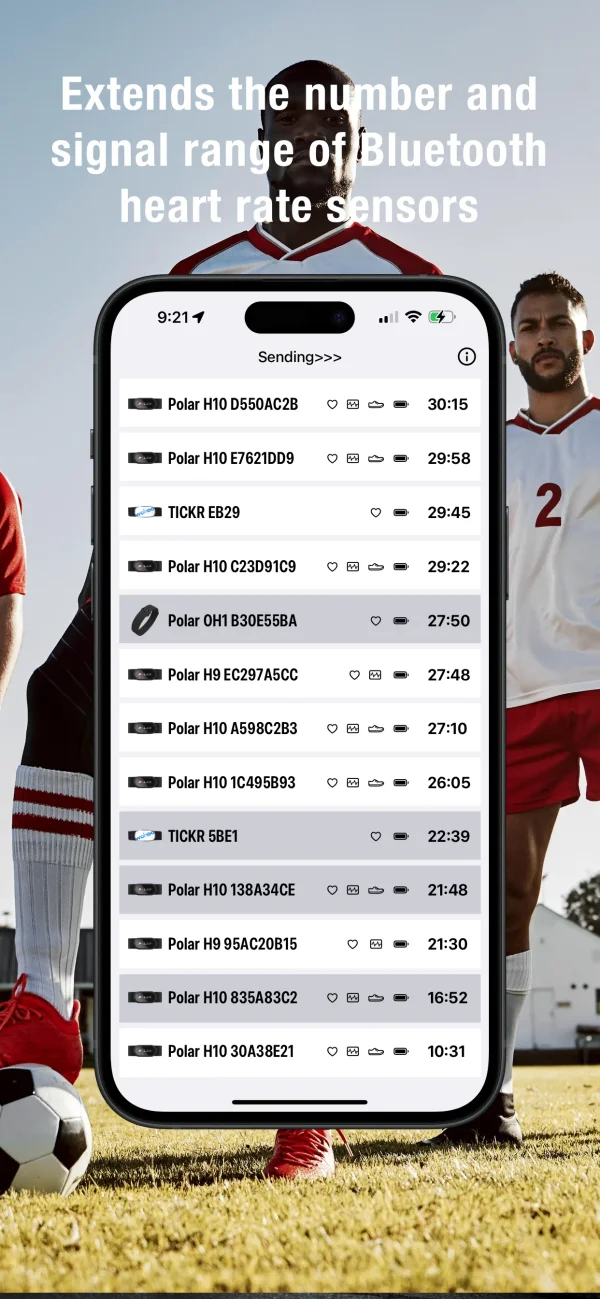
TeamHub connects to Bluetooth heart rate sensors^ and anonymously sends real time heart rate and step data to the TeamHR app for display on a large TV. TeamHub can run on one or more iPhones, acting as signal repeaters for the TeamHR app. It is used to extend the total number and signal range of Bluetooth heart rate sensors. TeamHub can connect up to 13 Bluetooth heart rate sensors per iPhone, supporting up to 50 players in the TeamHR app. Ideal for football fields, athletics tracks, or swimming pools.
You can download TeamHR from the App Store here:
https://apps.apple.com/app/id6739381886
Key Features
- Easy to setup - simply download and launch from one or more iPhones!
- Restricted to pairing with Bluetooth heart rate sensors only
- Reads heart rate data privately by displaying sensor names only
- Sends heart rate data anonymously to TeamHR app running on iPhone
- Sends step data anonymously to TeamHR app running on iPhone (Polar H10 sensors only)
- Bluetooth heart rate sensors switch between multiple instances of this app
- Player profile data is not used and is never shared with this app
Setup
1. Start a session in Network mode on the TeamHR device. TeamHR will then wait for one or more TeamHubs to connect.
2. Launch TeamHub on one or more devices. These hubs act as signal repeaters for nearby heart rate sensors and work best when positioned around the perimeter of the training ground.
3. TeamHub will connect to the TeamHR device and show a confirmation message.
4. TeamHub automatically finds and pairs with heart rate sensors~ but may experience delays when the screen is off.
5. When TeamHR disconnects (i.e., session stopped), TeamHub automatically unpairs from all heart rate sensors. The screen must be on before starting another session.
6. TeamHub recognizes only Bluetooth heart rate devices, and TeamHR accepts data only from allocated sensors.
7. TeamHub sends heart rate data anonymously to TeamHR. It runs securely on any iPhone, as TeamHR never shares profile data with it.
8. If you’re experiencing connection issues, try restarting the session on the TeamHR device. You can also clear the Bluetooth cache on your TeamHub device by turning Bluetooth off and then back on in Settings > Bluetooth.
^Works only with Bluetooth heart rate sensors compatible with Network mode including Polar H7/H9/H10/OH1/SENSE/PRO and Wahoo TICKR (not Apple Watch).
~Polar H10 sensors with Firmware 4.0.4 or later show a "Bluetooth Pairing Request" the first time they connect to a TeamHub. Tap Pair to accept, and the prompt won't appear again on that TeamHub. We recommend pairing all affected sensors on each TeamHub before starting a session, so the prompt doesn't interrupt tracking.
新機能
バージョン 1.13 · 2026/6/24
- Updated Setup screen with Polar H10 Bluetooth Pairing Request.
アプリのプライバシー
このアプリのデータの取り扱いについて、TRACKTEAM PTY LTDがApp Storeで申告している内容です。
-
データの収集なし
開発元はこのアプリからデータを収集しません。
プライバシーの取り扱いは、ご利用の機能やお客様の年齢などに応じて異なる場合があります。
情報
- 販売元
- TRACKTEAM PTY LTD
- カテゴリ
- ヘルスケア/フィットネス
- バージョン
- 1.13
- 更新日
- 2026/6/24
- リリース
- 2025/1/9
- サイズ
- 1.2 MB
- 必要条件
- iOS 16.6以降
- 対象年齢
- 17+
- 価格
- 無料
- 言語
- 英語
- 著作権
- © 2026 Trackteam Pty Ltd