- 対象年齢4+
- カテゴリユーティリティ
- 開発元Nishaben Patel
- 言語英語
- サイズ34.7 MB
App Storeの公式ページにリンクしています
Download.orgはVideo Editor - FFmpeg Proのファイルを一切ホストしていません。ボタンを押すと、Nishaben Patelが公開しているApp Storeのアプリページが開きます。ページの最終確認:2026/11/23。
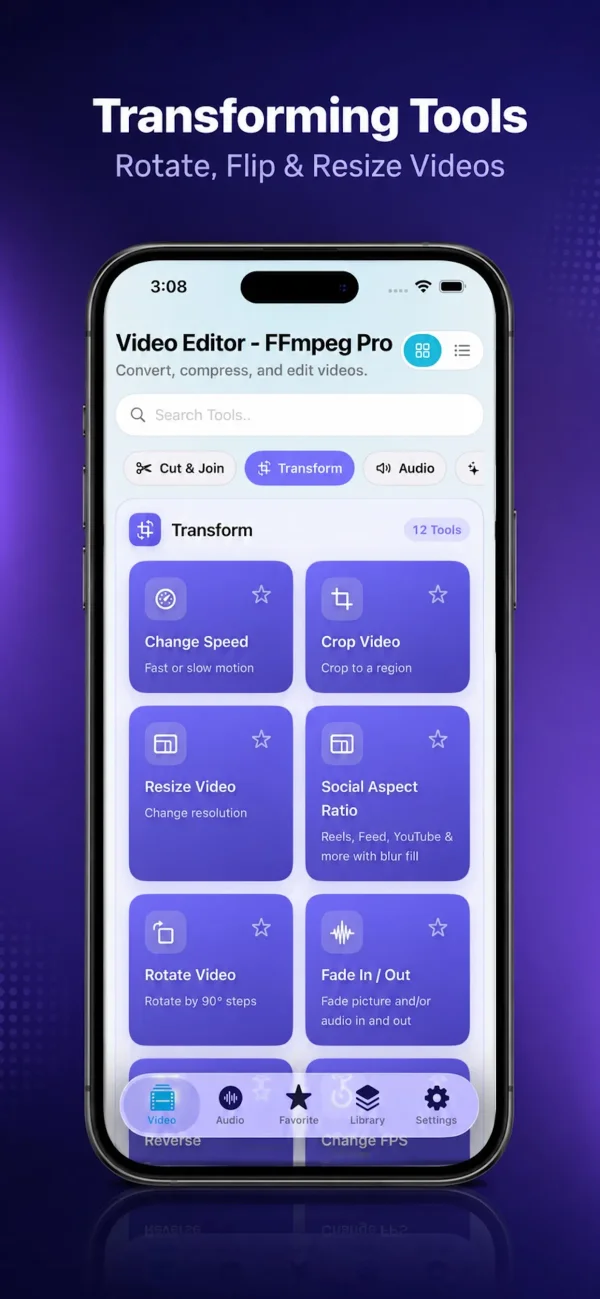
スクリーンショット
概要
開発元はこのテキストをお使いの言語で提供していません。
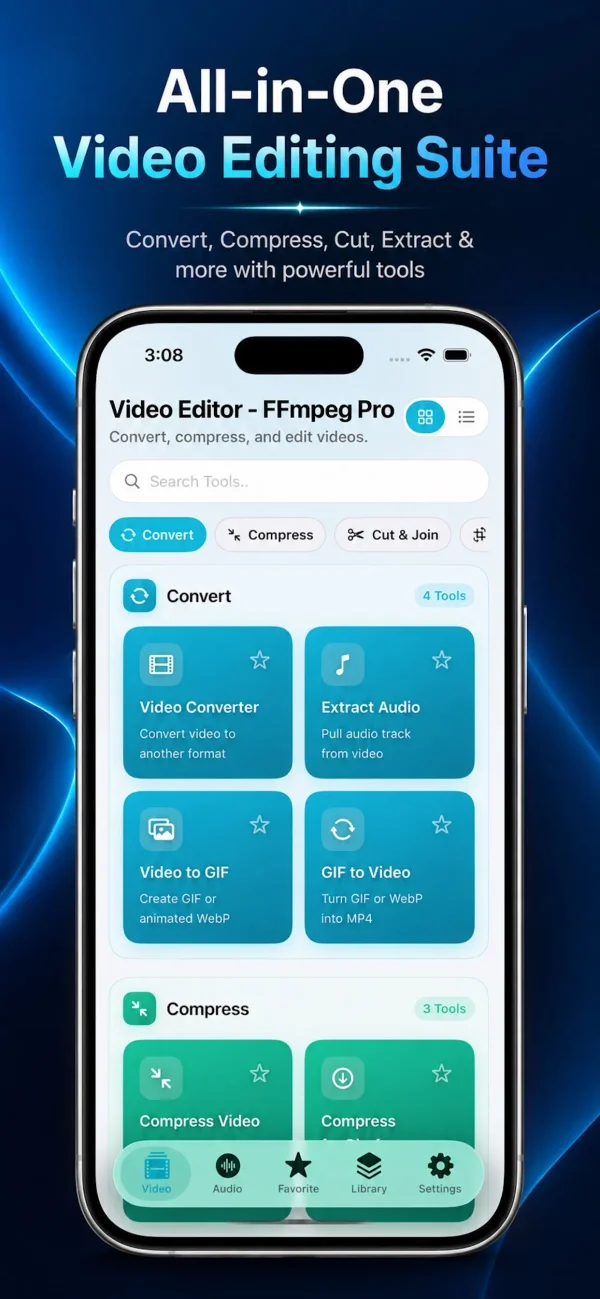
Transform your videos and audio files with the most powerful all-in-one media editor for iOS. this app gives you professional-grade editing tools powered by FFmpeg
**VIDEO EDITING TOOLS**
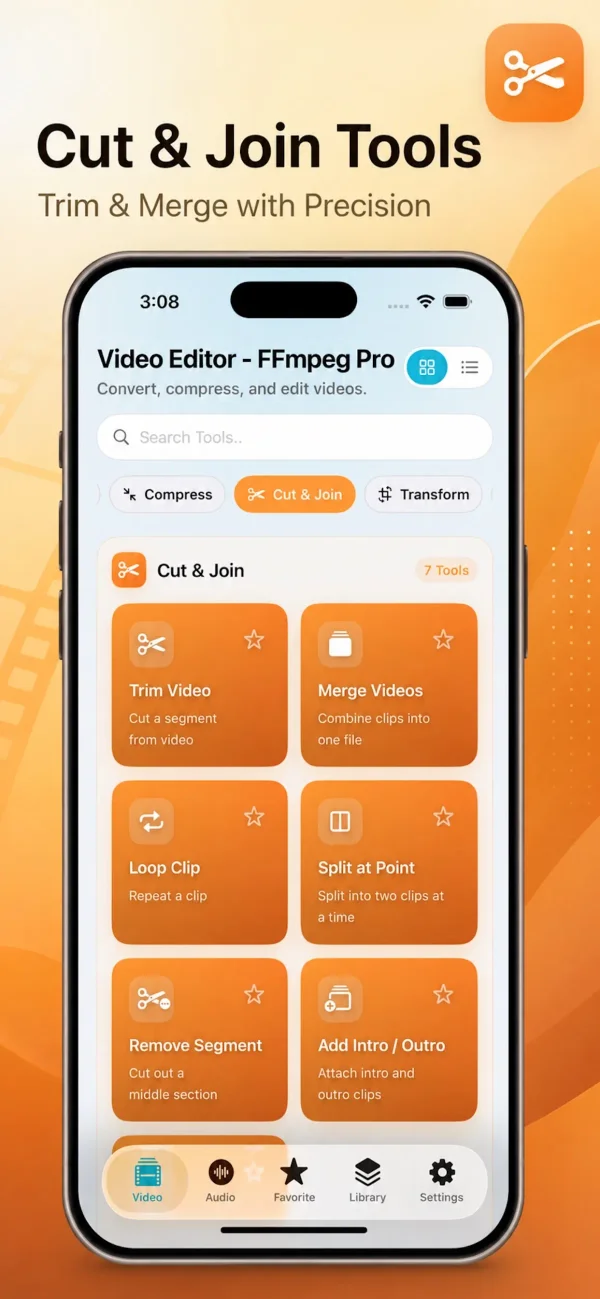
• Trim & Cut Video - Precisely trim clips to the perfect length
• Merge Videos - Combine multiple clips with smooth transitions (fade, dissolve, wipe)
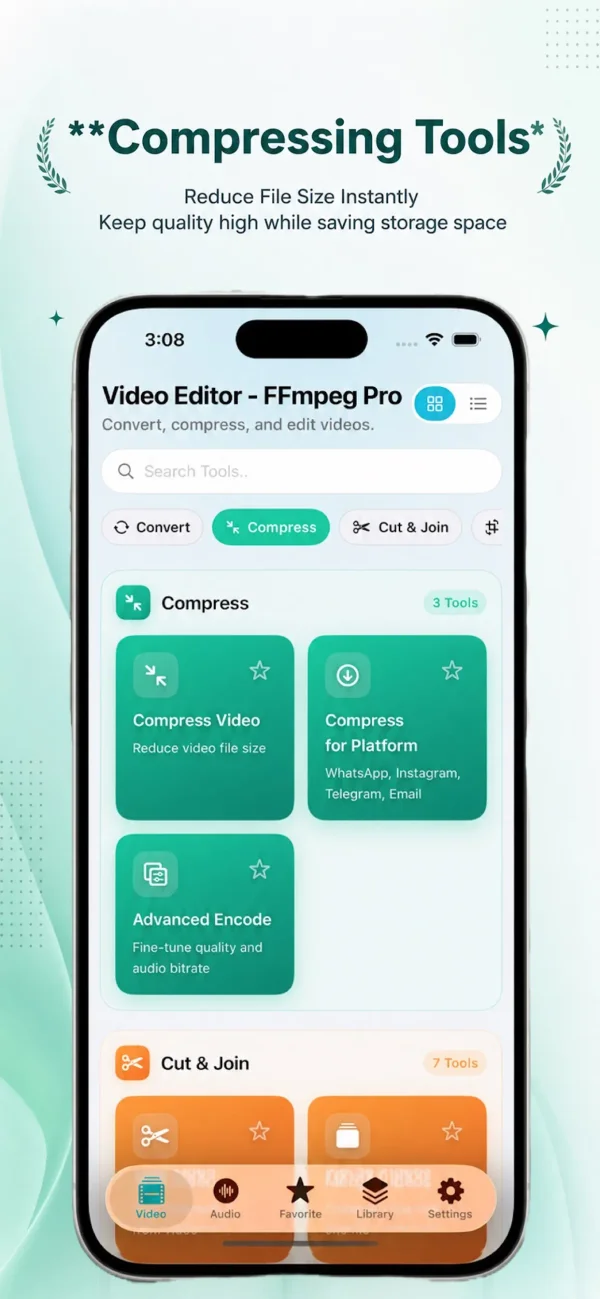
• Compress Video - Reduce file size while maintaining quality
• Rotate & Flip Video - Fix orientation instantly
• Crop Video - Remove unwanted areas with multiple aspect ratios
• Resize Video - Scale to any dimensions
• Change Speed - Create slow motion or time-lapse effects
• Smooth Slow-Mo - AI-powered frame interpolation for buttery smooth slow motion
• Reverse Video - Play clips backward
• Loop Video - Repeat your favorite moments
• Stabilize Video - Remove camera shake
• Remove Silence - Automatically cut silent parts from videos
• Split Video - Divide clips at any point
• Remove Middle - Delete unwanted segments
• Freeze Frame - Hold a moment in time
• Change FPS - Adjust frame rate (24, 30, 60, 120 fps)
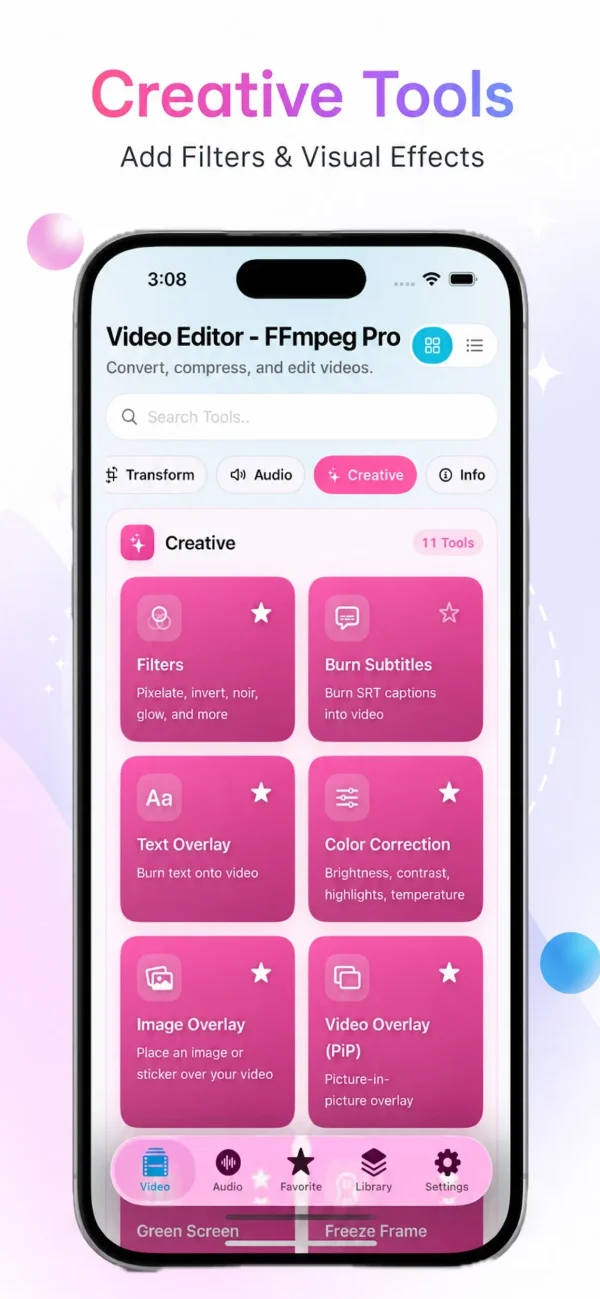
**CREATIVE & EFFECTS**
• Video Filters - Apply 17 stunning filters: Blur, Grayscale, Sepia, Noir, Warm, Cool, Comic, Sketch, Glow, Grain, Vignette, and more
• Color Correction - Adjust brightness, contrast, saturation, highlights, shadows, temperature & tint
• Text Overlay - Add custom text with 50+ fonts, colors, shadows & backgrounds
• Image Overlay - Layer images with rotation, scale, opacity controls
• Video Overlay - Picture-in-picture effects with full positioning
• Watermark - Protect your content with logo overlays
• Burn Subtitles - Hardcode SRT subtitles with customizable fonts and styles
• Chroma Key - Green screen background replacement (solid, image, or video)
• Video to GIF - Create animated GIFs or WebP stickers
• GIF to Video - Convert GIFs back to video format
• Images to Video - Build slideshows with Ken Burns effects and transitions
• Video Collage - Side-by-side, stacked, or grid layouts
• Extract Frame - Capture perfect still images
**SOCIAL MEDIA OPTIMIZATION**
• Fit to Aspect - Resize for Instagram Reels (9:16), Feed (4:5), TikTok, YouTube (16:9), Stories, Square (1:1)
• Platform Compress - One-tap optimization for WhatsApp, Instagram, Telegram, Email
• Blur Fill, Letterbox, or Crop Fill modes
• Multiple aspect ratio presets: 9:16, 1:1, 4:5, 16:9, 3:4, 2:3, 1.91:1
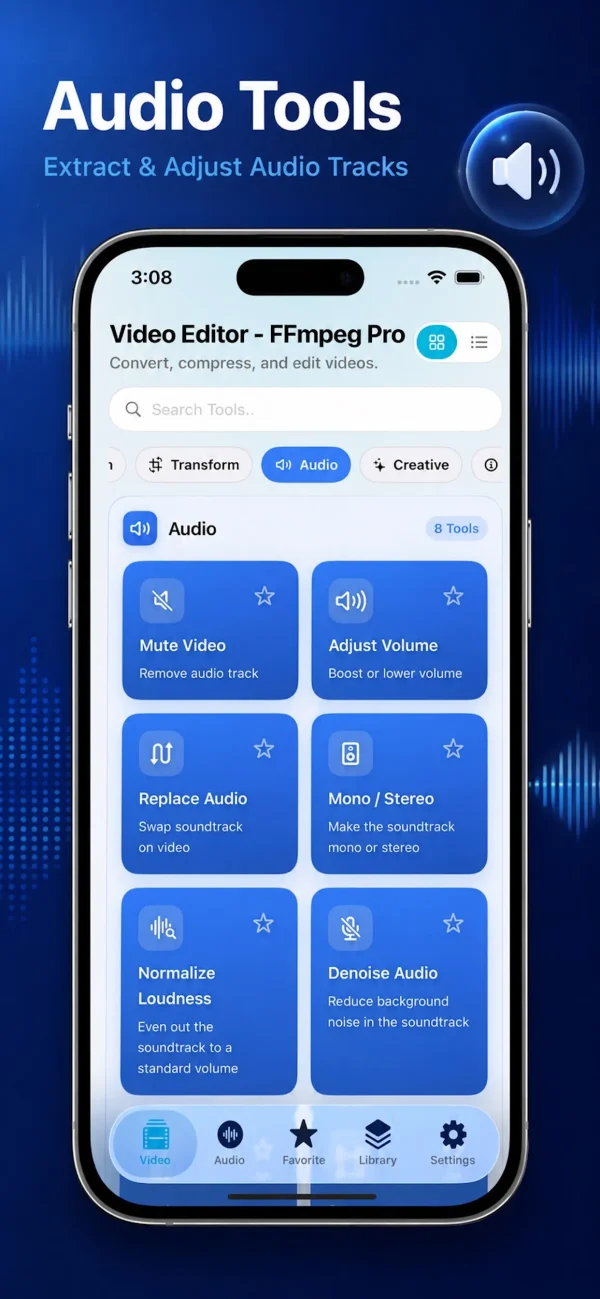
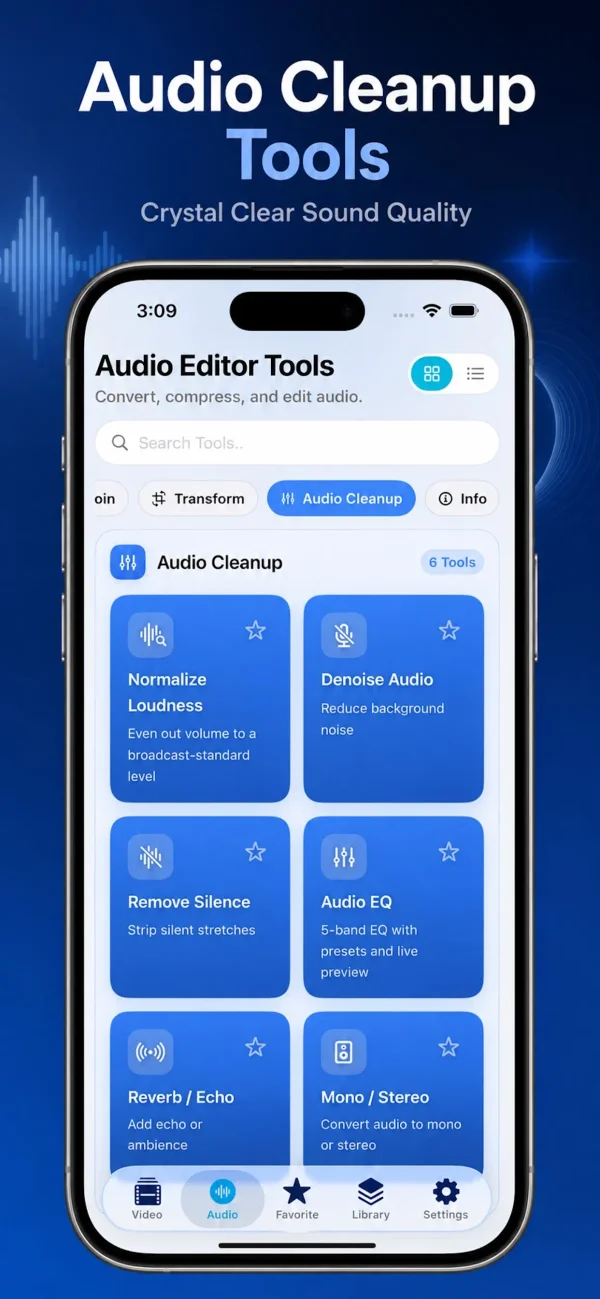
**AUDIO EDITING TOOLS**
• Trim Audio - Cut audio files precisely
• Merge Audio - Combine multiple tracks
• Adjust Volume - Boost or reduce audio levels
• Fade In/Out - Smooth audio transitions
• Replace Audio - Swap video soundtracks
• Mute Audio/Video - Remove sound completely
• Change Audio Speed - Speed up or slow down audio
• Extract Audio - Pull audio from videos (MP3, M4A, AAC, WAV, FLAC, OGG)
• Audio EQ - 5-band graphic equalizer with presets (Bass Boost, Voice, Podcast, Treble Boost)
• Audio Reverb - Add ambience (Soft Echo, Hall, Cave effects)
• Denoise Audio - Remove background noise
• Loudness Normalization - Consistent volume levels (EBU R128)
• Remove Silence - Strip quiet segments from audio
• Channel Remap - Convert stereo to mono or vice versa
**FORMAT CONVERSION**
• Video Converter - MP4, MOV, AVI, MKV, WebM, MPEG, 3GP, FLV, WMV, OGV
• Audio Converter - MP3, M4A, AAC, WAV, FLAC, OGG, WMA, AMR
• Batch Processing - Convert multiple files at once
• Advanced Encoding - Custom CRF, bitrate, codec settings
**METADATA EDITOR**
• Edit Video/Audio Metadata - Title, artist, album, genre, year
• Album Cover Art - Add custom cover images
• Preserve or strip metadata
**WHY CHOOSE THIS APP?**
• 60+ Professional Tools - Everything you need in one app
• FFmpeg Engine - Industry-standard processing power
• Offline Processing - No internet required, complete privacy
• Fast & Efficient - Optimized for iOS performance
• Regular Updates - New features added frequently
## Privacy Policy URL
https://videoconvertercompressorios.blogspot.com/2026/08/privacy-policy.html
新機能
バージョン 1.0.3 · 2026/11/19
Turn the speech in your videos into captions and subtitles, automatically.
NEW: Auto Captions/Subtitle
• Generate captions from your video's audio in seconds, in many languages
• Word-by-word highlight styles: Classic, Boxed, Karaoke, Pop Word, One Word and Neon
• Customize font, colors, size, outline, position and words per caption, with a live preview
• Burn captions into your video, or export subtitle files: SRT, VTT and TXT. You can also do both at once.
• Translate captions into other languages (iOS 18 and later)
Improvements
• Performance and stability improvements
Love the update? A quick review helps us a lot!
アプリのプライバシー
このアプリのデータの取り扱いについて、Nishaben PatelがApp Storeで申告している内容です。
-
ユーザーのトラッキングに使用されるデータ
他社のアプリやウェブサイトを横断してユーザーをトラッキングする目的で使用される場合があります。
- ID
- 使用状況データ
-
ユーザーに関連付けられたデータ
収集され、ユーザーの識別情報に関連付けられる場合があります。
- ID
- 使用状況データ
プライバシーの取り扱いは、ご利用の機能やお客様の年齢などに応じて異なる場合があります。
情報
- 販売元
- Nishaben Patel
- カテゴリ
- ユーティリティ
- バージョン
- 1.0.3
- 更新日
- 2026/11/19
- リリース
- 2026/8/30
- サイズ
- 34.7 MB
- 必要条件
- iOS 16.6以降
- 対象年齢
- 4+
- 価格
- 無料
- アプリ内課金
- あり
- 言語
- 英語
- 著作権
- © 2026 DarkBlueApps. All rights reserved.